
iTechGuides is reader-supported. When you buy through links on our site, we may earn an affiliate commission. As an Amazon Associate I earn from qualifying purchases. Learn more
There is no single best Home Assistant replacement. Choose Apple Home if everyone uses iPhone, Google Home for the quickest mainstream start, SmartThings for a mixed-brand household, Hubitat when local control matters, Homey Pro for premium multi-protocol coverage, or Aqara Home when most of your sensors, locks, and cameras are Aqara.
Your decision should follow three practical constraints: which phones and voice assistants your household already uses, which protocols and brands your devices require, and how much cloud dependence you will accept. The comparison below separates those trade-offs so you can build a smart home without coding.
Alternatives at a glance
| Platform | Best fit | Main strengths | Trade-offs |
|---|---|---|---|
| Apple Home | iPhone, iPad, and Siri households | Simple Home app scenes and automations; familiar Apple experience | Narrower device and protocol choice than open platforms; dependence on the Apple ecosystem |
| Google Home | Google-service households and beginners | Straightforward setup, voice control, and broad mainstream device coverage | More cloud dependence and less deep automation control than specialist hubs |
| Samsung SmartThings | Mixed-brand homes wanting one mainstream app | Broad device ecosystem and routines | Cloud reliance and platform-account dependence must be checked for each device |
| Hubitat Elevation | People prioritizing local control | Local automation engine and no-subscription positioning | Interface and setup are less polished than Apple Home or Google Home |
| Homey Pro | Buyers wanting many protocols in one premium hub | Broad radio and protocol support with visual automation | Higher upfront cost; regional model and device support require verification |
| Aqara Home | Homes built around Aqara sensors, locks, and cameras | Vendor-centered setup, strong sensor and security range, and bridges to Apple Home, Alexa, and Google Home | Greater vendor lock-in; non-Aqara compatibility varies by model and Matter support |
Protocol names alone do not guarantee compatibility. Matter, Thread, Zigbee, Z-Wave, Wi-Fi, Bluetooth, and vendor-specific bridges can behave differently across regions and device generations. Check the exact model before buying a hub or replacing equipment.
Outdated Drivers Are Slowing You Down
One free scan finds every outdated or missing driver and matches the right update for your exact hardware.Free scan · exact hardware matchPC Slower Than It Used to Be?
A free scan shows the junk files, broken settings and background clutter dragging Windows down - then fixes them in one click.Free scan · Windows 10 & 11What “no-code” means in practice
Home Assistant’s FAQ, marked version 2026.10.2, says that “Home Assistant is designed to be used without writing any code.” Its integrations, dashboards, and automations can be created through menus, forms, and drag-and-drop controls; YAML remains optional for specialized power-user configuration. That distinction matters if you are leaving because of an older technical reputation rather than a current usability problem.
Popular on Amazon

- Echo Hub — An easy-to-use smart home control panel redesigned for your home. Arrange controls on your dashboard to quickly adjust devices, view cameras, start routines, and more.
- Customize your dashboard — Arrange smart home devices into sections and resize them to focus on what matters most. Create a personalized layout that matches how your family uses their connected devices.
- Reimagined for your home - With an Alexa+ and compatible Ring subscription (sold separately), get Ring camera event summaries to stay in the know. Search your Ring footage using simple voice commands. Create routines by voice, activate modes to manage multiple devices at once, and chat with Alexa to easily control your smart home.
- Home security for the whole family — Use Echo Hub to easily arm and disarm your compatible security system, making it easy for everyone in your family to manage home security. Use the Alexa app and compatible cameras, locks, alarms, and sensors to check in while you're out.
- Works with thousands of Alexa compatible devices — WiFi, Bluetooth, Zigbee, Matter, Sidewalk, and Thread devices sync seamlessly with the built-in smart home hub.
The alternatives in this guide also use graphical setup, but “no-code” does not mean “no decisions.” You still have to create accounts where required, install a hub or app, pair devices, choose rooms, grant permissions, and define triggers and actions. A platform can be easy to start while offering fewer conditions, variables, or recovery options later.
Apple Home: the simplest choice for Apple households
Why it fits
Apple Home is the natural first choice when the household already uses iPhone and iPad and wants Siri voice control. Scenes and automations are created in the Home app, so lights, locks, sensors, and other compatible accessories appear in a familiar Apple interface. The short learning curve is its biggest advantage: family members can operate the home without learning a specialist automation editor.
What to check before committing
Apple Home has a narrower device and protocol selection than open platforms. Confirm that every important accessory is supported by the Home app or can be exposed through a compatible bridge. Also account for Apple-ecosystem dependence: replacing the household’s phones, voice assistant, or home-control hardware can make a later migration less convenient.
For an iPhone-first home that values predictable scenes over elaborate rule logic, Apple Home is usually the best Home Assistant alternative for beginners. It is less suitable when you need unusual devices, many vendor-specific integrations, or highly specialized automation conditions.
Google Home: the easiest mainstream starting point
Why beginners choose it
Google Home combines guided setup, voice control, and broad mainstream device coverage. A household already using Google services can add compatible products, assign rooms, and create routines without installing a separate automation server. The approach is approachable for people who want a smart home without coding and do not want to manage a technical hub.
The cloud trade-off
Google Home has more cloud dependence and less deep automation control than specialist hubs. Internet access and the vendor’s cloud services can therefore matter to everyday operation, account linking, and remote control. Treat “works with Google Home” as a compatibility statement, not a promise that every routine will run during an outage.
Google Home is a strong fit for a mainstream household with common Wi-Fi, Matter, or bridge-connected products. If you need complex conditions, local execution, or unusual protocol combinations, compare it with Hubitat or Homey Pro before buying more devices.
Samsung SmartThings: a flexible mainstream app for mixed brands
Why it fits mixed-device homes
SmartThings is designed for households that want one mainstream app across brands. Its broad device ecosystem and routines can consolidate lighting, sensors, appliances, and other equipment that would otherwise be split among several vendor apps.
Also popular on Amazon
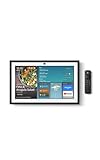
- MEET ECHO SHOW 15 - A stunning 15.6" Full-HD (1080p) smart display that's perfect for your kitchen and ready to show you more. Use customizable widgets to keep your day on track, manage other Alexca devices, watch your favorite shows with Fire TV and powerful vibrant sound, and enjoy natural video calling, with 3.3x zoom and wide field of view.
- YOUR FAMILY HUB - See your top widgets at a glance, like your family’s digital calendar and to-do lists, local weather, smart home, and more.
- THE PERFECT KITCHEN TV - Built-in Fire TV unlocks endless entertainment, so you can enjoy your favorite content from thousands of apps like Prime Video, Netflix, YouTube, Apple TV, and more (subscription may be required). Fire TV remote included.
- BUILT-IN SMART HOME HUB - Set up and control smart home devices with your voice or a few taps using the smart home dashboard. Easily turn on all your living room lights at once or check live camera feeds to see what's happening around your home.
- YOUR FAVORITE MEMORIES ON DISPLAY - Brighten your space (and your day) by turning your home screen into a photo slideshow that displays your favorite memories. Auto curate your images and show off your favorite family memories.
Account and cloud checks
Cloud reliance and platform-account dependence vary by device. Before pairing an important lock, alarm, or heating control, verify whether its routine or status updates require a SmartThings account and an internet connection. A device may continue to respond locally while another feature, such as remote access or a vendor integration, does not.
SmartThings is a practical answer to “Hubitat vs SmartThings” when a household prioritizes a polished mainstream ecosystem and broad brand coverage. Hubitat is the stronger candidate when keeping automations local is the overriding requirement.
Hubitat Elevation: local execution with less maintenance than a DIY server
Why local control matters
Hubitat Elevation is aimed at users who want a local automation engine and no-subscription positioning. Local rules can reduce reliance on an internet connection and keep routine processing inside the home, which is valuable for lights, motion sensors, and other time-sensitive actions.
What’s actually slowing this PC down?
Pick the symptom - the matching free tool is one click away.
Where it asks more of you
Its interface and setup are less polished than Apple Home or Google Home. You may spend more time understanding device drivers, pairing methods, and rule structure even though you are not writing code. That is a different kind of effort from maintaining a Home Assistant installation: the work is configuration and troubleshooting rather than programming.
Choose Hubitat when offline behavior and local control outrank visual simplicity. During selection, confirm that your exact devices have suitable integrations and that any bridge or radio required by those devices is supported by the hub.
Homey Pro: premium multi-protocol coverage
Why it stands out
Homey Pro targets buyers who want many radio and protocol options in one premium hub, with visual automation instead of code. This can reduce the number of separate bridges in a home containing devices from several ecosystems.
Verify the details that change by region
Homey Pro’s broad protocol support does not eliminate compatibility checks. Confirm the regional model, supported devices, and which functions are available for each product. A device may pair for basic control but lack a specific sensor value, firmware feature, or advanced action.
The main compromise is financial and practical: a premium hub costs more up front, and its wider capability can make planning more important. Homey Pro is a reasonable “Homey Pro vs Home Assistant” choice for someone who wants multi-protocol breadth without building and maintaining an open platform.
Also popular on Amazon
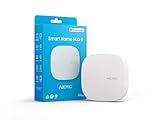
- Powered by SmartThings: Connect, monitor, and automate your home through the SmartThings app. Build a reliable, unified smart home using Samsung's proven ecosystem
- Matter + Zigbee Smart Home Hub: Supports the newest Matter standard plus Zigbee for lighting, sensors, plugs, switches, thermostats, and more - thousands of compatible devices. PLEASE NOTE: Z-Wave not supported
- Easy Setup with Wi-Fi or Ethernet: Get started in minutes using Wi-Fi or a wired Ethernet connection for apartments, houses, and expanding smart home systems - Z-Wave not supported
- Automations That Work for You: Create custom routines for security, lighting, comfort, and energy savings. Many local automations continue working even if your internet goes offline
- Wide Device Compatibility: Connect compatible smart devices from Aeotec and many other brands to build a unified system for lighting, voice control, energy management, and climate settings
Aqara Home: the easiest route for Aqara-centered homes
Why a vendor-centered system can be easier
Aqara Home is compelling when most of the home uses Aqara sensors, locks, cameras, and related accessories. The vendor-centered app keeps pairing and device management in one place, and its security and sensor range is a major reason to choose it.
Bridging and lock-in
Aqara hubs can bridge supported devices to Apple Home, Alexa, and Google Home. Compatibility with non-Aqara products varies by model, and Matter support is not identical across every product. This creates a simpler starting point but more vendor lock-in: moving later to another controller may require replacing the hub, re-pairing devices, or losing vendor-specific features.
The phrase “Aqara Smart Hub M3” identifies a dedicated hub option for readers seeking a simpler Aqara-centered controller. Verify the current model generation, regional availability, supported radios, and the exact Matter features before purchase.
Do these 3 things before closing this tab:
1Repair Windows errors before they cause bigger problems2Scan for outdated or missing drivers - takes under a minute3Clear out junk files and repair common Windows errorsCompare the factors that determine your experience
Setup effort
Apple Home and Google Home usually minimize initial effort because the app and household account are familiar. SmartThings adds breadth through account linking and routines. Hubitat and Homey Pro require a hub installation and more deliberate device pairing, while Aqara Home is quickest when the device collection is mostly Aqara. Count the time needed to migrate existing devices, not just the time to open the app for the first time.
Device and protocol coverage
List the protocols already present in your home before selecting a controller. Matter and Thread can simplify newer purchases, while Zigbee, Z-Wave, Wi-Fi, and Bluetooth remain common in existing devices. Vendor-specific bridges may be necessary for cameras, locks, or appliances. A hub with broad radio support is useful only if it supports the exact regional model and the functions you need.
Local versus cloud execution
Offline behavior is a device-level question. A platform may run its core automation locally while a particular integration, remote-control feature, voice assistant, camera stream, or firmware service still needs the vendor cloud. Test the actions that matter most—such as a motion-triggered light or a lock notification—by temporarily disconnecting the internet before relying on them for safety or convenience.
Automation depth
Scenes and routines cover common needs such as turning lights on at a time or when motion is detected. Specialist hubs provide more room for conditions, variables, and advanced rule logic. Decide whether you need only household scenes or whether you expect exceptions, timers, presence combinations, and fallback actions. A simpler editor is an advantage until its missing condition becomes a daily workaround.
The Tool Desk
Outbyte PC Repair FREEClear out junk files and repair common Windows errorsFree Scan →Outbyte Driver Updater FREEFix the driver behind crashes, sound loss and screen glitchesFind Drivers →Privacy and data location
Local processing can reduce the amount of event data sent away from the home, but account and cloud requirements still vary by product. Review the platform’s account requirements and each device maker’s data policy. Voice assistants, cameras, and remote access deserve separate scrutiny because their data paths may differ from those of a locally executed light routine.
Also popular on Amazon
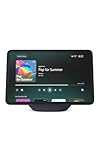
- More viewing area: The 11“ smart display features a vibrant Full-HD touchscreen, built-in smart home hub, AZ3 Pro chip for powerful performance, and Omnisense technology for highly personalized experiences.
- Content looks and sounds incredible: Watch shows on Prime Video, Netflix, and more on the vibrant screen and enjoy room-filling spatial audio, crisp vocals, and wide sound stage. With Alexa+, find the name of that song you love and discover new shows based on your preferences.
- Your everyday home assistant: The 11" display makes it easy to see recipes and your digital calendar and clock at a glance, find meal inspo, and manage your shopping lists. With Alexa+, set kitchen timers, find recipes based on foods you love, make reservations, order groceries, and more.
- Simple Smart Home control: Pair and control thousands of smart home devices that work with Alexa without needing a separate smart home hub. Easily view your camera feeds. Manage lights, thermostats, and more using the display or your voice. With Omnisense technology, you can activate routines via temperature, presence, or visual ID detection.
- Crystal-clear video calls: Video calls feel natural on the vibrant 11" screen with a centered, auto-framing camera, 3.3x zoom, and noise reduction technology. Use live view to check in on your family, pets, and more while you're away.
Ecosystem lock-in and migration
Devices using open standards may be easier to move between controllers, while vendor-specific accessories and bridges can tie automations to one ecosystem. Keep model numbers, pairing instructions, and automation descriptions in a simple inventory. That record makes it easier to rebuild scenes if you change hubs or if a vendor discontinues an integration.
Hardware and ongoing cost
Compare the hub, any required radio or bridge, replacement power supplies, and optional subscriptions. No universal price applies; hardware and compatibility change by region and model generation. Do not choose solely on a launch price; include the cost of replacing devices that cannot migrate cleanly.
Independent reader supportYour contribution helps us test, update, and keep practical guides available for everyone.How to move from Home Assistant without losing control
- Inventory every dependency. Record each device model, protocol, room, critical automation, and whether it currently works during an internet outage. Mark safety-relevant functions separately from convenience scenes.
- Choose the controller around your household. Use Apple Home for an iPhone-first home, Google Home for a straightforward mainstream start, SmartThings for mixed brands, Hubitat for local execution, Homey Pro for broad protocol coverage, or Aqara Home when Aqara dominates.
- Check exact compatibility. Confirm the regional hub model, required bridge or radio, supported device functions, Matter status, and account requirements before buying. “Compatible” should mean that the specific sensor values and actions you use are available.
- Build a small pilot. Pair one light, one sensor, and one voice or app control. Test naming, room assignment, automation timing, and behavior with the internet disconnected where local operation is important.
- Recreate automations by priority. Start with lighting, locks, alarms, heating, and other routines that affect safety or daily schedules. Add decorative or experimental scenes only after the essential set is reliable.
- Run a transition period. Keep the old controller available while you test notifications, presence detection, camera access, and recovery after a hub restart. Remove old pairings only when the replacement has passed those checks.
Fast decision guide
- Everyone uses iPhone or iPad and wants Siri: start with Apple Home.
- You want the easiest smart home hub for common products: start with Google Home.
- You have many brands and prefer one mainstream app: evaluate SmartThings.
- Your priority is an offline-capable local automation engine: evaluate Hubitat first, then verify every integration.
- You need broad protocol coverage in one premium hub: evaluate Homey Pro and its regional device list.
- Your sensors, locks, and cameras are mainly Aqara: evaluate Aqara Home and the current Aqara hub generation.
Common mistakes and how to avoid them
Assuming no-code means zero configuration
Every platform still needs naming, rooms, permissions, pairing, and automation design. Reduce friction by standardizing names and documenting the trigger, condition, action, and fallback for each important routine.
Recommended Free Tools
Assuming every feature works offline
Local execution, remote access, voice control, and cloud integrations can have different requirements. Test each critical action without internet access and keep a manual fallback for locks, alarms, and heating.
Buying a hub before checking radios
A hub that lacks the required Zigbee, Z-Wave, Thread, Bluetooth, Wi-Fi, or vendor bridge support can force expensive replacements. Start with your existing device inventory and the exact regional model.
Ignoring account dependence
Cloud accounts may be required for onboarding, remote control, or specific routines even when basic device control is local. Record which features stop working if the account or internet connection is unavailable.
Overlooking migration lock-in
Vendor-specific devices can be easy to set up and difficult to move. Favor open standards where practical, retain purchase and model records, and avoid making every critical automation depend on one proprietary bridge.
Quick wins for a faster PC:
Clear out junk files and repair common Windows errorsFree Scan →Fix the driver behind crashes, sound loss and screen glitchesFind Drivers →Repair Windows errors before they cause bigger problemsFix Now →Should you reconsider Home Assistant?
If you are leaving solely because you believe Home Assistant requires programming, its current FAQ contradicts that assumption: integrations, dashboards, and automations are designed to be configured without writing code, with YAML optional for advanced users. It also states that Home Assistant runs on your own hardware and can keep working when the internet is down.
The same FAQ describes Home Assistant Green as the official plug-and-play hub. The vendor says basic setup takes “about 15 minutes” by plugging it in, connecting it to the network, and completing a browser-based onboarding wizard; that is a vendor estimate, not an independent test. Home Assistant is free and open source, with no subscription required and no features locked behind a paywall. Those facts may make it worth trying again if local control and flexibility matter more than having the most polished beginner interface.

