
Recommended Free Tools
iTechGuides is reader-supported. When you buy through links on our site, we may earn an affiliate commission. As an Amazon Associate I earn from qualifying purchases. Learn more
There is no universal Teams replacement. Choose Slack when asynchronous channels, search, integrations, and outside collaborators drive work; choose Google Workspace (Chat and Meet) when Gmail, Drive, Docs, and Calendar are already your operating system; choose Zoom Workplace when meetings are the primary work product; choose Lark when you want a cloud-native all-in-one platform that combines chat, meetings, docs, calendar, and approvals in one workspace; choose Mattermost for a developer-oriented, self-hosted deployment; and choose Rocket.Chat when sovereignty, on-premises, federation, or air-gapped operation is non-negotiable.
The right decision is broader than chat versus video. Compare identity, file collaboration, external access, retention, audit evidence, deployment control, AI licensing, storage, migration effort, and the staff required to operate the platform.
A quick decision tree
Use these questions in order. The first “yes” usually identifies the shortlist, not the final purchase.
Quick wins for a faster PC:
Repair Windows errors before they cause bigger problemsFix Now →Scan for outdated or missing drivers - takes under a minuteDriver Scan →- Must data remain in your infrastructure, region, or disconnected network? Evaluate Mattermost and Rocket.Chat first. Confirm encryption, federation, update procedures, support, and every required integration against your security architecture.
- Is your company standardized on Gmail, Drive, Docs, and Calendar? Evaluate Google Workspace as a complete suite rather than buying Chat or Meet in isolation.
- Are scheduled meetings, recordings, transcripts, and webinars the center of collaboration? Put Zoom Workplace at the top of the meeting comparison and verify whether its chat, files, calendar, and workflow features cover the rest of your requirements.
- Do you want one cloud-native workspace instead of a chat app plus a meeting tool plus a docs suite plus a calendar? Evaluate Lark. It combines messaging, video meetings, collaborative docs, calendar, email, wiki, approvals, and Lark Base (a no-code database) in one platform.
- Does work move across many tools, time zones, departments, and partner companies? Start with Slack. Its channel, thread, search, workflow, and external-collaboration model is built for that pattern.
- Do you need a Microsoft 365 operating environment? Teams may still be the lower-risk choice. Word, Excel, Outlook, SharePoint, and Microsoft 365 meeting integration can outweigh a feature win elsewhere.
What replacing Teams actually involves
Teams combines several products: persistent chat and channels, meetings, calling, files, calendars, identity, compliance controls, and integrations. An alternative may replace only some of those layers. A meetings service can leave you without a durable channel archive; a self-hosted messenger can require you to supply recording, storage, identity, monitoring, and upgrades yourself.
Popular on Amazon

- Omnidirectional Microphone - It is not a Speaker or Speakerphone, it is a condenser microphone. The microphone has an omnidirectional pickup pattern with a pickup distance of 11.5 ft, making it easy to capture the most subtle sounds from 360° directions and transmit the sound more loud and clear. Participants can hear each other without raising their voices.
- Made for Conferences - This microphone is perfect for small or medium meetings over an internet network by using Skype/GoToMeeting/WebEx/Hangouts/Fuze/VoIP/Zoom and other softwares. You can also use it for court reports, seminars, remote training, business negotiations, video chats, etc.
- Plug & Play, No Drivers Required - The microphone is compatible with all operating systems - both Windows and macOS. You just need to plug the microphone to start recording. If there is no response after inserting the mic, please go to the microphone setting of your computer and select the mic as the INPUT device.
- Convenient Mute Button - Quickly mute/unmute your microphone. The built-in blue indicator light for checking whether the USB microphone is working.
- Well Designed Cable - The microphone is constructed of sturdy and metal material and the base is fitted with an anti-slip mat which keeps it stable on desktop during use. It is small, convenient and does not require much space when in use. Connected with a 1.8m nylon shielded wire, it effectively eliminates signal interferences to achieve the best recording results.
Define the replacement as a set of capabilities before comparing brands:
- Conversation model: threaded, asynchronous channels; presence-led direct messaging; or a mixture.
- Meeting depth: ad hoc audio, scheduled meetings, recordings, transcripts, breakout rooms, webinars, and large events.
- Work context: native documents and calendars, file history, search, whiteboards, automations, and application APIs.
- External collaboration: guest accounts, shared channels, federation, partner identity, and controls for data leaving your tenant.
- Control: software-as-a-service, regional hosting, customer-managed infrastructure, on-premises, or air-gapped deployment.
- Governance: retention, legal hold, audit logs, encryption, e-discovery, administrative roles, and compliance evidence.
- Total cost: subscriptions plus AI, storage, meeting capacity, implementation, migration, hosting, support, and operations.
Comparison at a glance
| Option | Conversation model | Meetings and collaboration | Deployment and control | Best starting point |
|---|---|---|---|---|
| Slack | Threaded channels, direct messages, asynchronous work, huddles | Huddles, searchable history, Workflow Builder, broad app integrations, Slack Connect | SaaS; verify regional, retention, audit, and enterprise controls for your plan | Distributed teams working across many tools and external partners |
| Google Workspace (Chat and Meet) | Chat spaces and direct messages alongside Gmail and Calendar | Meet plus Docs, Drive, Calendar, and shared file context | Google-managed service; plan and region determine available controls | Organizations already operating in Google’s productivity suite |
| Zoom Workplace | Meeting-led collaboration with chat and file history | Meetings, recordings, transcripts, AI notes and summaries, whiteboards, integrations | SaaS; confirm plan-level security, retention, and administration | Meeting-heavy organizations that also want chat and workflow features |
| Lark | Team chat, group channels, direct messages, threaded replies | Video meetings, collaborative docs, calendar, email, wiki, approvals, Lark Base (no-code database) | Cloud-only SaaS; serves 190+ markets; regional data controls per plan | Teams that want one cloud-native workspace instead of separate chat + meeting + docs + calendar tools |
| Mattermost | Channels, threads, and direct messages | Audio calls and screen sharing; deployment-specific meeting requirements should be tested | Self-hosted option with community and professional support paths | Technical or regulated teams requiring infrastructure control |
| Rocket.Chat | Channels and direct messaging with federation possibilities | Validate the exact voice, video, file, and integration stack for your deployment | On-premises, sovereign, and air-gapped deployment options are central to its positioning | Organizations with sovereignty, federation, or disconnected-network requirements |
Feature availability, limits, and administration differ by edition and contract. Treat the table as a shortlist, then test the workflows your users perform every day.
Slack: the broad asynchronous replacement
Slack’s March 23, 2026 vendor comparison describes Slack as a work operating system designed for distributed and asynchronous teams. It says Slack brings office applications, conversations, and data together and connects with more than 2,600 apps. Those are vendor-stated figures, so confirm the current catalog and the apps you depend on.
What’s actually slowing this PC down?
Pick the symptom - the matching free tool is one click away.
Where Slack fits
- Channels and threads: Keep a topic in a durable channel and move side discussions into threads instead of forcing every decision into a meeting.
- Huddles: Start an ad hoc audio conversation when text is too slow, without turning every exchange into a scheduled event.
- Enterprise search: Search conversations and connected information, subject to plan, permissions, and retention settings.
- Workflow Builder: Turn recurring requests and approvals into guided workflows; validate the trigger, data access, and audit trail for each process.
- Slack Connect: Work with outside organizations in shared spaces while keeping administrative boundaries visible.
Slack is a strong choice when projects cross departments, time zones, software stacks, and partner companies. It is a less obvious fit if your users spend most of the day editing Microsoft files or if your compliance team requires infrastructure you control.
Slack versus Teams in practice
A March 23, 2026 comparison from Slack characterizes Teams as centered on live interaction and tight Microsoft 365 integration, while Slack emphasizes asynchronous channels and cross-tool work. Teams is also described there as supporting live events of up to 10,000 participants. That capacity and Microsoft 365 document context can matter more than Slack’s broader app catalog for an organization already standardized on Microsoft products.
Slack cost questions
Slack’s official information says paid plans range from under $10 to around $20 per user per month, with Slack AI bundled in paid tiers. The figures are indicative rather than a universal regional quote. Check billing currency, annual versus monthly terms, guest treatment, storage, retention, enterprise support, and whether every needed AI feature is included in your selected tier.
Also popular on Amazon

- ✔Crystal Clear Sound: Conduct advanced noise-canceling technology, the Conference microphone can easily capture clear sound with a 360°sensitivity pickup range(3m/10ft), 10 times better than a traditional computer microphone. (𝐍𝐎𝐓𝐄: 𝐈𝐭'𝐬 𝐣𝐮𝐬𝐭 𝐚 𝐦𝐢𝐜𝐫𝐨𝐩𝐡𝐨𝐧𝐞, 𝐧𝐨𝐭 𝐚 𝐬𝐩𝐞𝐚𝐤𝐞𝐫)
- ✔Plug and Play: Connected to a computer through a USB cable(1.8m/6ft), no drivers to install, hassle-free installation, well compatible with Windows and macOS. (NOT compatible with Raspberry Pi/Android)
- ✔Compact and Versatile: This microphone are small and portable. You can put it in your pocket or briefcase and take it wherever you want. Perfect for meetings, interviews, podcasting, home studio recording, YouTube, Twitch, Skype, Face Time, Gaming, and more.
- ✔Convenient Mute Button - Quickly mute/unmute your microphone: the built-in Indicator LED lights tell you the working status (Green Light: Microphone has been connected; Flashing Green Light: Working Mode; RED Light: Mute Mode)
- ✔Advanced Cancellation Technology - Built-in high-performance CMTECK CCS2.0 SMART CHIP can effectively block the noise and eliminate echo, better than a traditional computer microphone
Google Workspace: the natural choice for Google-native teams
Evaluate Google Workspace as a suite replacement. Chat and Meet are most valuable when they share identity, calendars, files, and documents with Gmail, Drive, Docs, and the rest of the Workspace environment.
Free tools Windows power users keep installed
One-click scans. No signup required.
Plans and storage
| Business plan | Pooled storage | Availability stated by Google | What to verify |
|---|---|---|---|
| Business Starter | 30 GB per user | Available for up to 300 users | Regional price, recording and security features, retention, and external-sharing limits |
| Business Standard | 2 TB per user | Available for up to 300 users | Regional price, meeting limits, recording, AI, and administrative controls |
| Business Plus | 5 TB per user | Available for up to 300 users | Regional price, advanced governance, security, and compliance features |
| Enterprise Plus | 5 TB per user | Enterprise offering; user limit and terms depend on contract | Contract-specific storage, support, identity, and compliance terms |
The storage figures and 300-user limit for the three Business plans come from Google’s 2026 pricing information. Pooled storage is shared across the organization’s users, so calculate the actual requirement from Drive files, Gmail, recordings, and retention policies rather than multiplying a headline number blindly.
Why it can replace more than chat
- Calendar events can open Meet sessions without a separate meeting identity.
- Docs, Sheets, and Slides keep comments and files in the same collaboration context.
- Drive permissions and shared drives provide a file system that is separate from chat history.
- Gmail, Chat, and Meet use the same organizational accounts and administration model.
Run a pilot with shared drives, external guests, mobile users, meeting recordings, and offboarding. A technically complete suite can still fail if users cannot find old conversations or if Drive ownership and retention do not match your policy.
Zoom Workplace: the meetings-first alternative
Zoom Workplace suits organizations where the main unit of work is the meeting: customer calls, classes, project reviews, webinars, or distributed stand-ups. Its official feature matrix documents recordings, transcripts, AI note-taking, AI meeting summaries, chat, searchable message and file history, application integrations, whiteboards, and security controls across plans.
When Zoom can replace Teams
Use it as a broader replacement when your users will adopt its chat, files, calendar, and workflow features in addition to meetings. If people only join calls there while continuing to use another messenger and file platform, it is better evaluated as a meetings-led complement than as a full Teams substitute.
Meeting due diligence
- Test recording ownership, storage location, download permissions, and retention.
- Check transcript language support, speaker labeling, search, and export.
- Verify whether AI notes and summaries are included or require a higher plan or separate entitlement.
- Run a large meeting and a breakout-room session with the exact participant mix you expect.
- Review application integrations, encryption settings, administrator roles, and audit events with your security team.
Lark: the cloud-native all-in-one replacement
Lark is a cloud-native all-in-one AI work platform that combines team messaging, video meetings, collaborative documents, calendar, email, wiki, approvals, and Lark Base (a no-code database) in one workspace. It is built for teams that currently use Teams for chat and meetings but also rely on a separate docs tool, a separate calendar, and a separate approval workflow.
Also popular on Amazon

- Enhanced 360° Voice Pickup with 4 AI Mics - The EMEET OfficeCore M0 Plus Bluetooth speakerphone features a four-mic array, which enhances voice pickup from any direction. Powered by EMEET’s VoiceIA algorithm upgraded in 2023, the mic can filters out background noise and eliminates echos of the speaker.
- Crystal-Clear Audio Quality - The 3W high-quality bluetooth conference speaker can spread sound evenly throughout the room, ensuring no details are missed. With full duplex audio support, our conference speaker produces natural and rich sounds, so to feel like you are talking to others in person.
- Expandable for Larger Meetings - Room is too large? Link 2 EMEET’s Bluetooth speakerphones with the Daisy Chain, you will have 2x professional mics and speakers working seamlessly extending the conferencing space, effectively supporting up to 16 attendees. This feature supports multiple models of EMEET products, such as Meeting Capsule, M3, or M0 Plus, making it a flexible solution for setting up your conference room.
- Easy to Set Up and Use - The EMEET Conference Speaker and Microphone M0 Plus offers 2 ways to connect: USB-C & USB-C-to-A Adapter, and Bluetooth 5.0 with single-device or dual-device connection. No drivers or additional software is required, simply plug and play. The speakphone is compatible with most conferencing platforms, such as Zoom, Microsoft Teams, Slack, Webex, and etc. Connect Bluetooth-enabled phones using standard Bluetooth protocols, regardless of brand or model.
- Long Battery Life for Optimal Performance - Equipped with a large capacity battery, the M0 Plus Bluetooth conference speaker with microphone supports long-term calls over 10 hours of talk time on a single charge, making it perfect for all-day meetings. The M0 Plus Bluetooth Conference Speakerphone is optimal for use in the meeting room, home office, or on business trips, ensuring that you always have a professional meeting experience.
Where Lark fits
- Team chat and channels: Group chats, topic channels, threaded replies, and cross-language translation built in.
- Video meetings: Scheduled and ad hoc meetings with recordings, transcripts, and AI meeting notes (availability varies by plan).
- Collaborative docs and sheets: Real-time co-editing with comments, version history, and embedded spreadsheets.
- Calendar and email: Native calendar scheduling and email client in the same app.
- Approvals and workflows: Visual approval builder for requests, leave, expense, and custom processes.
- Lark Base: A no-code database with kanban, Gantt, calendar, and grid views for lightweight project tracking, CRM, or SOP management.
- Mobile-first design: iOS and Android apps with offline messaging, optimized for distributed and field teams.
Lark versus Teams in practice
Teams is tightly bound to the Microsoft 365 ecosystem. Lark is a standalone cloud-native platform that replaces chat, meetings, docs, calendar, email, and approvals without requiring a Microsoft license. For teams that do not need Word, Excel, and SharePoint integration, Lark reduces the stack from multiple tools to one workspace.
Lark’s real-time chat translation recognizes 100+ source languages and translates them into 24 target languages. Live meeting subtitle translation is currently limited to English, Chinese, and Japanese, while Minutes transcripts can be translated after the meeting (availability varies by plan). This makes Lark especially relevant for cross-language and distributed teams.
Lark is cloud-only with no on-premise or air-gapped option. It serves 190+ markets and is a strong fit for SMB and mid-market teams that want consolidation rather than enterprise-grade governance.
Do these 3 things before closing this tab:
1Scan for outdated or missing drivers - takes under a minute2Repair Windows errors before they cause bigger problems3Fix the driver behind crashes, sound loss and screen glitchesLark cost questions
Lark Starter is free for up to 20 users with 100 GB of storage and 11+ built-in tools. Basic starts at $6/user/month, Pro at $12/user/month, and Enterprise is contact sales. AI meeting notes and smart summarization are plan-dependent features; confirm which edition includes them before budgeting.
Mattermost: self-hosted collaboration for technical and regulated teams
Mattermost is aimed at teams that want channels, threads, direct messages, audio calls, screen sharing, and control of the deployment environment. It is particularly relevant to infrastructure-sensitive, technical, and regulated organizations.
What self-hosting changes
You gain control over where data runs and how it is segmented, but you also own capacity planning, backups, upgrades, monitoring, vulnerability response, identity integration, and disaster recovery. Budget for people and systems, not just a license. Test message search, file storage, notifications, mobile access, and call quality under your peak load.
Also popular on Amazon
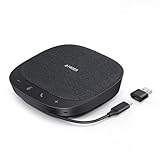
- Smart Voice Enhancement: Eliminate background noise while simultaneously enhancing voices for a professional meeting experience in any environment.
- Plug and Play: Connect via USB-C (includes standard USB adapter) and join meetings in an instant. A wired connection offers a stable and reliable USB speakerphone experience.
- 360° Voice Coverage: A USB speakerphone with 4 high-sensitivity microphones to pick up all voices within 3m in super-high clarity.
- Superior Sound: A 1.75” driver paired with 2 passive bass-radiators adds body and depth to both meeting audio and music.
- What’s In The Box: PowerConf S330 USB Speakerphone, USB-C to USB-A adapter.
Support and edition checks
Mattermost’s pricing information lists community and professional support options. It does not establish one universal feature set or commercial term for every deployment. Confirm the exact edition, supported operating systems and databases, high-availability design, compliance capabilities, and response-time commitments before signing.
Rocket.Chat: sovereignty, federation, and disconnected operation
Rocket.Chat is a strong candidate when data sovereignty, on-premises operation, federation, or air-gapped deployment is a hard requirement. Its February 11, 2026 government guide compares Rocket.Chat, Teams, Slack, Mattermost, and Element across sovereignty, European hosting, open-source status, end-to-end encryption, air-gapped deployment, on-premises support, API extensibility, and federation. That guide identifies Rocket.Chat, Mattermost, and Element as the sovereignty leaders in its comparison.
The guide is vendor-authored. Treat broad superiority statements as positioning and validate them against your threat model, jurisdiction, key-management design, logging requirements, and procurement rules.
Questions to prove in a Rocket.Chat pilot
- Can users in separate organizations discover and message one another through the federation design you intend to use?
- Can an isolated environment receive security updates, package approvals, and backups without violating its air-gap policy?
- Which clients, bots, APIs, and identity providers work without internet access?
- How are encryption keys, audit records, message retention, and legal holds administered?
- What happens to queued messages and file transfers during a site outage?
Choose by collaboration pattern, not feature count
| Your dominant requirement | Shortlist | Reason to choose | Risk to investigate |
|---|---|---|---|
| Remote, asynchronous, cross-tool work | Slack | Channels, threads, search, workflows, and a large integration catalog | Information sprawl, retention design, and per-user cost at scale |
| Google-native documents and identity | Google Workspace | Chat and Meet share Gmail, Drive, Docs, and Calendar context | Plan-level meeting, AI, storage, and compliance differences |
| Video meetings and events | Zoom Workplace | Meeting depth plus recordings, transcripts, AI notes, and summaries | Whether users will adopt its non-meeting collaboration layer |
| Consolidation of chat + meetings + docs + calendar + approvals | Lark | One cloud-native workspace replaces separate tools; generous free tier for up to 20 users; cross-language translation built in | Cloud-only with no on-premise option; lighter enterprise governance than Teams |
| Developer-controlled infrastructure | Mattermost | Self-hosted channels, threads, messages, calls, and screen sharing | Operations, upgrades, integrations, and support coverage |
| Sovereignty or air-gapped operation | Rocket.Chat, Mattermost | Deployment and federation options designed for control | Evidence for your exact jurisdiction, isolation model, and encryption policy |
Total-cost calculation
Do not compare list prices alone. Build a three-year model with one row for each cost that changes between candidates:
- Base user subscriptions and annual or monthly billing differences.
- AI entitlements, including separate Copilot- or Teams Premium-style licensing where applicable. Teams AI capabilities may require separate licensing rather than being included in the base plan.
- Storage for files, recordings, transcripts, backups, and legal holds.
- Meeting capacity, telephony, webinar seats, guest accounts, and external users.
- Identity, migration, API, integration, and custom-development work.
- For self-hosted systems: compute, databases, object storage, network, observability, patching, on-call coverage, support, and disaster recovery.
- Compliance work, penetration tests, data-residency controls, archiving, and records-management tooling.
- User training, productivity loss during migration, and the cost of running old and new systems in parallel.
Ask each vendor for a written entitlement matrix for your country, user count, retention period, meeting size, and AI requirements. Regional prices and feature availability change, so a quote is more reliable than a global list-price comparison.
A low-risk migration procedure
- Inventory Teams. Export teams, channels, owners, guests, private conversations, files, meeting recordings, apps, bots, retention rules, and legal holds. Classify what must migrate, what can be archived, and what should expire.
- Map identities. Decide whether the target uses your existing directory, a new identity provider, or federation. Test joiner, mover, leaver, multi-factor authentication, service accounts, and administrator separation.
- Map data destinations. Assign each Teams channel, SharePoint library, OneDrive location, recording, and chat export to a target channel, shared drive, object store, or archive. Preserve owners and timestamps where the target supports them.
- Choose a pilot cohort. Include a remote team, an executive or support workflow, an external partner, a mobile user, and a regulated project. Measure message retrieval, file co-authoring, meeting join success, notifications, and support volume.
- Rebuild critical integrations. Recreate ticketing, calendars, source control, alerts, approval flows, bots, webhooks, and data-loss-prevention rules. Do not assume an integration with the same name behaves the same way.
- Run parallel operations deliberately. Set a dated system of record, disable duplicate notifications, publish naming and retention rules, and provide a read-only archive plan. Parallel operation without ownership creates two contradictory histories.
- Train by task. Teach “start a thread,” “find a decision,” “share a file,” “invite an external user,” “record a meeting,” and “report a security issue” using your own policies and channels.
- Cut over and verify. Freeze changes in Teams, complete the final delta export, test critical accounts and integrations, announce support hours, and monitor delivery, search, permissions, and meeting incidents.
- Decommission safely. Keep the legally required archive, revoke tokens and guest access, remove unused connectors, document the final retention schedule, and obtain sign-off from security, records, and business owners.
Governance and security checklist
Have security and records teams answer these questions for every finalist:
Also popular on Amazon

- Built-in AI Noise Reduction: Compared to the base model, G11 pro upgraded AI noise cancellation, effectively eliminates distractions like fan noise, keyboard clicks. It delivers clear, crisp teleconferencing experiences, making it perfect for conference calls, online learning and chatting
- Omnidirectional Conference Mic: Features omnidirectional pickup pattern with a pickup distance of 11.5 ft, making it easy to capture sounds from 360° directions. Highly sensitive pickup ensures participants hear everything clearly. Tips: This is not a speaker
- Effortless Control: Physical volume and monitoring control buttons are built into the microphone body, allowing you to effortlessly adjust both microphone and monitoring volume. Click to adjust volume between 4 levels
- Mute & Monitor: Quickly mute/unmute your microphone by one tap. Built-in 3.5mm jack allows connection of headphones for monitoring. Long press for 3 seconds to enable/disable: Blue-Mic mode, Red-Mute, Purple-Monitoring. Note: Do not connect the 3.5mm jack to external speakers, as this may cause feedback interference
- Plug & Play: Compatible with all operating systems,both Windows and macOS. No additional drivers needed . If there is no response after inserting the mic, please go to the microphone setting of your computer and select the mic as the INPUT device
- Where are primary data, backups, recordings, and AI-processing data stored?
- Can administrators enforce retention, deletion, legal hold, export, and audit review separately?
- What encryption is used in transit and at rest, and who controls keys?
- Which events are logged: sign-in, file access, sharing, message edits, exports, administrator actions, and API use?
- How are guests, shared channels, federation, bots, and third-party applications approved?
- Can the organization retrieve data in a usable format if it leaves the service?
- What is the incident-notification process, support response target, and documented recovery objective?
- For self-hosting, who patches the operating system, database, application, and integrations, and how is an air-gapped update tested?
Common failure modes and fixes
Choosing a chat app when meetings are the bottleneck
If users spend hours scheduling, recording, transcribing, and following up on calls, prioritize meeting workflows and capacity before channel features. Run a full meeting lifecycle test from invitation through searchable transcript and retention.
Moving messages but losing decisions
Raw exports rarely recreate context, permissions, links, or file ownership. Identify decision channels, preserve their owners and dates, and publish an archive map so users know where historical evidence lives.
Underestimating external collaboration
Guest access, shared channels, federation, and partner identity often have different controls. Test a real partner scenario with least privilege, offboarding, export, and audit review before launch.
Assuming AI is included
AI notes, summaries, search, and assistants may vary by plan or require separate licensing. Obtain a feature-and-entitlement matrix and test data handling before enabling them for confidential meetings.
Ignoring operations for self-hosted products
Self-hosting is a control decision, not a zero-cost decision. Price skilled administrators, high availability, backups, security updates, monitoring, and recovery exercises in the same business case as subscriptions.
Letting storage and retention grow without a policy
Recordings, transcripts, files, and message history can dominate cost and risk. Set retention by data class, owner, and legal requirement before migration, then measure actual consumption monthly.
Final selection method
Score each finalist from 1 to 5 for the requirements that matter to your organization, weighting mandatory controls heavily. A platform that fails a mandatory sovereignty, identity, retention, or meeting requirement should be eliminated regardless of its average score.
- Conversation: Can users find decisions without attending every meeting?
- Meetings: Does it cover your largest event, recording, transcript, breakout, and accessibility needs?
- Files and applications: Are the documents, calendars, automations, and APIs where work already happens?
- External work: Can partners collaborate without weakening tenant boundaries?
- Control: Does deployment match jurisdiction, sovereignty, resilience, and air-gap requirements?
- Governance: Can security and records teams prove that access, retention, encryption, and exports work?
- Economics: Is the three-year total cost acceptable after AI, storage, migration, hosting, and support?
- Adoption: Will users change habits, and can administrators support the change?
For most distributed, tool-heavy teams, Slack is the first broad replacement to pilot. Google Workspace is the efficient choice for a Google-centered organization, Zoom Workplace for a meeting-centered one, Lark for teams that want one cloud-native workspace instead of a fragmented stack, Mattermost for self-hosted technical operations, and Rocket.Chat for sovereignty or disconnected environments. Validate the complete operating model—not just the feature checklist—before committing.

