
Do these 3 things before closing this tab:
1Scan for outdated or missing drivers - takes under a minute2Clear out junk files and repair common Windows errors3Fix the driver behind crashes, sound loss and screen glitchesiTechGuides is reader-supported. When you buy through links on our site, we may earn an affiliate commission. As an Amazon Associate I earn from qualifying purchases. Learn more
Amazon Web Services (AWS) is the best overall cloud computing provider for 2026 when the deciding factors are service breadth, maturity, geographic choice, ecosystem depth, and flexibility across many types of workloads. It is the safest default for a mixed or still-evolving portfolio.
That is not the same as saying AWS is best for every organization. Microsoft Azure is usually the better fit for Microsoft-centered enterprises and hybrid environments, while Google Cloud is the strongest specialist choice for analytics, Kubernetes, and AI-oriented workloads. The right decision is the provider that creates the least total architectural, operational, commercial, and organizational friction—not necessarily the one with the lowest isolated virtual-machine price.



The short answer
| Need | Best fit | Why |
|---|---|---|
| Broad, mixed, or uncertain workload portfolio | AWS | Very broad service coverage, mature deployment patterns, extensive ecosystem, and substantial geographic choice. |
| Microsoft-heavy enterprise | Azure | Strong alignment with Microsoft 365, Entra ID, Windows Server, SQL Server, Microsoft security products, and enterprise licensing. |
| Hybrid or multicloud governance | Azure | Azure Arc can extend Azure management, policy, monitoring, and governance to supported on-premises and external-cloud resources. |
| Large-scale analytics and SQL-centric data platforms | Google Cloud | BigQuery provides a fully managed, serverless analytics platform closely connected to Google’s data and AI services. |
| Kubernetes platform engineering | Google Cloud or AWS | GKE offers deep managed-Kubernetes capabilities; AWS offers Kubernetes alongside a particularly broad surrounding platform. |
| Gemini, Vertex AI, TPU, or AI-specialized infrastructure | Google Cloud | Google combines Gemini, Vertex AI, custom TPU infrastructure, GPUs, GKE, and BigQuery. |
| General enterprise AI with an existing Microsoft relationship | Azure | Microsoft Foundry and Azure-hosted OpenAI and partner models fit naturally into Microsoft identity, security, and governance environments. |
| Global applications with diverse service requirements | AWS | Broad service choice, multiple availability zones in regions, edge options, and established multi-region design patterns. |
| Strict residency or sovereignty requirements | Workload-specific | The answer depends on the exact country, service, account type, sovereign offering, compliance control, and data flows. |
For most buyers, the practical shortlist is AWS, Azure, and Google Cloud. This comparison focuses on those three general-purpose hyperscale public-cloud platforms. It is not a claim that every niche provider, sovereign cloud, hosting company, or specialized GPU provider is inferior for every use case.
Recommended Free Tools
Why AWS is the best overall provider
AWS wins the default category because it gives organizations the widest general-purpose menu and the most flexibility when requirements are broad or likely to change. AWS describes a portfolio of more than 200 services covering compute, storage, databases, analytics, networking, security, developer tools, management, IoT, enterprise applications, deployment, directories, and content delivery.
That breadth matters in practical ways. A company can begin with virtual machines and object storage, then add managed databases, containers, serverless functions, queues, data warehouses, identity controls, observability, security services, and edge delivery without immediately needing a second provider. It also gives architects several ways to solve the same problem, which is valuable when a workload has unusual performance, availability, data, or integration requirements.
Where AWS is strongest
- Mixed portfolios: AWS can accommodate traditional enterprise migration, cloud-native services, batch processing, databases, analytics, security workloads, and edge applications on one broad platform.
- Service choice: The catalog includes multiple compute models, storage classes, database types, application platforms, and managed operational services.
- Ecosystem depth: AWS has a large partner, consulting, tooling, training, and third-party integration ecosystem.
- Geographic flexibility: AWS organizes infrastructure into geographically separate Regions, with isolated Availability Zones within regions. AWS recommends distributing appropriate production workloads across zones to improve resilience.
- Architecture flexibility: Teams can select infrastructure-heavy, managed, serverless, containerized, or specialized designs rather than committing to one operating model.
AWS’s regional structure is useful for latency, disaster recovery, and data-residency planning. Its commercial Regions span North America, South America, Europe, Africa, Asia-Pacific, and the Middle East, with separate GovCloud and China account environments that have their own eligibility, service, and operational considerations.
The trade-off: AWS gives you more decisions
AWS’s biggest weakness is the same feature that makes it attractive: choice. A team must make deliberate decisions about network topology, identity, account structure, service boundaries, encryption, logging, monitoring, backup, data transfer, cost allocation, and disaster recovery.
What’s actually slowing this PC down?
Pick the symptom - the matching free tool is one click away.
Without a governance baseline, AWS can become difficult to operate and unexpectedly expensive. The provider may be the right technical platform but the wrong organizational choice if the team cannot maintain infrastructure as code, least-privilege access, tagging, budget alerts, centralized logging, patching, and account or organizational controls.
Choose AWS as the default when you value maximum platform breadth and do not have a strong Microsoft, analytics, or AI-specific reason to prefer another provider. Do not choose it merely because it has the largest reputation; verify that your team can operate the resulting architecture.
A useful AWS learning resource
If AWS is the selected platform and the team needs a structured way to learn its architecture principles, an AWS Certified Solutions Architect study guide can be a useful optional reference. It is not required to run AWS, and passing a certification exam is not a substitute for designing, securing, and operating a real workload. This recommendation may use an affiliate link.
Why Azure is the best choice for Microsoft-heavy and hybrid enterprises
Azure’s strongest advantage is its relationship with the Microsoft estate—not simply its ability to provide virtual machines. Organizations already using Microsoft 365, Entra ID, Windows Server, SQL Server, Active Directory, Microsoft security products, or Microsoft enterprise agreements may reduce friction by keeping identity, licensing, governance, and cloud operations within a connected ecosystem.
PC Slower Than It Used to Be?
A free scan shows the junk files, broken settings and background clutter dragging Windows down - then fixes them in one click.Free scan · Windows 10 & 11Crashes, No Sound, or Screen Glitches?
Random freezes, missing sound and display glitches usually trace back to one bad driver. Find and replace yours safely.Free scan · under a minuteAzure is particularly compelling when the organization has not fully moved out of its datacenters. Microsoft positions Azure Arc as a management and governance layer that can project supported non-Azure and on-premises resources into Azure Resource Manager. Depending on the resource type and configuration, Arc can help manage virtual machines, Kubernetes clusters, and databases, apply policy, and support GitOps-oriented workflows.
Where Azure is strongest
- Microsoft identity: Entra ID can align cloud access with an existing Microsoft identity and conditional-access model.
- Windows and SQL Server estates: Existing operational skills, licensing arrangements, and management practices may transfer more naturally to Azure.
- Hybrid management: Azure Arc, Azure Monitor, Defender for Cloud, Azure Local, AKS, Microsoft Fabric, Azure IoT, and Entra ID can form a unified operating model across datacenters, other clouds, and edge locations.
- Enterprise procurement: Microsoft agreements and licensing positions can materially affect effective cost, although the outcome depends on the customer’s contract and workload.
- Enterprise AI: Microsoft Foundry provides access to Azure-hosted models, including Azure OpenAI models and selected models from Cohere, DeepSeek, Meta, Mistral AI, and xAI, subject to availability and commercial conditions.
Microsoft’s product-by-region information reports more than 60 announced Azure regions, which Microsoft describes as more than any other cloud provider. Region counts should not be compared as if they were identical units: an announced region does not mean every Azure service is available there, and availability can differ by product, deployment type, preview status, sovereign restriction, subscription, and quota.
Azure Arc is useful—but it is not a magic multicloud button
Azure Arc can provide a consistent control and policy experience for supported resources outside Azure, but it does not make every cloud service interchangeable. The underlying compute, networking, storage, identity, Kubernetes, database, and support models still differ. Teams should verify exactly which Arc-enabled features apply to the resource type, operating system, Kubernetes distribution, region, and management scenario they intend to use.
Also popular on Amazon
Azure is the strongest recommendation when hybrid operations are a first-order requirement. It is also a strong default for a company whose employees, administrators, security team, and procurement department already work primarily in Microsoft products.
Azure’s trade-offs
Azure pricing and licensing can be difficult to model because the result may involve consumption charges, reservations or savings arrangements, Microsoft licensing, enterprise discounts, support, data transfer, and services from several product families. Azure also has regional feature differences and capacity constraints, particularly for high-demand AI models and accelerators.
Microsoft integration reduces friction when it is intentional and governed. It can increase lock-in or cost when teams adopt tightly coupled services without understanding how identity, data, application interfaces, and licensing would work outside Azure.
Why Google Cloud is the specialist leader for analytics, Kubernetes, and AI
Google Cloud is the most compelling choice when the business depends heavily on data platforms, Kubernetes, machine learning, or AI infrastructure. Its advantage is not necessarily the largest catalog; it is the tight connection between analytics, cloud-native application operations, and Google’s AI stack.
BigQuery: serverless analytics at the center
Google describes BigQuery as a fully managed, serverless enterprise data warehouse and AI-ready data platform. It includes capabilities for machine learning, search, geospatial analysis, business intelligence, governance, and structured and unstructured data.
The serverless model can remove much of the infrastructure management associated with a traditional warehouse. That is attractive when analysts and data scientists need to query large datasets without a team managing warehouse clusters, capacity planning, and much of the underlying platform. It does not eliminate cost governance: query patterns, storage, data movement, reservations or commitments, and downstream services still need monitoring.
GKE: managed Kubernetes with two operating models
Google Kubernetes Engine (GKE) is Google Cloud’s managed Kubernetes service. Autopilot has Google manage more of the node infrastructure, scaling, security, and configuration, reducing operational work for teams that accept the platform’s constraints. Standard mode provides more direct control over infrastructure and node configuration, which can matter for specialized workloads or teams with strong Kubernetes operations expertise.
GKE is a strong choice when Kubernetes is a strategic application platform rather than simply one deployment option. AWS remains a serious alternative for Kubernetes because of its surrounding service breadth and ecosystem. Azure Kubernetes Service can be the better practical choice for a Microsoft-centered organization even when GKE has a technical advantage in a narrowly defined Kubernetes comparison.
Google’s AI infrastructure
Google Cloud combines Gemini models, Vertex AI, GPUs, custom TPUs, GKE, BigQuery, and AI-focused infrastructure. Google’s AI infrastructure materials describe support for TPU and GPU inference stacks and for frameworks and environments including TensorFlow, PyTorch, JAX, Keras, and GKE. The ability to choose between TPU and GPU environments can be valuable for teams that understand their model, training, inference, and cost requirements.
Also popular on Amazon

- Powerful 2-Bay NAS with Triple M.2 Expansion: Powered by the Intel N150 Quad-Core CPU (up to 3.6GHz) and 8GB DDR5 memory (non-ECC SODIMM), the F2-425 Plus NAS server delivers high-efficiency performance for demanding users. Its innovative triple M.2 SSD design supports SSD cache or independent storage pools, providing outstanding flexibility and acceleration for data-heavy tasks.
- Meet TOS 7 – The First AI-Native NAS Operating System, with OpenClaw AI Agent ready to download from the App Center. This 2-bay NAS breaks free from traditional complexity, delivering a fundamental shift from a passive NAS enclosure to an active AI-powered assistant. OpenClaw's natural language interface lets you command your NAS in plain language — no CLI, no menus, no learning curve. TOS 7's one-stop AI platform orchestrates intelligent workflows across storage, backup, and media; while predictive management proactively handles data protection, semantic search, and smart organization. Just tell TOS 7 what you need — it understands, executes, and adapts.
- Dual 5GbE LAN Ports up to 1020MB/s: Featuring dual 5GbE network interfaces, the F2-425 Plus network attached storage supports link aggregation and SMB Multichannel, achieving up to 1020 MB/s sequential read/write speeds. Ideal for video editors, creative teams, and small business offices that require fast and reliable data access.
- Massive 84TB Storage with TRAID Protection & Data Drive Mounting: The F2-425 Plus NAS server supports up to 84TB total capacity (2× HDD + 3× M.2 SSD). TerraMaster's exclusive TRAID technology optimizes capacity while providing strong data protection. Plus, easily integrate your existing storage: first install TOS 7 on a new drive, then hot-plug your existing data drive for instant access without formatting – keeping all your files secure and untouched. Housed in a durable aluminum-alloy chassis, the F2-425 Plus is built to last.
- All-in-One Hub for Pros, Businesses & Home Users: From geeks running Docker, Virtual Machines, and Portainer, to small businesses leveraging TerraMaster BBS (Business Backup Suite), and families enjoying Plex/Emby/Jellyfin with 4K/8K transcoding – the F2-425 Plus NAS server fulfills diverse needs. Integrated apps like QB/Torrent/Transmission simplify downloads, while TNAS Mobile enables full remote control.
Google Cloud’s location update dated June 30, 2026 states that customers can deploy across 43 global regions and 130 zones, with connectivity across more than 200 countries and territories. The same update cautions that product availability varies by location and that new regions receive additional services over time. For an AI or data platform, confirm the exact model, accelerator, quota, managed service, and data location—not just the region’s existence.
Google Cloud’s trade-offs
Google Cloud has a smaller overall market position and, in some organizations, a smaller enterprise procurement and operations ecosystem than AWS or Azure. That does not make it technically weaker for analytics or AI, but it may affect hiring, partner availability, internal familiarity, support expectations, and the cost of operating a mixed portfolio.
Google Cloud is the strongest specialist choice when BigQuery, GKE, Vertex AI, Gemini, or TPU access directly supports the organization’s competitive advantage. It is not automatically the best choice for a conventional enterprise migration simply because its AI capabilities are prominent.
AWS vs. Azure vs. Google Cloud: detailed comparison
| Dimension | AWS | Azure | Google Cloud |
|---|---|---|---|
| Overall breadth | Strongest default; more than 200 listed services and many ways to build common architectures. | Very broad platform with particular strength around Microsoft and enterprise services. | Broad enough for most workloads, with especially strong data, Kubernetes, and AI integration. |
| Best ecosystem fit | Organizations seeking a broad independent cloud ecosystem and extensive third-party choices. | Organizations standardized on Microsoft identity, productivity, server, database, security, or licensing products. | Organizations aligned with open-source, data engineering, Kubernetes, and Google AI technologies. |
| Hybrid and multicloud | Strong services and partners, but the dossier’s clearest unified external-resource management differentiator is Azure Arc. | Azure Arc provides a consistent management and policy plane for supported on-premises and external resources. | Strong Kubernetes and data integration, but verify the exact governance experience for the intended external resources. |
| Analytics | Broad analytics choices and integration options. | Strong enterprise data integration, especially where Microsoft tools are already established. | BigQuery’s serverless warehouse model is a major differentiator. |
| Kubernetes | Strong managed-Kubernetes and surrounding-service ecosystem. | Good fit where AKS must connect to Microsoft identity and operations. | GKE is a leading choice, with Autopilot and Standard operating models. |
| AI | Broad platform flexibility, but not the specialist recommendation in this comparison. | Strong enterprise model access through Microsoft Foundry and Azure-hosted OpenAI and partner models. | Strongest specialist stack for Gemini, Vertex AI, TPUs, GPUs, data, and model-serving workflows. |
| Geographic choice | Large global footprint with Regions and isolated Availability Zones; verify service availability by region. | Microsoft reports more than 60 announced regions; product availability varies substantially by service and deployment. | 43 regions and 130 zones as of June 30, 2026, with location-specific product differences. |
| Primary risk | Operational and pricing complexity caused by extensive choice. | Licensing, pricing, product variation, and possible Microsoft-specific coupling. | Smaller general enterprise ecosystem and location or quota constraints for particular services. |
Which provider is cheapest?
There is no universally cheapest cloud provider. AWS, Azure, and Google Cloud all offer pay-as-you-go pricing, reservations or committed-use arrangements, credits, and product-specific discounts. The final bill depends on the region, architecture, utilization pattern, network traffic, storage tier, reliability design, support plan, enterprise agreement, and managed services selected.
Free tools Windows power users keep installed
One-click scans. No signup required.
A one-hour virtual-machine comparison is therefore a poor basis for choosing a provider. Different instance generations may have different performance, memory, network, and accelerator characteristics. A lower compute rate can be overwhelmed by database charges, storage requests, internet or inter-region egress, logging, backup, support, or the labor needed to operate a more complex design.
Build a workload-specific cost model
For each provider, model at least these items:
- Compute: instance or container hours, processor generation, memory, operating-system licensing, autoscaling, and idle capacity.
- Storage: primary storage, snapshots, backups, replicas, requests, lifecycle transitions, and retention.
- Network: internet egress, inter-region traffic, cross-zone traffic, VPN or dedicated connectivity, load balancing, and content delivery.
- Managed platforms: database, Kubernetes control-plane or node costs, queues, serverless execution, data warehouse, and caching charges.
- Operations: logs, metrics, traces, security scanning, SIEM integration, alerting, and support.
- AI capacity: GPU or TPU hours, model inference, training, storage, data preparation, quota, and utilization. Scarce capacity can be more important than list price.
- Commercial discounts: AWS Savings Plans or reservations, Azure reservations or savings plans and enterprise agreements, and Google Cloud committed-use discounts or other applicable arrangements.
- People: migration, platform engineering, security, compliance, incident response, and ongoing optimization.
- Exit and portability: data extraction, replatforming, duplicated services, proprietary APIs, and the cost of maintaining a second environment if portability is required.
Use the same workload assumptions, resilience target, retention policy, traffic pattern, support level, and utilization forecast in every estimate. Ask each provider for a quote based on the actual architecture rather than comparing unrelated product pages. Treat any result as a model to validate with a pilot, not as a permanent price guarantee.
How to make the decision without relying on marketing claims
1. Write the non-negotiable requirements first
Before comparing products, document the required deployment countries, data-residency boundaries, compliance obligations, recovery-point and recovery-time objectives, latency targets, supported operating systems, identity provider, database engines, Kubernetes requirements, accelerator types, and expected traffic.
Separate a genuine requirement from a preference. “The data must remain in this country” is different from “we would prefer a nearby region.” “The application must run on a particular database engine” is different from “the team is familiar with that engine.” This distinction prevents a provider’s strongest marketing category from overshadowing a hard constraint.
Quick wins for a faster PC:
Repair Windows errors before they cause bigger problemsFix Now →Scan for outdated or missing drivers - takes under a minuteDriver Scan →Clear out junk files and repair common Windows errorsFree Scan →2. Inventory existing organizational commitments
List current Microsoft agreements, identity systems, datacenter hardware, VMware or Kubernetes environments, database licenses, security tooling, developer skills, monitoring systems, and preferred consulting or support arrangements. Existing investment is not a reason to accept a poor platform indefinitely, but it is a real part of total cost and migration risk.
Also popular on Amazon
3. Score the shortlist by workload, not reputation
An example scorecard can assign weights to service fit, existing integration, data and AI capability, residency, operational complexity, and five-year total cost. The weights should reflect the workload. For example, a Microsoft-heavy enterprise may give integration and hybrid management more weight, while an AI startup may give accelerator availability, model tooling, and data-pipeline performance more weight.
Do not award points merely because a provider has a product with a familiar name. Record the exact service, region, quota, deployment mode, support tier, and operational responsibility behind each score.
4. Test the difficult parts in a representative pilot
A useful pilot should test the architecture’s risk areas, not only whether a server can be started. Measure application latency, failure recovery, database behavior, deployment automation, identity integration, logging, alert quality, backup restoration, data movement, and actual cost under a realistic traffic pattern.
The Tool Desk
Outbyte Driver Updater FREEScan for outdated or missing drivers - takes under a minuteDriver Scan →Outbyte PC Repair FREERepair Windows errors before they cause bigger problemsFix Now →For AI workloads, test the exact model and deployment type in the intended region. Verify quota, throughput, cold-start behavior, token or inference costs, prompt and data-handling controls, model-version policy, and fallback behavior. A model appearing in a catalog does not guarantee capacity for the production workload.
5. Delay long-term commitments until usage is understood
Discount commitments can reduce cost for stable workloads, but they can also create waste if the architecture, region, instance family, or utilization pattern changes. Establish tagging, budgets, allocation, and usage reporting first. Commit after the workload has enough operational history to support a credible forecast, unless a negotiated contract or capacity reservation is itself a prerequisite for the project.
6. Design governance before production
At minimum, establish identity and least privilege, separate environments, encryption and key ownership, network boundaries, centralized audit logs, backup and restore testing, vulnerability management, cost allocation, service quotas, incident ownership, and a documented disaster-recovery plan.
Cloud provider selection does not remove the customer’s responsibility for architecture. A highly available provider cannot make a single-zone application resilient, and a compliant service cannot make an incorrectly configured identity policy compliant.
Infrastructure, regions, and data residency: what to verify
Region counts are useful context but weak selection criteria by themselves. AWS Regions contain multiple isolated Availability Zones; Azure advertises more than 60 announced regions; Google Cloud lists 43 regions and 130 zones as of June 30, 2026. These providers do not necessarily define or count regions in exactly the same way.
For a real deployment, verify:
- Whether the required service is generally available—not merely previewed—in the chosen location.
- Whether the service stores control-plane metadata, logs, backups, support data, or encryption keys outside the selected location.
- Whether a paired or secondary disaster-recovery region satisfies the residency rules.
- Whether cross-zone, inter-region, internet, or third-party traffic creates a legal or cost issue.
- Whether sovereign, government, restricted, or China-specific environments have different account, service, support, or deployment rules.
- Whether the provider’s AI model, accelerator, quota tier, and safety controls are available in the required region.
For strict sovereignty requirements, choose only after a workload-specific review with the provider and the organization’s legal, security, and compliance teams. “The provider has a region in the country” is not enough evidence.
Also popular on Amazon
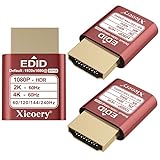
- 🚚080P HDR-Ready EDID for Accurate Color and Tone Mapping Features a refined EDID profile centered around 1920×1080@60Hz with HDR metadata support, enabling richer color depth, improved contrast handling and enhanced dynamic range—critical for modern GPUs, rendering tasks and video workflows
- 🚚True HDR Metadata Emulation (10-bit/12-bit Color Depth Signals) Transmits HDR-related EDID information including extended color depth, BT.2020 color space flags and EOTF curves. Ensures the system outputs accurate HDR tone mapping even without a real monitor. A major upgrade compared to non-HDR dummy plugs.
- 🚚Headless Ghost Mode for Stable GPU Behavior Acts as a virtual HDR display, preventing GPU downclocking, black screens, resolution limits and incorrect color profiles during remote access. Essential for servers, cloud PCs, virtual machines and rack-mounted GPU nodes.
- 🚚Supports High Refresh Rates up to 240Hz Enhanced EDID library covers multiple refresh rates—60Hz, 75Hz, 119Hz, 120Hz, 144Hz and 240Hz—suitable for game streaming, KVM switching, industrial visualization and multi-display emulation.
- 🚚Extensive HDR-Compatible Resolution Set Includes resolutions from 4096×2160 down to 800×600. Ensures compatibility with modern graphics cards, older display controllers and professional computing environments.
What market share does—and does not—tell you
AWS remains the established infrastructure-market leader. Gartner’s 2024 IaaS market release, published on August 6, 2025, ranked Amazon first, followed by Microsoft and Google. That supports AWS’s position as the default market leader in IaaS, but it does not prove that AWS is the best provider for every workload. It also does not measure every category commonly described as “cloud,” such as SaaS, platform services, public-cloud services, or AI infrastructure.
Market-share percentages should be treated carefully because analysts use different definitions, reporting periods, geographies, and revenue categories. Likewise, Google’s reported 2025 Google Cloud growth, $155 billion cloud backlog in the third quarter, and AI-related demand are evidence of company-reported momentum—not an independent ranking of product quality or customer outcomes.
Use market position as a signal about ecosystem scale, hiring, partner availability, and financial momentum. Use workload testing and total-cost analysis to make the actual decision.
Common mistakes when choosing a cloud provider
- Choosing the cheapest VM: The full bill includes storage, network, databases, operations, support, and labor.
- Comparing region counts directly: Announced regions, commercial regions, zones, sovereign environments, and service availability are not equivalent.
- Assuming a model catalog equals capacity: AI model availability, quotas, deployment types, regions, and retirement schedules change.
- Ignoring existing contracts: Microsoft licensing, enterprise agreements, committed use, and support arrangements can change the commercial result.
- Assuming managed means maintenance-free: The provider manages selected infrastructure, but the customer still owns configuration, identity, data protection, application behavior, and recovery testing.
- Adopting multicloud by default: Two providers can increase resilience or negotiation leverage, but they also multiply skills, policies, observability, networking, and data-transfer complexity.
- Skipping an exit plan: Even if a full migration away is unlikely, document data export, API dependencies, backups, and the cost of rebuilding critical services.
- Treating certification as operational experience: Training can accelerate learning, but production competence requires hands-on architecture, security, automation, and incident practice.
Final recommendation by buyer profile
Choose AWS if…
- You need the broadest all-purpose service catalog.
- Your portfolio includes a mixture of traditional infrastructure, containers, serverless applications, databases, analytics, security, and edge services.
- You want maximum ecosystem and architectural choice.
- You need broad geographic options and established multi-zone or multi-region patterns.
- No existing Microsoft or Google capability creates a decisive advantage elsewhere.
Choose Azure if…
- Microsoft 365, Entra ID, Windows Server, SQL Server, Active Directory, or Microsoft security products are central to the business.
- You need to operate on-premises, edge, and multicloud resources through a Microsoft-centered governance model.
- Microsoft licensing or enterprise procurement materially improves the commercial case.
- Your organization wants Azure-hosted OpenAI and partner models through Microsoft Foundry.
Choose Google Cloud if…
- Analytics and data science are central to the product or business advantage.
- BigQuery’s fully managed, serverless warehouse model fits the team’s operating preference.
- Kubernetes is a strategic platform and the team values GKE’s Autopilot and Standard choices.
- The workload benefits from Gemini, Vertex AI, TPUs, GPUs, or Google’s integrated AI and data infrastructure.
- Google’s available regions, quotas, services, and enterprise support meet the deployment requirements.
Frequently Asked Questions
Is AWS always the best cloud provider?
No. AWS is the best overall default in this comparison because of its broad service portfolio, ecosystem, geographic options, and flexibility. Azure is usually better for Microsoft-centered and hybrid enterprises, while Google Cloud can be better for analytics, Kubernetes, and AI-specialized workloads.
Is Azure cheaper than AWS for Microsoft workloads?
It can be commercially attractive when an organization already has Microsoft licensing, enterprise agreements, or Windows and SQL Server investments, but there is no universal answer. Compare the complete architecture, licensing position, support, network, storage, database, and operational costs.
Is Google Cloud cheaper for analytics or AI?
It may be attractive for particular BigQuery, Kubernetes, or accelerator configurations, but no provider is universally cheapest. Query volume, storage, data movement, accelerator utilization, quotas, commitments, and region all affect the result.
What’s actually slowing this PC down?
Pick the symptom - the matching free tool is one click away.
Should a small business choose AWS, Azure, or Google Cloud?
Choose based on the skills and software the business already has, the services it actually needs, the required region, and the level of managed support available. AWS is a reasonable general-purpose default, Azure is sensible for a Microsoft-based business, and Google Cloud is compelling when analytics or AI is the core requirement.
Does using a cloud provider guarantee high availability?
No. Availability depends on the application architecture. Production systems may need multi-zone deployment, backups, tested restoration, monitoring, identity controls, capacity planning, and a disaster-recovery strategy. The provider supplies infrastructure options; it does not automatically configure a resilient application.
How often do cloud service and AI availability details change?
Frequently. Regions, product availability, model names, quotas, accelerator capacity, pricing, and retirement schedules can change. Verify the exact service, region, deployment type, quota, and price immediately before signing a contract or committing production capacity.
The Bottom Line
Bottom line: AWS is the best overall cloud computing provider of 2026 and the safest default for a broad or uncertain workload portfolio. Azure is the better answer for Microsoft-heavy enterprises and hybrid governance. Google Cloud is the better specialist platform for analytics, Kubernetes, and AI. Select the provider that minimizes total friction across architecture, operations, compliance, skills, contracts, and cost—and validate the decision with a workload-specific model and pilot.
Quick Recap
Product prices and availability are accurate as of the date/time indicated and are subject to change. Any price and availability information displayed on Amazon at the time of purchase will apply.

