
iTechGuides is reader-supported. When you buy through links on our site, we may earn an affiliate commission. As an Amazon Associate I earn from qualifying purchases. Learn more
The best 18-inch laptop in 2026 is the ASUS ROG Strix SCAR 18 (2026) for most buyers, combining flagship performance, a high-end 4K display, accessible RAM and SSD upgrades, and a lower listed price than several rival flagships. Choose Alienware for sustained desktop-replacement performance, Razer for premium design, or MSI for maximum specifications.
That verdict is not universal. PC Gamer currently selects the Alienware 18 Area-51 as its best 18-inch gaming laptop, while TechRadar selects the SCAR 18. The disagreement is useful: the right choice depends on whether performance at a desk, display flexibility, portability, upgradeability, or price matters most.
Key takeaways
- The ASUS ROG Strix SCAR 18 (2026) is the best overall 18-inch laptop because it combines RTX 5080 or RTX 5090 graphics, a 4K 18-inch display, upgradeable memory and storage, and a listed US starting price of $4,299.99.
- The SCAR 18 RTX 5090 configuration supports 24GB of GDDR7 graphics memory at up to 175W, while the 4K panel supports 120Hz normally and 240Hz in Ultimate GPU mode.
- The Alienware 18 Area-51 is the better choice for a mostly desk-bound buyer who prioritizes cooling, chassis quality, and sustained RTX 5090 performance over display flexibility and unplugged performance.
- The Razer Blade 18 is the premium-design pick, with a 7.06-pound aluminum chassis, Thunderbolt 5, and a display that switches between 4K/240Hz and 1920×1200/440Hz, but its tested configuration cost $5,399.99.
- The MSI Raider A18 HX AI is a maximum-specification alternative, but the quoted Ryzen 9 9955HX3D and RTX 5090 configuration cost $5,609.99 and carries the usual 18-inch desktop-replacement drawbacks.
- If the 18-inch screen is optional, the 16-inch Lenovo Legion Pro 7i Gen 10 may deliver better performance per dollar and easier everyday portability.
Best 18-inch laptops in 2026 at a glance
The table compares the principal configurations and price signals available in the research snapshot, dated August 16, 2026. Prices, stock, and configurations can change, and a product family may include substantially different CPUs, GPUs, displays, memory, and storage.
| Laptop | Best for | Relevant configuration | Display | Weight or portability note | Price signal | Main drawback |
|---|---|---|---|---|---|---|
| ASUS ROG Strix SCAR 18 (2026) | Best overall | Core Ultra 9 290HX Plus; RTX 5080 or RTX 5090; up to 128GB DDR5 | 18-inch 3840×2400; 120Hz default, 240Hz in Ultimate GPU mode; 100% DCI-P3 | Approximately 8.16–8.22 lb, before the 450W adapter | ASUS US starting price: $4,299.99 | Heavy, expensive, short battery life, weak FHD webcam |
| Alienware 18 Area-51 | Best sustained desktop-replacement performance | Core Ultra 9 290HX Plus; available RTX 5090; 32GB DDR5 and 2TB PCIe Gen 5 in displayed configuration | 18-inch WQXGA, 300Hz; 500 nits; 100% DCI-P3; Advanced Optimus and G-SYNC | Extreme desktop-replacement bulk | Starts at $2,979.99; displayed RTX 5090 configuration: $4,829.99 | Weak unplugged performance and a less impressive display proposition than some rivals |
| Razer Blade 18 (2026) | Best premium design and display flexibility | Core Ultra 9 290HX Plus; RTX 5090 at 175W; 32GB DDR5-6400; 2TB PCIe Gen 4 | 3840×2400 at 240Hz or 1920×1200 at 440Hz | 7.06 lb; lighter than several rival 18-inch machines | $3,999.99 starting price; $5,399.99 tested configuration | High price, heat, PCIe 4 storage, and limited generational performance improvement in testing |
| MSI Raider A18 HX AI | Maximum specifications | Ryzen 9 9955HX3D and RTX 5090 in the quoted comparison configuration | Configuration-dependent; verify the exact panel before buying | Bulky desktop-replacement design | $5,609.99 quoted comparison configuration | Expensive and difficult to justify without a clear benchmark or configuration advantage |
| Lenovo Legion Pro 7i Gen 10 | Best value alternative | High-performance 16-inch configuration | Not an 18-inch display; configuration-dependent | More practical than the 18-inch flagships | Approximately $2,700 listed by PC Gamer | Does not satisfy a strict 18-inch requirement |
For official configuration details, compare the ASUS ROG Strix SCAR 18 specifications, the Alienware 18 Area-51 US configuration page, and the manufacturer pages for the Razer Blade 18 and MSI Raider A18 HX AI.
Popular on Amazon
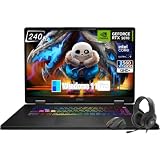
- Game-Dominating Processor: The MSI Crosshair 18 gaming laptop harnesses the Intel Core Ultra 9 275HX, with 24 cores and speeds up to 5.4 GHz, to crush modern AAA titles, streaming, and heavy multitasking without a stutter.
- Next-Level RTX Graphics: Powered by the NVIDIA GeForce RTX 5070 8GB GDDR7, this 18 inch gaming laptop delivers ultra-realistic ray tracing and AI-accelerated frame rates, giving you a decisive competitive edge in every match.
- Blazing Memory and Storage: With 16GB DDR5 5600MHz dual-channel RAM and a rapid 1TB NVMe SSD, the msi gaming laptop ensures near-instant game launches, fluid level transitions, and plenty of room for your entire library.
- 240Hz Winning Display: The MSI Crosshair 18 showcases an 18” QHD+ (2560x1600) IPS panel with a 240Hz refresh rate and 100% DCI-P3, making fast-paced action buttery smooth and every detail razor-sharp.
- Pro-Grade Gaming Gear: Battle with precision on the SteelSeries 24-zone RGB anti-ghosting keyboard, get immersed in quad Dynaudio speakers, and dominate online with Intel Wi-Fi 6E, Bluetooth 5.3, Thunderbolt 4, and RJ45 LAN — all engineered into this powerful MSI Crosshair 18 gaming laptop.
Why is the ASUS ROG Strix SCAR 18 the best overall?
The ASUS ROG Strix SCAR 18 is the best overall 18-inch laptop in 2026 because it offers the most balanced combination of high-power components, display quality, expansion potential, and price among the main contenders. The SCAR 18 is not the lightest, cheapest, or necessarily the best performer in every test, but it gives the broadest set of reasons to buy one machine.
What hardware does the SCAR 18 offer?
ASUS lists 2026 SCAR 18 configurations with an Intel Core Ultra 9 290HX Plus processor, RTX 5080 or RTX 5090 Laptop GPUs, up to 128GB of DDR5 memory, two SODIMM slots, two M.2 slots, Wi-Fi 7, Bluetooth 5.4, and a 90Wh battery. The listed RTX 5090 version has 24GB of GDDR7 graphics memory and a maximum graphics power rating of 175W. See the official SCAR 18 specification page for configuration-dependent details.
The display is a major part of the recommendation. ASUS lists a 3840×2400 4K panel with 100% DCI-P3 coverage and Pantone validation. The default refresh rate is 120Hz, while 240Hz is available in Ultimate GPU mode. The refresh-rate figure therefore needs to be read together with resolution and GPU mode rather than treated as a standalone specification.
Is the SCAR 18 upgradeable?
Yes. The SCAR 18 is unusually attractive for buyers who expect to expand memory or storage because the machine provides two SODIMM slots and two M.2 slots. Tom’s Hardware found that the bottom panel could be removed without tools and that the internal layout also allowed access to a replaceable battery. Confirm the exact regional configuration before purchase, but the accessible design is a meaningful advantage over laptops with soldered memory or a single storage slot.
How does the SCAR 18 perform in independent testing?
Tom’s Hardware measured battery life just short of five hours in a test combining web browsing, OpenGL work, and video streaming. The same comparison recorded 5:31 for the Razer Blade 18, 8:34 for the MSI Raider, and 3:33 for the Alienware. These are publication-specific results, not universal battery promises: firmware, display mode, performance profile, ambient temperature, and configuration all affect the result.
Tom’s Hardware recorded approximately 91°F on the keyboard surface in its test area and 108°F on the underside near the cooling vents. Its stress test reported average internal CPU and GPU temperatures of 66°C and 64°C respectively. The test also criticized the SCAR 18’s soft, washed-out FHD webcam. The independent SCAR 18 review from Tom’s Hardware provides the testing context.
The SCAR 18’s weaknesses are predictable for this class. The approximately 8.16–8.22-pound chassis is heavy before the 450W power adapter is added, the battery is not designed for long unplugged gaming, and the webcam is a poor match for a premium creator or work machine. ASUS US listed a starting price of $4,299.99 in the research snapshot, so check whether a current listing is the RTX 5080 or RTX 5090 model before comparing value.
The Tool Desk
Outbyte Driver Updater FREEScan for outdated or missing drivers - takes under a minuteDriver Scan →Outbyte PC Repair FREERepair Windows errors before they cause bigger problemsFix Now →Is the Alienware 18 Area-51 better than the SCAR 18?
The Alienware 18 Area-51 may be better than the SCAR 18 for a buyer who leaves the laptop on a desk and values cooling, chassis quality, and sustained performance above portability, display flexibility, or value. PC Gamer currently names the Alienware 18 Area-51 the best 18-inch gaming laptop, citing its premium aluminum chassis, effective cooling, productivity performance, and strong RTX 5090 performance.
The trade-off is substantial. PC Gamer also criticizes the Alienware’s display and weak performance away from a power source, while describing the machine as extremely heavy and bulky. An Alienware 18 Area-51 makes the most sense as a transportable desktop rather than a laptop that regularly works from cafés, classrooms, aircraft trays, or battery power.
Dell’s US page showed a configurable starting price of $2,979.99 and a displayed RTX 5090 configuration at $4,829.99. The displayed configuration included the Core Ultra 9 290HX Plus, 32GB of DDR5, a 2TB PCIe Gen 5 SSD, and an 18-inch WQXGA 300Hz display with 500-nit brightness, 100% DCI-P3, Advanced Optimus, and G-SYNC. Those specifications and prices describe particular listings, not every Area-51 configuration.
Choose the Alienware 18 Area-51 if sustained performance and chassis quality matter more than the SCAR 18’s display flexibility, upgrade experience, or value. Choose the SCAR 18 if you want a 4K panel, more explicit expansion headroom, or a lower entry point among comparable flagship machines.
Is the Razer Blade 18 worth its premium?
The Razer Blade 18 is worth considering as a luxury 18-inch laptop, not as the default recommendation. The Blade 18 pairs a sleek aluminum chassis with Thunderbolt 5, Wi-Fi 7, 2.5Gb Ethernet, Bluetooth 5.4, and an unusual dual-mode display that runs at 3840×2400 and 240Hz or 1920×1200 and 440Hz.
The Blade 18’s 7.06-pound weight is a real portability advantage relative to several competing 18-inch desktop replacements, although 7 pounds plus its charger is still not lightweight in ordinary laptop terms. The display is especially compelling for a buyer who alternates between high-resolution single-player games, creative work, and competitive games where the lower 1920×1200 mode can make more sense.
There are important limitations. Tom’s Hardware lists a $3,999.99 starting price and a $5,399.99 price for its tested configuration, which included the Core Ultra 9 290HX Plus, RTX 5090 Laptop GPU at 175W, 32GB of DDR5-6400, and a 2TB PCIe Gen 4 SSD. The laptop supports PCIe 5 storage but ships with PCIe 4 storage in that configuration. Tom’s Hardware also found that the Blade 18 runs hot and did not deliver a meaningful performance increase over the previous generation in its testing.
Resolution and refresh rate are not interchangeable. In one Tom’s Hardware test scenario, a game running at 3840×2400 was effectively limited to 60Hz, while switching to 1920×1200 produced approximately 90 frames per second. That result is an example from one game and configuration, not a universal limitation, but it demonstrates why buyers should check the performance of their actual games at the mode they intend to use. Read the Razer Blade 18 independent testing before paying for the premium display.
Crashes, No Sound, or Screen Glitches?
Random freezes, missing sound and display glitches usually trace back to one bad driver. Find and replace yours safely.Free scan · under a minuteWindows Errors? Fix Them Before They Spread
Repair common Windows errors and clear accumulated junk for a smoother, more stable PC - no reinstall needed.Free scan · no reinstallBuy the Razer Blade 18 when construction, Thunderbolt 5, lower weight among 18-inch rivals, and the dual-purpose panel justify the extra cost. Do not buy it expecting the highest value or a guaranteed performance leap over less expensive flagships.
Where does the MSI Raider A18 HX AI fit?
The MSI Raider A18 HX AI is the maximum-specification candidate for buyers who want an AMD Ryzen 9 9955HX3D processor paired with an RTX 5090 and are willing to pay for a large, power-hungry desktop replacement. GamesRadar quoted $5,609.99 for that Ryzen 9 9955HX3D/RTX 5090 comparison configuration.
That price puts the Raider above the quoted tested Razer Blade 18 and substantially above the tested SCAR 18 price signal. Tom’s Hardware’s comparison gave the MSI Raider longer battery life than the SCAR and Razer in its test, but longer battery life does not make the Raider a genuinely portable laptop. Bulk, charger size, heat, and the requirement to verify the exact display remain important.
The Raider should not be called definitively the fastest overall without a consistent benchmark set using matching configurations, resolutions, power modes, and game settings. Choose it when a specific CPU, GPU, memory, storage, or display configuration offers a measurable benefit for your workload. Otherwise, the SCAR 18 is the more defensible all-around purchase.
Quick wins for a faster PC:
Clear out junk files and repair common Windows errorsFree Scan →Scan for outdated or missing drivers - takes under a minuteDriver Scan →Repair Windows errors before they cause bigger problemsFix Now →Also popular on Amazon

- Elite Processor & Memory: Intel Core Ultra 9 Processor 275HX with 24 cores and turbo boosts from 2.1 to 5.4 GHz, combined with 32GB (16GB x 2) DDR5 5600MHz RAM for superior multitasking, gaming, and content creation performance.
- High-Speed Storage: 1TB NVMe Solid State Drive for ultra-fast boot times, quick file access, and massive storage capacity, with no optical drive for a sleek, modern design.
- Immersive 18" Display: QHD+ (2560x1600) resolution IPS panel with 240Hz refresh rate and 100% DCI-P3 color gamut, delivering smooth, vibrant visuals ideal for gaming, video editing, and professional work.
- Powerful Graphics: NVIDIA GeForce RTX 5070 with 8GB GDDR7 memory, enabling advanced ray tracing, AI acceleration, and high-frame-rate rendering for stunning graphics in the latest games and applications.
- Enhanced Communications & Audio: Intel Wi-Fi 6E AX211 and Bluetooth 5.3 for reliable wireless connectivity, a 720p HD webcam with privacy shutter for secure video calls, and premium 2x Dynaudio 2W speakers plus 2x 2W woofers for rich, immersive sound.
Should you buy a 16-inch Lenovo Legion Pro 7i instead?
If the 18-inch screen is a preference rather than a strict requirement, the Lenovo Legion Pro 7i Gen 10 may be the smarter value. TechRadar describes the Legion Pro 7i as a better performance-per-dollar alternative to the SCAR 18, and PC Gamer lists it as a high-performance recommendation at approximately $2,700.
The Legion Pro 7i does not provide the same physical screen area or the same large-chassis cooling advantage. Its appeal is practical: a smaller machine can fit more bags and desks, cost substantially less in the cited pricing snapshot, and remain easier to carry. A 16-inch laptop paired with a 27-inch or 32-inch external monitor may also provide more total desk workspace than an 18-inch laptop while preserving mobility.
The comparison is not “which laptop is faster?” in the abstract. The SCAR 18’s advantage is the combination of a large display and full-power cooling; the Legion Pro 7i’s advantage is performance per dollar and everyday practicality. Consult TechRadar’s SCAR 18 and Legion comparison and verify the current Legion configuration before purchase.
Independent reader supportYour contribution helps us test, update, and keep practical guides available for everyone.How should you choose an 18-inch laptop?
Compare GPU power, not only the RTX model number
An RTX 5090 Laptop GPU is not a complete performance specification. Compare the maximum graphics power, cooling system, CPU, memory, display resolution, performance profile, and whether Advanced Optimus or a MUX switch is available. The SCAR 18’s listed RTX 5090 reaches 175W, but another laptop with the same GPU name can behave differently if its power limit or cooling is different.
Match display resolution to the games and work you actually do
A 4K panel provides sharper text and more workspace for editing, coding, spreadsheets, and high-resolution games, but rendering more pixels places greater demand on the GPU. A high-refresh 1080p-class mode can be more suitable for competitive games. Check whether the top refresh rate requires a particular GPU mode, whether switching modes requires a restart, and whether HDR includes meaningful brightness and local dimming rather than only an HDR label.
Color coverage is useful but incomplete. The SCAR 18’s 100% DCI-P3 coverage and Pantone validation are positive signs for creators, but color coverage does not automatically prove factory accuracy or professional calibration. Also check response time, motion clarity, brightness, contrast, and blooming when those specifications matter.
Which CPU is appropriate for demanding work?
Compare the actual processor rather than the laptop family name. The SCAR 18, Alienware 18 Area-51, and Razer Blade 18 use the Intel Core Ultra 9 290HX Plus in the cited configurations, while the quoted MSI Raider configuration uses the AMD Ryzen 9 9955HX3D. Rendering, compiling, simulation, and content-creation performance can vary by application, cooling profile, and sustained power behavior, so a CPU name alone is not a workload benchmark.
How much RAM and storage should you buy?
Large games, video projects, virtual machines, software builds, and AI workloads can make 32GB of memory or 1TB of storage feel restrictive. Check the exact upgrade path before selecting a lower-priced configuration. The SCAR 18 is particularly flexible because its listed design includes two SODIMM slots and two M.2 slots, but slot counts and component accessibility should be verified for the exact chassis and region.
Recommended Free Tools
What should you expect from battery life?
Battery life is not the main reason to buy an 18-inch gaming laptop. High-power CPUs and GPUs, large high-refresh displays, and aggressive cooling systems are designed primarily for plugged-in use. In Tom’s Hardware’s comparison, the SCAR 18 lasted just under five hours, the Razer Blade 18 lasted 5:31, the MSI Raider lasted 8:34, and the Alienware lasted 3:33. Those results are useful for relative context but should not be treated as promises for every model or mode.
Can you carry an 18-inch laptop comfortably?
Measure the laptop compartment in your bag and account for the charger, not just the laptop. The SCAR 18 weighs approximately 8.16–8.22 pounds before its 450W adapter; the Razer Blade 18 weighs 7.06 pounds. An 18-inch chassis may be technically portable but still impractical for daily commuting, aircraft trays, small tables, or carrying between classes. The larger screen is valuable for games, video editing, coding, spreadsheets, and multitasking, but the portability penalty is permanent.
What should you verify before ordering?
- Confirm the exact CPU, GPU, GPU power limit, panel resolution, refresh rate, memory, SSD, keyboard layout, and operating system.
- Check whether a high refresh mode requires Ultimate GPU mode, a MUX setting, or another display configuration.
- Confirm the laptop’s dimensions against your backpack, desk, travel table, and external monitor setup.
- Read the warranty, accidental-damage coverage, return policy, and battery exclusions for your country.
- Prefer a seller with clear manufacturer warranty coverage instead of an unclear marketplace listing.
- Compare the exact configuration price rather than a product family’s “starting at” price.
- Do not assume “AI PC” or NPU branding guarantees better gaming performance; require an application-specific benefit or benchmark.
Are 18-inch laptops worth it?
18-inch laptops are worth it for desk-bound gamers, creators, engineers, and power users who benefit from a large built-in display and sustained plugged-in performance. An 18-inch machine can reduce the need for an external screen during travel and provide more comfortable room for timelines, code, spreadsheets, tools, and multitasking.
18-inch laptops are not worth the trade-off for frequent travelers, students who carry a computer all day, buyers who prioritize battery life, or anyone using a small desk. An 18-inch laptop is usually a desktop replacement with a screen, keyboard, and battery attached—not a thin everyday notebook. A 16-inch laptop plus an external monitor is often the better value if most work happens at home.
Free tools Windows power users keep installed
One-click scans. No signup required.
Final verdict: which 18-inch laptop should you buy?
Buy the ASUS ROG Strix SCAR 18 (2026) as the best overall 18-inch laptop in 2026. The SCAR 18 has the strongest balance of flagship performance, a 4K wide-gamut display, RTX 5080 and RTX 5090 options, accessible memory and storage upgrades, and a lower cited price than several comparable high-end configurations.
Choose the Alienware 18 Area-51 if the laptop will spend most of its life on a desk and sustained performance and chassis quality matter more than unplugged use or display flexibility. Choose the Razer Blade 18 for aluminum construction, Thunderbolt 5, and the distinctive 4K/440Hz display. Choose the MSI Raider A18 HX AI only when its maximum-specification configuration has a clear workload advantage that justifies the premium. If you do not need 18 inches, choose the Lenovo Legion Pro 7i Gen 10 as the more practical value alternative.
Frequently Asked Questions
What is the best 18-inch laptop in 2026?
The ASUS ROG Strix SCAR 18 (2026) is the best overall 18-inch laptop in 2026 because it combines flagship Intel and Nvidia hardware, a 4K 18-inch display, user-accessible RAM and SSD upgrades, and a lower cited price than several competing flagships. The Alienware 18 Area-51 is a stronger alternative for some desk-bound buyers who prioritize sustained performance.
Are 18-inch gaming laptops portable?
18-inch gaming laptops are portable in the technical sense, but most are desktop replacements rather than convenient everyday notebooks. The SCAR 18 weighs approximately 8.16–8.22 pounds before its 450W adapter, while the lighter 7.06-pound Razer Blade 18 still requires a large charger and is not ideal for frequent travel.
What’s actually slowing this PC down?
Pick the symptom - the matching free tool is one click away.
Is the Razer Blade 18 better than the ASUS ROG Strix SCAR 18?
The Razer Blade 18 is better for buyers who prioritize premium aluminum construction, Thunderbolt 5, and a dual-mode 4K/240Hz or 1920×1200/440Hz display. The ASUS ROG Strix SCAR 18 is the better default choice because it offers stronger upgradeability and a more favorable cited value, while the Razer costs more and runs hot.
Should I buy a 16-inch laptop instead of an 18-inch laptop?
Buy a 16-inch laptop instead when portability, price, or everyday practicality matters more than having a built-in 18-inch display. The Lenovo Legion Pro 7i Gen 10 is a relevant alternative because PC Gamer listed it at approximately $2,700 and TechRadar positioned it as a better performance-per-dollar option than the SCAR 18.
The Bottom Line
Bottom line: The ASUS ROG Strix SCAR 18 (2026) is the best all-around 18-inch laptop recommendation, but the Alienware 18 Area-51 can win for sustained desktop-replacement performance, the Razer Blade 18 for premium design and display flexibility, and the MSI Raider A18 HX AI for maximum specifications. If you need to carry the laptop regularly, step down to a 16-inch model instead.

