
iTechGuides is reader-supported. When you buy through links on our site, we may earn an affiliate commission. As an Amazon Associate I earn from qualifying purchases. Learn more
The ASUS ROG Strix OLED XG32UCWMG review verdict is straightforward: this 31.5-inch glossy WOLED is worth considering at the $999 US price checked on August 18, 2026 if you genuinely need both 4K/240Hz and 1080p/480Hz. It is less suitable for bright rooms, laptop docking, DP 2.1 buyers, or static office-heavy use.
The XG32UCWMG is not simply a fast 4K OLED. Its defining feature is a dedicated Frame Rate Boost mode that trades 3840×2160 resolution for 1920×1080 and up to 480Hz. That makes it unusually flexible: it can serve as a premium 4K gaming and HDR display, then become a specialized esports monitor when a game and graphics card can produce very high frame rates.
The compromise is equally clear. The glossy TrueBlack finish looks sharp and clean in controlled lighting but can reflect windows and lamps. DisplayPort is 1.4 with DSC rather than DisplayPort 2.1, USB-C delivers only 15W, VRR flicker can be distracting, and OLED maintenance remains part of ownership.
Do these 3 things before closing this tab:
1Repair Windows errors before they cause bigger problems2Fix the driver behind crashes, sound loss and screen glitches3Clear out junk files and repair common Windows errorsKey takeaways
- The ASUS ROG Strix OLED XG32UCWMG combines native 3840×2160 at 240Hz with a 1920×1080 mode that reaches 480Hz.
- Independent testing describes the OLED response time as near-instantaneous with low input lag, but reports distracting VRR flicker when frame rates fluctuate.
- The glossy TrueBlack coating improves perceived clarity and preserves deep blacks, but direct light can produce visible reflections that the panel cannot fully overcome.
- USB-C provides only 15W of power delivery, so the monitor is not a replacement for a 65W, 90W, or 100W laptop dock.
- The monitor uses DisplayPort 1.4 with DSC, while its two HDMI 2.1 ports support the high-refresh PC and console connections documented by ASUS.
- At the $999 ASUS US price checked on August 18, 2026, the XG32UCWMG makes the most sense for buyers who will use both its 4K/240Hz and 1080p/480Hz modes.
What is the ASUS ROG Strix OLED XG32UCWMG?
The ASUS ROG Strix OLED XG32UCWMG is a 31.5-inch WOLED gaming monitor with a native 3840×2160 resolution, a 240Hz refresh rate, and a dedicated 1920×1080/480Hz dual mode. ASUS lists a 0.03ms GTG response-time specification, VESA DisplayHDR 400 True Black certification, G-SYNC Compatible adaptive sync, HDMI 2.1, DisplayPort 1.4 with DSC, USB-C, Auto KVM, and OLED Care Pro.
Popular on Amazon

- Immersive 4K QD-OLED Display: 32-inch 4K (3840 x 2160) QD-OLED gaming monitor with 240 Hz refresh rate and 0.03 ms (GTG) response time for immersive gaming
- Advanced Heat Management System: Highly efficient custom heatsink, advanced airflow design, and graphene film for better heat management to reduce the risk of burn-in
- Exceptional HDR Performance: VESA DisplayHDR 400 True Black compliance, 99% DCI-P3 gamut, true 10-bit, and Delta E < 2 color difference for astonishing HDR performance
- Uniform Brightness Setting: Optional uniform brightness setting ensures consistent luminance levels across the entire display
- Convenient Monitor Control: DisplayWidget Center allows users to access OLED Care functions, as well as adjust monitor settings with a mouse
The monitor’s core proposition is versatility rather than a single headline number. 4K/240Hz targets high-end PC gaming and detailed HDR presentation; 1080p/480Hz targets competitive players who prioritize frame rate, motion latency, and responsiveness over pixel density.
ASUS announced the XG32UCWMG on May 14, 2025, and announced availability for the XG32U series on August 6, 2025. The official ASUS product page provides the current US product information, while the official specification page lists the signal modes and port details.
ASUS ROG Strix OLED XG32UCWMG specifications at a glance
| Specification | ASUS ROG Strix OLED XG32UCWMG |
|---|---|
| Viewable size | 31.5 inches |
| Panel | WOLED |
| Native resolution | 3840×2160 |
| Native refresh rate | Up to 240Hz |
| Dual mode | 1920×1080 up to 480Hz |
| Finish | ASUS TrueBlack Glossy |
| Response-time claim | 0.03ms GTG, according to ASUS |
| HDR | VESA DisplayHDR 400 True Black |
| Adaptive sync | G-SYNC Compatible; common VRR formats are reported by independent testing |
| Video inputs | 2× HDMI 2.1; DisplayPort 1.4 with DSC; USB-C |
| USB-C power delivery | 15W |
| Other features | USB hub, headphone output, Auto KVM, OLED Care Pro, Neo Proximity Sensor |
| Mounting | 100×100mm VESA |
| Ergonomics | Height adjustment, tilt, and swivel |
| Typical power consumption | 44W listed by ASUS |
| Price reference | $999 at ASUS US, checked August 18, 2026 |
Specifications in the table come from ASUS’s published specifications unless explicitly identified as an independent test result. The advertised 0.03ms figure is a manufacturer GTG claim, not a complete substitute for measured response-time, overshoot, input-lag, or VRR testing.
The Tool Desk
Outbyte Driver Updater FREEFix the driver behind crashes, sound loss and screen glitchesFind Drivers →Outbyte PC Repair FREERepair Windows errors before they cause bigger problemsFix Now →Who should buy the XG32UCWMG?
The XG32UCWMG is for a premium PC gamer who wants one OLED monitor to cover two very different gaming scenarios. The first scenario is 4K gaming at up to 240Hz with OLED contrast and HDR. The second scenario is competitive gaming at 1080p and up to 480Hz, provided the computer and game can generate enough frames.
The monitor is particularly compelling for someone who plays both visually demanding AAA games and high-frame-rate competitive titles. It is also a strong fit for a PS5, PS5 Pro, or Xbox Series X|S owner who wants 4K/120Hz through HDMI 2.1 alongside PC gaming.
The XG32UCWMG is not automatically a good purchase merely because its specification says “480Hz.” A player who mostly runs games at 80–140fps will not receive the full practical benefit of a 480Hz mode. A buyer who rarely plays competitive games may be better served by a single-mode 4K/240Hz OLED with brighter HDR, DisplayPort 2.1, or more capable USB-C charging.
How good is 4K/240Hz gaming?
4K/240Hz gaming is excellent when the graphics card and game can sustain high frame rates, but 240Hz is a ceiling rather than a guarantee of smooth 240fps gameplay. Rendering 3840×2160 at 240fps is substantially more demanding than rendering 4K at 120Hz, so buyers should have a high-end current GPU and realistic expectations about game settings.
OLED is particularly well suited to high-refresh gaming because pixels can change state very quickly without the prominent smearing associated with slower LCD response behavior. RTINGS describes the XG32UCWMG’s response time as near-instantaneous at any refresh rate and its input lag as low. Those findings support the monitor’s 4K/240Hz gaming purpose more meaningfully than ASUS’s 0.03ms specification alone.
The main gaming weakness is VRR behavior. RTINGS reports distracting VRR flicker when frame rates change. The visibility of the flicker depends on the game, frame-rate range, scene brightness, and individual sensitivity. Keeping frame rates stable may reduce the problem; disabling VRR may also remove the flicker, but disabling VRR can bring back tearing.
What GPU do you need for 4K/240Hz?
No single GPU requirement applies to every game. Competitive games with modest graphics settings may approach very high frame rates, while demanding AAA games may remain well below 240fps at native 4K. The sensible buying rule is to purchase the monitor for the frame rates the buyer’s normal games actually reach, not for the maximum refresh number printed on the box.
Upscaling technologies, reduced settings, and game-specific optimization can make 4K high-refresh gaming more practical, but they do not turn every title into a consistent 240fps experience. If the normal range is closer to 100–160fps, the OLED’s motion response and lower latency still matter, but the premium for 240Hz is less fully utilized.
Is 1080p/480Hz useful on a 31.5-inch monitor?
1080p/480Hz is useful mainly to highly competitive players who can render well above 240fps and who value lower latency and faster refresh over 4K detail. The mode is most relevant to esports shooters and other competitive games, not cinematic AAA games that are already difficult to run at high frame rates.
Also popular on Amazon

- Immersive QHD OLED Display: 26.5-inch QHD (2560 x 1440) glossy WOLED gaming monitor with 240 Hz refresh rate and 0.03 ms response time for immersive gaming
- Advanced Cooling and OLED Protection: Highly efficient custom heatsink, advanced airflow design, and ASUS OLED Care functions to reduce the risk of burn-in
- ROG OLED Anti-flicker Technology: ROG-exclusive OLED Anti-flicker technology helps reduce the flicker during refresh-rate fluctuations
- Third-Generation WOLED Panel: Third-generation WOLED technology provides brighter full white windows, clearer text, and improved motion clarity
- Uniform Brightness Setting: Optional uniform brightness setting ensures consistent luminance levels across the display
The visual trade-off is significant. A 1920×1080 image stretched across a 31.5-inch panel will look much softer than native 4K, and the reduced pixel density can make text, interface elements, and distant targets less crisp. The 480Hz mode is therefore a speed mode, not a second mode that preserves 4K sharpness.
Aspect Control can make a smaller active image area more comfortable for competitive play, but the exact preferred setting depends on viewing distance, game interface, and personal preference. A smaller window may improve perceived sharpness and reduce the amount of physical screen the player has to scan, while a full-screen image offers a larger target area but makes 1080p softness more obvious.
The difference between 240Hz and 480Hz is also conditional. The game must produce frames fast enough to feed the display, the engine must behave well at high frame rates, the player must benefit from lower frame-to-frame latency, and the player must be able to perceive and exploit the difference. A 480Hz mode does not automatically improve aim or make every player better.
Quick wins for a faster PC:
Fix the driver behind crashes, sound loss and screen glitchesFind Drivers →Clear out junk files and repair common Windows errorsFree Scan →Scan for outdated or missing drivers - takes under a minuteDriver Scan →How does the dual-mode feature work?
The monitor switches between its native 3840×2160/240Hz mode and 1920×1080/480Hz Frame Rate Boost mode. ASUS lists both refresh ceilings for HDMI, DisplayPort, and USB-C signal paths in its specifications.
The dossier verifies the available signal modes but does not independently verify the exact switching workflow, blanking time, or whether every firmware version exposes the same hotkey and onscreen-control behavior. Buyers should expect a mode change to involve display signal renegotiation rather than assume an instantaneous refresh toggle. The practical setup should be tested with the intended GPU, cable, input, and firmware.
Before judging a lower-than-expected refresh rate, confirm that the monitor is in the intended resolution mode, check the refresh-rate setting in Windows or the GPU control panel, enable DSC if the monitor exposes a DSC setting, try HDMI 2.1 instead of DisplayPort, use a certified high-bandwidth cable, update GPU drivers and monitor firmware, and test a second source device.
| Mode | Best use | Main advantage | Main compromise |
|---|---|---|---|
| 3840×2160 at up to 240Hz | AAA gaming, detailed PC gaming, HDR media | High pixel density, sharp image, high refresh | Requires substantial GPU performance to approach 240fps |
| 1920×1080 at up to 480Hz | Competitive esports gaming | Higher refresh ceiling and lower frame interval | Lower resolution looks soft on a 31.5-inch screen |
| 1080p with smaller Aspect Control area | Players who prefer a compact competitive image | Can make the 1080p image feel less oversized | Uses less of the physical screen area |
How good is the glossy TrueBlack OLED panel in a real room?
The glossy TrueBlack coating is one of the XG32UCWMG’s defining features. In controlled lighting, glossy OLED can look clearer and less hazy than a matte coating, while OLED’s pixel-level black handling gives dark scenes strong perceived depth. The same surface can produce direct, mirror-like reflections from windows and lamps.
RTINGS finds that the monitor retains deep blacks in bright and dark rooms and that the glossy finish helps image clarity, but also reports that the display is not bright enough to overcome intense glare. The correct placement matters more than a generic “glossy versus matte” preference.
| Room condition | Verdict | What to expect |
|---|---|---|
| Controlled lighting with no window behind the viewer | Best fit | Glossy clarity and OLED blacks are easiest to appreciate |
| Moderately lit room with indirect light | Acceptable | Usually workable if lamps and windows do not reflect into the panel |
| Bright office or sunny room | Poor fit | Direct reflections can become distracting, and the monitor cannot overpower intense glare |
| Desk facing a window | Poor fit | The glossy surface can reflect the window directly toward the viewer |
How strong is HDR performance?
The XG32UCWMG’s HDR strengths come from OLED contrast, deep blacks, and the absence of LCD-style haloing around bright objects. HDR highlights can look impactful against dark backgrounds, and saturated colors can look vivid in suitable scenes.
VESA DisplayHDR 400 True Black is a certification level, not a complete prediction of real-world HDR quality. The certification does not by itself describe full-screen brightness, automatic brightness limiting, glare resistance, or how saturated bright colors remain in every scene.
RTINGS characterizes the monitor as strong for HDR because of its contrast, black levels, lack of haloing, and bright highlights, but notes that bright colors can appear somewhat muted and that the panel cannot overcome intense glare. The XG32UCWMG is therefore a strong contrast-focused HDR monitor, not the obvious choice for buyers who prioritize the highest full-screen brightness.
Windows Errors? Fix Them Before They Spread
Repair common Windows errors and clear accumulated junk for a smoother, more stable PC - no reinstall needed.Free scan · no reinstallOutdated Drivers Are Slowing You Down
One free scan finds every outdated or missing driver and matches the right update for your exact hardware.Free scan · exact hardware matchAutomatic brightness limiting is also part of the OLED trade-off. Small highlights may look more impressive than large bright scenes, so HDR evaluation should distinguish a bright specular highlight from a full-screen white image. A bright room can further reduce perceived HDR impact by lifting reflections over dark content.
Also popular on Amazon

- 27-inch 2560 x 1440 HDR gaming monitor with ultrafast 180Hz refresh rate designed for professional gamers and immersive gameplay
- ASUS Fast IPS technology enables a 1ms response time (GTG) for sharp gaming visuals with high frame rates
- ASUS Extreme Low Motion Blur Sync (ELMB SYNC) technology enables ELMB together with variable refresh rate, eliminating ghosting and tearing for sharp gaming visuals with high frame rates.
- DisplayWidget Center enables easy OSD access and monitor settings adjustments with a mouse.
- USB Type-C hub supports video transmission in DisplayPort signal; can serve as a USB hub, meaning that you can connect your device to your wired peripherals with clutter-free set-up
How good is SDR color and image quality?
SDR image quality is one of the XG32UCWMG’s strengths. The 4K resolution produces a sharp desktop and game image at 31.5 inches, while OLED contributes strong native contrast and black uniformity. Independent testing reports wide color coverage and accurate color before calibration.
RTINGS reports outstanding SDR image quality and broad color coverage, while also identifying gamma and white-balance behavior that a full calibration can correct. Good out-of-box gaming color is not the same thing as reference-grade color management.
Creative professionals should use a suitable colorimeter and workflow if accurate white balance, gamma, and color-critical output matter. The manufacturer’s response-time and color claims should not be treated as proof that the display is a calibrated reference monitor.
Free tools Windows power users keep installed
One-click scans. No signup required.
Is the XG32UCWMG suitable for office work?
The XG32UCWMG can work well as a mixed-use display, but it is not an ideal office monitor for every user. 4K resolution makes text sharp at common scaling levels, and the glossy surface avoids some of the haze seen on matte coatings. OLED subpixel behavior can still produce more color fringing around letters than a conventional LCD.
RTINGS describes text as sharp because of the resolution and glossy coating, while reporting more fringing around letters than on LCD monitors. Whether the fringing is distracting depends on font rendering, viewing distance, scaling, and individual sensitivity. Buyers who spend most of every day reading small text should inspect an OLED layout in person if possible.
Static desktop elements create a second office concern. Taskbars, browser controls, spreadsheets, editing timelines, and fixed application panels can remain in the same locations for long periods. OLED Care features reduce the risk of uneven wear, but they do not make static content risk-free.
USB-C is the third major limitation for office use. The connection can carry video and USB functionality, but 15W power delivery is suitable for limited charging or peripherals rather than serious laptop docking. A laptop user will generally need a separate charger or a dedicated dock with substantially higher power delivery.
What’s actually slowing this PC down?
Pick the symptom - the matching free tool is one click away.
Auto KVM can still be useful for switching keyboard, mouse, and connected USB devices between a gaming PC and a work computer. KVM convenience does not change the fact that the monitor cannot replace a high-power USB-C dock.
How should you manage OLED burn-in risk?
OLED Care Pro, pixel cleaning, pixel shifting, logo and taskbar detection, screen-saver behavior, dimming controls, and the Neo Proximity Sensor are designed to reduce the likelihood of uneven pixel wear. ASUS says the Neo Proximity Sensor detects when the user is away and switches the screen to black, reducing exposure when the display is unattended.
Burn-in protection reduces risk; it does not guarantee permanent immunity. Static taskbars, browser controls, productivity applications, and fixed game HUDs remain relevant risk factors, especially when the same elements remain visible for long periods at high brightness.
Owners should leave OLED-care cycles enabled, allow pixel-cleaning routines to complete, use a screen saver or automatic display-off timer, vary static content where practical, and avoid leaving a paused game or desktop on screen for hours. The exact behavior and available options can change with firmware, so check the monitor menu and ASUS DisplayWidget Center rather than assuming every protection feature is enabled at the factory.
The dossier identifies three-year warranty signals in ASUS and retail materials, but the exact US warranty wording and whether image retention or burn-in is explicitly covered should be verified before purchase. Warranty coverage is regional and should not be inferred from a generic retailer listing.
Also popular on Amazon
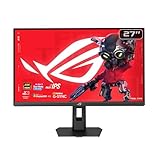
- Dual Mode Display Technology: 27-inch 4K (3840 x 2160) gaming monitor with versatile dual mode (4K @ 160 Hz or FHD @ 324 Hz)
- Ultra-Fast Response Time: ASUS Fast IPS technology enables a 0.3ms response time (min.) for sharp gaming visuals with high frame rates
- Enhanced Visual Clarity: ASUS Smart Pixel technology enhances every detail, delivering sharper, more vibrant visuals, even at lower resolutions
- Advanced Motion Blur Reduction: ASUS Extreme Low Motion Blur Sync (ELMB SYNC) technology enables ELMB together with variable refresh rate, eliminating ghosting and tearing for sharp gaming visuals with high frame rates
- Superior Color Accuracy: 95% DCI-P3 color gamut with ASUS advanced gray-scale tracking technology ensures smoother color gradation delivered and uniformity
What connectivity does the monitor provide?
The XG32UCWMG has two HDMI 2.1 ports, DisplayPort 1.4 with DSC, USB-C with 15W power delivery, USB ports, and a headphone output. HDMI 2.1 is useful for modern consoles and high-refresh PC connections. DisplayPort 1.4 with DSC can carry high-resolution, high-refresh signals, but it is not as future-proof as full-bandwidth DisplayPort 2.1.
ASUS lists 4K up to 240Hz and Full HD up to 480Hz across the HDMI, DisplayPort, and USB-C signal ranges. Actual availability can depend on the source device, cable, DSC configuration, drivers, and firmware.
The absence of DisplayPort 2.1 is a real distinction for buyers with a newer GPU who specifically want next-generation, uncompressed or less DSC-dependent connectivity. It is not automatically a practical problem for every owner because DSC can support the monitor’s advertised high-refresh modes, but it reduces future-proofing compared with newer DP 2.1 OLED alternatives.
Recommended Free Tools
For a refresh-rate problem, use this order: confirm the resolution and dual-mode setting; check Windows or the GPU control panel; enable DSC if available; try HDMI 2.1; replace the cable with a certified high-bandwidth cable; update GPU drivers and monitor firmware; then test another GPU or source. A lower refresh ceiling should not be generalized as a universal port defect without reproducing the issue under controlled conditions.
How well does it work with consoles?
The XG32UCWMG is well suited to current consoles in 4K mode. Independent testing reports support for 4K signals up to 120Hz on PS5, PS5 Pro, and Xbox Series X|S through HDMI 2.1.
That makes the monitor a sensible console-plus-PC display if the buyer wants OLED contrast, HDR, VRR, and 4K/120Hz console play. Consoles will not use the PC-oriented 4K/240Hz and 1080p/480Hz ceilings in the same way as a powerful gaming PC, so the dual-mode premium is primarily justified by PC use.
The monitor includes a headphone output rather than a complete home-theater audio ecosystem. Buyers planning to connect external speakers or an AV receiver should confirm that their preferred console and audio-routing arrangement works with the monitor’s available outputs.
Does the stand fit a normal desk?
The 31.5-inch panel needs a reasonably deep desk and a viewing distance that makes 4K comfortable without forcing the user to turn constantly. The physical size can be an advantage for immersive gaming and productivity, but it can feel oversized for competitive players accustomed to a smaller 24- or 27-inch image.
ASUS lists height adjustment, tilt, swivel, and 100×100mm VESA mounting. ASUS also emphasizes a smaller stand footprint than earlier 32-inch ROG OLED designs, which can leave more room for a keyboard and mouse. A VESA arm can improve desk flexibility, but the arm must be rated for the monitor’s weight.
Aspect Control may help competitive players who want a smaller effective image while retaining the large OLED panel for other uses. The feature does not make the 1080p image as sharp as native 4K; it only changes the displayed image area and scaling behavior.
Independent reader supportYour contribution helps us test, update, and keep practical guides available for everyone.How does the XG32UCWMG compare with alternatives?
| Monitor | Panel or finish distinction | Refresh modes or key feature | USB-C or connectivity distinction | Best for |
|---|---|---|---|---|
| ASUS ROG Strix OLED XG32UCWMG | WOLED, glossy TrueBlack | 4K/240Hz and 1080p/480Hz | 15W USB-C; DP 1.4 with DSC; HDMI 2.1 | Buyers who want glossy OLED clarity and both dual modes |
| ASUS ROG Swift OLED PG32UCDP | WOLED, matte finish | 4K/240Hz and 1080p/480Hz | 90W USB-C; more laptop-friendly | Users who dislike reflections or need stronger laptop charging |
| ASUS ROG Strix OLED XG32UCWG | Glossy WOLED design family | 4K/165Hz and 1080p/330Hz | Lower-refresh sibling; verify current port requirements | Buyers who want the design and lower price without 240Hz/480Hz |
| ASUS ROG Swift PG32UCDM / PG32UCDM3 | QD-OLED or newer panel generation, depending on model | Not the XG32UCWMG’s 1080p/480Hz dual-mode focus | Applicable versions offer DP 2.1 and 90W USB-C; Dolby Vision is identified on PG32UCDM | Buyers prioritizing DP 2.1, Dolby Vision, QD-OLED, or stronger USB-C |
| LG 32GS95UE-B and other non-ASUS dual-mode OLEDs | Useful matte-panel comparison | Dual-mode concept varies by model | Verify current specifications before purchase | Buyers seeking a different coating or ecosystem |
| Gigabyte AORUS FO32U2P and similar DP 2.1 OLEDs | Panel and coating vary by model | Refresh modes vary | DisplayPort 2.1 is the key buying distinction | Buyers prioritizing next-generation GPU connectivity |
The direct alternative is the ASUS ROG Swift OLED PG32UCDP. RTINGS identifies the practical difference as the PG32UCDP’s matte coating and 90W USB-C power delivery versus the XG32UCWMG’s glossy finish and 15W USB-C. Current PG32UCDP pricing was not independently verified in this research pass.
The ASUS ROG Strix OLED XG32UCWG is the value-oriented sibling with 4K/165Hz and 1080p/330Hz. ASUS US listed it at $699, reduced from $799, during the research pass. It is attractive when those lower refresh ceilings are sufficient, but it is not the same proposition for serious 480Hz esports use.
Also popular on Amazon

- World's First 1440P 480Hz OLED Gaming Monitor: Experience unprecedented gaming performance with the industry's first 1440P resolution OLED display running at an incredible 480Hz refresh rate
- Ultra-Fast Response Time and High Refresh Rate: 26.5-inch QHD 480Hz WOLED gaming monitor delivers 0.03ms response time for sharp and ultra-fast gaming visuals without motion blur
- Exclusive Gaming AI Assistant: Advanced AI technology helps you better navigate your gaming experience with intelligent features and optimizations
- ROG OLED Anti-Flicker Technology: Exclusive technology helps reduce the flicker during refresh rate fluctuations for more comfortable extended gaming sessions
- Superior Color Accuracy and HDR Performance: 99% DCI-P3 color gamut coverage and Delta E <2 color difference deliver astonishing HDR performance with true-to-life colors
The ASUS ROG Swift PG32UCDM and PG32UCDM3 catalog is more relevant to buyers who prioritize QD-OLED or newer panel technology, DisplayPort 2.1, Dolby Vision, or stronger USB-C functionality. Exact model features, prices, and US availability should be checked individually.
How much does the XG32UCWMG cost, and is it good value?
The ASUS US store listed the XG32UCWMG at $999 when checked on August 18, 2026. A Best Buy marketplace listing showed $986, sold and shipped by Newegg Official, on the same date. Retail prices, marketplace sellers, availability, and return terms can change, so the date and seller matter.
The official ASUS listing is the cleaner reference for product identity and direct availability. If using the Best Buy marketplace listing, check that the listing clearly identifies Newegg Official as the seller and shipper and review the applicable return policy.
Crashes, No Sound, or Screen Glitches?
Random freezes, missing sound and display glitches usually trace back to one bad driver. Find and replace yours safely.Free scan · under a minuteWindows Errors? Fix Them Before They Spread
Repair common Windows errors and clear accumulated junk for a smoother, more stable PC - no reinstall needed.Free scan · no reinstallAt roughly $1,000, the XG32UCWMG earns its premium only when the buyer values its complete combination: glossy WOLED presentation, native 4K/240Hz, and a usable 1080p/480Hz esports mode. If 480Hz is irrelevant, a lower-refresh model may provide better value. If USB-C charging, DP 2.1, or matte reflection control matters more, a competing OLED may be the better spend.
What are the main reasons to buy or avoid it?
| Buy the XG32UCWMG if you… | Avoid or compare more carefully if you… |
|---|---|
| Want both 4K/240Hz and competitive 1080p/480Hz in one display | Rarely play competitive games and will never use 480Hz |
| Have a powerful PC capable of high frame rates | Usually play at 80–140fps and do not need the extra refresh ceiling |
| Prefer glossy OLED clarity and can control room lighting | Work in strong sunlight or face a window or lamp |
| Want OLED blacks, fast response, and HDMI 2.1 console support | Want the brightest possible HDR full-screen performance |
| Can charge a laptop separately and use OLED-care features | Need a one-cable laptop dock with high-power charging |
| Accept DisplayPort 1.4 with DSC | Specifically require DisplayPort 2.1 for a newer GPU |
Final verdict
The ASUS ROG Strix OLED XG32UCWMG is an unusually capable dual-purpose OLED. Its 4K/240Hz mode delivers the sharpness and responsiveness expected from a premium gaming display, while 1080p/480Hz gives serious competitive players a specialized high-refresh option that ordinary 4K monitors cannot provide.
The monitor is worth buying at around $1,000 when both modes solve a real problem and the room can accommodate a glossy screen. The XG32UCWMG is less convincing as a general-purpose office display, a laptop docking station, a bright-room HDR monitor, or a future-proof DP 2.1 purchase.
Best fit: dual-mode enthusiasts, high-end PC gamers, competitive players with very high frame rates, and console-plus-PC owners who can manage reflections and OLED maintenance.
Quick wins for a faster PC:
Fix the driver behind crashes, sound loss and screen glitchesFind Drivers →Clear out junk files and repair common Windows errorsFree Scan →Look elsewhere: laptop users needing more than 15W USB-C charging, buyers who specifically want DisplayPort 2.1, people in bright rooms, and buyers who will use only ordinary 4K gaming without benefiting from 480Hz.
Frequently Asked Questions
Does the ASUS ROG Strix OLED XG32UCWMG support 4K at 240Hz?
Yes. The ASUS ROG Strix OLED XG32UCWMG supports 3840×2160 at up to 240Hz in its native mode, although reaching 240fps at 4K depends on the game, graphics settings, and GPU.
Does the ASUS ROG Strix OLED XG32UCWMG support 1080p at 480Hz?
Yes. The monitor has a dedicated 1920×1080 Frame Rate Boost mode that reaches up to 480Hz. The mode is intended mainly for competitive games and does not preserve the sharpness of native 4K.
Is the XG32UCWMG good for a laptop setup?
The XG32UCWMG can carry video and USB functionality over USB-C, but its 15W power delivery is too limited to replace a high-power laptop dock. A laptop user should plan on a separate charger or dock.
Does the XG32UCWMG have DisplayPort 2.1?
No. The XG32UCWMG uses DisplayPort 1.4 with DSC. The monitor can support its advertised high-refresh modes with suitable equipment, but buyers specifically seeking DisplayPort 2.1 should compare newer alternatives.
The Bottom Line
Bottom line: Buy the ASUS ROG Strix OLED XG32UCWMG for its genuinely unusual combination of glossy 4K/240Hz OLED gaming and 1080p/480Hz esports play. Do not buy it for the 480Hz label alone: the value falls sharply if your games, GPU, room, or work setup cannot take advantage of the feature.

