
Recommended Free Tools
iTechGuides is reader-supported. When you buy through links on our site, we may earn an affiliate commission. As an Amazon Associate I earn from qualifying purchases. Learn more
Quick verdict: The Apple TV 4K (3rd generation) is still Apple’s current model in the United States, but its 2026 price makes the choice less automatic than it was at launch. Buy the 3rd-generation 128GB Wi‑Fi + Ethernet model if you need HDR10+, wired networking, Thread, more storage, or the longest likely support runway. Buy a substantially cheaper 2nd-generation Apple TV 4K used or refurbished for the best value. Consider the 1st generation only when it is very inexpensive and your needs are limited to basic 4K HDR streaming.
Wait? Apple has not announced a 4th-generation Apple TV 4K. Rumors suggest a possible 2026 replacement, but its timing and specifications are unconfirmed. If your existing streamer works and you specifically want a newer chip or possible Apple Intelligence features, waiting is reasonable.
This guide compares the three Apple TV 4K generations by picture formats, networking, smart-home support, software, gaming, remotes, storage, used-market value, and the hardware that actually fits your television.
Free tools Windows power users keep installed
One-click scans. No signup required.
Apple TV 4K generations at a glance
Apple’s current U.S. model is still the Apple TV 4K (3rd generation), introduced in 2022. Apple sells two configurations: a 64GB Wi‑Fi model for $199 and a 128GB Wi‑Fi + Ethernet model for $249. Those are the prices listed by Apple as of August 10, 2026, after increases from the original launch prices of $129 and $149.
Popular on Amazon

- 【Note】NOT Siri Remote, NO Voice Function! The power/volume/mute buttons could only works for samsung/LG/Vizio/Hisense/Sony/Amz Firre/Toshiba/Insignia Firre TVs. Please "UNLOCK" your old device with remote before using our remote, or our remote will not connect to your device!!!
- 【Compatible Models】 Replacement for Apple TV Remote: For Apple TV A1218(1st Gen), for Apple TV A1378(2nd Gen), for Apple TV A1427/A1469(3rd Gen). For Apple TV HD A1625(4th gen), for Apple TV HD MHY93LL/A(5th gen). For Apple TV 4K A1842(1st Gen), for Apple TV 4K A2169(2nd Gen), for Apple TV 4K A2737/A2843(3rd Gen)
- 【Remote Compatibility】Replacement IR remote compatible with Apple TV Remote (white) A1156 MA128LL/A, for Apple TV Remote (aluminum) MM4T2AM/A. For Siri Remote (1st Gen)/Apple TV Remote (1st Gen) MQGD2LL/A, for Siri Remote (2nd Gen)/Apple TV Remote (2nd Gen) MJFM3LL/A, for Siri Remote(3rd Gen) /Apple TV Remote (3rd Gen) MNC73AM/A
- 【Packing Included】Comes with user manual. NO more worry on pairing. Just need to insert 2*AAA remote and it's ready for use. (Package includes 1*Replacement and 1*User Manual. Batteries are NOT included)
- 【Note】If you TV brand is not what we listed in our detail page, please do not take this remote home, or it will not be compatible! Please "UNLOCK" your old device with remote before using our remote, or our remote will not connect to your device!!!
Apple’s current Apple TV store listing sells only the 3rd generation. The 1st- and 2nd-generation models are now used, refurbished, clearance, or third-party purchases.
| Model | Model number | Chip | Storage | Ethernet | Thread | Best for |
|---|---|---|---|---|---|---|
| Apple TV 4K, 1st generation | A1842 | A10X Fusion | 32GB or 64GB | Gigabit | No | Very inexpensive basic 4K HDR streaming |
| Apple TV 4K, 2nd generation | A2169 | A12 Bionic | 32GB or 64GB | Gigabit | Yes | Best used value; Ethernet and smart-home setups |
| Apple TV 4K, 3rd generation Wi‑Fi | A2737 | A15 Bionic | 64GB | No | No | New buyers who want current hardware without Ethernet |
| Apple TV 4K, 3rd generation Wi‑Fi + Ethernet | A2843 | A15 Bionic | 128GB | Gigabit | Yes | Home theaters, Apple Arcade, Thread, and wired networks |
For complete model-identification details, compare the model numbers against Apple’s Apple TV identification guide. Do not assume that every 3rd-generation unit has Ethernet or Thread: the 64GB Wi‑Fi model has neither.
Which Apple TV 4K should you buy?
Buy the 3rd generation if you are buying new
The 3rd generation is the technically best Apple TV 4K. Its A15 Bionic chip is faster, it is the only generation with official HDR10+ support, and it has the newest physical design and remote. It is the right choice when you want the newest currently available Apple model and do not want to buy used.
Outdated Drivers Are Slowing You Down
One free scan finds every outdated or missing driver and matches the right update for your exact hardware.Free scan · exact hardware matchWindows Errors? Fix Them Before They Spread
Repair common Windows errors and clear accumulated junk for a smoother, more stable PC - no reinstall needed.Free scan · no reinstallChoose the 128GB Wi‑Fi + Ethernet version rather than the 64GB model if you need Gigabit Ethernet, Thread, Matter accessories, a home hub in one device, or substantial Apple Arcade storage. Choose the 64GB Wi‑Fi model only when you are comfortable using Wi‑Fi and already have another Thread border router if your smart-home setup requires one.
Buy the 2nd generation used or refurbished for value
The 2nd-generation Apple TV 4K remains the strongest used-market recommendation. It supports 4K HDR, Dolby Vision, high-frame-rate HDR, Wi‑Fi 6, Ethernet, Thread, ARC/eARC, FaceTime through Continuity Camera, and current tvOS 26 software. For Netflix, Apple TV+, YouTube, music, and ordinary streaming, it is still fast enough for most people.
Its main omission is HDR10+. If your television supports Dolby Vision, or if HDR10+ is not important to you, a discounted 2nd-generation unit can deliver nearly the same everyday streaming experience as the 3rd generation. A used unit around $80–$120 can be attractive, although actual used prices vary and should be compared with current sales and refurbished stock.
Buy the 1st generation only at a very low price
The 1st-generation Apple TV 4K is not completely obsolete. Apple still lists it as compatible with tvOS 26, and tvOS 26.6 security updates cover all Apple TV 4K generations. However, it is already missing important newer features, including tvOS 26’s Liquid Glass interface, Thread, ARC/eARC, and the 2nd generation’s high-frame-rate HDR improvements.
Do these 3 things before closing this tab:
1Fix the driver behind crashes, sound loss and screen glitches2Repair Windows errors before they cause bigger problems3Scan for outdated or missing drivers - takes under a minuteIt makes sense only as a cheap used box for basic 4K HDR streaming. Do not pay a price close to a 2nd-generation model, and do not choose it for FaceTime, a Thread/Matter installation, newer gaming needs, or the best chance of receiving future features.
Wait if your existing device works
Apple has not officially announced a 4th-generation Apple TV 4K in the reviewed Apple sources. A July 2026 report from MacRumors describes rumors of a possible 2026 model with a newer A-series chip, improved wireless connectivity, and Apple Intelligence-related capabilities. Those are rumors, not confirmed specifications or a guaranteed release schedule.
Waiting is sensible if your current streamer works and those possible features matter to you. If you need a device now, a discounted 3rd generation or a well-priced 2nd generation is the practical choice.
Complete hardware comparison
| Feature | 1st generation A1842 |
2nd generation A2169 |
3rd generation Wi‑Fi A2737 |
3rd generation Ethernet A2843 |
|---|---|---|---|---|
| Introduced | 2017 | 2021 | 2022 | 2022 |
| Processor | A10X Fusion | A12 Bionic | A15 Bionic | A15 Bionic |
| Storage | 32GB or 64GB | 32GB or 64GB | 64GB | 128GB |
| Wi‑Fi | Wi‑Fi 5 / 802.11ac | Wi‑Fi 6 / 802.11ax | Wi‑Fi 6 / 802.11ax | Wi‑Fi 6 / 802.11ax |
| Ethernet | Gigabit | Gigabit | None | Gigabit |
| Thread | No | Yes | No | Yes |
| HDMI | HDMI 2.0a | HDMI 2.1 | HDMI 2.1 | HDMI 2.1 |
| Height and weight | 1.4 inches; 425g | 1.4 inches; 425g | 1.2 inches; 208g | 1.2 inches; 214g |
| Included remote | 1st-generation Siri Remote; Lightning | 2nd-generation Siri Remote; Lightning | 3rd-generation Siri Remote; USB‑C | 3rd-generation Siri Remote; USB‑C |
Apple’s official 1st-generation, 2nd-generation, and 3rd-generation specifications provide the detailed port, format, and dimension information.
The Tool Desk
Outbyte Driver Updater FREEScan for outdated or missing drivers - takes under a minuteDriver Scan →Outbyte PC Repair FREEClear out junk files and repair common Windows errorsFree Scan →What changed from one generation to the next?
From the 1st generation to the 2nd generation
The 2021 model was more than a small processor update. It changed several parts of the Apple TV experience:
- A10X Fusion became A12 Bionic. The newer chip provides more performance headroom for apps and games.
- Wi‑Fi 5 became Wi‑Fi 6. This can help in newer, busier wireless environments, although it does not guarantee faster internet service.
- HDMI 2.0a became HDMI 2.1. The Apple TV still does not become a 4K/120Hz console, but the newer model adds features including ARC/eARC support.
- High-frame-rate HDR and Dolby Vision support improved. The 2nd generation supports compatible high-frame-rate HDR and Dolby Vision content up to 60fps.
- Thread was added. This makes every 2nd-generation configuration useful in a Thread-based Apple smart-home setup.
- The remote was redesigned. The silver aluminum remote uses a clickpad with improved directional control and is easier to use than the original glass touch-surface remote for many people.
- FaceTime on the television became possible. The 2nd generation and later support FaceTime using a compatible iPhone or iPad as a Continuity Camera.
Color Balance is not an exclusive 2nd-generation feature. Compatible older Apple TV models can also use it with supported software and iPhone hardware.
From the 2nd generation to the 3rd generation
The 2022 model brought a smaller but more consequential set of changes:
- A12 Bionic became A15 Bionic. Apple claims up to 50 percent faster CPU performance and up to 30 percent faster GPU performance compared with the 2nd generation. These are Apple’s comparative claims, not independent benchmark results.
- HDR10+ was added. This is the most important picture-format difference, especially for compatible Samsung televisions that support HDR10+ but not Dolby Vision.
- The product split changed. The 64GB version is Wi‑Fi only; the 128GB version adds Gigabit Ethernet and Thread.
- The enclosure became smaller and fanless. The 3rd generation is 1.2 inches tall and weighs roughly half as much as the earlier models.
- The remote changed from Lightning to USB‑C charging. Navigation is broadly similar to the 2nd-generation remote, so this is a convenience change rather than a major reason to upgrade.
- HDMI Quick Media Switching was added. QMS can reduce blanking or delay when compatible content changes frame rate or dynamic range.
- Compatible projector support improved. The 3rd generation supports 21:9 and other cinematic aspect ratios for compatible content and displays.
- Apple Music Sing gained iPhone-as-microphone support on the current software guide. Regional, device, and software requirements apply.
What did not change meaningfully
All three generations are capable 4K HDR streaming devices. A newer chip does not automatically make a Netflix movie sharper or give a normal stream better color. Picture quality depends on the television, app, title, available HDR format, network, HDMI chain, and display settings.
Quick wins for a faster PC:
Clear out junk files and repair common Windows errorsFree Scan →Fix the driver behind crashes, sound loss and screen glitchesFind Drivers →Repair Windows errors before they cause bigger problemsFix Now →Likewise, HDMI 2.1 does not mean that Apple TV supports every feature associated with the specification. Apple specifies output of up to 4K HDR at 60fps. Do not buy the 2nd or 3rd generation expecting 4K/120Hz, variable refresh rate, or console-style next-generation gaming output.
Picture formats: when the 3rd generation really matters
| Capability | 1st generation | 2nd generation | 3rd generation |
|---|---|---|---|
| 4K output | Up to 60fps | Up to 60fps | Up to 60fps |
| Dolby Vision | Yes | Yes | Yes |
| HDR10 | Yes | Yes | Yes |
| HLG | Supported listed format | Yes | Yes |
| HDR10+ | No | No | Yes |
| ARC/eARC | No | Yes | Yes |
| HDMI QMS | No | No | Yes |
| 21:9/projector aspect-ratio support | No | No | Yes, with compatible content and displays |
Choose the 3rd generation for HDR10+ only when the rest of the chain supports it. The TV must support HDR10+, the app and title must offer it, and the Apple TV must be connected through compatible equipment. A 3rd-generation Apple TV cannot turn Dolby Vision or SDR content into genuine HDR10+.
This makes the choice straightforward for many Samsung TV owners: if the television lacks Dolby Vision but supports HDR10+, the 3rd generation is the only Apple TV 4K generation that can provide that format. On a Dolby Vision TV, the 2nd generation already supports the more important premium HDR capability.
Apple’s 4K, HDR, and Dolby Vision support page explains the required display, content, app, cable, and receiver compatibility.
What’s actually slowing this PC down?
Pick the symptom - the matching free tool is one click away.
Networking, Ethernet, Thread, and Matter
Networking is one of the easiest places to buy the wrong model.
Ethernet
Gigabit Ethernet is built into the 1st generation, every 2nd-generation configuration, and the 3rd-generation 128GB Wi‑Fi + Ethernet model. It is absent from the 3rd-generation 64GB Wi‑Fi model.
Use Ethernet when the Apple TV is in a permanent home theater, Wi‑Fi coverage is poor, an apartment network is congested, you stream high-bitrate local media, or you want a more consistent wired connection for downloads and smart-home operation. Ethernet can improve reliability and consistency; it does not automatically make a 4K stream sharper or upgrade its HDR format.
Thread and Matter
Thread is available on the entire 2nd generation and on the 3rd-generation Wi‑Fi + Ethernet model. It is not available on the 3rd-generation 64GB Wi‑Fi model.
If you use Thread-based Matter accessories and do not already have a HomePod mini, HomePod, or another compatible Thread border router, choose either:
- Any 2nd-generation Apple TV 4K.
- The 3rd-generation 128GB Wi‑Fi + Ethernet model.
- A 64GB 3rd-generation Apple TV paired with another compatible Thread-enabled Apple home hub.
Apple’s Thread-enabled device list and Home hub and Matter requirements should be checked for the exact smart-home configuration.
Performance, storage, and gaming
Performance
The A15-powered 3rd generation launches apps, switches between apps, and handles demanding games with more headroom than the A12 2nd generation or A10X 1st generation. Apple says it delivers up to 50 percent faster CPU performance and up to 30 percent faster GPU performance than the 2nd generation.
For ordinary streaming, the difference is less dramatic. The 2nd generation remains responsive for Netflix, Apple TV, YouTube, music, and most common apps. The 3rd generation’s advantage is more noticeable in games, large app libraries, multitasking, and the possibility of future demanding software—not in the basic resolution of streamed video.
Does 128GB improve streaming?
No. Storage holds apps, games, app data, and caches. It is not a DVR, and it does not provide a large conventional offline movie library. More storage does not improve internet speed, streaming resolution, or picture quality.
Also popular on Amazon
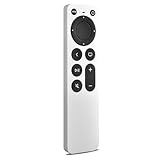
- 【Compatible Apple TV models】 Compatible with All Apple TV Remote, Replacement for Apple TV 4K/ Gen 1 2 3 4/ HD A2169 A1842 A1625 A1427 A1469 A1378 A1218 with TV Control Function, App Swich Function
- 【Easy Pairing】Press and hold the Back and Left button for 6 seconds,until the LED light flashes,Then it works!(Note: Battery not included)
- [IR remote (NOT BT/RF)]-line-of-sight required. NO Siri,NO Voice control,NO Touchpad function. Not for A-Pod/H-Pod. [For those you will need to use the original remote with BT]
- [with TV Control Function Buttons]- Power/Volume+/Volume-/Mute keys design for TV Brand:for Samsung,for LG,for Sony,for Westinghouse,for Insignia,for Vizio,for Toshiba,not for any ROKU TV
- [Slim Design]- Slim body design,for an elegant feel
Choose 128GB when you install many games, use Apple Arcade heavily, want Ethernet or Thread, or plan to keep the Apple TV for many years. For a streaming-only household, 64GB is normally sufficient.
Gaming
The 3rd generation is the best Apple TV for Apple Arcade because it combines the A15 chip with 128GB in the Ethernet configuration. The 2nd generation remains suitable for casual gaming. The 1st generation should not be treated as a serious future gaming purchase.
None of these devices replaces a PlayStation, Xbox, or gaming PC. Apple TV has a different game catalog, controller ecosystem, storage model, and performance profile. The newer chip gives the 3rd generation more room for Apple TV games; it does not make the box a traditional console.
Software support in 2026
The current stable release is tvOS 26.6, released July 27, 2026. Apple lists Apple TV HD and all three Apple TV 4K generations for current tvOS 26 support. The major Liquid Glass design changes in tvOS 26 are available on the 2nd- and 3rd-generation Apple TV 4K, but are not carried forward to the 1st generation.
This produces an important distinction:
- Current compatibility: The 1st, 2nd, and 3rd generations can run the current supported tvOS 26 software.
- Feature completeness and future risk: The 1st generation already misses major interface and hardware-dependent features. The 2nd generation is the safer used purchase, while the 3rd generation has the newest hardware and the longest likely runway among currently available models.
Do not promise a fixed number of future support years. Apple does not guarantee a specific Apple TV support lifespan. tvOS 27 was still in beta as of August 10, 2026, so its final compatibility list should not be assumed.
FaceTime requires the 2nd-generation Apple TV 4K or later, plus a compatible iPhone or iPad using Continuity Camera. The 1st generation should not be purchased for FaceTime. tvOS 15.4 and later also support additional sign-in steps on some hotel and dormitory Wi‑Fi networks, which is useful but not a major generation advantage.
Remotes: the practical differences
| Remote | Included with | Charging | Important difference |
|---|---|---|---|
| 1st-generation Siri Remote | 1st-generation Apple TV 4K | Lightning | Black aluminum body and glass Touch surface |
| 2nd-generation Siri Remote | 2nd-generation Apple TV 4K | Lightning | Silver body and clickpad with improved directional control |
| 3rd-generation Siri Remote | 3rd-generation Apple TV 4K | USB‑C | Similar clickpad design with USB‑C charging |
The 2nd-generation remote is a meaningful usability improvement over the original touch-surface remote. The 3rd-generation remote is mostly the same navigation design with USB‑C instead of Lightning, so it is not by itself a compelling reason to replace a 2nd-generation Apple TV.
On supported software, an iPhone running iOS 17 or later can locate a 2nd- or 3rd-generation physical remote. The 1st-generation remote does not support that locating feature. If you lose a remote, the Apple TV Remote in iPhone Control Center can control the Apple TV, and the 3rd-generation remote can be purchased separately for Apple TV HD and Apple TV 4K models running tvOS 15.4 or later. See Apple’s remote compatibility guide.
Best Apple TV 4K by use case
| Your situation | Best fit | Why |
|---|---|---|
| Buying new and want the latest model | 3rd generation | Newest chip, remote, design, and support runway |
| Samsung or another HDR10+ TV without Dolby Vision | 3rd generation | Only generation with official HDR10+ support |
| Best used value | 2nd generation | Nearly the same everyday streaming experience, plus Ethernet and Thread |
| Ethernet at a used-market price | 2nd generation | Ethernet is included in every configuration |
| Ethernet and maximum current hardware | 3rd generation 128GB Ethernet | Combines A15, Gigabit Ethernet, Thread, and extra storage |
| Thread/Matter smart-home setup | 2nd generation or 3rd-generation Ethernet | These are the Thread-capable Apple TV 4K configurations |
| Apple Arcade | 3rd generation, preferably 128GB | Best chip and most storage |
| FaceTime on the television | 2nd or 3rd generation | Requires a compatible iPhone or iPad as Continuity Camera |
| 21:9 projector setup | 3rd generation | Supports compatible cinematic aspect-ratio configurations |
| Existing 1st-generation owner who only streams | Keep it | It remains compatible with current tvOS 26 software |
| Existing 1st-generation owner wanting newer features | 2nd or 3rd generation | Liquid Glass, FaceTime, Thread, better remote, and more performance |
Is the 3rd generation worth $199 or $249?
At its original $129/$149 launch prices, the 3rd generation was an easy recommendation. At $199 for 64GB Wi‑Fi or $249 for 128GB Ethernet, the value calculation is different.
It is worth buying when:
- You specifically want Apple’s interface, app ecosystem, AirPlay, Apple services, and integration with other Apple devices.
- Your TV supports HDR10+ and you want that format.
- You need Thread and Ethernet in one box.
- You play Apple Arcade games or want more performance headroom.
- You value the newest currently available hardware and do not want to buy used.
- A retailer discount narrows the price gap with a used 2nd-generation model.
It is not automatically worth buying when:
- You only watch ordinary streaming services.
- Your display is SDR-only or supports basic HDR but not HDR10+ or Dolby Vision.
- You already have a HomePod mini or another Thread border router.
- You can buy a reliable 2nd-generation model substantially cheaper.
- You are open to a lower-cost competing streamer.
- You can wait for a possible 2026 refresh.
For context, a July 2026 Engadget comparison listed alternatives including the Google TV Streamer at about $99, Roku Ultra at about $100, Fire TV Cube at about $140, and Fire TV Stick 4K Max at about $60. It also discussed the NVIDIA Shield TV Pro as a higher-end alternative. These are dated comparison prices, not permanent prices, so verify retailer pricing before buying.
The Apple TV’s advantages are its responsive interface, broad app support, Apple ecosystem integration, AirPlay, privacy positioning, and performance. A cheaper Roku, Fire TV, or Google TV device may be the better value if your only requirement is launching streaming apps.
How to check HDR, Dolby Vision, and HDMI problems
If a compatible television is not showing HDR or Dolby Vision, check the entire signal path rather than immediately blaming the Apple TV generation:
- Confirm that the television supports the desired format and that the specific app and title provide it.
- Check whether the Apple TV is connected through an AVR or soundbar that supports the required HDR signal.
- Use the correct HDMI input. Some televisions enable enhanced HDR features only on selected ports.
- Try a suitable high-speed HDMI cable and remove unnecessary adapters or switches.
- Open Settings > Video and Audio on Apple TV and review the format and dynamic-range settings.
- Run Apple’s built-in test at Settings > Video and Audio > Check HDMI Connection. The test takes approximately two minutes.
A 3rd-generation Apple TV can output HDR10+, but not every app or title uses it. A title may instead be delivered in Dolby Vision, HDR10, or SDR depending on the service and display.
Used and refurbished buying checklist
Before buying an older Apple TV 4K, ask the seller for a photo of the underside or the device information screen and verify the following:
- Model number: A1842 is 1st generation, A2169 is 2nd generation, A2737 is 3rd-generation Wi‑Fi, and A2843 is 3rd-generation Wi‑Fi + Ethernet.
- Configuration: Do not mistake the 64GB 3rd-generation Wi‑Fi model for the 128GB Ethernet model.
- Storage: Confirm 32GB, 64GB, or 128GB if the listing makes a storage claim.
- Ports: Check that Ethernet works if you are buying a 2nd-generation or 3rd-generation Ethernet model.
- Remote: Confirm that the remote is included, charges, holds a charge, and pairs correctly.
- Power cord: Make sure the required power cable is included.
- HDMI output: Test the box on a television before the return period ends.
- Software: Confirm that it updates and reaches the current supported tvOS version available for that model.
- Reset status: The seller should erase the Apple TV and remove it from their account before shipping.
- Price: Compare the total cost with a discounted new 3rd-generation model. An old unit is not a bargain if its price is only slightly lower.
Should you upgrade from an existing Apple TV 4K?
From the 1st generation
Keep it if you are satisfied with basic 4K HDR streaming and do not need newer interface features, FaceTime, Thread, ARC/eARC, or additional performance. Upgrade to the 2nd generation for a cost-effective improvement, or to the 3rd generation for HDR10+, the A15 chip, USB‑C remote charging, and the strongest future position among current models.
Recommended Free Tools
From the 2nd generation
Upgrade only for a specific benefit: HDR10+ on a compatible TV, more gaming performance and storage, USB‑C remote charging, QMS, compatible projector aspect-ratio support, or the desire to buy the newest available hardware. For normal streaming on a Dolby Vision or HDR10 display, the visual difference may be negligible.
From the 3rd generation
There is no confirmed 4th-generation upgrade to buy as of August 10, 2026. Keep the 3rd generation unless a future Apple announcement provides a feature you specifically need.
Bottom line
The best Apple TV 4K is not automatically the newest model for every buyer. The 3rd generation is the best new purchase and the only one with HDR10+, but the 64GB Wi‑Fi model lacks both Ethernet and Thread. The 128GB Wi‑Fi + Ethernet version is the complete choice for wired networks, smart homes, and gaming.
The 2nd generation is the sweet spot when bought used or refurbished at a substantial discount. It keeps the features most people notice—4K HDR, Dolby Vision, fast performance, Ethernet, Thread, ARC/eARC, FaceTime, and the improved remote—while giving up HDR10+ and some future headroom.
The Tool Desk
Outbyte Driver Updater FREEScan for outdated or missing drivers - takes under a minuteDriver Scan →Outbyte PC Repair FREERepair Windows errors before they cause bigger problemsFix Now →The 1st generation still works for basic streaming, but its age is visible in the missing tvOS 26 interface, Thread, newer HDR capabilities, and other hardware-dependent features. Buy it only when the price is exceptionally low. If your current Apple TV works and you are interested in rumored 2026 hardware or Apple Intelligence features, waiting is the safest timing strategy.
Frequently Asked Questions
Does every Apple TV 4K 3rd-generation model have Ethernet and Thread?
No. The 64GB Wi‑Fi model, model A2737, has neither Ethernet nor Thread. The 128GB Wi‑Fi + Ethernet model, A2843, has both. Every 2nd-generation Apple TV 4K configuration includes Ethernet and Thread.
Is the 2nd-generation Apple TV 4K still supported?
Yes. Apple lists the 2nd generation for current tvOS 26 software, including tvOS 26.6 as of July 27, 2026. It lacks some 3rd-generation features, such as HDR10+, but remains a strong used purchase.
Does HDMI 2.1 on Apple TV 4K support 4K at 120Hz?
No. Apple specifies Apple TV 4K output up to 4K HDR at 60fps. HDMI 2.1 supports the device’s connection features, including ARC/eARC on the 2nd and 3rd generations and QMS on the 3rd generation; it should not be treated as a 4K/120Hz gaming guarantee.
Outdated Drivers Are Slowing You Down
One free scan finds every outdated or missing driver and matches the right update for your exact hardware.Free scan · exact hardware matchPC Slower Than It Used to Be?
A free scan shows the junk files, broken settings and background clutter dragging Windows down - then fixes them in one click.Free scan · Windows 10 & 11Do I need 128GB storage for streaming?
Usually not. Storage is mainly for apps, games, app data, and caches. The 128GB 3rd-generation model is valuable primarily because it also includes Ethernet and Thread, and because it gives heavy Apple Arcade users more room.
Can the 1st-generation Apple TV 4K run current tvOS?
Apple lists it as compatible with tvOS 26 and tvOS 26.6 security updates, but it does not receive every newer feature. It misses tvOS 26’s Liquid Glass interface and lacks Thread, ARC/eARC, newer remote features, and later performance improvements.
Should I wait for a 4th-generation Apple TV 4K?
Only if your current device works and you are comfortable waiting for an unconfirmed product. Apple has not announced a 4th generation in the reviewed official sources. Rumors mention a possible 2026 model, but its release date and specifications are not confirmed.
The Bottom Line
Best new buy: Apple TV 4K 3rd generation. Best complete configuration: 128GB Wi‑Fi + Ethernet. Best value: a substantially discounted 2nd-generation Apple TV 4K. Only buy the 1st generation for basic streaming at a very low price. If you do not need a box immediately, waiting for Apple’s next announcement is reasonable—but do not treat the rumored 2026 replacement as confirmed.
Quick wins for a faster PC:
Repair Windows errors before they cause bigger problemsFix Now →Fix the driver behind crashes, sound loss and screen glitchesFind Drivers →Clear out junk files and repair common Windows errorsFree Scan →
