
Quick wins for a faster PC:
Fix the driver behind crashes, sound loss and screen glitchesFind Drivers →Clear out junk files and repair common Windows errorsFree Scan →iTechGuides is reader-supported. When you buy through links on our site, we may earn an affiliate commission. As an Amazon Associate I earn from qualifying purchases. Learn more
If a Facebook message seems to have vanished, first work out whether it was archived, left unsynced after a phone change, deleted only from your view, or genuinely erased. Search Messenger, inspect Archived Chats and Message Requests, and check secure storage before assuming the text is gone. If a chat or message was permanently deleted for everyone, Meta does not provide a user-facing undelete function. A data export can retrieve information that still exists in your account, but it cannot rebuild deleted message text.
| Symptom | Likely cause | First fix |
|---|---|---|
| The conversation is absent from Inbox | It is archived, hidden in Message Requests, or search is not finding it | Search the person and a distinctive phrase, then check Archived Chats and Message Requests |
| Messages disappeared after a new phone or reinstall | Encrypted history remains in Messenger secure storage but has not been restored | Open Message storage, enter the configured recovery method, and use Sync now if shown |
| You chose Delete for you | The other participant may still have the message | Ask that participant to copy, forward, or screenshot the content |
| You chose Delete for everyone | The message was removed from both views | Look for an independent copy such as a notification, attachment, or prior export |
| An export contains no old message | The item is no longer available in the account data selected for export | Check the date range, format, and message category, then treat the missing text as unrecoverable through Meta |
| You need a record rather than the chat restored | A copy may exist outside Messenger | Search email, phone notification history, saved files, screenshots, and the other participant’s records |
Can genuinely deleted Facebook messages be recovered?
No. When a Messenger message or entire chat has actually been deleted and no separate copy remains, Meta’s documented tools do not offer an undelete or recycle-bin feature. The practical checks below only work when the content is still stored somewhere: an archive, secure storage, another person’s account, an export, or an independent copy.
“Missing” and “deleted” are different states. Archiving removes a conversation from the main list but preserves its history. A device change can leave encrypted history in secure storage until you restore it. Deleting for you removes your view while another participant may retain theirs. Deleting for everyone removes the message for all participants. Disappearing messages are designed to vanish after their timer, so recovery depends on a copy made before expiration.
Meta explains that retention and availability depend on the type of information and the feature involved; its privacy policy does not promise a universal recovery period for Messenger content. Read Meta’s privacy policy for the general information-availability context.
Popular on Amazon
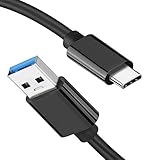
- [ Excellent Performance ] This USB C 3.1 cable connects a portable external USB C 3.1 SSD to a computer for speedy file transfer or syncs and charges Samsung smartphones or tablets equipped with the USB C port. Data synchronization is 20 times faster than USB 2.0 cables (480Mbps). (Does not support video output.)
- [ Fast Charging & High Speed Data Transfer ] This usba to usbc data power cable can sync your favourite photos, videos and music at a data transfer rate of up to 10Gbps(1250MB/s). Files can be synchronised in seconds. In addition, it can quick-charge your USB-C devices at up to 3A safe charging power. Tested charge Samsung Galaxy S22 from 0 to 60% in 30mins with Qualcomm Quick Charge 3.0 technology.Tips: USB 3.1 Gen 2 renamed to USB 3.2 Gen 2 by USB-IF in 2019.
- [ Extreme Durability & High Quality ] : Unique ABS case with the reinforced connector withstand 10000+ bending test. Durable TPE cable not only stay tangling-free but also flexible enough to be wrapped up and put in a bag ! (PS:The connector shell is wrapped around by a piece of plastic film to protect the shell from scraching ,feel free to remove the film when you use it.)
- [ Universal Compatibility ] This USB C to USB A Charger cable is Compatible with almost all USB-C devices. For Samsung Galaxy S24/S24+/S24 Ultra/S23/S23+/S23 Ultra/S22/S21/S20/S10/S9/Note 20/10/A70/A80/A90/A54, iPhone 16/16 Plus/16 Pro/16 Pro Max, iPhone 15/15 Plus/15 Pro/15 Pro Max, Google Pixel 9/8/7/6/5/, Moto G9/G8/G7/G Pure, LG G7/G6/V50, Sony XZ, Bose 700, GoPro, Nintendo switch, Samsung Galaxy Tab S6, iPad Pro 2018 11''/12.9", Samsung T7/T5, Crucial X8/X6, LaCie Rugged SSD, G-Drive, WD My Passport, Seagate Fast, SanDisk Extreme Portable SSD etc. (OnePlus phones are not supported.)
- [ What You Get ] 1 X Super-Fast USB-A to USB-C 3.1 Gen 2 Cable (3 ft including both ends), our worry-free LIFETIME WARRANTY and friendly customer service. NOTE: If you have any questions, please feel free to contact us, we will be happy to serve you and give you an easy and pleasant shopping experience.
1. How do I search Messenger, Archived Chats, and Message Requests?
Start with Messenger’s search because a conversation can disappear from the inbox without being deleted. Search the person’s name, then search a distinctive word or phrase that appeared in the conversation. Open every matching result and scroll around the date you need.
- Open Messenger on the phone or at Facebook.com.
- Tap or select the search field and enter the contact’s name.
- Try a phrase, link, filename, or unusual word from the conversation rather than a broad term such as “hello.”
- Open Archived Chats (often under the menu or your profile settings) and look for the same contact.
- Check Message Requests, including any filtered or spam-like subsection shown by your version of Messenger.
- If you find the conversation, send a new message or otherwise open it; that can return an archived thread to the active list, although the exact behavior varies by app version.
Menu names and locations change as Meta rolls out Messenger versions. The important distinction is that Archive hides a thread; it does not erase its history. If search finds the contact but not the old text, continue with the secure-storage and export checks rather than repeatedly deleting and reinstalling the app.
2. Was the message deleted only for you?
Messenger’s deletion choices have different consequences. Delete for you removes the selected message from your own view, while another participant may still see it. Delete for everyone removes the message from the participants’ chat views, subject to Messenger’s current feature rules. Delete chat removes the conversation from your account view; it does not erase the other person’s copy. A disappearing message can expire automatically and may no longer be available in either view.
What’s actually slowing this PC down?
Pick the symptom - the matching free tool is one click away.
If you used Delete for you, ask the other participant for an independent copy. They can quote the text, forward an attachment, or send a screenshot. This does not restore the message inside your Messenger history, and a screenshot may omit context or metadata, but it can recover the information you actually need.
If you used Delete for everyone, or deleted the entire chat, the other participant may not have a usable copy. Ask anyway, especially if they saved the attachment or captured a notification before deletion. Do not assume that reinstalling Messenger reverses a deletion; reinstalling only downloads data that still exists on the account or in secure storage.
Also popular on Amazon

- 10Gbps Data Transfer: SUNGUY USB 3.1 Gen 2 cable supports super speed data transmission up to 10Gbps, transfer HD movies, songs, file or photos in seconds. Backwards compatible to USB 3.0 and 2.0; DOES NOT support video output.
- Works with Android Auto: This android auto cable can quick-charge your USB-C devices at up to 3A safe charging power. 56KΩ pull-up resistor provides a safer charging current, and protects your devices from damage. Works great with your car's Android Auto.
- Works with CarPlay: The nylon braided usb c to usb a cable compatible with iPhone 15/15Pro/15 Pro Max/15 Plus CarPlay cable. Supports connecting the iPhone 15 series to iTunes on your computer.
- Great Compatibility: This usb c data cable is compatible with iPhone 15/15 Pro Max, Galaxy S23/S23 Ultra/S22/S22 Ultra/S21/S21+/Note 10 Plus/Note 20 S10/S10e/S10+, Pixel 5 6 7 Pro, iPad Pro 2020, MacBook, MacBook Pro, MacBook Air, LG G6 G7 V40 V35, ThinQ V30S V30, Chromebook, Dell XPS 13, Samsung T7 Shield, Extreme Portable SSD and more.
- What You Get: You will receive 1pcs 1.5ft USB 3.1 Gen2 10Gbps Cable, with our 12-month product replacement warranty and lifetime 24/7 friendly technical support.
3. How can secure storage restore Messenger history after a phone change?
Encrypted Messenger history can remain in secure storage even when it is not visible on a newly installed app or a replacement phone. This is a restoration path for history that still exists in secure storage, not a deleted-message bin. It works only if secure storage was enabled and you can provide the recovery method that was configured, such as a Messenger PIN, recovery code, or another offered method.
- Install the current Messenger app from your device’s official app store, or sign in at the official Facebook/Messenger website.
- Sign in to the same Facebook account used for the missing conversation.
- When Messenger offers to restore encrypted history, open Message storage or the secure-storage settings.
- Choose the available recovery method and enter the PIN or recovery code. If you selected another recovery method, follow that method’s prompts.
- Leave the app online while the history downloads. Large histories may take time and may not appear all at once.
- If the history is present in secure storage but has not downloaded, select Sync now where that control is available. Use Sync now specifically when Messenger has not downloaded the history; it is not a way to resurrect a message that was deleted.
Resetting or clearing secure storage without a working recovery method can remove your ability to restore the encrypted history. Do not reset storage as a troubleshooting experiment. If the PIN is forgotten, use Messenger’s offered recovery options; creating a new PIN does not recreate data that was already deleted.
4. Will Download Your Information show deleted Messenger messages?
You can request a Facebook or Messenger information export to see what account data remains available. An export is a copy of retained data, not a reconstruction service. If a message was permanently deleted, the export should not be expected to contain its text.
- Open Facebook’s settings or Accounts Center and choose the area for Your information and permissions or Download your information. Labels vary by account and app version.
- Select the Facebook profile that owns the Messenger history.
- Choose Messages and set a date range wide enough to include the conversation. Selecting all available dates is useful when you do not know when it was sent.
- Choose HTML for easier reading or JSON if you need machine-readable records. Select the available media quality and request the file.
- When the archive is ready, download it from Facebook’s export area and open the messages folder. Search the files for the contact name, thread title, or a distinctive phrase.
If the export is empty, incomplete, or missing a thread, verify that you selected the correct profile, category, and dates. Requesting another export with different filters can locate data that the first request excluded, but it cannot restore text that is no longer retained. Meta’s information tools also have security checks and expiration windows for download links, so save the archive in a secure location once obtained.
5. Is there a separate secure-storage download?
Some accounts provide a download specifically for encrypted history held in secure storage. This is different from the general Facebook information export: it gives you a copy of history that remains in secure storage and can be useful when Messenger’s normal view is incomplete. Availability and labels depend on the account, device, and current Messenger rollout.
Also popular on Amazon

- ✅【10Gbps data transfer】: USB C to USB A Cable 3.1/3.2 Gen 2 supports ultra-high speed data transfer up to 10Gbps. you can transfer HD movies or songs in seconds. USB 3.2 Cable is backwards compatible with USB 3.1, USB 3.0, USB 2.0.
- ✅【60W 3A Fast Charging】: USB to USBC Charging Cable, Built-in E-Marker Intelligent Chip delivers stable secure 60W 3A output to charge your device at a blazing-fast speed. Incredibly charge you phone from 0 to 90% in 1 hour. Compatible with Qualcomm Quick Charge 3.0. ⚡A charger of 60W or more is required for best results.
- ✅【Secure & Reliable】: Unique aluminum alloy case with the reinforced connector. With a tested 10,000 times plug test and 10,000 times bending test ensure maximum durability.
- ✅【Universal Compatibility】: This cable is Compatible with almost all USB-C devices. For Android Auto, Samsung Galaxy S20/S20+ Ultra S10 S10E S9 S8 Note 10 9 8, iPad Pro 2018 10''/12.9, Moto Z/Z2, OnePlus 7/7 Pro/6T/ 6/5, Google Pixel 2/3/4, Google Pixel 2XL/3XL/4XL, LG G5/G6/V20/V30, portable SSD, and other Type A to Type C Devices.
- ✅【6.6FT USB-A to USB-C Cable】With this 6.6ft USB C charging cable you can charge your device in the office or in the back seat of your car, for long distance use while lying comfortably in bed or on the sofa.
- In Messenger, open your profile or settings and find Privacy and safety, End-to-end encrypted chats, or Message storage.
- Look for a secure-storage download or download-history option.
- Authenticate with the PIN, recovery code, or other method associated with secure storage.
- Download the archive and keep it in a protected location. Treat it as sensitive personal data.
A secure-storage download does not put a deleted message back into the live conversation. It only gives you the history that Meta still holds in that protected storage. If no secure-storage option appears, the feature may not be enabled for your account or may not be available in your current app version.
Do these 3 things before closing this tab:
1Scan for outdated or missing drivers - takes under a minute2Clear out junk files and repair common Windows errors3Fix the driver behind crashes, sound loss and screen glitches6. Where else can I find an independent copy?
When Messenger cannot restore the chat, look for a copy that was created outside the current conversation. These checks can recover the information without changing Messenger’s history:
- Ask another participant. They may still have the message if you deleted only your copy, or they may have saved the attachment or text elsewhere.
- Search email. Search for the sender’s name, a phrase from the message, “Messenger,” or the subject of an attachment. Notification emails are not guaranteed and may contain only a short preview.
- Check phone notification history. Android notification history and similar device features can retain previews if they were enabled before the message arrived. iPhone notification behavior depends on what was displayed and whether the notification was cleared; it is not a complete chat archive.
- Inspect saved media and files. Look in Photos, Files, cloud-drive folders, downloads, and shared-work folders for images, videos, documents, or voice recordings that were sent in the chat.
- Review screenshots and screen recordings. Search by date and contact. A screenshot can preserve content even when the original message is gone, but it may not prove who sent it or show the full thread.
- Check an older Facebook or Messenger export. An archive created before deletion may contain the conversation or attachment. Keep the original archive unchanged and work on a copy.
These are copies, not recovery of the deleted record. Preserve the file’s original date and context where possible, and avoid editing a screenshot if you need it for a dispute or formal record.
What should I do when Messenger history has not downloaded?
Use this order: confirm you are signed into the correct account, connect to a stable network, update Messenger through the official app store, open Message storage, authenticate with the configured recovery method, and select Sync now if it is offered. Keep the device powered and the app open while the history downloads.
If Sync now does nothing, sign out only after confirming that you know the account password and recovery method. Do not clear app data or reset secure storage before checking for a PIN or recovery code. Test the account on the official web interface or another trusted device; if the history is absent everywhere and no export or independent copy contains it, the missing data may no longer be retained.
Also popular on Amazon

- [Reliable Car Connectivity & Android Auto] Engineered specifically to solve "falling short" connection issues in vehicles. This cable provides a stable, high-speed link for Android Auto and Apple CarPlay, ensuring consistent navigation and music streaming in models like the Ford Raptor and other modern consoles
- [True 10Gbps Ultra-Fast Data Sync] Eliminate data transfer bottlenecks with genuine USB 3.1 Gen 2 performance. Move 4K movies or entire photo libraries in seconds at 10Gbps—speeds significantly faster than standard USB 3.0 cables that often drop to 40Mbps
- [Built for Tidy Spaces & Durability] The 3ft length is the "perfect length" for car consoles and tidy desktop setups, eliminating excess cable clutter. Featuring an aluminum alloy case and premium nylon braiding, it is manufactured to prevent loose wires and fraying near the plugs
- [Versatile One-for-All Functionality] A single solution for your high-speed ecosystem. Seamlessly connects the latest iPhone 18 Pro Max Duo/17/16, Samsung Galaxy S26/S25/S24 Ultra, PS5/PS4 controllers, and external SSDs to USB-A ports
- [Charging & Compatibility Boundaries] Provides efficient 3A/18W fast charging for smartphones and tablets. Please note: This cable is optimized for mobile devices and is not intended for high-wattage laptops (65W+) or use cases requiring cables longer than 3 feet
Why do exports and recovery tools sometimes show less than expected?
Exports are filtered by profile, category, date range, file format, and the data that remains available. A narrow date range can omit the needed thread, while a large export can place messages in several files that require searching by contact ID or filename. Attachments may be separate from message text, and a notification preview may be shorter than the original message.
Meta does not publish one universal retention period that guarantees every Messenger message will remain downloadable. Account settings, deletion actions, disappearing-message behavior, encryption storage, and feature changes all affect availability. Treat an export as evidence of what was available when it was generated, not as a promise that deleted content can be reconstructed later.
What recovery products should I avoid relying on?
Generic computer file-recovery software and physical storage-recovery devices cannot undelete text that was removed from Meta’s servers. Messenger history is account data delivered through Meta’s service, not a normal document sitting in a phone’s recoverable file system. Installing random “message recovery” apps can expose your account credentials or private notifications without producing the missing conversation.
Use only the official Facebook or Messenger app, Meta’s own settings and export tools, and copies supplied by participants or your own devices. Never give your password, security codes, or secure-storage PIN to a recovery service claiming it can unlock deleted Messenger messages.
How we picked these six checks
The checks are ordered by where the content may still exist and by the least destructive first action: search and Archive, deletion scope, secure-storage restoration after a device change, general data export, secure-storage download, and independent copies. Each option has a different goal—restoring the chat in Messenger, finding retained account data, or recovering a separate copy—so no step is presented as a guaranteed undelete method.
Also popular on Amazon

- The micro USB side is compatible with old Kindle, old phones / smartphone, Nokia, Samsung, LG, Motorola, HTC, Nokia, select Nikon / Sony / Canon cameras with micro USB port, headphones, earbuds, tablets, old game controllers, MP3, battery packs, speakers, keyboards, mixers, camcorders, old gaming devices, portable printers, and other older devices.
- The USB C side is compatible with Macbook, iPhone 15 16 17, new Android smartphones, PC / laptops, AC block with a USB C port.
- Warning: This cable can only be used to charge old phones or devices with a micro USB charging port. This cannot be used to charge new phones with a USB-C charging port. Please see product description below.
- This micro USB to USB C Type C cable has data transfer and charging capabilities.
Frequently Asked Questions
Can I recover permanently deleted Messenger messages without an export?
Only if another copy exists. Ask a participant, inspect notification previews and saved attachments, or locate an older archive; if the message was deleted everywhere and no copy remains, Messenger has no user-facing undelete path.
Does deleting a Facebook chat delete it for the other person?
Deleting the chat removes it from your account view, not automatically from the other participant’s account. A message removed with Delete for everyone has a different effect, while Delete for you leaves the other person’s view intact.
What happens if I forgot my Messenger secure-storage PIN?
Use the recovery method Messenger offers, such as a recovery code or another configured option. Do not reset secure storage until you understand the consequence, because resetting without a usable recovery method can prevent restoration of encrypted history that is still stored.
Crashes, No Sound, or Screen Glitches?
Random freezes, missing sound and display glitches usually trace back to one bad driver. Find and replace yours safely.Free scan · under a minuteWindows Errors? Fix Them Before They Spread
Repair common Windows errors and clear accumulated junk for a smoother, more stable PC - no reinstall needed.Free scan · no reinstallCan notification history prove what a deleted message said?
It may preserve a short preview if notification history was enabled before delivery, but it can be truncated, missing attachments, or absent entirely. Treat it as an independent copy rather than a complete or guaranteed record of the conversation.
The Bottom Line
Search, Archive, Message Requests, secure storage, exports, and independent copies can recover history that still exists somewhere. A message genuinely deleted for everyone cannot be restored through Meta’s documented tools.

