
Do these 3 things before closing this tab:
1Scan for outdated or missing drivers - takes under a minute2Clear out junk files and repair common Windows errors3Fix the driver behind crashes, sound loss and screen glitchesiTechGuides is reader-supported. When you buy through links on our site, we may earn an affiliate commission. As an Amazon Associate I earn from qualifying purchases. Learn more
Before buying laptop RAM, find out whether the machine has an empty physical slot—or whether its memory is soldered, already fully occupied, or reported incorrectly by the firmware. Windows and Linux can give you a quick answer, but the laptop’s exact service manual is the final authority.
These six methods check the reported memory positions and help distinguish an available upgrade slot from memory that cannot be replaced.
1. Check Task Manager in Windows
Task Manager is the quickest option on most Windows laptops.
- Press Ctrl + Shift + Esc.
- Select Performance.
- Choose Memory.
- Find Slots used in the memory details panel.
A result such as 1 of 2 normally means Windows detects one occupied position and one unoccupied position. 2 of 2 means all reported positions are occupied.
Popular on Amazon

- Boosts System Performance: 32GB DDR5 RAM laptop memory kit (2x16GB) that operates at 5600MHz, 5200MHz, or 4800MHz to improve multitasking and system responsiveness for smoother performance
- Accelerated gaming performance: Every millisecond gained in fast-paced gameplay counts—power through heavy workloads and benefit from versatile downclocking and higher frame rates
- Optimized DDR5 compatibility: Best for 12th Gen Intel Core and AMD Ryzen 7000 Series processors — Intel XMP 3.0 and AMD EXPO also supported on the same RAM module
- Trusted Micron Quality: Backed by 42 years of memory expertise, this DDR5 RAM is rigorously tested at both component and module levels, ensuring top performance and reliability
- ECC Type = Non-ECC, Form Factor = SODIMM, Pin Count = 262-Pin, PC Speed = PC5-44800, Voltage = 1.1V, Rank And Configuration = 1Rx8
However, treat this as a firmware report rather than a guaranteed count of removable SO-DIMM sockets. A laptop might have 8 GB of soldered memory and one removable module, while Windows reports the soldered memory as a memory position. Some firmware also exposes placeholder slots or incomplete information.
If Slots used is missing, or the result conflicts with the manufacturer’s specifications, use the service-manual method below before ordering RAM.
2. Query the laptop with PowerShell
PowerShell reads the laptop’s SMBIOS/CIM information and can show both the reported total number of memory positions and the detected modules.
Open PowerShell from the Start menu and run:
Get-CimInstance -ClassName Win32_PhysicalMemoryArray | Select-Object MemoryDevicesThe MemoryDevices value is the firmware-reported number of devices in the physical memory array. To list the detected memory devices, run:
Get-CimInstance -ClassName Win32_PhysicalMemory | Select-Object DeviceLocator, BankLabel, Capacity, FormFactor, Manufacturer, PartNumberFor capacities shown in gigabytes, use:
Get-CimInstance -ClassName Win32_PhysicalMemory | Select-Object DeviceLocator, BankLabel, @{Name="CapacityGB";Expression={[math]::Round($_.Capacity / 1GB, 2)}}, FormFactor, Manufacturer, PartNumberFor example, if MemoryDevices reports 2 and the second command returns one installed module, the firmware may be reporting one open position. But this calculation is not definitive on laptops with soldered LPDDR, CAMM/CAMM2 memory, or inaccurate SMBIOS tables.
Also popular on Amazon
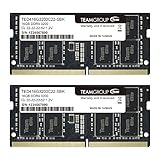
- Actual memory speed may vary depending on the system, CPU, motherboard, BIOS settings, and supported memory configuration. DDR4 3200MHz modules may operate at lower speeds such as 2933MHz or 2666MHz when supported by the host system. Please check your device specifications and compatibility before purchase.
- Adherence to JEDEC and compliance to RoHS with respect to environmental protection regulation, production and manufacturing
- All new generation product of DRAM module. Strict test and verification procedures are performed for products
- Lifetime warranty and Free technical support
- Installation video is attached in product image. ※Refer to the latest version on the official website. In case of discrepancies, the official website prevails.
Use Get-CimInstance rather than older instructions using Get-WmiObject. The latter may still work on some systems, but it is not the preferred current PowerShell approach.
3. Inspect slots with CPU-Z
CPU-Z can read Serial Presence Detect (SPD) information from memory modules and is useful when Windows does not provide a clear answer.
Windows Errors? Fix Them Before They Spread
Repair common Windows errors and clear accumulated junk for a smoother, more stable PC - no reinstall needed.Free scan · no reinstallOutdated Drivers Are Slowing You Down
One free scan finds every outdated or missing driver and matches the right update for your exact hardware.Free scan · exact hardware match- Download CPU-Z from the official CPUID website.
- Install and open the program.
- Select the SPD tab.
- Open the Memory Slot Selection drop-down.
- Inspect each listed slot.
An occupied slot usually displays details such as:
- Module size
- Memory type
- Manufacturer
- Part number
- Maximum bandwidth or speed
- Timing information
An empty reported slot may show blank SPD fields or unavailable information. That does not always prove that a physical socket exists. The firmware may expose unused or virtual slot entries, and soldered LPDDR memory does not behave like a removable SO-DIMM in CPU-Z.
CPU-Z tells you what the system exposes through SPD and firmware. It cannot confirm the laptop’s maximum supported capacity or whether a future upgrade will work.
4. Look in the BIOS or UEFI
The firmware setup screen can identify memory before Windows or Linux loads. Restart the laptop and press the manufacturer’s setup key repeatedly. Common keys include F2, Delete, Esc, and F10.
Also popular on Amazon

- A-Tech 16GB RAM Module, DDR4 SO-DIMM 260-Pin, 3200MHz PC4-25600 (PC4-3200AA)
- Non-ECC Unbuffered, JEDEC DDR4 Standard 1.2V Operating Voltage
- Compatible with select Laptop, Notebook, Mini PC, and All-in-One (AIO) systems. Please verify your system's memory type, form factor, and maximum supported capacity before purchasing
- Not compatible with desktop DIMM, non DDR4 memory, or ECC memory types such as RDIMM, LRDIMM, and ECC UDIMM
- Increases available memory capacity to enhance system responsiveness, application performance, and multitasking capabilities.
Search for a page named something like:
- System Information
- Memory Information
- Hardware Information
- System Summary
- Advanced
- Main
Look for labels including Memory Slot 1, Memory Slot 2, DIMM A, DIMM B, SODIMM 1, or SODIMM 2. Some firmware screens identify an empty position explicitly; others show only the total installed memory.
BIOS/UEFI information is not standardized. A screen showing two memory positions does not necessarily mean the laptop has two removable sockets. One position could represent onboard memory, or the system could use a different memory package entirely.
5. Check memory positions in Linux with dmidecode
On Linux, dmidecode reads the laptop’s DMI/SMBIOS tables. Open a terminal and run:
sudo dmidecode --type memoryUnder Physical Memory Array, check Number Of Devices. This is the firmware-reported total number of memory positions. Then inspect each Memory Device section.
An empty reported position commonly appears as:
Size: No Module Installed
Locator: DIMM B
To display empty positions with nearby information, run:
The Tool Desk
Outbyte Driver Updater FREEScan for outdated or missing drivers - takes under a minuteDriver Scan →Outbyte PC Repair FREEClear out junk files and repair common Windows errorsFree Scan →Also popular on Amazon
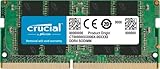
- Boosts System Performance:16GB DDR4 laptop memory that operates at 3200MHz to improve multitasking and system responsiveness for smoother performance
- Easy Installation: Upgrade your laptop RAM with ease—no computer skills required Follow step-by-step how-to guides available at Crucial for a smooth, worry-free installation
- Compatibility Guaranteed: Ensure seamless compatibility with your laptop by using the Crucial System Scanner or Crucial Upgrade Selector—get accurate recommendations for your specific device
- Trusted Micron Quality: Backed by 42 years of memory expertise, this DDR4 RAM is rigorously tested at both component and module levels, ensuring top performance and reliability for your Mac system
- ECC Type = Non-ECC, Form Factor = SODIMM, Pin Count = 260-pin, PC Speed = PC4-25600, Voltage = 1.2V, Rank and Configuration = 1Rx8 or 2Rx8
sudo dmidecode --type memory | grep -A 3 "No Module Installed"You can also try:
sudo lshw -class memoryWith lshw, an empty position may be listed with an [empty] description and a locator such as DIMM B. The output from lshw and dmidecode can differ because they gather hardware information in different ways.
dmidecode normally requires administrator privileges. Its results are also limited by the manufacturer’s SMBIOS data. On a virtual machine, the reported slots describe virtual hardware rather than the physical laptop.
6. Check the exact model’s specifications or service manual
This is the most reliable method. Find the laptop’s exact model number or product number—not just a family name such as “ThinkPad T14” or “Inspiron 15”—and search the manufacturer’s support site.
Look for one of these documents:
- Service Manual
- Maintenance and Service Guide
- Hardware Maintenance Manual
- Setup and Specifications
- Technical Specifications
- Owner’s Manual
Search the document for:
memory
SODIMM
DIMM
memory slot
maximum memory
onboard memory
soldered memory
The documentation should tell you:
- How many physical upgradeable sockets the laptop has
- Whether any memory is soldered to the motherboard
- Which DDR generation and module type it accepts
- The maximum supported capacity
- Whether one slot is hidden beneath a shield or keyboard
- Which combinations of onboard and removable memory are supported
The service manual may also include a motherboard diagram and the correct procedure for removing the bottom cover and memory module. Do not open the laptop until you have confirmed the exact model and checked whether doing so affects warranty coverage.
Free tools Windows power users keep installed
One-click scans. No signup required.
How to interpret the results
| What you find | Likely meaning | What to do next |
|---|---|---|
| Task Manager says 1 of 2 | Firmware reports one occupied and one available position | Confirm with the service manual |
| BIOS shows only total RAM | The firmware does not expose per-slot information | Use the exact model specifications or inspect the board |
Size: No Module Installed |
SMBIOS reports an empty memory position | Verify that the position is a removable socket |
| CPU-Z shows a blank slot | No SPD data is available for that reported position | Do not assume a physical socket exists |
| All slots are occupied | Additional RAM may require replacing an existing module | Check maximum capacity and supported module sizes |
| RAM is listed as onboard or soldered | That memory cannot be removed like a SO-DIMM | Look for a separate upgrade socket, if supported |
Common mistakes to avoid
- Assuming unused capacity means an empty slot: A laptop can support more RAM than is installed even when every socket is occupied. In that case, you must replace a module rather than add one.
- Relying on the old WMIC command: Commands such as
wmic memorychip get devicelocatormay work on older Windows installations, but WMIC is deprecated. PowerShell’s CIM commands are the better current option. - Treating dual-channel as proof of two removable sticks: Dual-channel operation can use soldered memory or other platform-specific designs.
- Counting motherboard chips as RAM slots: Soldered memory packages are not upgradeable sockets.
- Buying based only on slot count: The laptop may impose limits on total capacity, module size, DDR generation, voltage, or supported memory speed.
FAQ
How can I tell if my laptop has an empty RAM slot?
In Windows, open Task Manager with Ctrl + Shift + Esc, select Performance, then Memory, and check Slots used. A result such as 1 of 2 suggests one reported position is empty. Confirm it with the laptop’s exact service manual because the reported position may be soldered or inaccurate.
Also popular on Amazon

- A-Tech 32GB RAM Kit (2 x 16GB Modules), DDR4 SO-DIMM 260-Pin, 2666MHz / 2667MHz PC4-21300 (PC4-2666V)
- Non-ECC Unbuffered, JEDEC DDR4 Standard 1.2V Operating Voltage
- Compatible with select DDR4 SODIMM capable Laptop, Notebook, Mini PC, and All-in-One (AIO) computer systems. Please verify your system's memory type, form factor, and maximum supported capacity before purchasing
- Not compatible with desktop (DIMM), DDR2, DDR3, DDR5, ECC Registered (RDIMM), ECC Load Reduced (LRDIMM), or ECC Unbuffered (ECC UDIMM) memory types
- Increases available memory capacity to enhance system responsiveness, application performance, and multitasking capabilities.
Does “1 of 2 slots used” always mean I can add RAM?
No. Windows reads firmware data, and that data can count soldered memory or expose placeholder positions. The service manual must confirm that the second position is a removable SO-DIMM socket and identify the supported capacity and memory type.
What if all RAM slots are occupied?
You may still be able to upgrade by replacing one or more existing modules with higher-capacity modules. Check the laptop’s maximum supported RAM and the largest module supported in each socket before purchasing.
Can soldered laptop RAM be upgraded?
Usually not. Soldered LPDDR or onboard memory is attached to the motherboard and cannot be removed through a normal RAM upgrade. Some laptops combine soldered memory with one removable slot, so check the model-specific specifications.
Quick wins for a faster PC:
Repair Windows errors before they cause bigger problemsFix Now →Scan for outdated or missing drivers - takes under a minuteDriver Scan →Clear out junk files and repair common Windows errorsFree Scan →The Bottom Line
Use Task Manager, PowerShell, CPU-Z, BIOS/UEFI, or Linux tools for a quick indication of reported memory positions. For a purchase decision, trust the exact laptop model’s service manual: it is the source most likely to distinguish a genuinely empty upgradeable socket from soldered memory or misleading SMBIOS data.
Quick Recap
Product prices and availability are accurate as of the date/time indicated and are subject to change. Any price and availability information displayed on Amazon at the time of purchase will apply.

