
Free tools Windows power users keep installed
One-click scans. No signup required.
iTechGuides is reader-supported. When you buy through links on our site, we may earn an affiliate commission. As an Amazon Associate I earn from qualifying purchases. Learn more
The best workforce management software depends on what you need to control: employee schedules, time and attendance, absence, labor demand, payroll-ready calculations, compliance, or all of those together. A small restaurant, a construction company with mobile crews, and a global unionized manufacturer should not buy the same platform.
This shortlist separates enterprise HCM-based systems from practical scheduling and deskless-workforce tools. The rankings reflect fit for specific use cases, not a universal score. Pricing and feature availability can also change by country, edition, module, and configuration.
What workforce management software does
Workforce management (WFM) software coordinates the people, time, rules, and demand behind day-to-day operations. Depending on the product, it may include:
The Tool Desk
Outbyte Driver Updater FREEFix the driver behind crashes, sound loss and screen glitchesFind Drivers →Outbyte PC Repair FREERepair Windows errors before they cause bigger problemsFix Now →- Employee scheduling and open-shift management
- Mobile, kiosk, badge, biometric, or web time capture
- Timesheet approval and missed-punch correction
- Absence, leave, and availability management
- Labor forecasting and budget control
- Overtime, premium-pay, break, rounding, and union-rule calculations
- Payroll and HRIS integration
- Employee self-service, shift swaps, and notifications
- Analytics, audit trails, health and safety, and workforce planning
The key distinction is depth. A scheduling app may be ideal for a 40-person retail team but inadequate for a multinational business with country-specific payroll rules. Conversely, a full HCM suite can be unnecessarily expensive and complex if all you need is a rota and a clock-in app.
Popular on Amazon
![Express Schedule Free Employee Scheduling Software [PC/Mac Download]](https://m.media-amazon.com/images/I/41yvuCFIVfS._SL160_.jpg)
- Simple shift planning via an easy drag & drop interface
- Add time-off, sick leave, break entries and holidays
- Email schedules directly to your employees
10 best workforce management software
| Software | Best for | Pricing position | Why consider it |
|---|---|---|---|
| UKG Pro Workforce Management | Large, complex, hourly, or unionized workforces | Quote-based | Deep scheduling, compliance, time, analytics, payroll, and workforce planning |
| Workday Workforce Management | Organizations already using Workday HCM | Quote-based | Connected time, absence, scheduling, payroll, and employee data |
| Dayforce Workforce Management | Global enterprises needing payroll and labor optimization | Quote-based | Demand-based scheduling, labor budgets, time, absence, and compliance |
| ADP Workforce Management | Organizations already using ADP payroll or HCM | Quote-based | Multiple time-capture methods and close payroll integration |
| SAP SuccessFactors Workforce Management | Global SAP customers with complex rules | Quote-based | Geofenced time tracking, configurable validations, and country or union rules |
| Oracle Fusion Cloud Workforce Management | Enterprise scheduling and labor optimization | Quote-based | Forecasting, skills, availability, schedules, time, absence, and safety workflows |
| Rippling Workforce Management | Growing companies wanting connected HR and payroll | Quote-based | Native connection between employee data, time, payroll, and scheduling |
| Deputy | Small and midsize hourly teams | From $5 per user/month | Accessible scheduling, time clocks, leave, swaps, and labor controls |
| Connecteam | Deskless and field teams | From $29/month annually for Operations Basic | Scheduling, time, forms, tasks, communication, and training in a mobile-first app |
| Workforce.com | Hourly businesses wanting an all-in-one platform | Quote-based | Scheduling, HR, payroll, communications, and labor forecasting |
1. UKG Pro Workforce Management: best for complex hourly operations
UKG Pro Workforce Management is aimed at organizations where scheduling and attendance rules are genuinely complicated. Its ecosystem covers workforce scheduling, time and attendance, compliance, employee engagement, analytics, strategic workforce planning, and payroll.
It is a strong candidate for healthcare, manufacturing, logistics, retail groups, and unionized employers that need more than a basic shift calendar. Its compliance and rule-management depth is particularly relevant when overtime, breaks, premiums, collective agreements, or multiple locations affect pay.
UKG does not publish standard pricing on its current product page. Plan for a sales-led evaluation, implementation work, and integration planning. This is not the sensible first choice for a small business that only needs employees to claim shifts.
2. Workday Workforce Management: best for existing Workday customers
Workday Workforce Management is most compelling when Workday already holds the organization’s employee, payroll, absence, and organizational data. It supports time tracking, absence, scheduling, mobile and kiosk clock-in, geofencing, configurable audits, time accumulators, real-time validations, anomaly detection, and mass approvals or edits on mobile.
The main benefit is reducing the number of disconnected systems and duplicate employee records. Managers can work with time and absence data in the same broader HCM environment rather than exporting schedules and importing approved hours into another payroll product.
Workday is an enterprise HCM platform, not a low-cost standalone scheduling tool. Mobile check-in and geofencing are configurable, so do not assume every employee will receive the same experience shown in a product demonstration.
3. Dayforce Workforce Management: best for global labor planning
Dayforce combines demand-based scheduling, labor budgets, intelligent time and attendance, absence management, task management, and labor planning. Its scheduling engine can account for demand, budgets, worker preferences, and pay rates.
Quick wins for a faster PC:
Scan for outdated or missing drivers - takes under a minuteDriver Scan →Clear out junk files and repair common Windows errorsFree Scan →This makes it worth considering when the business needs to balance coverage against labor cost rather than simply reproduce a manager’s manually prepared rota. Global and enterprise organizations can also benefit from keeping scheduling, time, payroll, and compliance workflows in one platform.
Employee features depend on configuration. In Dayforce, the Work area may expose Calendar, Time Clock, Timesheet, or Time Away List, but employees will not necessarily see every option. During a pilot, test the exact employee roles and menus instead of judging the product only from an administrator account.
Also popular on Amazon

- Manage Project and Schedule status: Not Started, In Progress, Cancelled, Completed, Next Action, Pending, Waiting, Deferred, Requested, Approved, Reopened, Reviewed, Testing, Verified and Resolved.
- Manage Priority of Project: Lowest, Low, Medium, High, Highest
- Manage impact: Trivial, Minor, Moderate, Major, Critical, Extreme
- Easily Customize and control schedule summaries, types, progress and attributes.
- Easily Customize and control Start date, End date, Due Date and notify date.
4. ADP Workforce Management: best for ADP payroll users
ADP’s workforce-management offering covers time and attendance, absence, scheduling, analytics, compliance support, payroll, and HCM integration. Its next-generation Time and Attendance product supports badge or PIN entry, biometric options, geofencing, IP restrictions, mobile entry, web timesheets, kiosks, and POS or tablet clocking.
The range of clock-in methods is useful for businesses with mixed environments: a warehouse may use a badge terminal, a restaurant may use a tablet, and a field employee may use a mobile device. Integration with ADP payroll can also reduce manual handling of approved hours.
“ADP Workforce Management” is an umbrella description rather than one identical package. Ask which Workforce Now edition, time-and-attendance product, scheduling module, and country-specific capabilities are included in the quote. Do not compare an unconfigured entry-level package with a competitor’s fully featured enterprise suite.
5. SAP SuccessFactors Workforce Management: best for SAP-based global enterprises
SAP SuccessFactors Time Tracking supports mobile geofenced clock-in and clock-out, configurable validations, attestation, mass approval and exception handling, analytics, and payroll integrations. Its rules can cover overtime, rest periods, rounding, flex time, country requirements, industry rules, and union policies.
That breadth suits organizations operating across jurisdictions where the same attendance rule cannot simply be copied from one country to another. It also provides tools for correcting time events and handling exceptions at scale.
One important licensing distinction is frequently missed: Employee Central Time Management and SAP SuccessFactors Time Tracking are not interchangeable. SAP states that Time Tracking requires a separate subscription in addition to Employee Central Time Management.
Recommended Free Tools
For a manual correction, an administrator or authorized user can open the Time Sheet UI, select the date, choose Time Events, click Create, enter the event, and select Submit. A repeated or missing clock event may otherwise remain unpaired and require intervention.
6. Oracle Fusion Cloud Workforce Management: best for advanced scheduling rules
Oracle Fusion Cloud Workforce Management connects labor forecasting, scheduling, time capture, absence, overtime and premium-pay calculations, payroll, worker availability, compliance rules, and health-and-safety workflows. Scheduling can consider coverage, labor policies, budgets, FTE limits, preferences, certifications, and union rules.
It is a good fit when schedules must account for qualifications or operational constraints—for example, ensuring a certified worker is present on a shift or limiting assignments according to a labor agreement.
Also popular on Amazon
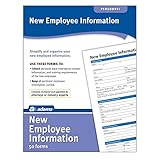
- Forms simplify and organize new employee information
- Keeps costs at a minimum and pertinent info current and easily available.
- Includes 50 New Employee Information forms.
Oracle Workforce Management complements rather than replaces the organization’s HRIS and payroll systems. Worker master data generally originates in Global HR, while calculated time and absences flow to payroll. That means the quality of upstream data is critical before implementation.
Do these 3 things before closing this tab:
1Repair Windows errors before they cause bigger problems2Fix the driver behind crashes, sound loss and screen glitches3Clear out junk files and repair common Windows errorsTo set up work schedules, use Setup and Maintenance > Workforce Deployment > Workforce Scheduling > Work Schedules. Oracle supports Time and Elapsed schedule types. An elapsed schedule specifies expected hours or duration per day without a fixed start and end time, so partial absences appear as durations rather than time ranges.
7. Rippling Workforce Management: best for connected HR operations
Rippling combines Time & Attendance, Payroll, and Scheduling on an employee-data platform. Its main appeal is real-time synchronization between HR records and related workforce processes, which can be valuable for growing companies that want fewer separate systems.
Rippling is a reasonable shortlist option when onboarding, payroll, time tracking, and scheduling should update from the same employee record. It can also support scheduling integrations through APIs, including open-shift creation and target-headcount fields.
Pricing is generally quote-based. Do not assume API access or every scheduling capability is included in every subscription. Confirm the modules, country coverage, implementation services, and integration limits in writing.
What’s actually slowing this PC down?
Pick the symptom - the matching free tool is one click away.
8. Deputy: best standalone option for small and midsize hourly teams
Deputy is designed for hourly organizations in hospitality, retail, healthcare, and multi-location operations. Its features include scheduling, timesheets, time clocks, leave and availability management, labor-law compliance, shift swaps, auto-scheduling, demand forecasting, labor optimization, wage and labor budgets, biometrics, SSO, and custom access levels, depending on the plan.
The current U.S. plans are:
| Plan | Price | Typical reason to choose it |
|---|---|---|
| Lite | $5/user/month | Core scheduling and workforce basics |
| Core | $6.50/user/month | Broader time, scheduling, and management features |
| Pro | $9/user/month | Advanced forecasting, optimization, budgets, and controls |
Prices are before applicable taxes. Deputy also states a $30 minimum monthly spend per invoice for monthly Lite, Core, and Pro plans from September 1, 2025. Users include administrators, managers, supervisors, and employees—not only people who clock in. Deputy bills the full monthly per-user price when a user is first added, even near the end of a month; the same rule applies when an archived user is unarchived.
Older articles that list Scheduling, Time & Attendance, Premium, Flexi, or Enterprise as the current Deputy plans are outdated. The current published structure is Lite, Core, and Pro.
9. Connecteam: best for deskless and field workers
Connecteam is built around mobile-first operations. It combines employee scheduling, time tracking, timesheet approvals, daily operations, forms, tasks, communication, training, and knowledge tools. That combination is useful for construction, cleaning, security, field service, and other teams that rarely sit at a desk.
Also popular on Amazon
![Express Schedule Plus Employee Scheduling Software [PC Download]](https://m.media-amazon.com/images/I/418jQoF0dhL._SL160_.jpg)
- Simple shift planning via an easy drag & drop interface
- Add time-off, sick leave, break entries and holidays
- Email schedules directly to your employees
Pricing is organized into separate Operations, Communications, and HR & Skills hubs rather than one simple per-employee price. The Operations Hub is listed at:
- Basic: $29 per month annually or $35 monthly
- Advanced: $49 per month annually or $59 monthly
- Expert: $99 per month annually or $119 monthly
Each listed base price covers the first 30 users; additional-user charges apply above that threshold. A 14-day trial is advertised. To configure pay rates, go to General Settings > Pay Rate Settings and enable Enable Pay Rates.
Connecteam is a stronger fit than an enterprise HCM suite when the central problem is keeping mobile workers informed, scheduled, equipped with forms, and connected. Verify offline behavior and payroll integrations if crews work in areas with unreliable connectivity.
10. Workforce.com: best all-in-one platform for hourly businesses
Workforce.com offers separate Scheduling, HR, and Payroll plans, along with an All-in-One bundle. Scheduling includes employee scheduling, labor forecasting, communications, shift management, and an employee app. Payroll includes time and attendance, wage-and-hour automation, tax filing, and benefits management.
This makes it a useful option for an hourly business that wants scheduling and HR functions in one product without immediately adopting a large enterprise HCM suite. Its labor forecasting and communications features can help managers move beyond spreadsheets and group chats.
Workforce.com does not publish standard list prices. Licensing varies by modules, staff count, and implementation requirements. Its pricing page reports an average 455% ROI from a Forrester economic-impact study of a sample of customers; treat that as a vendor-reported study result, not a guaranteed return for every organization.
How to choose the right platform
- Define the workforce. Record whether employees are salaried, hourly, shift-based, deskless, field-based, unionized, or spread across countries.
- Separate must-have depth from optional features. Decide whether you need only scheduling or also time capture, absence, payroll calculations, forecasting, compliance, safety, and analytics.
- Map the payroll and HCM environment. Existing Workday, SAP, Oracle, ADP, or UKG customers should first examine native modules and integration costs.
- List scheduling rules. Include certifications, availability, open shifts, swaps, self-scheduling, coverage targets, rest periods, union rules, multiple locations, and labor budgets.
- Test time capture in real conditions. Try web, mobile, kiosk, badge, biometric, POS, geofenced, and IP-restricted methods that match each work location.
- Test exceptions, not just the happy path. Create missed punches, overnight shifts, duplicate clock events, time-zone differences, leave crossing midnight, and employees with multiple assignments.
- Calculate the complete price. Include users with manager permissions, modules, hubs, minimum spends, devices, implementation, migration, payroll connectors, and support.
- Pilot with employees and managers. Verify that the mobile workflow is understandable and that approval queues, notifications, and schedule changes work for the people who will use them.
Implementation issues that can derail a WFM project
Cross-midnight and unpaired events
Overnight shifts expose weak time-event processes. In SAP SuccessFactors, a terminal fault or employee error can create an unpaired event. A “Stop” event after another “Stop” event cannot be automatically paired and needs manual correction. Cross-midnight employees may also see Night Shift and All Events tabs. When correcting an event, the selected date must correspond to the shift, not necessarily the date on which the shift ends.
Attendance versus time off
Do not use a leave feature to represent attendance. SAP specifically warns that Time Off should not record situations such as working from home; attendance belongs in Time Sheet or Time Tracking. This distinction matters for payroll, reporting, and audit trails.
Schedules depend on clean data
Oracle notes that effective scheduling requires accurate worker data, jobs or positions, qualifications, work patterns, availability, holidays, absences, scheduling rules, and manager workflows. Labor optimization also needs staffing plans and demand-volume or labor-demand forecast data. A scheduling engine cannot produce reliable results from incomplete skills, availability, or demand data.
Also popular on Amazon
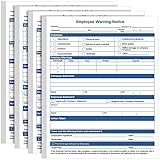
- Package Information: you will get 200 sheets of employee warning notice forms, suitable for company and office to record employee confidential information; Sufficient quantity will meet your using needs, and you can share them with your family
- Reliable Material: these warning for employee forms are made of 70g paper material, safe and durable, with smooth surface and fine workmanship, the color is not easy to fade; Reliable material will serve you for a long time
- Convenient for Your Management: you can use these discipline forms to record employee performance, give employees warnings, put them in the employee file, as part of the evaluation
- Widely Applicable: you can use these disciplinary action forms on various occasions, to record and store employees' information, they can be applied for most kinds of companies and employees, which can help you manage your team
- Portable Design: our employee discipline warning has proper size, in approx. 8.5 x 11 inches/ 21.6 x 28 cm, light and portable, you can carry it to other places easily, will bring you convenience in using
Configuration affects what employees see
Dayforce may show different items under Work depending on the organization’s configuration. Likewise, Workday geofencing, SAP validations, and the clock options available in ADP or Deputy depend on enabled policies, devices, permissions, and subscriptions. Ask vendors to demonstrate the employee role, manager role, and administrator role separately.
Which workforce management software should you choose?
Choose Deputy for a relatively straightforward hourly scheduling and attendance operation with transparent published pricing. Choose Connecteam for mobile, deskless teams that need operations and communication alongside scheduling. Consider Workforce.com when scheduling, HR, payroll, and forecasting should sit in one hourly-workforce product.
For an existing enterprise HCM environment, start with the native ecosystem: Workday for Workday customers, SAP SuccessFactors for SAP-centered organizations, Oracle for complex scheduling and labor rules, ADP for ADP payroll customers, and UKG or Dayforce for large, operationally complex workforces. Rippling is particularly worth evaluating when a growing company wants tightly connected HR, payroll, time, and scheduling without assembling several disconnected products.
Windows Errors? Fix Them Before They Spread
Repair common Windows errors and clear accumulated junk for a smoother, more stable PC - no reinstall needed.Free scan · no reinstallCrashes, No Sound, or Screen Glitches?
Random freezes, missing sound and display glitches usually trace back to one bad driver. Find and replace yours safely.Free scan · under a minuteFAQ
What is the best workforce management software for a small business?
Deputy is the clearest fit among this shortlist for many small and midsize hourly teams because it offers scheduling, time clocks, leave, availability, and shift management with published Lite, Core, and Pro pricing. Connecteam may be better for a mobile or deskless workforce, especially when forms, tasks, training, and communication matter as much as scheduling.
What is the difference between workforce management and employee scheduling software?
Employee scheduling software mainly organizes shifts, availability, swaps, and notifications. Workforce management can also include time and attendance, absence, payroll-ready calculations, labor forecasting, compliance rules, analytics, safety workflows, and workforce planning. Enterprise platforms such as UKG, Workday, Dayforce, SAP, and Oracle generally cover the broader definition.
Does workforce management software replace payroll or an HRIS?
Usually not. Some products combine WFM and payroll, while others integrate with an existing HRIS and payroll system. Oracle explicitly describes its Workforce Management product as complementing HRIS and payroll: worker data generally comes from Global HR and calculated time and absences flow to payroll. Confirm the system of record and integration responsibilities before buying.
What should I test during a workforce management software trial?
Test a normal shift, a missed punch, an overnight shift, a duplicate clock event, a leave request, a schedule swap, a manager approval, and a payroll export. Also verify mobile connectivity, geofencing or IP rules, employee permissions, time-zone handling, multiple assignments, labor rules, and the exact modules included in the quoted price.
Do these 3 things before closing this tab:
1Repair Windows errors before they cause bigger problems2Scan for outdated or missing drivers - takes under a minute3Clear out junk files and repair common Windows errorsThe Bottom Line
There is no single best workforce management platform for every employer. Deputy and Connecteam are practical choices for smaller or deskless teams, while Workforce.com targets hourly businesses that want broader coverage. UKG, Workday, Dayforce, ADP, SAP SuccessFactors, Oracle, and Rippling are better evaluated in the context of an organization’s existing HR, payroll, compliance, and data environment. The safest purchase is the one that handles your difficult cases—overnight shifts, missed punches, labor rules, absence, and payroll handoff—not merely the one with the most attractive scheduling demo.
Quick Recap
Product prices and availability are accurate as of the date/time indicated and are subject to change. Any price and availability information displayed on Amazon at the time of purchase will apply.

