
What’s actually slowing this PC down?
Pick the symptom - the matching free tool is one click away.
iTechGuides is reader-supported. When you buy through links on our site, we may earn an affiliate commission. As an Amazon Associate I earn from qualifying purchases. Learn more
Connection type can affect latency, but “wired is always faster” is no longer a reliable rule. A modern gaming mouse using a proprietary 2.4 GHz USB receiver can match or beat some wired models in measured click latency. The result depends on the specific mouse, connection mode, polling rate, firmware, test endpoint, and wireless environment. Bluetooth, proprietary receiver wireless, and wired USB must be evaluated as separate technologies.
The short answer: compare the mouse and mode, not the label
A cable gives a direct USB path, so it removes radio transmission and receiver-placement variables. That does not guarantee the lowest measured latency, however. Electronics, firmware, switch processing, USB reporting, and the test method still determine when a click reaches the computer. RTINGS reports that advances in proprietary wireless technology allow some wireless gaming mice to match or surpass wired models in click-latency testing.
“Wireless” is also too broad to be useful on its own. A mouse may communicate through a dedicated 2.4 GHz USB receiver or through Bluetooth. Those modes have different radios, protocols, operating-system paths, and intended use cases. A comparison that simply places “wired” against “wireless” can conceal the most important difference.
- Wired USB: the mouse sends data through its cable to a USB port.
- Proprietary 2.4 GHz wireless: the mouse sends data to a dedicated receiver, usually a small USB dongle.
- Bluetooth: the mouse uses a general-purpose Bluetooth connection rather than a gaming-specific receiver; its latency should not be assumed to equal either of the other modes.
The practical conclusion is straightforward: use measured results for the exact model and connection mode you are considering, then check the test method before deciding that one number is faster.
Popular on Amazon

- Adjustable weights: Match your playing style with our PC gaming mouse. Arrange up to five 3.6 g weights for a personalized weight and balance configuration
- HERO Gaming Sensor: Next generation HERO mouse sensor in this PC mouse delivers precision tracking up to 25600 DPI with zero smoothing, filtering or acceleration
- LIGHTSYNC technology: Logitech G LIGHTSYNC technology provides fully customizable RGB lighting that can also synchronize with your gaming (requires Logitech Gaming Software)
- Mechanical Switch Button Tensioning: This mouse has a metal spring tensioning system; metal pivot hinges are built into left and right computer gaming mouse buttons for a crisp, clean click feel with rapid click feedback
- 11 programmable buttons and dual mode hyper-fast scroll wheel: This wired gaming mouse gives you fully customizable control over your gameplay
What “latency” means for a gaming mouse
Latency is the delay between an action and the point at which a system registers it. A mouse review may report click latency, motion latency, or an end-to-end game response. These are related, but they are not interchangeable measurements.
Click latency
Click latency usually focuses on the path from pressing the button to the computer receiving the click signal. It is useful for comparing mice when every product is measured with the same setup, but it does not describe every delay in a game. Display scan-out, frame rendering, the game engine, and other system stages occur after the input reaches the host.
Motion latency
Motion latency concerns how quickly movement reported by the sensor reaches the computer. A mouse can have a strong click-latency result while a different aspect of its sensor or firmware produces a different motion result. A fair comparison needs a matched motion test rather than an assumption that click and motion behave identically.
Do these 3 things before closing this tab:
1Clear out junk files and repair common Windows errors2Fix the driver behind crashes, sound loss and screen glitches3Repair Windows errors before they cause bigger problemsEnd-to-end response
End-to-end latency follows the action through the complete chain to an on-screen or in-game response. Razer explicitly warns that its electrical-to-USB measurement is not the same as end-to-end latency. Therefore, a sub-millisecond figure from a mouse test should not be presented as the total time before a player sees a reaction on screen.
Polling rate: important, but not the whole answer
Polling rate is how often a mouse reports information to the computer. A higher rate reduces the maximum interval between reports, but it does not by itself determine total input latency. The mouse still has to detect the action, process it, transmit it (if wireless), and deliver it through the host USB path.
When comparing polling claims, identify the reporting interval and the connection mode. “8,000 Hz” and “1,000 Hz” describe reporting frequency, not a universal end-to-end response time. A high rate can also increase the amount of work the computer must process. Razer notes that a computer may not have enough resources to handle 8,000 reports per second in CPU-bound situations.
Also popular on Amazon

- ICONIC ERGONOMIC DESIGN WITH THUMB REST — PC gaming mouse favored by millions worldwide with a form factor that perfectly supports the hand while its buttons are optimally positioned for quick and easy access
- 11 PROGRAMMABLE BUTTONS — Assign macros and secondary functions across 11 programmable buttons to execute essential actions like push-to-talk, ping, and more
- HYPERSCROLL TILT WHEEL — Speed through content with a scroll wheel that free-spins until its stopped or switch to tactile mode for more precision and satisfying feedback that’s ideal for cycling through weapons or skills
- 11 RAZER CHROMA RGB LIGHTING ZONES — Customize each zone from over 16.8 million colors and countless lighting effects, all while it reacts dynamically with over 150 Chroma integrated games
- OPTICAL MOUSE SWITCHES GEN 2 — With zero unintended misclicks these switches provide crisp, responsive execution at a blistering 0.2ms actuation speed for up to 70 million clicks
| Term | What it describes | What it does not prove |
|---|---|---|
| Connection type | How data travels between the mouse and host: cable, dedicated radio receiver, or Bluetooth. | That every product using one type is faster than every product using another. |
| Polling rate | How frequently the mouse reports information to the host. | The complete delay from a physical action to an on-screen game response. |
| Click latency | A measured interval for a button press under a defined test setup. | Motion latency or total end-to-end game latency. |
| End-to-end latency | The full path from user action to the resulting system or game response. | A value that can be inferred from a mouse’s USB-reception measurement alone. |
What the available measurements actually show
RTINGS: some receiver-based wireless mice match or beat wired models
RTINGS’ click-latency procedure tests each compatible connection type. Its described setup uses a metal connector on the left button, a solenoid mounted on a testing arm, and a custom breadboard with a Teensy 4.0 development board. RTINGS states that modern proprietary USB-receiver wireless gaming mice can match or surpass wired models in latency performance.
That statement is a model-level finding, not a promise that every wireless mouse is faster. It also does not make Bluetooth equivalent to a dedicated gaming receiver. To use a result responsibly, check which connection was tested and whether the reported value is a click measurement rather than an end-to-end game measurement.
Razer’s controlled polling comparison
Razer defines its latency measurement as the time from electrical click-switch actuation to the signal arriving at the host computer’s USB port. In Razer’s controlled, vendor-reported comparison, a wired 8,000 Hz HyperPolling setup averaged 0.090 ms, while a wired 1,000 Hz comparison averaged 0.549 ms.
| Razer result | Connection and polling setup | Measurement endpoint | How to interpret it |
|---|---|---|---|
| 0.090 ms average | Wired, 8,000 Hz HyperPolling | Electrical switch actuation to signal received at the host USB port | A vendor-reported polling-technology comparison under controlled conditions. |
| 0.549 ms average | Wired, 1,000 Hz comparison | Electrical switch actuation to signal received at the host USB port | Not a wireless-versus-wired test and not a universal value for all 1,000 Hz mice. |
These figures demonstrate the effect of the tested polling setups in that experiment. They do not establish a general latency penalty for wireless, and they should not be used to claim that an 8,000 Hz mouse always produces a lower total input lag.
The 2019 academic study provides historical context
The peer-reviewed paper On the Latency of USB-Connected Input Devices describes measurements of 36 commercial USB devices at requested polling rates and explicitly at 1,000 Hz. The sample included keyboards, mice, and gamepads, with wired and wireless variants. The University of Regensburg study was published in 2019, so it is useful for understanding measurement methodology and the fact that devices can differ, but it should not be treated as a current latency estimate for today’s gaming mice.
Why a dedicated wireless receiver can be competitive
A gaming-focused 2.4 GHz receiver is designed as a paired link between the mouse and a USB dongle. The mouse still has a radio transmission step, but the complete design can be optimized around frequent reports, firmware scheduling, and a receiver close to the computer. That is why the existence of a radio link alone is insufficient evidence of a meaningful disadvantage.
Also popular on Amazon
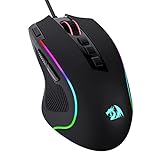
- Pentakill, 5 DPI Levels - Geared with 5 redefinable DPI levels (default as: 500/1000/2000/3000/4000), easy to switch between different game needs. Dedicated demand of DPI options between 500-8000 is also available to be processed by software.
- Any Button is Reassignable - 11 programmable buttons are all editable with customizable tactical keybinds in whatever game or work you are engaging. 1 rapid fire + 2 side macro buttons offer you a better gaming and working experience.
- Comfort Grip with Details - The skin-friendly frosted coating is the main comfort grip of the mouse surface, which offers you the most enjoyable fingerprint-free tactility. The left side equipped with rubber texture strengthened the friction and made the mouse easier to control.
- 5 Decent Backlit Modes - Turn the backlit on and make some kills in your gaming battlefield. The hyped dynamic RGB backlit vibe will never let you down when decorating your gaming space, it would be better with other Redragon accessories with lights on.
- Fatigue Killer with Ergonomic Design - Solid frame with a streamlined and general claw-grip design offers a satisfying and comfortable gaming experience with less fatigue even though after hours of use.
The comparison changes when the wireless mode is Bluetooth. Bluetooth is a separate connection type, and no universal latency number or ranking for it has been established. Treat Bluetooth as its own option and look for measurements made in Bluetooth mode rather than borrowing a result from a proprietary receiver.
Firmware also matters. Two mice with the same polling-rate headline can schedule reports differently, use different switches and sensor processing, or expose different modes. A model’s wired result cannot automatically stand in for its receiver result, and a receiver result cannot automatically stand in for Bluetooth.
Wireless setup can determine whether the measured advantage survives at your desk
Radio conditions do not change the nominal polling rate, but they can affect reliability and the timing of reports. For Razer HyperPolling wireless equipment, Razer recommends placing the dongle within 30 cm of the mouse, keeping it in line of sight, and positioning it away from active USB 3 hubs that can generate 2.4 GHz interference. These are Razer’s recommendations for that technology, not universal rules for every wireless mouse.
The Tool Desk
Outbyte PC Repair FREEClear out junk files and repair common Windows errorsFree Scan →Outbyte Driver Updater FREEScan for outdated or missing drivers - takes under a minuteDriver Scan →- Use the intended receiver. Connect the dedicated dongle rather than assuming Bluetooth provides the same behavior.
- Reduce distance. Place the receiver within the distance recommended by the manufacturer; Razer specifies 30 cm for its HyperPolling wireless equipment.
- Keep a clear path. Aim for line of sight between the receiver and the mouse where the manufacturer’s guidance calls for it.
- Move away from interference. Avoid placing the receiver beside active USB 3 hubs when the manufacturer identifies them as a possible 2.4 GHz interference source.
- Check host capacity. If an 8,000 Hz mode produces unusual CPU load or inconsistent behavior, test a lower polling rate and confirm whether the computer is CPU-bound.
If moving the receiver changes the symptom, the issue is environmental rather than proof that all wireless mice are intrinsically slower. If the symptom remains in a clean setup, compare the mouse’s firmware and connection modes rather than changing only the polling-rate number.
Wired advantages and practical wireless trade-offs
A wired mouse has no battery to charge and no radio receiver to position. Its cable also gives the computer a direct physical connection. Those are meaningful practical advantages for a stationary setup, even when a receiver-based wireless model has comparable measured click latency.
Wireless removes cable drag and can make a low-sensitivity setup easier to move across a large surface. It introduces charging, battery management, and a receiver that must remain connected and well placed. These are usability considerations, not measured latency findings. No universal battery-life, ergonomic, or cable-drag winner is established.
Also popular on Amazon
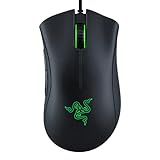
- HIGH-PRECISION 6,400 DPI OPTICAL SENSOR — Offers on-the-fly sensitivity adjustment through dedicated DPI buttons (reprogrammable) for gaming and creative work
- DURABLE MECHANICAL SWITCHES — Supports up to 10 million clicks
- RIDGED, RUBBERIZED SCROLL WHEEL FOR MAXIMUM ACCURACY — Small, tactile bumps increases grip and allows for more controlled scrolling in high-stakes gaming situations
- 5 PROGRAMMABLE BUTTONS — Allows for button remapping and assignment of complex macro functions through Razer Synapse
- PC GAMING PERIPHERALS BRAND IN THE U.S. — Source — Circana, Retail Tracking Service, U.S., Dollar Sales, Gaming Designed Mice, Keyboards, and PC Headsets, Jan. 2019- Dec. 2023 combined
For a fair decision, separate the performance question from the convenience question. First ask whether the exact modes produce materially different measurements under a clear test. Then decide whether freedom from a cable outweighs charging and radio-placement responsibilities for your desk.
Free tools Windows power users keep installed
One-click scans. No signup required.
| Priority | What to examine | Evidence status |
|---|---|---|
| Lowest measured click latency | Published click-latency result, connection mode, polling rate, and test endpoint. | Directly comparable only when methods and endpoints match. |
| Consistent wireless operation | Receiver distance, line of sight, nearby 2.4 GHz sources, and firmware behavior. | Environment-dependent; Razer provides specific HyperPolling placement guidance. |
| No charging routine | Whether the mouse is wired or battery-powered. | Practical difference, not a measured latency result. |
| No cable drag | Wireless operation and desk layout. | Practical difference, not proof of lower input latency. |
| High report frequency | Supported polling modes and whether the computer can process them. | Higher rate reduces report interval but does not guarantee lower total latency. |
How to compare two mice without being misled by specifications
Use the following process when a review, product page, or test report presents latency numbers.
- Identify the exact mode. Record whether the result is wired USB, proprietary 2.4 GHz receiver, or Bluetooth. Do not use a result from one mode to represent another.
- Identify the endpoint. Determine whether the number measures switch actuation to USB reception, sensor movement to USB reception, or a full game response.
- Record the polling rate. Note the actual rate used during the measurement, not merely the maximum advertised by the mouse.
- Check the test equipment and procedure. A repeatable apparatus, such as the solenoid-and-breadboard method described by RTINGS, gives more useful context than an unexplained single number.
- Separate average from worst-case behavior. An average does not reveal every report interval or an intermittent radio problem. Look for the test’s spread or consistency information when it is provided.
- Check environmental conditions for wireless. Receiver distance, line of sight, USB placement, and nearby 2.4 GHz interference can influence practical behavior.
- Confirm computer capacity at the chosen rate. Especially at 8,000 Hz, verify that the host can process the report stream without becoming CPU-bound.
- Compare like with like. A wired 8,000 Hz result versus a wireless 1,000 Hz result answers a polling question as much as a connection question. It is not a clean test of cable versus radio.
Common comparison mistakes
Treating every wireless mouse as the same
A dedicated receiver and Bluetooth are separate modes. A review that says “wireless latency” without naming the mode leaves out a decisive variable.
Using a polling number as a total-latency claim
Polling rate describes report frequency. It does not include every stage between a physical click and a rendered frame, and it does not guarantee that the computer will process the reports efficiently.
Comparing numbers with different endpoints
Razer’s quoted measurement ends when the host USB port receives the signal. A game-response test ends later. Calling both simply “latency” creates a false ranking.
Quick wins for a faster PC:
Scan for outdated or missing drivers - takes under a minuteDriver Scan →Repair Windows errors before they cause bigger problemsFix Now →Fix the driver behind crashes, sound loss and screen glitchesFind Drivers →Generalizing a vendor result
The 0.090 ms and 0.549 ms figures are a controlled Razer comparison of wired polling setups. They are not a matched wired-versus-wireless result, and they do not represent all mice.
Also popular on Amazon

- Play in color with LIGHTSYNC RGB featuring color wave effects customizable across ~16.8 million colors. Install Logitech G HUB software on this wired mouse to choose from preset colors and animations or create your own
- Primary buttons on this wired computer mouse are mechanical and tensioned with durable metal springs for reliability, performance and excellent feel. The crisp clicks and precise feedback delivers a great precision feel to maximize your fun in game.
- 8,000 DPI gaming-grade sensor on this wired gaming mouse responds precisely to movements. Customize your sensitivity settings to suit the sensitivity you like with Logitech G HUB gaming software and cycle easily through up to 5 DPI settings
- Play comfortably and with total control. The classic and simple 6-button layout and gaming shape of this PC gaming mouse is a comfortable time-tested and loved design. Each button can be customized using Logitech G HUB software to simplify tasks.
Assuming old studies describe current products
The University of Regensburg paper measured commercial devices in 2019. It remains valuable historical context, but newer firmware, sensors, receivers, and polling systems mean its values should not be substituted for current product measurements.
Troubleshooting a mouse that feels delayed
If the mouse is wired
- Confirm which polling mode is active and compare behavior at the supported rates.
- Check whether the host becomes CPU-bound at a high report rate.
- Look for a test that measures the same endpoint as the problem you are trying to diagnose; a USB-reception result cannot explain every end-to-end game delay.
If the mouse uses a proprietary receiver
- Move the receiver closer to the mouse and follow the manufacturer’s line-of-sight guidance.
- Separate it from active USB 3 hubs when the manufacturer identifies those hubs as a possible 2.4 GHz interference source.
- Check whether the symptom changes when the polling rate is reduced, which can reveal host-processing limits rather than a universal wireless penalty.
If the mouse is connected through Bluetooth
- Do not assume a receiver-based review result applies to Bluetooth mode.
- Seek a measurement performed specifically over Bluetooth, with its endpoint and test conditions stated.
- If a dedicated receiver is available, compare the two modes on the same computer and in the same application before drawing a conclusion.
Which connection makes sense for different priorities?
Competitive players who want the simplest signal path
Wired USB remains a sensible choice when you want to remove radio placement and battery variables. Select a model with a clearly documented test result and a polling rate your computer can process. The cable’s presence is a practical trade-off, not proof that the mouse will always have lower measured latency than a good receiver-based design.
Players who value unrestricted movement
A proprietary receiver can provide wireless freedom without automatically giving up click-latency performance. Prioritize a model with results for the receiver mode, then place the dongle according to the manufacturer’s guidance and keep the host capable of handling the selected polling rate.
Crashes, No Sound, or Screen Glitches?
Random freezes, missing sound and display glitches usually trace back to one bad driver. Find and replace yours safely.Free scan · under a minuteWindows Errors? Fix Them Before They Spread
Repair common Windows errors and clear accumulated junk for a smoother, more stable PC - no reinstall needed.Free scan · no reinstallTravel, office, and multi-device use
Bluetooth may be convenient because it does not require a dedicated dongle, but convenience does not establish gaming latency. If gaming response is important, compare Bluetooth measurements directly or use the manufacturer’s dedicated receiver when available.
High-refresh-rate and high-polling setups
Higher polling rates can reduce the report interval, but the benefit depends on the entire system. Check the actual test endpoint, verify that the computer can process the reports, and avoid treating a headline rate as a guarantee of lower end-to-end input lag.
Where a high-polling wired mouse fits
The Razer Viper 8KHz announcement is a concrete example of a wired gaming mouse built around a high polling rate. Its associated figures illustrate how a vendor may compare 8,000 Hz and 1,000 Hz wired operation, but they do not answer the broader question by themselves. Current availability and listing details can change, so treat the product as an example of the technology rather than a universal recommendation.
The useful buying question is not “Is this mouse wired?” or “Does it say 8,000 Hz?” Ask instead: Which mode was tested, what endpoint was measured, what rate was active, and can my computer sustain it?
A practical decision checklist
- Choose wired USB if you want a direct connection, no charging, and no receiver-placement decisions.
- Choose proprietary 2.4 GHz wireless if cable-free movement matters and the mouse has credible receiver-mode measurements.
- Treat Bluetooth as a separate mode and require Bluetooth-specific evidence for a latency-sensitive purchase.
- Use the same polling rate and measurement endpoint when comparing products.
- Do not convert a switch-to-USB result into a claim about total in-game response.
- For high polling, confirm that the computer can process the reports without CPU-related instability.
- For wireless, position the receiver close to the mouse and away from identified interference sources.
Bottom line
Connection type affects the conditions under which latency is produced, but it does not determine a universal winner. A well-designed proprietary USB-receiver gaming mouse can match or surpass some wired models in click-latency testing. Wired USB still offers a simple, predictable physical link, while wireless adds receiver placement, radio environment, and charging considerations. Make the decision from mode-specific measurements, clearly defined endpoints, polling-rate context, and your own desk priorities—not from the words “wired” or “wireless” alone.

