
Recommended Free Tools
iTechGuides is reader-supported. When you buy through links on our site, we may earn an affiliate commission. As an Amazon Associate I earn from qualifying purchases. Learn more
Windows 11 has had six numbered releases since its launch in 2021. The newest is Windows 11 version 26H1, but it is a specialized release for selected new hardware rather than a normal upgrade for existing PCs. For most computers already running Windows 11, version 25H2 is the current annual feature-update target.
This version history explains what each release means, when support ends, how the build numbers work, and how to check which version is installed on your PC.
Windows 11 versions at a glance
Windows 11 versions use a year-and-half-year naming scheme. For example, 24H2 means the 2024 release from the second half of the year. The release name is different from the full OS build number shown in Windows.
| Version | Common name | Available since | Base build | Home/Pro end of updates | Enterprise/Education end of updates |
|---|---|---|---|---|---|
| 26H1 | Windows 11 2026 specialized hardware release | February 10, 2026 | 28000 | March 14, 2028 | March 13, 2029 |
| 25H2 | Windows 11 2025 Update | September 30, 2025 | 26200 | October 12, 2027 | October 10, 2028 |
| 24H2 | Windows 11 2024 Update | October 1, 2024 | 26100 | October 13, 2026 | October 12, 2027 |
| 23H2 | Windows 11 2023 Update | October 31, 2023 | 22631 | November 11, 2025 | November 10, 2026 |
| 22H2 | Windows 11 2022 Update | September 20, 2022 | 22621 | October 8, 2024 | October 14, 2025 |
| 21H2 | Original Windows 11 release | October 4, 2021 | 22000 | October 10, 2023 | October 8, 2024 |
Microsoft generally provides 24 months of servicing for Home, Pro, Pro Education, and Pro for Workstations editions. Enterprise and Education editions generally receive 36 months of servicing. The installed edition matters when checking whether a version is still supported.
#1 Best Overall

- [Package Contents] Includes four adapters (4.3*1.8 cm / 1.7*0.7 inch). These adapters are compatible with most PS/2 interface mice and keyboards. Only mice or keyboards with built-in chip converters will work; please check compatibility before purchasing.
- [USB to PS/2 Adapter] This USB to PS/2 adapter allows you to easily connect a USB mouse or keyboard to a computer with limited USB ports. Note that the resulting USB port can only be used to connect a mouse and keyboard; other USB devices cannot be connected.
- [Driver-Free Installation] This adapter features a plug-and-play design, requiring no software drivers. Simply plug your mouse or keyboard into a PS/2 port to use your device without any additional setup, ensuring a hassle-free and convenient experience.
- [Instructions] The PS/2 to USB adapter is not hot-swappable, so be sure to turn off your computer before connecting the adapter. After connecting, please restart your computer. If the middle mouse button becomes unresponsive, simply restart your computer for optimal performance.
- [Wide Application] This adapter is ideal for computers with insufficient USB ports or malfunctioning USB devices. By converting a USB port to a PS/2 connection, you can ensure stable use of your mouse or keyboard without taking up valuable USB ports, thereby enhancing the functionality of your device.
What is the latest Windows 11 version?
As of August 8, 2026, Windows 11 version 26H1 is the newest numbered release. However, 26H1 is not the normal annual feature update for existing Windows 11 computers.
Microsoft released 26H1 for selected new devices with next-generation hardware, initially including systems using Qualcomm Snapdragon X2 Series processors. It is designed around that hardware and is normally supplied preinstalled by the manufacturer.
Microsoft does not offer 26H1 through Windows Update as an in-place upgrade from Windows 11 24H2 or 25H2. Therefore:
- An existing 24H2 or 25H2 PC should not be expected to upgrade to 26H1.
- There is no need to force-install 26H1 simply because its number is higher.
- Windows 11 25H2 remains the normal annual feature-update target for existing PCs.
Microsoft also states that 26H1 devices will not move to the next annual feature update in the second half of 2026 because 26H1 is based on a different Windows core. Windows 11 IoT Enterprise is not supported on 26H1.
Latest production builds
A version such as 25H2 identifies the feature-update release. The complete build, such as 26200.8875, identifies the base release and the installed revision.
| Version | Base OS build | Latest production build as of July 14, 2026 | Update |
|---|---|---|---|
| 26H1 | 28000 | 28000.2525 | KB5101649 |
| 25H2 | 26200 | 26200.8875 | KB5101650 |
| 24H2 | 26100 | 26100.8875 | KB5101650 |
| 23H2 | 22631 | 22631.7376 | KB5099414 |
Microsoft also lists optional preview builds released outside the regular second-Tuesday production schedule. Preview builds are not the same as the normal security and quality update offered to all supported devices.
Windows 11 26H1: February 10, 2026
Windows 11 26H1 is a hardware-optimized release rather than a conventional annual feature update. Its base build is 28000.
The important distinction is how it is distributed. A new computer may ship with 26H1 already installed, but Windows Update will not normally take an existing 24H2 or 25H2 installation to 26H1. It cannot be installed as an in-place upgrade from those versions.
Rank #2

- 【USB to Dual PS/2 Adapter】 Convert a single USB port into two PS/2 ports. This adapter allows connection of one PS/2 keyboard and one PS/2 mouse to a computer that only has USB ports.
- 【Connect Keyboard and Mouse】 Designed with two PS/2 female ports (purple for keyboard and green for mouse), allowing connection of legacy PS/2 input devices to modern computers with USB ports.
- 【Broad OS Compatibility】 Works with most operating systems including Windows, Linux, and other systems that support standard USB keyboard and mouse devices.
- 【Ideal for Legacy Peripherals】 A practical solution for using older PS/2 keyboards and mice with PCs or laptops that lack PS/2 ports. Suitable for home, office, and legacy hardware setups.
- 【Passive Adapter – Compatibility Notice】 This is a passive adapter and requires devices that support both USB and PS/2 protocols (dual-mode devices). It will not convert PS/2-only devices to USB.
This makes 26H1 different from releases such as 25H2, which are intended to move the normal Windows 11 installation base forward. If you own an existing PC and Windows Update does not show 26H1, that behavior is expected rather than an update failure.
Windows 11 25H2: September 30, 2025
Windows 11 25H2 is the standard 2025 annual feature update and has base build 26200. It is the normal upgrade target for existing Windows 11 PCs.
For a computer already running an adequately updated version of 24H2, Microsoft delivers 25H2 using an enablement package. Much of the underlying code and feature content has already arrived through cumulative updates. The enablement package activates the 25H2 feature set, which is why the upgrade can complete much faster than a traditional full operating-system replacement.
Quick wins for a faster PC:
Clear out junk files and repair common Windows errorsFree Scan →Scan for outdated or missing drivers - takes under a minuteDriver Scan →Microsoft describes 25H2 as including features and fixes previously delivered through cumulative updates to 24H2. Some features that were previously controlled temporarily for enterprise deployments are enabled by default in 25H2.
Windows 11 24H2: October 1, 2024
Windows 11 24H2 is the 2024 annual feature update and uses base build 26100. It introduced Microsoft’s checkpoint cumulative update servicing model. With this model, later cumulative updates can use designated checkpoints instead of repeatedly carrying the entire payload of every earlier update.
Windows 11 24H2 is also the final supported version for Windows 11 SE. Windows 11 Enterprise LTSC 2024 is based on 24H2 and was released on October 1, 2024.
Do not confuse the two LTSC variants:
- Windows 11 Enterprise LTSC 2024: updates through October 9, 2029.
- Windows 11 IoT Enterprise LTSC 2024: extended support through October 10, 2034.
Windows 11 23H2: October 31, 2023
Windows 11 23H2 uses base build 22631. Like the later 25H2 update, it was delivered to qualifying systems through an enablement package. Much of its code had already been distributed through monthly updates to 22H2.
What’s actually slowing this PC down?
Pick the symptom - the matching free tool is one click away.
Notable features associated with 23H2 included:
- Copilot in Windows
- Dev Home and Dev Drive
- File Explorer tabs
- Taskbar overflow
- Passkey management
- Native Local Administrator Password Solution integration
- Additional Narrator and accessibility improvements
Home and Pro editions reached end of servicing on November 11, 2025. Enterprise and Education editions continue receiving updates through November 10, 2026.
Rank #3

- PS/2-to-USB ADAPTER: Adapter for those who like to continue using their PS/2 devices. Connect mouse and keyboard to your computer by using only one USB port
- SUITABLE FOR PS/2 DEVICES: Two PS2 female ports, purple for keyboard and green for mouse, and one USB male port.
- BUILT-IN USB-IC: You can use PERIPRO-401 to connect your keyboard and mouse with PS2 interface to USB 2. 0 port at PC or laptop. It also supports PS/2 Port of KVM Switch.
- UNIVERSAL PURPOSES: Fits with industrial and professional needs
- PACKAGE INCLUDES: Perixx PERIPRO-401 adapter, manual; 12-month limited
Windows 11 22H2: September 20, 2022
Windows 11 22H2 was the first major feature update after the original release and uses base build 22621.
It added or expanded several user-facing and security features, including:
- System-wide live captions
- Voice access
- Focus sessions
- Enhanced phishing protection
- Smart App Control
- Task Manager efficiency mode
- Touch improvements
- Additional security protections
Home and Pro editions stopped receiving updates on October 8, 2024. Enterprise and Education editions reached end of updates on October 14, 2025.
Windows 11 21H2: the original release
Windows 11 21H2 was the original Windows 11 release, with base build 22000. Microsoft began rolling it out on October 4, 2021, while its consumer announcement described availability beginning October 5 in local markets and time zones.
All editions of Windows 11 21H2 reached end of servicing on October 8, 2024. A computer still running 21H2 should be upgraded to a supported Windows release or replaced if it cannot meet the requirements for a supported version.
How to check your Windows 11 version
Use Settings
- Open Start.
- Select Settings.
- Choose System.
- Select About.
- Scroll to Windows specifications.
This section displays the Windows edition, version, installation date, and OS build. Record both the version and the complete build number when reporting a problem.
Use the winver command
- Press Windows key + R.
- Type
winver. - Select OK.
The About Windows dialog shows the Windows version and build. You can also search for winver from the Start menu.
Outdated Drivers Are Slowing You Down
One free scan finds every outdated or missing driver and matches the right update for your exact hardware.Free scan · exact hardware matchWindows Errors? Fix Them Before They Spread
Repair common Windows errors and clear accumulated junk for a smoother, more stable PC - no reinstall needed.Free scan · no reinstallUse Command Prompt
Open Command Prompt and run:
systeminfo | findstr /B /C:"OS Name" /B /C:"OS Version"The command returns the operating-system name and version information.
Rank #4
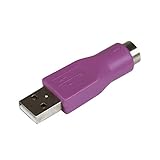
- Connect a supported PS/2 keyboard to the USB port on your computer
- Note: This product is designed as a replacement adapter for keyboards that originally shipped with a PS/2-USB converter
- Guaranteed reliability with lifetime support; RoHS compliant
- PS2 to USB Adapter / PS2 Keyboard to USB Adapter / Keyboard PS2 to USB
Use PowerShell
Microsoft also documents this PowerShell command:
Get-WmiObject win32_operatingsystem | select VersionIt reports the Windows version number, including the build.
How to check for a feature update
- Open Start > Settings.
- Select Windows Update.
- Choose Check for updates.
- If an eligible feature update is available, select Download and install.
Windows feature updates use phased and measured rollouts. A release can be officially available without appearing immediately on every compatible PC.
Why a feature update may not appear
Phased rollout or safeguard hold
Microsoft can temporarily withhold a feature update from a device when a known compatibility problem affects its hardware, driver, application, or configuration. This is called a safeguard hold.
Do these 3 things before closing this tab:
1Repair Windows errors before they cause bigger problems2Fix the driver behind crashes, sound loss and screen glitches3Clear out junk files and repair common Windows errorsA PC under a safeguard hold can continue receiving monthly security and quality updates while the feature update remains unavailable. The safest response is to check Windows Release Health for the affected issue, install the relevant driver or application update, and wait for Microsoft to remove the hold.
Forcing a feature update while a safeguard hold is active can expose the computer to the compatibility problem that caused the block.
26H1 is not offered to existing PCs
If a 24H2 or 25H2 computer does not show 26H1 in Windows Update, this is expected. 26H1 is intended for selected new hardware and is not an in-place upgrade path for those existing versions.
Independent reader supportYour contribution helps us test, update, and keep practical guides available for everyone.How version numbers and build numbers relate
The version name and OS build describe related but different information:
The Tool Desk
Outbyte PC Repair FREERepair Windows errors before they cause bigger problemsFix Now →Outbyte Driver Updater FREEScan for outdated or missing drivers - takes under a minuteDriver Scan →- 24H2 uses base build 26100.
- 25H2 uses base build 26200.
- 26H1 uses base build 28000.
The number after the period is the installed revision. For example, 26200.8875 means Windows 11 25H2 with base build 26200 and revision 8875.
Best Value

- PS/2 to USB ADAPTER: Premium computers accessories - PS2 to USB adapter - compatible for PS2 Keyboard/ PS2 Mouse/ Windows/ Mac/ Linux/ Bar Code Scanner
- CABLES INTERCONNECTS FUNCTIONAL: USB to ps2 adapter with two PS2 female ports, PS2 mouse and keyboard through USB port on any computer
- USAGE: PS2 adapter to usb is compliant with the Standard Specification of USB 1.0 and 1.1. Purple port for keyboard and green one for mouse
- CONVENIENCE: PS/2 to USB converter converts two PS/2 devices (Keyboard and Mouse) to the USB Interface
- COMPATIBILITY: PS2 USB adapter keyboard converts the PC PS/2 port of KVM switch to USB port (PC or SUN platforms
Consequently, Windows 11 25H2, OS build 26200.8875 is more precise than saying only “Windows 11 26200” or “Windows 11 25H2.” The installed edition is also relevant when determining support status.
Windows 11 servicing mistakes to avoid
- Assuming 26H1 is the upgrade everyone should install: It is a specialized hardware release, not the normal 2026 feature update for existing PCs.
- Assuming 25H2 is the newest version in every situation: 26H1 has a higher version number, but 25H2 remains the normal target for existing computers.
- Using the build number alone: Check the version, complete build, and edition together.
- Assuming every edition has the same support date: Home and Pro typically receive 24 months of support, while Enterprise and Education typically receive 36 months.
- Expecting two major feature updates each year: Windows 11 follows an annual feature-update cadence. 26H1 is an exception for specialized hardware, not a return to a twice-yearly schedule.
- Forcing an update through a safeguard hold: Resolve the known driver or application issue first and wait for the hold to be removed.
Sources
Release dates, builds, lifecycle information, and update behavior are based on Microsoft’s Windows 11 release information, Windows 11 26H1 release health documentation, 25H2 documentation, 24H2 documentation, and Microsoft’s Windows 11 lifecycle information.
FAQ
What is the newest Windows 11 version?
Windows 11 26H1 is the newest numbered release as of August 8, 2026. It is a specialized hardware release available preinstalled on selected new devices. For existing Windows 11 PCs, 25H2 is the normal annual feature-update target.
Free tools Windows power users keep installed
One-click scans. No signup required.
Can I upgrade my Windows 11 24H2 PC directly to 26H1?
No. Microsoft does not offer 26H1 as an in-place upgrade from Windows 11 24H2 or 25H2, and it is not delivered through Windows Update to those existing systems.
How do I find my Windows 11 version?
Go to Start > Settings > System > About and look under Windows specifications. You can also press Windows key + R, type winver, and select OK.
Is Windows 11 23H2 still supported?
Home and Pro editions of 23H2 reached end of servicing on November 11, 2025. Enterprise and Education editions remain supported through November 10, 2026.
What is the difference between a Windows version and an OS build?
The version identifies the feature release, such as 25H2. The OS build gives a more exact state, such as 26200.8875, where 26200 is the base build and 8875 is the revision.
Why is a Windows 11 feature update missing from Windows Update?
The update may be in a phased rollout or blocked by a safeguard hold caused by a known hardware, driver, application, or configuration compatibility problem. Windows may continue delivering monthly security updates while the feature update is withheld.
The Bottom Line
For most existing Windows 11 PCs, 25H2 is the release to target. Version 26H1 is newer but is reserved for selected hardware and is not an in-place upgrade from 24H2 or 25H2. Check Settings > System > About or run winver to identify your installed version, complete build, and edition before checking its support status.
Quick Recap
Product prices and availability are accurate as of the date/time indicated and are subject to change. Any price and availability information displayed on Amazon at the time of purchase will apply.

