
Free tools Windows power users keep installed
One-click scans. No signup required.
iTechGuides is reader-supported. When you buy through links on our site, we may earn an affiliate commission. As an Amazon Associate I earn from qualifying purchases. Learn more
Windows 11 support end dates depend on edition and version: Home and Pro 24H2 ends October 13, 2026, Enterprise, Education, and IoT Enterprise 23H2 ends November 10, 2026, while 25H2 remains supported through October 12, 2027 for Home and Pro and October 10, 2028 for enterprise editions. Windows 11 26H1 is for select new devices, not a normal upgrade for existing PCs.
Microsoft publishes lifecycle dates by feature-update version and edition rather than one deadline for all Windows 11 installations. The dates in this article preserve Microsoft’s published calendar dates in Pacific Time for Redmond, Washington.
Key takeaways
- Windows 11 Home and Pro version 24H2 support ends on October 13, 2026; version 25H2 support ends on October 12, 2027.
- Windows 11 Enterprise, Education, Enterprise multi-session, and IoT Enterprise versions normally receive 36 months of servicing, compared with 24 months for Home and Pro releases.
- Windows 11 Enterprise, Education, and IoT Enterprise version 23H2 remains supported until November 10, 2026, while 23H2 support for Home and Pro ended on November 11, 2025.
- Windows 11 version 26H1 is intended for select new devices with 2026 silicon and is not a normal in-place feature update for existing 24H2 or 25H2 PCs.
- An end-of-support date is a servicing cutoff, not an automatic shutdown date: an unsupported Windows 11 installation may continue running, but Microsoft no longer provides normal security fixes, non-security updates, or technical assistance for that version.
Which Windows 11 versions are supported, and when do they end?
Windows 11 support depends on both the installed version and the edition. Microsoft’s 2026 Windows 11 release-information table lists the following general-availability dates; the table preserves Microsoft’s published calendar dates in Pacific Time for Redmond, Washington.
| Windows 11 version | Availability date | Home, Pro, Pro Education, Pro for Workstations | Enterprise, Education, Enterprise multi-session, IoT Enterprise | Important context |
|---|---|---|---|---|
| 26H1 | February 10, 2026 | March 14, 2028 | March 13, 2029 | Hardware-targeted release for select new devices; not a normal in-place update for existing 24H2 or 25H2 PCs. |
| 25H2 | September 30, 2025 | October 12, 2027 | October 10, 2028 | General-availability branch relevant to supported existing devices. |
| 24H2 | October 1, 2024 | October 13, 2026 | October 12, 2027 | Upcoming Home and Pro deadline in the 2026 reference calendar. |
| 23H2 | October 31, 2023 | November 11, 2025 | November 10, 2026 | Home and Pro support has ended; Enterprise, Education, and IoT Enterprise remain supported until November 10, 2026. |
Use Microsoft’s Windows 11 release information and the applicable Windows lifecycle policy FAQ to verify dates before making a deployment decision. Microsoft can change release availability or policy details, and Microsoft displays lifecycle dates in Pacific Time rather than converting them to every reader’s local time.
Popular on Amazon
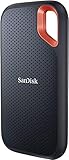
- Get NVMe solid state performance with up to 1050MB/s read and 1000MB/s write speeds in a portable, high-capacity drive(1) (Based on internal testing; performance may be lower depending on host device & other factors. 1MB=1,000,000 bytes.)
- Up to 3-meter drop protection and IP65 water and dust resistance mean this tough drive can take a beating(3) (Previously rated for 2-meter drop protection and IP55 rating. Now qualified for the higher, stated specs.)
- Use the handy carabiner loop to secure it to your belt loop or backpack for extra peace of mind.
- Help keep private content private with the included password protection featuring 256‐bit AES hardware encryption.(3)
- Easily manage files and automatically free up space with the SanDisk Memory Zone app.(5). Non-Operating Temperature -20°C to 85°C
Why are Windows 11 support end dates different by version and edition?
Windows 11 does not have one universal end-of-support date because Microsoft services each feature-update version for a defined period, with different periods for consumer and organizational editions. According to Microsoft’s 2026 Windows lifecycle policy, normal general-availability releases receive 24 months of servicing for Home, Pro, Pro Education, and Pro for Workstations, while Enterprise, Education, Enterprise multi-session, and IoT Enterprise receive 36 months.
| Edition group | Normal servicing window | What the window means |
|---|---|---|
| Home, Pro, Pro Education, Pro for Workstations | 24 months | The installed feature-update version must be replaced before its listed end date. |
| Enterprise, Education, Enterprise multi-session | 36 months | Organizations receive a longer servicing period for the same general-availability branch. |
| IoT Enterprise general availability | 36 months | The general-availability channel follows the Enterprise and Education servicing pattern, but IoT Enterprise has specialized licensing and device purposes. |
The longer Enterprise servicing period applies to the version and edition, not to a Windows 11 license in general. Windows 11 Pro does not receive a longer lifecycle than Windows 11 Home when both devices run the same feature-update version.
What are the Windows 11 support deadlines for each edition?
Home and Pro
For normal general-availability releases, Windows 11 Home and Pro version 24H2 ends on October 13, 2026, version 25H2 ends on October 12, 2027, and version 26H1 ends on March 14, 2028. Microsoft’s Windows 11 Home and Pro lifecycle table also covers Pro Education and Pro for Workstations.
Windows 11 Home does not support deferral of feature updates. Windows 11 Pro can be managed or deferred under organizational policy, but deferral does not extend the lifecycle of the installed version. A Pro device still needs to move to a supported Windows 11 version before the current version expires.
Enterprise, Education, and Enterprise multi-session
Microsoft groups Windows 11 Enterprise, Education, and Enterprise multi-session together for lifecycle purposes. These editions normally receive 36 months of servicing: version 23H2 ends on November 10, 2026, version 24H2 ends on October 12, 2027, version 25H2 ends on October 10, 2028, and version 26H1 ends on March 13, 2029. The Windows 11 Enterprise and Education lifecycle page is the appropriate reference for organizational deployments.
IoT Enterprise
Windows 11 IoT Enterprise’s general-availability channel follows the 36-month servicing pattern. Microsoft lists version 23H2 through November 10, 2026, version 24H2 through October 12, 2027, and version 25H2 through October 10, 2028 in its Windows 11 IoT Enterprise lifecycle information.
Windows 11 IoT Enterprise is intended for specialized devices and has distinct licensing and deployment considerations. Windows 11 IoT Enterprise should not be treated as a consumer substitute for Windows 11 Home or Pro simply because the IoT channel has a longer normal servicing window.
The Tool Desk
Outbyte Driver Updater FREEFix the driver behind crashes, sound loss and screen glitchesFind Drivers →Outbyte PC Repair FREEClear out junk files and repair common Windows errorsFree Scan →Also popular on Amazon
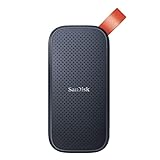
- Solid state performance with up to 800MB/s read speeds in a portable drive. (Based on internal testing; performance may be lower depending on host device, interface, usage conditions and other factors. 1MB=1,000,000 bytes.)
- Back up your content and memories on a storage solution that fits seamlessly into your mobile lifestyle.
- Take it with you on your adventures—up to two-meter drop protection means this durable drive can take a beating. (Based on internal testing.)
- Secure it to your belt loop or backpack for extra peace of mind thanks to the tough rubber hook.
- From Sandisk, a brand professional photographers trust to take on assignments.
Windows 11 SE
Windows 11 SE support ends in October 2026. Microsoft states that version 24H2 was the last supported Windows 11 SE feature update, and Microsoft’s dedicated Windows 11 SE FAQ describes the end of software updates, technical assistance, and security fixes at the month level.
Microsoft’s Home and Pro lifecycle table associates the final Windows 11 SE 24H2 release with October 13, 2026. The safest interpretation is that Windows 11 SE support ends in October 2026, with October 13, 2026 as the lifecycle-table date associated with version 24H2.
Windows 11 Enterprise LTSC 2024
Windows 11 Enterprise LTSC 2024 follows Microsoft’s Fixed Lifecycle Policy and has a five-year lifecycle. Microsoft lists October 9, 2029 as the mainstream-support end date in the Windows 11 Enterprise LTSC 2024 lifecycle entry.
Enterprise LTSC is designed for specialized, fixed-function devices rather than ordinary consumer PCs. LTSC should not be recommended as a general-purpose way to avoid Windows 11’s normal feature-update cadence.
Windows 11 IoT Enterprise LTSC 2024
Windows 11 IoT Enterprise LTSC 2024 is a different product from desktop Windows 11 Enterprise LTSC 2024. Microsoft lists mainstream support through October 9, 2029 and extended support through October 10, 2034 in its Windows 11 IoT Enterprise LTSC 2024 lifecycle entry.
Microsoft describes IoT Enterprise LTSC as a 10-year servicing option for fixed-purpose devices used in areas such as manufacturing, retail, healthcare, banking, and hospitality. The product’s intended device class and licensing model make IoT Enterprise LTSC unsuitable as a general consumer workaround.
What about older Windows 11 versions?
Windows 11 versions 21H2 and 22H2 are already out of support for the editions listed below, and neither should be selected as a long-term branch. Windows 11 Home and Pro 23H2 is also already out of support, although Enterprise, Education, Enterprise multi-session, and IoT Enterprise 23H2 continue through November 10, 2026.
Also popular on Amazon

- Easily store and access 2TB to content on the go with the Seagate Portable Drive, a USB external hard drive
- Designed to work with Windows or Mac computers, this external hard drive makes backup a snap just drag and drop
- To get set up, connect the portable hard drive to a computer for automatic recognition no software required
- This USB drive provides plug and play simplicity with the included 18 inch USB 3.0 cable
- The available storage capacity may vary.
| Version | Home and Pro end date | Enterprise, Education, and IoT Enterprise end date | Status |
|---|---|---|---|
| 22H2 | October 8, 2024 | October 14, 2025 | Out of support for both edition groups. |
| 21H2 | October 10, 2023 | October 8, 2024 | Out of support for both edition groups. |
These historical dates come from Microsoft’s Windows 11 release-information table. A PC that still reports 21H2, 22H2, or unsupported Home and Pro 23H2 should be moved to an eligible supported release rather than treated as a viable long-term installation.
What’s actually slowing this PC down?
Pick the symptom - the matching free tool is one click away.
What does end of support mean for a Windows 11 PC?
Windows 11 end of support means that Microsoft stops providing the normal security fixes, non-security updates, technical assistance, and related servicing for the affected version and edition. Microsoft’s Windows lifecycle FAQ makes clear that end of support is not an automatic shutdown date.
An unsupported Windows 11 installation may continue to boot and run existing programs after the lifecycle date. The risk is that the operating system no longer receives normal protection and servicing from Microsoft, while application and hardware vendors increasingly target supported Windows releases. Compatibility problems and security exposure can therefore increase over time.
End of support applies to the specific version and edition. A Windows 11 Pro license does not remain supported indefinitely because the product name says Pro, and an Enterprise device does not become unsupported merely because a consumer version has expired. Check the installed version and edition together.
How do I check my Windows 11 edition and version?
Check Windows 11 by opening Settings > System > About and reading the Windows edition and version information, or by running winver. The edition may be Home, Pro, Enterprise, Education, IoT Enterprise, or another specialized variant, while the version may be 23H2, 24H2, 25H2, or 26H1.
- Open Settings > System > About.
- Find the Windows edition and version under the Windows specifications information.
- Compare both values with Microsoft’s lifecycle table, not just with a general Windows 11 end date.
- For a second check, press Windows key + R, enter
winver, and select OK.
For example, a Home or Pro computer running 24H2 should be treated as having an October 13, 2026 support deadline, while an Enterprise, Education, or IoT Enterprise computer running 23H2 should be treated as having a November 10, 2026 deadline.
What should you do before your Windows 11 version expires?
Move to a supported release through Windows Update or the organization’s approved deployment tools before the applicable lifecycle date. The correct target depends on the device’s hardware, edition, update eligibility, and the releases Microsoft offers to that device.
Also popular on Amazon

- NEARLY 2X FASTER THAN OUR PREVIOUS GENERATION(8) – move 1,000 high-res photos in under 60 seconds(6) with up to 2000MB/s transfer speeds(2).
- IP65 RATING AND UP TO 3M DROP PROTECTION(3) – protects against spills and drops.
- POCKET-SIZED – fits easily in pockets and small bags.
- SPACE TO OWN YOUR AI CONTENT – speed and capacity to download your high-res clips and photo edits.
- 256-BIT AES ENCRYPTION(4) – helps keep private files secure with password protection.
- Identify the edition and version. Use Settings > System > About or
winverbefore choosing an upgrade path. - Check Windows Update. Install the supported feature update offered for the PC. Organizations should use their approved deployment and testing process instead of manually changing editions.
- Confirm hardware eligibility. Microsoft’s Windows 11 hardware requirements include a compatible 64-bit processor, at least 4 GB of RAM, at least 64 GB of storage, UEFI firmware that is Secure Boot capable, and TPM 2.0.
- Back up important files. Back up documents and other important data before a major upgrade, clean installation, or reinstall. An external hard drive for Windows backup can serve as one possible backup destination.
- Use installation media only when appropriate. Microsoft installation media supports in-place installation, clean installation, and reinstallation, but a clean installation can remove apps, settings, and files.
Buying a Windows license alone does not make unsupported hardware eligible for Windows 11. A device that fails the processor, firmware, Secure Boot, TPM, memory, storage, or other requirements needs a supported hardware and software plan rather than just a new activation key.
Can Windows 11 26H1 upgrade an existing 24H2 or 25H2 PC?
Windows 11 26H1 should not be treated as a universal upgrade target for existing 24H2 or 25H2 computers. Microsoft describes 26H1 as a release for new devices with select 2026 silicon, and Microsoft does not offer 26H1 as an in-place feature update from 24H2 or 25H2 through Windows Update.
Quick wins for a faster PC:
Fix the driver behind crashes, sound loss and screen glitchesFind Drivers →Repair Windows errors before they cause bigger problemsFix Now →Existing PCs should use the supported Windows 11 release that Windows Update or the organization’s deployment tools make available for the specific hardware. Do not force an installation of 26H1 merely because the 26H1 lifecycle date is later than the date for 25H2 or 24H2.
Independent reader supportYour contribution helps us test, update, and keep practical guides available for everyone.What do Windows 11 installation media and a license each provide?
Installation media and Windows activation solve different problems. Microsoft’s 2026 installation-media guidance says the Media Creation Tool can create Windows 11 media on a blank USB flash drive with at least 8 GB of capacity, while a valid product key or digital license may still be required to activate Windows. The installed edition must match the applicable license.
Prepare a blank 8GB USB flash drive before creating the media. Creating the installation media erases the USB drive’s existing contents, so copy any files from the drive before starting. Microsoft’s instructions for creating Windows installation media also recommend backing up files before installing or reinstalling Windows.
A physical Windows 11 Home USB or Windows 11 Pro USB may be relevant when an eligible PC needs a new or replacement license, but physical media is unnecessary for many PCs that already have a valid digital entitlement. Confirm the edition, license status, and hardware requirements before buying media. A USB drive containing installation files is not automatically a Windows license.
Do these 3 things before closing this tab:
1Fix the driver behind crashes, sound loss and screen glitches2Repair Windows errors before they cause bigger problems3Scan for outdated or missing drivers - takes under a minuteIf a new license or replacement computer is necessary, use an authorized Windows 11 retailer and verify the edition and current hardware eligibility. Microsoft’s Store configurations and Windows requirements support the distinction between licensed media and the PC’s eligibility, but product availability and pricing should be checked at the time of purchase.
Also popular on Amazon
- Easily store and access 5TB of content on the go with the Seagate portable drive, a USB external hard Drive
- Designed to work with Windows or Mac computers, this external hard drive makes backup a snap just drag and drop
- To get set up, connect the portable hard drive to a computer for automatic recognition software required
- This USB drive provides plug and play simplicity with the included 18 inch USB 3.0 cable
- The available storage capacity may vary.
Should you buy Windows 11 Home or Pro to get longer support?
Buying Windows 11 Pro does not provide a longer lifecycle than Home at the same feature-update version. Home and Pro general-availability releases follow the same 24-month servicing window, while Pro adds management and policy capabilities that can help organizations control when feature updates are deployed.
| Question | Windows 11 Home | Windows 11 Pro |
|---|---|---|
| Normal servicing period for the same version | 24 months | 24 months |
| Feature-update deferral | Does not support feature-update deferral | Can be managed or deferred by organizational policy |
| Does deferral extend the version’s end date? | No | No; the PC must still move before the installed version expires |
| When is the edition appropriate? | Consumer PCs that meet Windows 11 requirements and have the applicable license | Eligible PCs that need Pro features, management, or a new Pro license |
Choose Home or Pro for the features, management requirements, and license you need, not to obtain a later support deadline. The support date comes from the installed feature-update version and its edition group.
What if the PC meets Windows 11 requirements but has driver problems?
After a supported Windows installation or hardware change, start with Windows Update and the computer manufacturer’s official support page for chipset, graphics, network, storage, and other drivers. If missing, outdated, or corrupted drivers remain, Outbyte Driver Updater is an optional third-party troubleshooting tool whose vendor says it supports Windows 11 and scans for driver problems; see the Outbyte Driver Updater product information for its current claims.
Outbyte Driver Updater does not extend Microsoft support, make unsupported hardware compliant, replace Windows Update, or replace the PC manufacturer’s support page. Driver software is a post-install troubleshooting option, not a lifecycle workaround.
Which action fits your situation?
| Your edition and version | Support position | Best next step | Do not assume |
|---|---|---|---|
| Home or Pro 24H2 | Supported through October 13, 2026 | Move to a supported release offered for the PC before the deadline | Do not assume 26H1 is available as an in-place update |
| Home or Pro 25H2 | Supported through October 12, 2027 | Keep Windows Update current and plan the next supported transition | Do not assume Pro has a longer date than Home |
| Enterprise, Education, or IoT Enterprise 23H2 | Supported through November 10, 2026 | Use the organization’s approved deployment process to move to a supported branch | Do not use the Home and Pro date for this edition group |
| Windows 11 SE 24H2 | Support ends in October 2026; the lifecycle table associates October 13, 2026 with 24H2 | Plan the education-device transition before the October 2026 cutoff | Do not expect a later Windows 11 SE feature update |
| Any PC failing Windows 11 requirements | The license does not make the hardware eligible | Check every requirement or consider a Windows 11-compatible laptop or desktop | Do not assume adding a generic TPM 2.0 module solves every compatibility problem |
For unsupported hardware, a Windows 11-compatible laptop or desktop may be the more reliable path than attempting a component workaround. TPM modules depend on the exact motherboard and firmware, and TPM 2.0 is only one part of Microsoft’s Windows 11 requirements.
Frequently Asked Questions
Does Windows 11 stop working when support ends?
No. Windows 11 does not automatically shut down when a version reaches its end-of-support date. The PC may continue running, but Microsoft stops normal security fixes, non-security updates, technical assistance, and related servicing for that version.
Does Windows 11 Pro get longer support than Home?
No. Windows 11 Home and Pro receive the same normal 24-month servicing window for a general-availability feature-update version. Pro can be managed or deferred by organizational policy, but deferral does not extend the version’s lifecycle date.
Recommended Free Tools
Can I install Windows 11 26H1 on an existing 24H2 or 25H2 PC?
Usually no. Microsoft describes Windows 11 26H1 as a release for select new devices with 2026 silicon, not a normal in-place feature update from existing 24H2 or 25H2 PCs through Windows Update.
Does buying a Windows 11 license fix unsupported hardware?
No. A Windows 11 license does not make unsupported hardware eligible. The PC must also meet requirements such as a compatible 64-bit processor, 4 GB of RAM, 64 GB of storage, UEFI Secure Boot capability, and TPM 2.0.
The Bottom Line
There is no single Windows 11 support end date. Check the installed edition and version: Home and Pro 24H2 ends October 13, 2026, Enterprise, Education, and IoT Enterprise 23H2 ends November 10, 2026, and 26H1 is not a general upgrade path for existing PCs. Update through an eligible supported release, verify hardware, and back up files before using installation media.

