
iTechGuides is reader-supported. When you buy through links on our site, we may earn an affiliate commission. As an Amazon Associate I earn from qualifying purchases. Learn more
A thumbnail image is a small preview of a larger image, video, document, or other digital item. It helps people recognize or review the full item quickly in a grid, list, gallery, search result, file browser, or media player. A thumbnail can be a separate small file, a resized rendition generated for a particular display, or a crop selected by an app.
There is no universal thumbnail size. The correct dimensions, aspect ratio, crop, file format, and accessibility treatment depend on where the thumbnail appears.
What a thumbnail image does
Think of a thumbnail as visual indexing. Instead of opening every full-size photo, video, or document, a person scans compact previews and chooses the item that looks relevant. The preview may show the complete source image, a center crop, a frame from a video, or an icon representing a file type.
The Tool Desk
Outbyte PC Repair FREEClear out junk files and repair common Windows errorsFree Scan →Outbyte Driver Updater FREEFix the driver behind crashes, sound loss and screen glitchesFind Drivers →Thumbnail generation and storage also vary. An operating system may create thumbnails locally and cache them; a web application may request a rendition from an image service; a video platform may accept a custom upload or select a generated frame. “Thumbnail” describes the preview’s role, not one particular file format or production method.
Popular on Amazon

- 16MP Sensor: Captures detailed photos with a CMOS sensor for everyday shooting
- Optical Zoom: 4x optical zoom with a 27mm wide angle lens for flexible framing indoors or outdoors
- Full HD Video: Records 1080p video for travel clips, family moments, or simple vlogging
- Memory Support: Works with Class 10 SD, SDHC, or SDXC cards up to 512GB
- LCD Screen and Battery: 2.7in LCD screen with 2 AA alkaline batteries for convenient on-the-go use
Where thumbnails appear
Photo and file browsing
File managers commonly show photos and videos as tiles. A square or fixed-ratio tile may crop the source so every item aligns in a grid. In a list or document-oriented view, the application may preserve the source aspect ratio or show a file-type icon instead. Microsoft’s Windows guidance illustrates both behaviors: pictures and videos can be cropped into square views, while other views can retain original proportions. Its example recommends a medium thumbnail preferably at least 190 pixels for a 190 × 130 display.
Video platforms
A video thumbnail identifies a recording before playback. It can be a custom image containing a title, subject, or recognizable frame, or an automatically generated still. The platform’s rules—not the word “thumbnail”—determine its dimensions and limits.
Search results and media galleries
Search interfaces use small renditions to fit many results on one screen. A gallery may request several variants so a phone, tablet, and desktop receive appropriately sized files. The displayed CSS size is therefore not necessarily the source file’s intrinsic dimensions.
Windows Errors? Fix Them Before They Spread
Repair common Windows errors and clear accumulated junk for a smoother, more stable PC - no reinstall needed.Free scan · no reinstallOutdated Drivers Are Slowing You Down
One free scan finds every outdated or missing driver and matches the right update for your exact hardware.Free scan · exact hardware matchWeb pages
An HTML thumbnail can link to a larger image, open a product or article, or act as a control. Its alternative text must communicate the relevant content or action. Width and height attributes allow the browser to reserve the image’s aspect ratio while the file loads, helping prevent layout shift.
Do all thumbnails have the same size?
No. Applications choose dimensions and crops for their own layouts, and one service may use multiple variants. A thumbnail can preserve the original aspect ratio, fit inside a box with empty space, or be cropped to a uniform tile. Responsive pages may select a different rendition at each breakpoint.
| Context | Typical behavior | What controls the result |
|---|---|---|
| Photo grid | Uniform tile, often cropped | Grid design and crop position |
| File list | Original ratio or file icon | View mode and file type |
| Video page | Platform-specific ratio and upload rules | Service recommendations |
| Web page | Responsive image variant | HTML, CSS, device width, and image metadata |
| Video search feature | Stable, crawlable image URL | Search-service eligibility and accessibility to crawlers |
Platform-specific thumbnail dimensions
YouTube regular videos
YouTube’s current Help guidance recommends a 3840 × 2160 pixel image, a minimum width of 640 pixels, JPG or PNG format, and a 16:9 aspect ratio. It also specifies different upload-size limits for mobile and desktop. These are YouTube recommendations and limits, not a general definition of a thumbnail.
YouTube Shorts
For Shorts, the same guidance recommends 2160 × 3840 pixels, at least 640 pixels high, and a 9:16 ratio. YouTube notes that a vertical video using a 16:9 custom thumbnail may instead show an automatically generated 4:5 thumbnail in some mobile surfaces.
What’s actually slowing this PC down?
Pick the symptom - the matching free tool is one click away.
Podcast playlists
YouTube recommends a 1:1 thumbnail for podcast playlists rather than the 16:9 ratio used for regular videos.
Also popular on Amazon
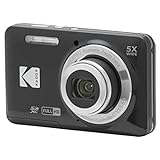
- 16MP Sensor: Captures detailed photos with a CMOS sensor for everyday shooting
- Optical Zoom: 5x optical zoom with a 28mm wide angle lens for flexible framing indoors or outdoors
- Full HD Video: Records 1080p video for travel clips, family moments, or simple vlogging
- Memory Support: Works with Class 10 SD, SDHC, or SDXC cards up to 512GB
- Rechargeable Battery: Included LB-012 lithium-ion battery charges in the camera over USB with the supplied adapter in about 2 hours; charge it for at least 4 hours before first use to maximize battery life
Google video features
Google’s video guidance describes a different use case. It lists a 60 × 30 pixel minimum, with larger images preferred; accepted formats include BMP, GIF, JPEG, PNG, WebP, SVG, and AVIF. The image must be available to Googlebot at a stable URL, and the page includes transparency-related criteria. These requirements should not be substituted for YouTube upload specifications.
Platform recommendations change. Check the destination service’s current documentation immediately before preparing a production asset.
Thumbnail aspect ratio, cropping, and resolution
Aspect ratio
Aspect ratio is the relationship between width and height. A 16:9 image is wide, a 9:16 image is vertical, and a 1:1 image is square. Start with the ratio required by the destination, then compose the important subject inside the area that will survive cropping.
Quick wins for a faster PC:
Clear out junk files and repair common Windows errorsFree Scan →Scan for outdated or missing drivers - takes under a minuteDriver Scan →Repair Windows errors before they cause bigger problemsFix Now →Cropping
Center cropping is simple but can cut off faces, logos, or text near an edge. If an interface supports a focal point, set it deliberately. Otherwise, create a safe area around the subject and test the thumbnail at the smallest display size.
Resolution and file weight
Use enough source resolution for the largest rendition the service requests, but do not assume that uploading a huge file improves a small tile. Compress the delivered variant and keep the image sharp at its actual display size. A thumbnail’s display dimensions and source dimensions are separate concepts.
Does a thumbnail need alt text?
Usually, yes when it conveys information or performs an action. WCAG 2.2 Guideline 1.1 states: “Provide text alternatives for any non-text content so that it can be changed into other forms people need, such as large print, braille, speech, symbols or simpler language.”
Informative thumbnail
Describe the meaningful content concisely, such as alt="Aerial view of the renovated city library". Do not write a filename, keyword list, or “image of” unless that wording adds useful context.
Thumbnail link or button
Describe the destination or action when that is the important meaning: alt="Open the library renovation photo gallery". Nearby visible text can supply details that do not need repeating in the alternative.
Also popular on Amazon
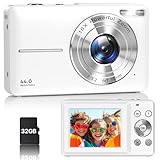
- Latest Digital Camera Built-in Fill Light : This compact digital camera is paired with a powerful CMOS processor and image stabilization to help you take & record the most exciting moments in 44 MP quality images & FHD 1080P quality videos anywhere, anytime. Plus, there is also a built-in fill light to help you take high quality pictures even in low light&dark settings, making this the perfect camera for all indoors/outdoors situations.
- Long-Lasting Battery Life & 16X Digital Zoom :This point and shoot camera will retain its battery charge even after long use. The controls and functions are easy to operate making this the perfect choice for children, teens and younger. This kids camera supports 16x digital zoom, you can zoom in or out the subject by pressing the W/T button for taking still photos to zoom in or out on distant objects and capture all the details you need.
- Multifunctional & Portable Digital Camera: This cheap digital camera is slim enough to fit in your pocket. You'll easily be able to take it with you on all your indoor/outdoor activities and adventures and ideal for beginners, children and teenagers. This kids digital camera is equipped with 20 filters, anti-shaking, self-timer, continuous shooting, date stamp, time-lapse recording, smile capture, internal MIC and speaker (recording sound videos), great for your daily photography needs.
- WEBCAM & PAUSE FUNCTION : More than just a FHD 1080p digital camera, it also works as a webcam for video calls and vlogging. Connect the camera to the computer, press shutter and power button at the same time and the camera will automatically turn on webcam mode for all your video calling and live streaming needs. The pause function allows you to pause when seeing playback videos.
- A Must Have Photography Device : This digital camera with SD card made from high-quality materials, this retro camera is safe and durable. Perfect for all ages to develop & improve their photographic abilities and observation skills. Our dedicated and experienced 24/7 support team is available for all after purchase troubleshooting, questions and technical help.
Decorative thumbnail
If the image adds no information and the adjacent text already provides the same meaning, use an empty alternative (alt="") so assistive technology can skip it. Decide this from the page context, not from the fact that the file is small.
Google Search Central calls alt text the most important image metadata attribute and notes its accessibility value for people who cannot see images, including screen-reader users and people on low-bandwidth connections. Avoid keyword stuffing.
Prevent layout shift on web pages
Set width and height attributes that reflect the image’s intrinsic ratio, even when CSS makes the image responsive:
<img src="thumb.webp" width="640" height="360" alt="Aerial view of the renovated city library">The browser can reserve the 16:9 box before the image arrives. Use responsive sources when appropriate, but do not let the reserved ratio contradict the selected crop. A mismatch can create its own visual jump.
How to make a thumbnail from a web page
- Choose the target context and ratio (for example, a 16:9 video card or a square gallery tile).
- Identify the content area and keep essential text and subjects inside a safe margin.
- Capture or export the source at sufficient resolution.
- Crop or resize a delivery variant for the actual component.
- Compress it in a format accepted by the destination.
- Add contextual alt text and reserve the correct ratio with HTML width and height.
- Check the result on the smallest target display and with a screen reader or accessibility checker.
Or skip the browser setup
ScreenshotNeo can produce a webpage screenshot through one request, which is useful when the thumbnail is a live page rather than a manually edited image. Before capture it accepts the cookie or consent banner like a visitor and removes more than 60 known consent platforms, newsletter popups, and chat widgets; each cleanup step can be turned off. Bot checks, CAPTCHAs, blank pages, timeouts, failed loads, and cache hits are not billed, and response headers identify the page verdict and billing result.
Its MCP server provides take_screenshot, get_page_info, and capture_pdf tools for Claude, Cursor, and other MCP clients. Every plan includes features such as full-page capture, CSS-selector element capture, device and viewport settings, retina scale, custom CSS and JavaScript, click and wait actions, request blocking, cookies and headers, geolocation, resizing, caching, signed links, asynchronous webhooks, bulk capture of up to 100 URLs per call, and a usage API.
cURL
curl -G "https://api.screenshotneo.com/v1/shot" -d access_key=YOUR_API_KEY --data-urlencode url=https://stripe.com -o shot.webpPython
import requests
r = requests.get("https://api.screenshotneo.com/v1/shot", params={"access_key": "YOUR_API_KEY", "url": "https://stripe.com"}, timeout=90)
open("shot.webp", "wb").write(r.content)
Node.js
const q = new URLSearchParams({ access_key: 'YOUR_API_KEY', url: 'https://stripe.com' });
const res = await fetch(`https://api.screenshotneo.com/v1/shot?${q}`);
See the ScreenshotNeo documentation for request options. The Free plan includes 1,000 screenshots per month with no card; paid plans start at $5 for 3,000 shots. Sign up free to try it.
Recommended Free Tools
Common thumbnail problems and fixes
The subject is cut off
The destination is applying a crop. Recompose with a safe margin, choose the service’s required ratio, or set a focal point where supported.
Text is unreadable
Reduce the amount of text, increase contrast, and test at the smallest rendered size. A thumbnail is a recognition aid, not a full poster.
Also popular on Amazon

- 16MP Sensor: Captures detailed photos with a CMOS sensor for everyday shooting
- Optical Zoom: 5x optical zoom with a 28mm wide angle lens for flexible framing indoors or outdoors
- Full HD Video: Records 1080p video for travel clips, family moments, or simple vlogging
- Memory Support: Works with Class 10 SD, SDHC, or SDXC cards up to 512GB
- Rechargeable Battery: Included LB-012 lithium-ion battery charges in the camera over USB with the supplied adapter in about 2 hours; charge it for at least 4 hours before first use to maximize battery life
The image looks blurry
The source or requested rendition is too small, or it has been repeatedly recompressed. Export from the original at the largest required rendition and compress only once for delivery.
The page jumps while loading
Supply accurate HTML width and height values or an equivalent aspect-ratio rule. Confirm that responsive sources retain the same ratio.
Do these 3 things before closing this tab:
1Clear out junk files and repair common Windows errors2Fix the driver behind crashes, sound loss and screen glitches3Repair Windows errors before they cause bigger problemsA crawler cannot use the thumbnail
For search features, verify that the image has a stable public URL, returns an accepted format, and is accessible to the relevant crawler. A private, expiring, or blocked URL may fail eligibility.
Consent banners or widgets appear in a webpage capture
Use a capture workflow that handles consent and removes overlays before taking the image, or hide the relevant selectors with custom capture settings.
Thumbnail checklist
- Confirm the destination’s current ratio, dimensions, format, and file-size rules.
- Keep faces, logos, and essential text inside a crop-safe area.
- Use the right rendition for the display instead of serving the original everywhere.
- Write concise, contextual alt text for informative or interactive thumbnails.
- Use an empty alt for genuinely decorative images.
- Reserve the correct aspect ratio in HTML or CSS.
- Test on mobile, desktop, slow connections, and with assistive technology.
Frequently Asked Questions
Is a thumbnail the same as a preview?
A thumbnail is one kind of preview: a compact visual representation intended for quick scanning. A preview can also be a larger rendering, a text excerpt, or an interactive viewer.
Can a thumbnail be a video frame?
Yes. Video services commonly use either a selected frame, an automatically generated frame, or a separately designed custom image.
Free tools Windows power users keep installed
One-click scans. No signup required.
Should I use the original image as its thumbnail?
Only when the original is already appropriate for the display. Usually a purpose-sized rendition loads faster and gives the interface better control over cropping and quality.

