
iTechGuides is reader-supported. When you buy through links on our site, we may earn an affiliate commission. As an Amazon Associate I earn from qualifying purchases. Learn more
Good free, legal websites for movies and TV shows include Tubi, Pluto TV, The Roku Channel, and Plex. They are ad-supported, so you do not need a paid subscription but you will see commercial breaks. If you have access through a participating library or university, Kanopy and Hoopla add more options. PBS.org is especially useful for many public-TV programs, documentaries, news, science, and nature shows.
The right choice depends on what you want to watch: Tubi is a strong starting point for on-demand browsing, Pluto TV is best for channel surfing, Kanopy is the standout for ad-free library-funded viewing, and PBS is a good destination for public-TV programming.
Best free movie and TV websites at a glance
| Service | Best for | What to expect |
|---|---|---|
| Tubi | Broad on-demand browsing | Free with ads; no subscription or credit card required |
| Pluto TV | Live channels and on-demand viewing | Free with ads; channel-style browsing plus an on-demand library |
| The Roku Channel | A mix of live TV, movies, and series | Free with ads; available on the web even if you do not own Roku hardware |
| Plex | Free live TV and on-demand titles | Free with ads; an account is optional for free content but adds features |
| Kanopy | Films, documentaries, classics, and educational viewing | Ad-free for eligible users through a participating library or university; access limits vary |
| Hoopla | Library-card access to movies and TV | No subscription for eligible cardholders; availability depends on the library |
| PBS.org | Public-TV shows, news, documentaries, and science | Many videos are free, but availability and viewing windows vary |
1. Tubi: a straightforward free on-demand option
Tubi is a good first stop if you want to browse movies and TV shows in a familiar on-demand format rather than choose from a live channel schedule. Tubi says its catalog includes thousands of movies and TV shows from studios including Paramount, Lionsgate, and MGM.
You do not need a subscription or credit card to use its free service. The trade-off is advertising: Tubi is free because commercials appear during playback. Catalog availability can change, so treat its current selection as a browsing opportunity rather than a permanent promise that a particular movie or season will remain available.
Popular on Amazon

- Ultra-speedy streaming: Roku Ultra is 30% faster than any other Roku player, delivering a lightning-fast interface and apps that launch in a snap.
- Cinematic streaming: This TV streaming device brings the movie theater to your living room with spectacular 4K, HDR10+, and Dolby Vision picture alongside immersive Dolby Atmos audio.
- The ultimate Roku remote: The rechargeable Roku Voice Remote Pro offers backlit buttons, hands-free voice controls, and a lost remote finder.
- No more fumbling in the dark: See what you’re pressing with backlit buttons.
- Say goodbye to batteries: Keep your remote powered for months on a single charge.
Choose Tubi if: you want a large, simple, free catalog and do not mind ads.
2. Pluto TV: best for channel surfing
Pluto TV combines hundreds of free live channels with thousands of on-demand movies and TV shows. Its channel guide makes it useful for people who like turning on the TV and finding something already playing, while its on-demand section is better when you have a specific type of program in mind.
Pluto TV is ad-supported, so “free” does not mean uninterrupted viewing. Channel lineups and on-demand rights can vary by location and change over time.
Quick wins for a faster PC:
Clear out junk files and repair common Windows errorsFree Scan →Scan for outdated or missing drivers - takes under a minuteDriver Scan →Repair Windows errors before they cause bigger problemsFix Now →Choose Pluto TV if: you want the feel of traditional television, including live channels, without a paid TV package.
3. The Roku Channel: free viewing with or without Roku hardware
The Roku Channel offers free TV series, movies, and live streaming channels. Despite its name, you do not necessarily need a Roku streaming player or Roku television to use its web-based service. That makes it worth checking even if you watch on a computer.
Its free catalog is ad-supported. The service may also display content or features that belong to other offerings, so check that a title is labeled free before starting it. As with every ad-supported service, the available titles and live channels are subject to change.
Choose The Roku Channel if: you want one place to browse both live channels and on-demand entertainment, whether or not you own Roku equipment.
Recommended Free Tools
Also popular on Amazon

- HD streaming made simple: With America’s number 1 TV streaming platform,* exploring popular apps—plus tons of free movies, shows, and live TV—is as easy as it is fun. *Based on hours streamed—Hypothesis Group
- Compact without compromises: The sleek design of Roku Streaming Stick won’t block neighboring HDMI ports, and it even powers from your TV alone, plugging into the back and staying out of sight. No wall outlet, no extra cords, no clutter.
- No more juggling remotes: Power up your TV, adjust the volume, and control your Roku device with one remote. Use your voice to quickly search, play entertainment, and more.
- Shows on the go: Take your TV to-go when traveling—without needing to log into someone else’s device.
- TV, simplified: With setup that only takes minutes, a simple-to-navigate Home Screen, and an uncluttered remote control that does all you need—Roku makes it easier to watch the TV you love.
4. Plex: free live TV and on-demand entertainment
Plex provides free, ad-supported on-demand movies and TV shows as well as free live TV. An account is not required for its free content, although creating one can provide features such as a watchlist and a more personalized experience.
Plex also offers other media-server products and optional features, so do not confuse its free streaming catalog with paid Plex offerings. You can start with the free section without subscribing. The title selection, live channels, and regional availability may change.
Choose Plex if: you want both free live channels and on-demand titles, with the option to use account features.
5. Kanopy: the best ad-free option for eligible library users
Kanopy is different from the services above because access is typically funded by a participating public library or university. For eligible users, it is a particularly good source of films, documentaries, independent cinema, classics, and educational programming—and Kanopy describes its viewing experience as ad-free.
What’s actually slowing this PC down?
Pick the symptom - the matching free tool is one click away.
You generally need to find a participating library or sign in through an eligible university. A library card by itself does not guarantee access: participation, available titles, and viewing allowances are determined by the institution. Some libraries use monthly viewing tickets or other limits, and collections can differ substantially from one library to another.
To check, visit Kanopy and look for the option to find your library. If your local library is not listed, ask the library whether it provides Kanopy or another streaming service.
Choose Kanopy if: you value ad-free viewing and are interested in serious films, documentaries, classics, or educational content.
Also popular on Amazon
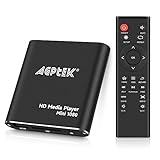
- 【Mini Portable Media player】-- Fits into the palm of your hand, It is a perfect travel partner for those short on space and sockets. Also compact and easy multifunction HD media player for office work and home entertainment;Aluminum alloy material, not easy to damage during carrying
- 【1080P MP4 Player】-- Full HD 1080p@60Hz supports most video decoding formats: RM, RMVB, AVI, DIVX, MKV, MOV, HD MOV, MP4, M4V, PMP, AVC, FLV, VOB, MPG, DAT, MPEG, TS, TP, M2TS, WMV, (H.264,H.263,WMV9/VC-1,MPEG1/2/4),Not support VPR files. Note: Please use our 4K player to play some videos taken with smart phones, ASIN: B07WPY8VKL
- 【HDMI or AV Output】-- Supports 1080p HDMI output, allowing you to transmit crisp, clear video and audio in a pure digital format to an HDTV; it also supports composite AV output for use with analog TVs. An analog AV cable is included. While using HDMI video output, you can also connect external speakers via the AV output. However, video cannot be output via both AV and HDMI at the same time.
- 【USB 2.0/3.0 Compability】-- Drive external USB 2.0/3.0 storage devices such as USB flash(up to 512G)/SD card(up to 128G) and hard drive(partition should be MBR, up to 8TB), you can also delete or copy files in the USB drive(FAT or FA32) directly, Also plays subtitle files as well as loop videos
- 【Support Multiple Formats of Files and Playback Modes&Multi-functional Remote Control】-- Supports most video, audio, and image formats on the market, supports random playback of video and image modes, and supports loop playback. Supports repeat, zoom, fast forward, fast rewind, rotation, breakpoint playback method, start from scratch playback method and time selection playback method. It is also equipped with a convenient remote control for easy navigation of menu screens (ASIN: B0C9PZPFL8)
6. Hoopla: another library-card route to movies and TV
Hoopla lets eligible library cardholders borrow or stream digital media, including movies and TV programs, without a separate subscription. It can be a useful complement to Kanopy because the two services have different participating institutions and collections.
Hoopla is not available through every library. Your library determines whether it offers the service, which titles are licensed, and whether borrowing limits apply. Check your library’s website or Hoopla’s eligibility process before relying on it for a specific movie or series.
Choose Hoopla if: your library offers it and you want another legal source of movie and TV borrowing without paying for a streaming subscription.
7. PBS.org: a strong source for public-TV programming
PBS.org and the free PBS app are especially useful for many current PBS episodes, including news, documentaries, science, nature, public affairs, and educational programming. Many videos can be watched without paying or creating an account. Programs such as PBS NewsHour and Frontline are examples of the type of public-TV content commonly available through PBS’s digital platforms.
There are important limits. Some content is reserved for PBS Passport, the member benefit associated with participating PBS stations. Many new episodes are also available free only for a limited time. Local livestream and on-demand availability can depend on your PBS station and location.
Windows Errors? Fix Them Before They Spread
Repair common Windows errors and clear accumulated junk for a smoother, more stable PC - no reinstall needed.Free scan · no reinstallCrashes, No Sound, or Screen Glitches?
Random freezes, missing sound and display glitches usually trace back to one bad driver. Find and replace yours safely.Free scan · under a minuteChoose PBS if: you want public-TV news, documentaries, science, history, nature, or public-affairs programming rather than a general commercial movie catalog.
How to choose the right free service
- Want a specific movie? Search Tubi, The Roku Channel, Plex, and Pluto TV’s on-demand sections first. If you have a library card, check Kanopy and Hoopla as well.
- Want something live? Try Pluto TV, The Roku Channel, or Plex. Their live-channel features are closer to traditional television than a standard on-demand library.
- Want fewer interruptions? Check Kanopy if your public library or university participates. Its eligible-user experience is ad-free, though viewing allowances may apply.
- Want documentaries, news, or science? Start with PBS.org, then check Kanopy for additional documentary and educational choices.
- Do not want to create an account? Tubi does not require a subscription or credit card, and Plex says an account is not required for its free content. Other services may offer more features after sign-in.
What “free” means on these websites
There are three different access models in this list:
Also popular on Amazon

- Stunning 4K and Dolby Vision streaming made simple: With America’s number 1 TV streaming platform,* exploring popular apps—plus tons of free movies, shows, and live TV—is as easy as it is fun. *Based on hours streamed—Hypothesis Group
- Breathtaking picture quality: Stunningly sharp 4K picture brings out rich detail in your entertainment with four times the resolution of HD. Watch as colors pop off your screen and enjoy lifelike clarity with Dolby Vision and HDR10+.
- Seamless streaming for any room: With Roku Streaming Stick 4K, watch your favorite entertainment on any TV in the house, even in rooms farther from your router thanks to the long-range Wi-Fi receiver.
- Shows on the go: Take your TV to-go when traveling—without needing to log into someone else’s device.
- Compact without compromises: Our sleek design won’t block neighboring HDMI ports, so you can switch from streaming to gaming with ease. Plus, it’s designed to stay hidden behind your TV, keeping wires neatly out of sight
- Ad-supported free streaming: Tubi, Pluto TV, The Roku Channel, and Plex show advertising in exchange for free access.
- Library- or university-funded access: Kanopy and Hoopla are free to eligible users, but participation and usage limits depend on the institution.
- Public-media access: PBS makes many programs available at no charge, while some content requires PBS Passport or is available only during a limited window.
None of these models guarantees that a particular title will always be available. Streaming rights expire, services rotate catalogs, libraries change their collections, and local PBS access can differ by station.
How to watch on a computer or TV
A web browser is enough for viewing on a laptop or desktop. Most of these services also provide apps for compatible smart TVs, streaming devices, phones, tablets, and game consoles, but the exact device list varies by service and region.
If you want to watch on a television without built-in support, a compatible streaming device can make the setup easier. An Amazon Fire TV Stick 4K is one optional TV-viewing accessory to consider. It is not necessary for computer viewing, does not make a paid service free, and does not unlock titles that are unavailable in your region or through your account. Check each service’s current app support before buying hardware.
Basic setup checklist
- Open the service’s official website or install its official app.
- Confirm that the title or channel is labeled free rather than part of a paid add-on.
- Check whether sign-in, a library card, a university login, or PBS Passport is required.
- On a TV, search the device’s official app store for the service and install the verified app.
- If a title is missing, search another service instead of assuming the website is broken; rights and regional catalogs differ.
Staying on the legal side
Use the official websites and apps for the services above. Be cautious with websites that promise every new theatrical release or premium series free of charge, especially when they provide no clear licensing information, trigger repeated pop-ups, or ask you to install unknown software. A legitimate free service may show ads or require library eligibility, but it should not require suspicious downloads to play a movie.
Frequently Asked Questions
Are these websites really free?
Yes, but the access model differs. Tubi, Pluto TV, The Roku Channel, and Plex are free with ads. Kanopy and Hoopla are free for eligible users through participating libraries or universities, while PBS offers many programs free but reserves some content for PBS Passport or limited viewing windows.
Do I need a library card for Kanopy?
Usually, you need access through a participating public library or a university login. Not every library participates, and the library may impose monthly tickets or other limits.
Free tools Windows power users keep installed
One-click scans. No signup required.
Can I watch The Roku Channel without a Roku device?
Yes. The Roku Channel offers web access, so a Roku device is not required for computer viewing. Device and content availability can vary by location.
Are free streaming services ad-free?
The general-purpose services in this list—Tubi, Pluto TV, The Roku Channel, and Plex—are ad-supported. Kanopy is the notable ad-free option for eligible library or university users.
The Bottom Line
Start with Tubi for broad on-demand browsing, Pluto TV for live channels, The Roku Channel or Plex for a mix of live and on-demand viewing, and PBS.org for public-TV programming. Then check Kanopy and Hoopla if your library or university provides access. Expect ads on the general free services, and verify availability before planning around a particular title.

