
Quick wins for a faster PC:
Fix the driver behind crashes, sound loss and screen glitchesFind Drivers →Repair Windows errors before they cause bigger problemsFix Now →Scan for outdated or missing drivers - takes under a minuteDriver Scan →iTechGuides is reader-supported. When you buy through links on our site, we may earn an affiliate commission. As an Amazon Associate I earn from qualifying purchases. Learn more
If you need a video on a particular subject, searching only one platform is a fast way to miss useful results. YouTube has the largest general-purpose video catalog, but Google Search, Bing, Vimeo, and Dailymotion expose different content, filters, and ranking systems.
One important correction: “Google Video” is not the current name of a separate Google service. Google now provides video discovery through the Videos tab in Google Search. Also, several services often included in “top 16 video search engines” lists do not have sufficiently clear, current official documentation for their search interfaces. Rather than present outdated controls as fact, this guide focuses on the five services whose current search workflows and features can be verified.
Quick comparison
| Search engine | Best for | Useful controls | Important limitation |
|---|---|---|---|
| Google Search Videos | Finding videos across the open web | Videos tab; Key Moments when available | Results are not limited to one video platform |
| Bing Video Search | Cross-platform searching with practical filters | Duration, resolution, source, date, and license | Results are indexed and ranked by Bing, not a complete index of every video site |
| YouTube | General tutorials, reviews, explainers, and creator content | Video, Short, movie, playlist, and channel result types | Results can vary with watch and search history |
| Vimeo | Professional, creative, documentary, and portfolio video | Duration, upload date, resolution, HDR, license, sort order, and more | “Search all of Vimeo” is unavailable in some regions |
| Dailymotion | Searching a separate public video catalog | Sorting, duration, and upload-date range | Videos must be public and published to appear in search |
1. Google Search: the broadest starting point
Google’s current video search is part of Google Search rather than a standalone “Google Video” product. It is useful when you do not know which site hosts the video or when you want results from several publishers.
Do these 3 things before closing this tab:
1Repair Windows errors before they cause bigger problems2Fix the driver behind crashes, sound loss and screen glitches3Clear out junk files and repair common Windows errors- Open Google.com.
- Enter a query such as
replace laptop battery,2025 eclipse livestream, orbeginner Excel pivot tables. - Scroll to the Videos section and select a result, or select the Videos tab below the search bar for additional results.
Some results include Key Moments. These work like chapters, letting you jump to a relevant part of a long video. Google says Key Moments may be supplied by the creator or detected automatically, and they are not available for every video.
Popular on Amazon

- CRISP CLARITY: This 23.8″ Philips V line monitor delivers crisp Full HD 1920x1080 visuals. Enjoy movies, shows and videos with remarkable detail
- INCREDIBLE CONTRAST: The VA panel produces brighter whites and deeper blacks. You get true-to-life images and more gradients with 16.7 million colors
- THE PERFECT VIEW: The 178/178 degree extra wide viewing angle prevents the shifting of colors when viewed from an offset angle, so you always get consistent colors
- WORK SEAMLESSLY: This sleek monitor is virtually bezel-free on three sides, so the screen looks even bigger for the viewer. This minimalistic design also allows for seamless multi-monitor setups that enhance your workflow and boost productivity
- A BETTER READING EXPERIENCE: For busy office workers, EasyRead mode provides a more paper-like experience for when viewing lengthy documents
Use precise words when the initial results are too broad. For example:
site:youtube.com solar inverter installationsite:vimeo.com short film 4k"拆机" laptop repair videohow to configure nginx video -shorts
2. Bing Video Search: the strongest filter set
Bing aggregates video results from multiple sources, including YouTube and Vimeo. It is particularly useful when you need to narrow results by technical properties instead of opening dozens of thumbnails.
- Go to Bing.com.
- Enter your search terms.
- Select the Videos tab.
- Use the filters on the results page or open the filter menu.
Documented filters include:
- Duration: short, under 4 minutes; medium, 4–20 minutes; long, over 20 minutes.
- Resolution
- Source
- Date
- License
The license filter can help locate videos labeled for reuse, modification, or commercial purposes. It is not copyright clearance. Before downloading, editing, or publishing a video, open the source page and verify the actual license and its conditions.
Bing’s SafeSearch setting can filter explicit content. Results can also be personalized using signals such as previous interactions, search history, saved images, and, where permitted, Edge browsing history. That means Bing is not a neutral, complete index of every video site: Microsoft describes its ranking as using relevance, quality, freshness, authority, and popularity.
3. YouTube: best when the video probably lives on YouTube
YouTube is the practical first choice for software tutorials, product demonstrations, lessons, repair guides, music-related content, and creator-led explainers.
Also popular on Amazon

- CRISP CLARITY: This 22 inch class (21.5″ viewable) Philips V line monitor delivers crisp Full HD 1920x1080 visuals. Enjoy movies, shows and videos with remarkable detail
- 100HZ FAST REFRESH RATE: 100Hz brings your favorite movies and video games to life. Stream, binge, and play effortlessly
- SMOOTH ACTION WITH ADAPTIVE-SYNC: Adaptive-Sync technology ensures fluid action sequences and rapid response time. Every frame will be rendered smoothly with crystal clarity and without stutter
- INCREDIBLE CONTRAST: The VA panel produces brighter whites and deeper blacks. You get true-to-life images and more gradients with 16.7 million colors
- THE PERFECT VIEW: The 178/178 degree extra wide viewing angle prevents the shifting of colors when viewed from an offset angle, so you always get consistent colors
- Open YouTube and type your query in the search box.
- Submit the search.
- Select Filter.
- Choose an available result type: Video, Short, Movie, Playlist, or Channel.
YouTube says search ranking primarily considers relevance, engagement, and quality. Relevance can include the title, tags, description, and video content. Engagement includes watch time for a query, while quality includes signals associated with expertise, authoritativeness, and trustworthiness.
Do not assume that every account sees identical results. Search and watch history can affect what YouTube displays. Also, current official help does not establish a universal “Sort by upload date” control. If you need recent material, include a year or date in the query—for example, Android backup tutorial 2026—and check the publication date on the result.
What’s actually slowing this PC down?
Pick the symptom - the matching free tool is one click away.
For potentially sensitive or graphic searches, YouTube may blur thumbnails and disable inline playback by default. These protections can affect signed-out users, supervised accounts, users identified as under 18, and searches associated with age-restricted or policy-violating content.
4. Vimeo: strong discovery tools for creative and professional video
Vimeo is worth checking for short films, animation, branded production, portfolios, documentaries, conference material, and other professionally produced work.
- Sign in to Vimeo.
- Select the search bar or the magnifying-glass icon at the top of the screen.
- Use the scope icon beside the search field.
- Choose Your Library to search your own videos, or Search all of Vimeo to search public Vimeo videos.
- Apply filters or change Sort by.
The Stacked Player icon represents Your Library; the Globe icon represents Search all of Vimeo. Vimeo notes that the all-of-Vimeo option is unavailable in some regions. Enterprise users working in Vimeo Workspaces may also see results limited to the current Workspace. If you belong to several Workspaces, switch Workspaces to search content outside the current one.
Also popular on Amazon
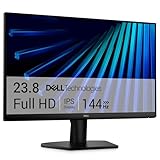
- Clear visuals. Fluid motion: A 144Hz refresh rate and 1ms MPRT deliver smooth, tear‑free motion across work, gaming, and streaming for clearer, more fluid viewing.
- Eye comfort: TÜV Rheinland 3‑star* certification reduces harmful blue light while preserving stunning color quality without compromise. *TÜV Rheinland 3-star eye comfort certification.
- Wide viewing angle: Get consistent views across a wide 178° /178° viewing angle.
- In-Plane Switching (IPS): See excellent color accuracy and consistency across wide viewing angles with In-plane Switching (IPS) technology.
- Ultra-thin bezels: Maximize your viewing experience with thin bezels.
Vimeo documents an unusually detailed set of controls:
- Type and category
- Duration and date uploaded
- Resolution and HDR
- License
- Vimeo collections
- Vimeo 360
- Live events
- Price
The sort menu includes Relevance, Recently uploaded, Most popular, Title (A–Z), Title (Z–A), Longest, and Shortest. Vimeo also provides a Mature content button for controlling which mature-content categories appear.
5. Dailymotion: a separate catalog with simple date and length filters
Dailymotion can uncover videos that do not rank prominently on Google, Bing, or YouTube. It is also useful when you want to search categories such as live content, playlists, users, or hashtags rather than only individual videos.
- Open Dailymotion.com.
- Click the header search field.
- Type your keywords. Search begins automatically.
- Choose the Videos tab.
- Use Sorting, Duration, and Date range.
Sorting can be based on views or upload date. Duration limits the length of the result, while Date range limits the upload period. Results update automatically after filters are applied, and more results load as you scroll.
Dailymotion says a video must be published and public, and must not be subject to Sensitive content restrictions, to surface in its search engine. Therefore, an unpublished, private, or restricted video may exist on the platform without appearing in your results.
The Tool Desk
Outbyte Driver Updater FREEFix the driver behind crashes, sound loss and screen glitchesFind Drivers →Outbyte PC Repair FREEClear out junk files and repair common Windows errorsFree Scan →Also popular on Amazon

- CURVED FOR ENHANCED ENGAGEMENT: An immersive viewing experience with a curved monitor that wraps more closely around your field of vision; It creates a wider view, enhancing depth perception and minimizing peripheral distraction
- SMOOTH PERFORMANCE FOR SEAMLESS CONTENT: Stay in the action when playing games, watching videos, or working on creative projects; The 100Hz refresh rate reduces lag and motion blur so you don't miss a thing in fast-paced moments¹
- MORE GAMING POWER: Gain the edge with optimizable game settings; Color and image contrast can be adjusted to see scenes more vividly and spot enemies hiding in the dark; Game Mode adjusts any game to fill the screen so you can view every detail²
- KEEP IT EASY ON THE EYES: Care for your eyes and stay comfortable, even during long sessions; Advanced eye comfort technology certified by TÜV reduces eye strain by minimizing blue light and reducing irritating screen flicker²
- INCREASED VERSATILITY: Connect to more; Plug devices straight into your monitor for increased flexibility, making your computing environment even more convenient
How to choose the right video search engine
| Your goal | Start here | Why |
|---|---|---|
| You do not know where the video is hosted | Google Videos | It searches across the wider web |
| You need to filter by length, resolution, date, or source | Bing Videos | Its documented filters are more practical for narrowing a mixed catalog |
| You need a tutorial or creator channel | YouTube | Its result-type filters separate videos, Shorts, playlists, movies, and channels |
| You need a polished film, portfolio piece, or HDR video | Vimeo | It exposes creative, technical, license, and sorting filters |
| You want another public platform’s catalog | Dailymotion | It offers separate video, playlist, user, live, and hashtag searches |
Search techniques that work across platforms
- Add the task, not just the topic. Search
replace iPhone 13 screeninstead ofiPhone 13. - Specify the format. Add words such as
full lecture,walkthrough,review,livestream, orshort film. - Add a version or year. For software and operating systems, include the exact version to avoid obsolete instructions.
- Use a site restriction in Google. Queries such as
site:vimeo.com documentary climate migrationfocus results on one host. - Check the source page. A thumbnail, duration, or search label is not proof that the video is complete, current, licensed, or safe to reuse.
- Try a second index. If YouTube returns only popular results, repeat the query in Bing Videos or Google’s Videos tab.
What happened to the other “top 16” entries?
Lists commonly add Internet Archive, Yandex Video, DuckDuckGo, Brave Search, Yahoo Video Search, Ecosia, Startpage, Mojeek, TikTok, Twitch, Rumble, Bilibili, BitChute, and PeerTube. Their interfaces and availability change frequently, and a current authoritative search reference was not available for verification in this research pass.
That does not prove those services cannot search video. It means their exact current filters, menu paths, regional availability, and ranking behavior should not be stated as settled facts without checking the live service and its own documentation. For a dependable workflow, use the five documented options above and treat any additional platform as a separate site to verify before relying on it.
Independent reader supportYour contribution helps us test, update, and keep practical guides available for everyone.FAQ
Is Google Video still a separate search engine?
No. Google’s current documentation describes video discovery inside Google Search. Enter a query at Google.com and select the Videos tab below the search bar. Some results may also show Key Moments.
Which video search engine has the best filters?
Bing has the most useful cross-platform filters among the services covered here, including duration, resolution, source, date, and license. Vimeo offers an even broader set of filters, but its search focuses on Vimeo’s own public catalog.
Windows Errors? Fix Them Before They Spread
Repair common Windows errors and clear accumulated junk for a smoother, more stable PC - no reinstall needed.Free scan · no reinstallOutdated Drivers Are Slowing You Down
One free scan finds every outdated or missing driver and matches the right update for your exact hardware.Free scan · exact hardware matchCan I filter YouTube results by upload date?
Do not assume that a universal Sort by upload date control is available. YouTube’s current official help documents result types such as video, Short, movie, playlist, and channel, but does not establish a universal upload-date sorting control. Add a year to the query and inspect the displayed publication date instead.
Also popular on Amazon

- 【INTEGRATED SPEAKERS】Whether you're at work or in the midst of an intense gaming session, our built-in speakers provide rich and seamless audio, all while keeping your desk clutter-free.
- 【EASY ON THE EYES】 Protect your eyes and enhance your comfort with Blue-Light Shift technology. This feature reduces harmful blue light emissions from your screen, helping to alleviate eye strain during long hours of use and promoting healthier viewing habits.
- 【WIDEN YOUR PERSPECTIVE】Our sleek minimal bezel design ensures undivided attention. The nearly bezel-free display seamlessly connects in a dual monitor arrangement, delivering an unobstructed view that lets you focus on more at once, completely distraction-free.
Does Bing search every video website?
No. Bing aggregates indexed content from multiple sources, including YouTube and Vimeo. Its results are ranked using factors such as relevance, quality, freshness, authority, and popularity, so it should not be treated as a complete neutral index.
Does a Bing license filter make a video safe to reuse?
No. The filter can help locate videos labeled for reuse, modification, or commercial purposes, but you must open the source page and verify the actual license, attribution requirements, restrictions, and ownership.
Why can’t I find a video on Dailymotion?
Dailymotion says videos need to be published and public, and must not be subject to Sensitive content restrictions, to appear in its search engine. A private, unpublished, or restricted video may therefore be absent.
Recommended Free Tools
Can Vimeo search my private videos?
Yes, when you sign in and choose Your Library. Vimeo’s Your Library search uses the Stacked Player icon and searches your own videos. Search all of Vimeo uses the Globe icon and searches public Vimeo videos.
The Bottom Line
Use Google Videos when you want broad web discovery, Bing Videos when filters matter, and YouTube when the content is likely creator or tutorial material. Choose Vimeo for professional and creative work, and check Dailymotion when you want a second public video catalog. Search results are discovery tools—not proof of accuracy, freshness, availability, or reuse rights—so verify the original video page before acting on or republishing anything.

