
Quick wins for a faster PC:
Clear out junk files and repair common Windows errorsFree Scan →Scan for outdated or missing drivers - takes under a minuteDriver Scan →For the quickest export, open your form’s Responses or Responses Overview area and select Open in Excel or Open results in Excel. Use Download a copy for an offline snapshot, a connected workbook for supported form origins, or Power Automate to add each new response to a table you design.
Choose the method that fits your goal
| Method | Best for | Connection to the form | Main consideration |
|---|---|---|---|
| Open results in Excel | Viewing results in a workbook, with updates for eligible forms | Live for supported form origins and storage arrangements | Form origin, workbook location, and edit permissions matter. Microsoft Support |
| Download a copy | Keeping or sharing an offline snapshot | None; it is a separate workbook | Later form responses do not appear in the downloaded copy. Microsoft Support |
| Power Automate and an Excel table | Routing new responses into a planned workbook layout | A flow adds mapped response data to a table | Requires a configured flow, an Excel table, and a workbook in OneDrive or SharePoint. Microsoft Support |
| Sync all responses to a new workbook | Recovering missing or stale results from an eligible work or school account | Creates a replacement workbook with current responses | Availability is limited to eligible Education and business users. Microsoft Support |
Microsoft’s guidance uses the labels Open in Excel and Open results in Excel in different contexts. The workbook is a view of response data: editing it does not change the form itself.
Open the results in Excel or download a copy
- Open the form in Microsoft Forms and go to Responses or Responses Overview.
- Select Open in Excel or Open results in Excel to open the response workbook.
- If you need a portable or offline file, open the adjacent dropdown and choose Download a copy.
The workbook lays out each question as a column and each response as a row. Its first columns include a respondent ID and response start and completion times. Names and email addresses are omitted when the form allows anonymous responses; the respondent ID can still distinguish an individual response. Microsoft Support
A downloaded copy is static: Microsoft says it has no relationship or connection to the form. It will not receive responses submitted later. Choose it when a snapshot is what you need, not as a replacement for a workbook that must stay current. Microsoft Support
Recommended Free Tools
#1 Best Overall

- Universal ink refill kit including: 4 syringes,Compatible with hp refill ink kit 4pcs (1 Black 1 Cyan 1 Magenta 1 Yellow),100ml each bottle,1 pair of gloves
- Compatibility of Ink:Ink refill kit Compatible for hp 950 564 63 962 67 64 65 952 902 932 933 951 60 61 901 62 21 22 920 940 934 711 970 971 94 95 96 ink cartridge, HP 、Epsn、 Canon、 Lexmark、 Brother、 Samsung、Dell、Kodakand most inkjet printer cartridges or refillable ink cartridge or CIS/CISS system.
- High printer page count: Black ink can print 6000 sheets, color ink can print 7000 sheets
- Higher printing quality: vivid colors, clear printing, easy to supplement, better compatibility with your printer, and reduced printing costs.
- Refill ink -12 month warranty, free replacement of universal ink. If you have any questions, please visit the order history and click on "Contact Seller" to contact our professional after-sales service team
When the Excel workbook updates with new responses
Whether opening results creates a live connection depends on how and where the form was created. Microsoft identifies forms started from OneDrive for work or school, SharePoint Online, Excel for the web, Teams, or the Microsoft Forms web part as routes to a connected workbook. Group forms and forms whose ownership has been transferred to a group are also described as ways to keep results updated. A form created directly in Microsoft Forms may open in Excel without a live connection. Microsoft Support
Workbook location follows the form context
- Personal work or school forms typically keep their workbook in OneDrive for work or school.
- Group forms typically keep their workbook in the group’s SharePoint location. Microsoft Support
Access to the workbook also affects updates. Microsoft says the form owner and organization users with edit permission to the workbook can trigger an Excel data update; external users cannot trigger it. For Excel Desktop live opening, Microsoft’s support page specifies Current Channel users on Version 2410 (Build 16.0.18227.20000) or later. Client requirements can change, so check Microsoft’s current guidance if the option is missing. Microsoft Support
Rank #2

- ATTENTION: If you refill the ink cartridge after the ink has been completely depleted, the printer may fail to recognize the cartridge once it is reinstalled. This happens because the original cartridge chip is designed to lock permanently when the ink runs out, causing the printer to display the cartridge as empty or undetected. To avoid this issue, please refill the ink cartridge while there is still some ink remaining
- Advanced Ink Purification Process for Optimal Quality: JoyPrinting’s ink is mixed with ultra-pure water and evenly stirred. It is then filtered using high-molecular nanofiltration equipment to remove impurities such as salts and metal ions, typically through 3-5 cycles. Samples are tested in a lab to ensure the ink meets quality standards, and if necessary, the filtration process is repeated until the desired quality is achieved.
- Easy to Use: JoyPrinting Ink Refill Kit is designed to be user-friendly and straightforward. We offer detailed instructions and all the necessary tools, such as syringes or bottles with specialized nozzles, to facilitate a hassle-free refill processes
- Black Ink Refill Kit for HP 67 67XL 65 65XL 60 61 62 63 63XL 910 910XL 950 951 952 952XL 962 962XL 932 933 923 inkjet printer cartridges or refillable ink cartridge or CISS system. You will get 3 pack of HP black ink refill kit with 1 pair of disposable gloves and 1 x syringe 5ml
- High-Yield Performance: Each bottle offers a high page yield, reducing the need for frequent refills and providing exceptional value for money. Up to 7,000 pages for black ink at 5% coverage (Letter/A4) per cartridge.
Send new responses to a designed Excel table with Power Automate
Use Power Automate when you want each new submission written into a particular workbook and table rather than relying on the Forms response workbook. The documented workflow uses a submitted-response trigger, retrieves that response’s details, then adds a mapped row through Excel Online (Business). Microsoft Support
- Create an automated cloud flow and choose the Microsoft Forms trigger When a new response is submitted.
- Add the Forms action Get response details and select the form.
- Add Excel Online (Business) Add a row into a table. Choose the workbook stored in OneDrive or SharePoint and select its destination table.
- Map each answer field to the corresponding table column, authenticate the connectors, and test that new submissions create the expected rows.
The destination range must be formatted as an Excel table for the action to use it. This approach also requires access to Forms, Excel, and Power Automate. Avoid layering a second response-sync connection onto the same destination if it could write the same submissions again and create duplicates. Microsoft Support
Rank #3

- IMPORTANT: This is an ink refill kit only. Printer recognition may be affected by the condition of your ink cartridge and the remaining lifespan of its chip. Please ensure your cartridge is in good condition and functioning properly before refilling.
- ATTENTION: If you refill the ink cartridge after the ink has been completely depleted, the printer may fail to recognize the cartridge once it is reinstalled. This happens because the original cartridge chip is designed to lock permanently when the ink runs out, causing the printer to display the cartridge as empty or undetected. To avoid this issue, please refill the ink cartridge while there is still some ink remaining
- Wide Compatibility for HP Ink Cartridges: Works with HP 67, 67XL, 62, 63, 64, 65, 68, 60, 61, 910, 950, 951, 952, 962, 923, 936, 902, 932, 933 ink cartridges
- Wide Compatibility for HP Ink Cartridges: Compatible with HP 67 ink refill kit, HP 65 ink refill kit, HP 61 ink refill kit, HP 64 ink refill kit, HP 923 ink refill kit, HP 902 ink refill, HP 910/910XL, HP 950/951, HP 952/952XL, HP 962 962XL, HP 923, HP 932 933 inkjet cartridges, refillable cartridges, and CISS systems.
- Package includes: 5 x bottles of ink refill kit, 100 ml each bottle, 4 syringes, 1 user manual and 1 pair of disposable gloves.
Repair a workbook that is missing or no longer syncing responses
For eligible Education or business users signed in with a work or school account, Microsoft documents a recovery option that creates a fresh workbook with the latest responses. In the form, go to Responses, open More options, and choose Sync all responses to a new workbook. The new workbook is placed alongside the original in OneDrive or SharePoint. This option is not available for a form created directly in Microsoft Forms and opened in Excel without a live connection. Microsoft Support
Microsoft lists several reasons a connected workbook may fail to sync or open correctly:
Rank #4
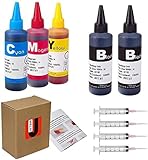
- JETSIR ink refill kit is designed for use with a wide range of compatible ink cartridges, including 950, 951, 952, 902, 901, 60, 61, 62, 63, 21, 22, 564, 920, 940, 932, 933, 711, 970, 971, 92, 94, 95, 96, and 97. Suitable for refillable cartridges, remanufactured cartridges, and continuous ink supply systems (CISS). Please confirm your cartridge type before purchase.
- The JETSIR refill kit includes 5 bottles of dye ink (2 Black, 1 Cyan, 1 Magenta, 1 Yellow), each 100ml. Also included are 4 syringes, refill tips, sealing plugs, and step-by-step instructions—everything you need for a smooth and efficient refill experience.
- Each 100ml bottle provides multiple refills, making this kit ideal for home, office, or small business use. Print more and refill less while reducing overall printing costs.
- JETSIR ink is formulated to deliver vibrant color and crisp black text for documents, photos, reports, and graphics. Enjoy consistent, reliable print quality with every refill.
- Designed for easy refilling, even for first-time users. Refilling your cartridge is quick and easy. Simply draw ink into the syringe, slowly inject it into the cartridge through the refill hole, then seal it securely with the provided plug. For best results, refill gradually to avoid overfilling and allow the cartridge to rest for a few minutes before printing. Following these steps helps ensure smooth ink flow and prevents leakage.
- The workbook is corrupted or too large to open in Excel Online.
- The file is locked or checked out.
- Manual workbook changes, such as adding tables or formulas, interfere with synchronization.
- Information Rights Management (IRM) restrictions prevent access.
Depending on the cause, repair the workbook, remove incompatible edits, check file locks and permissions, or use the new-workbook sync option if your account and form qualify. Microsoft Support
Quick Recap
Best Value

- Compatible Model: The ink bottle refill is compatible for Canon Pixma TS702a TS702 TR8620a IX6820 TR8622a TR6320 PGI-280 CLI-281 PGI-250 CLI-251 PGI-270 CLI-271 PGI-225 CLI-226 PGI-1200 PGI-2200 PGI-550 CLI-551 PGI280 CLI281 series.
- Package Content: 1×100ML Black Ink; 1×100ML Cyan Ink; 1×100ML Magenta Ink; 1×100ML Yellow Ink; total 4×100ML. Refill syringes need to be purchased separately.
- Anti-Clogging: Made of high-quality materials which can prevent corraosion and clogging of printhead. Easy to take and refill.
- Vivid Color: Offering exceptional color saturation and vibrant hues, our ink delivers vivid images that closely resemble the original.
Product prices and availability are accurate as of the date/time indicated and are subject to change. Any price and availability information displayed on Amazon at the time of purchase will apply.
What’s actually slowing this PC down?
Pick the symptom - the matching free tool is one click away.

