
iTechGuides is reader-supported. When you buy through links on our site, we may earn an affiliate commission. As an Amazon Associate I earn from qualifying purchases. Learn more
The best phones for kids in 2025 depend on the child’s maturity, required apps, family ecosystem, and how much internet access parents want to allow. Bark Phone is the strongest monitored option, Gabb Phone 4 is the best tightly restricted first phone, and iPhone or Android remain best when a child needs mainstream apps and flexible controls.
This U.S.-focused roundup separates restricted phones, monitored smartphones, ordinary iPhones and Android phones, and smartwatch alternatives. The rankings describe the 2025 buying season, while some prices and product details below come from sources checked in 2026 and may have changed.
Key takeaways
- Bark Phone is the best overall fit for families wanting monitoring alerts, adjustable app and web controls, screen-time management, and location features.
- Gabb Phone 4 is the most restrictive listed phone because Gabb says it has no open browser, social media, or conventional app store.
- Gabb Phone 4 Pro is aimed at teens who need a parent-managed app ecosystem without the full openness of a standard smartphone.
- Pinwheel offers more hardware and carrier flexibility than most purpose-built kids’ phones, but parents take on more setup and configuration.
- Apple Screen Time and Google Family Link can make a standard iPhone or Android suitable, but neither is the same as comprehensive message monitoring.
- A smartwatch, basic phone, or feature phone may be a better first connected device when a child only needs approved-contact calling and location sharing.
Which phone is best for kids in 2025?
Bark Phone is the best overall choice for parents who want a phone that can become more permissive as a child matures while retaining monitoring and alerts. Gabb Phone 4 is a better choice when the priority is preventing open internet and app-store access. A standard iPhone with Apple Family Sharing and Screen Time is usually the most convenient option for an Apple household, while an Android phone supervised with Google Family Link offers the most flexible mainstream Android route.
There is no universally best phone for kids. The correct choice depends more on the child’s maturity, school rules, communication needs, required apps, existing carrier, and family expectations about privacy than on camera quality or processor speed.
Popular on Amazon

- Multifunctional Kids Smart Phone - 2.8" Touchscreen kids phone rich features, easy to use. Wide range of entertainment and learning options, such as 13 puzzle games, music, ABC learning themes, etc, and equipped with useful gadgets that children need, such as recorder, calculator, calendar, alarm clock, torch, countdown timer, stopwatch, etc. Kids toy cell phones, all in entertainment and learning, are designed for kids aged 3-12 years old
- New Upgrade Kids Phone Learning Toys - Luoba toddler phone newly added learning A-Z letter, ABC learning is easy and fun by combining letter pronunciation and associated animal sounds. 24 iconic buildings from different countries to enrich children's knowledge and inspire automatic exploration of learning. 5 daily learning and 12 habit tracker time alarm management helper, can maintain your child's good daily habits and develop a sense of time
- Joy and Relaxation Time - Kids toys phone has 13 fun puzzle games, it can help children relax and release stress, exercising their logical thinking, reaction skills, and hand-eye coordination. Graffiti painting function can let children give full play to their imagination and creativity. Kids smartphone built-in 10 fun stories, high-quality MP3 music player, support 3.5mm headphone jack, Make child enjoy music on the go. The included 8GB card can store more music
- Dual Camera Recording Good Times- kids smartphones support dual cameras to take pictures and video recording, just like a real smartphone, and quickly switch between front and rear, easy selfies. With 23 cute stickers. Kids choose their favorite stickers to take photos and record the beautiful moments and interesting experiences in their lives with family or friends. To prevent the loss, kids phone for girls boys comes with a durable lanyard for easy carrying
- Great Gifts for Girls Boys - Kids play phones, the touch screen is sensitive, and han 31 styles of wallpaper and 10 desktop background wallpapers to choose from. Comes with a cute pattern design silicone phone case, it can be drop-proof and more durable. Small and exquisite phone, easy to carry, with a 600mAh battery, it offers more usage time. This fake phone is a popular kids toy for girls boys age 3-12, the great surprise Christmas birthday travel gift for kids
Quick comparison: the best phones for kids
The table compares the main device types using prices and features documented in the research dossier. “Not verified” means the research did not establish a current figure, not that the product is free or unavailable.
| Pick | Best for | Internet and apps | Parent controls or monitoring | Price information available | Main drawback |
|---|---|---|---|---|---|
| Bark Phone | Monitoring that can expand with the child | Adjustable web and app access; Bark says workaround VPN downloads are blocked | Bark controls, screen time, location, and monitoring alerts | SafeWise observed a $10-per-month lease and $29-per-month service price in its 2025 comparison | Recurring cost and privacy concerns around monitoring |
| Gabb Phone 4 | A tightly restricted first phone | Gabb says no open browser, social media, or conventional app store | GPS and optional parent-managed contacts | Gabb listed $149.99 for the device and $24.99–$39.99 monthly service as of May 29, 2026 | May not support apps an older child needs |
| Gabb Phone 4 Pro | A restricted phone for teens | Parent-managed, approved-app ecosystem | Controlled apps and service environment | SafeWise listed $149 for the device and $24.99 monthly service; current pricing may differ | Less capable than a normal iPhone or Android |
| Pinwheel | Hardware and carrier flexibility | Parent-approved apps with a safety-rating system | Caregiver Portal controls and app management | Pinwheel says higher-end phones start around $199; exact plan and model pricing varies | More configuration responsibility |
| iPhone with Screen Time | Apple households | Standard iOS apps and web access can be restricted | Family Sharing, Screen Time, Communication Limits, location sharing, and Ask to Buy | Specific iPhone price not verified; depends on model, storage, condition, and retailer | Native controls do not let parents read messages |
| Android with Family Link | Android households | Standard Android apps, Google Play controls, and Chrome restrictions | Screen-time limits, app approval, permissions, and location | Specific Android price not verified; depends on model and condition | Filters are imperfect and capabilities vary by device and account |
| Kids smartwatch | Calling and location without a full smartphone | Usually limited to parent-approved communication | Approved contacts, GPS, and school-mode features vary by watch | Device and service price not verified in the dossier | Small screen, limited apps, and shorter feature lifespan |
SafeWise selected Bark Phone as its 2025 overall winner. SafeWise says its comparison considered more than 25 data points, surveyed 1,000 parents, tested 11 phone models, and used 28 testers; those are SafeWise’s published methodology claims, not independent industry-wide findings. Read SafeWise’s 2025 comparison and methodology.
How should parents decide whether a child needs a phone?
A child needs a phone when reliable two-way communication, location sharing, transit, sports, or emergency access justifies giving the child a personal connected device. A child who only needs to call a parent after school may not need a general-purpose smartphone.
The Tool Desk
Outbyte Driver Updater FREEFix the driver behind crashes, sound loss and screen glitchesFind Drivers →Outbyte PC Repair FREEClear out junk files and repair common Windows errorsFree Scan →Separate the child’s actual need from the child’s request. These needs point to different devices:
| Child’s need | Usually suitable device type | Why |
|---|---|---|
| Call a parent after school | Basic phone, restricted phone, or smartwatch | Provides communication without unnecessary apps |
| Two-way texting with family or caregivers | Restricted phone, smartwatch, iPhone, or Android | Contact controls can limit communication to approved people |
| Location sharing for walking, sports, or transit | Phone or GPS-enabled smartwatch | Provides location when powered on and connected |
| School, authentication, music, transportation, or productivity apps | Gabb Phone 4 Pro, Pinwheel, iPhone, or Android | A no-app device may block an essential service |
| Social media, games, and broad peer connection | Usually a controlled smartphone with a staged-access plan | Parents can approve services gradually instead of opening everything at once |
| Status or peer pressure only | Delay a personal smartphone or choose a simpler alternative | Social pressure alone does not establish a safety or communication need |
What age is appropriate for a child’s first phone?
There is no single correct age for a first phone. Maturity, independence, school and travel routines, and the child’s ability to follow family rules matter more than a birthday.
- Ages roughly 5–9: Consider a parent-managed smartwatch, basic phone, or highly restricted device. A full smartphone is usually unnecessary unless circumstances require one.
- Ages roughly 9–13: Gabb Phone 4, a Pinwheel starter model, a controlled Android phone, or an iPhone with strict Screen Time settings may fit.
- Ages roughly 13–18: Consider whether the child needs a browser, school apps, transportation, music, authentication, or carefully approved social platforms. Bark Phone, Gabb Phone 4 Pro, Pinwheel, iPhone, and Android become more relevant.
Gabb’s own guidance recommends Gabb Watch 3e for ages 5–12, Gabb Phone 4 for ages 9–13, and Gabb Phone 4 Pro for ages 14–18. Those are manufacturer recommendations, not objective developmental standards. See Gabb’s published age guidance.
How restricted should a child’s phone be?
Kids’ phones sit on a restriction spectrum, from no internet at all to a normal smartphone with controls configured by a parent:
- No open internet or app store: Gabb Phone 4.
- Curated or parent-approved apps: Gabb Phone 4 Pro and Pinwheel.
- Controlled smartphone with monitoring: Bark Phone.
- Standard smartphone with native controls: iPhone or Android.
- Unrestricted smartphone: Usually a poor first-phone choice unless parents are prepared to configure and supervise it carefully.
Parents should distinguish four different safety mechanisms. Blocking prevents access to an app or site. Filtering limits content within a permitted service. Monitoring and alerting identifies possible risks after content or activity occurs. Reviewing gives a parent access to activity or messages. These mechanisms are not interchangeable.
A device that blocks a normal browser but permits a large app catalog is not equivalent to a no-internet phone. Before buying, ask whether the child can use alternate browsers, VPNs, in-app browsers, search tools inside games or video apps, secondary accounts, messaging links, cellular hotspots, or another device.
What is the best overall kids’ phone?
Bark Phone: best for adjustable controls and monitoring
Bark Phone is the best overall pick for parents who want a monitored phone that can grow with a child. SafeWise’s 2025 comparison selected Bark Phone as its overall winner and described optional internet access, text and email monitoring, location features, and adjustable controls. SafeWise listed a $10-per-month lease, $29-per-month service price, 60-day money-back period, and one-year warranty in its comparison; those figures were observed by SafeWise and should be rechecked before purchase. See the SafeWise Bark Phone price snapshot.
Also popular on Amazon

- Multifunctional Kids Smart Phone:The upgraded touchscreen kids' cell phone comes with various features, including a selfie camera, MP3 player, games, paint, voice recorder, country and daily guide, alarm, flashlight, stopwatch, calculator, theme and screensaver selection, time format, volume control, and more. It offers convenience, fun, and a new experience for kids ages 4-12.
- Educational Kids Toy:The upgraded kids' toy phone features 26 alphabet lessons, 10 storybook fables, 24 country landmarks, 5 daily activities, and 13 puzzle games to enhance logic, thinking, and reaction skills. With the drawing feature, kids can express themselves artistically anytime, without needing paper or a dedicated drawing area.
- Habit Tracking: The toddler toy phone includes a built-in flashlight for exploring and a timer for managing time. The habit recorder helps remind children to engage in activities like studying, eating, and exercising, promoting the development of good habits and improving self-discipline and focus.
- MP3 Music Player and Funny Photo Frames: The kids pretend phones features high-quality speakers for enjoying music without headphones. It includes an SD memory card for downloading MP3 songs, pictures, and videos. Children can take photos with 23 funny frames, capturing happy moments with family and friends.
- Great Gift for Girls and Boys Ages 3-8:The kids smartphones is small, lightweight, and made from safe materials. It's an ideal gift for birthdays and Christmas for boys and girls aged 3 - 10.
Bark’s product material says Bark Phone includes controls for apps, web access, and screen time, along with monitoring alerts. Bark also says children cannot delete text messages without permission and cannot download workaround VPNs. Those are vendor claims about the product and should not be treated as proof that every bypass or risk is impossible. Review Bark’s documented Phone and Watch controls.
Bark Phone is a strong fit when parents want to begin with limited access and loosen restrictions as the child demonstrates responsibility. Bark Phone is a poor fit when the family does not want message or content monitoring, when a monthly service cost is unacceptable, or when a teenager expects normal smartphone privacy.
Monitoring is not prevention. Alerts can produce false positives, miss coded language, overlook unsupported services, or appear after harmful content has already been created or transmitted. Parents should ask exactly which apps, messages, images, emails, and services are covered before treating Bark alerts as a complete safety system.
What is the best restricted first phone?
Gabb Phone 4: best for calling, texting, GPS, and minimal internet exposure
Gabb Phone 4 is the best restricted first phone for a child who needs basic communication and location but does not need open internet or conventional smartphone apps. Gabb says Phone 4 has no social media, open browser, or app store. Gabb also lists GPS location updates, calling, texting, a camera, and optional parent-managed contacts. Review Gabb Phone 4’s documented features.
Gabb’s comparison chart lists a 13-megapixel wide camera and 5-megapixel ultrawide camera for Phone 4. Gabb’s comparison with iPhone listed the device at $149.99 and cellular service at $24.99–$39.99, based on public information dated May 29, 2026. Those 2026 figures should not be presented as definitive 2025 pricing. Check Gabb’s comparison chart and its dated Gabb Phone 4 price comparison.
Do these 3 things before closing this tab:
1Fix the driver behind crashes, sound loss and screen glitches2Repair Windows errors before they cause bigger problems3Scan for outdated or missing drivers - takes under a minutePhone 4 is a good match for many younger first-time users because the restriction is structural rather than dependent on a parent configuring every browser and app. The same restriction can frustrate an older child who needs school communication, transit, two-factor authentication, music, video calling, or other services. Gabb requires its own service arrangement, so parents should compare total first-year cost with adding a line to an existing carrier plan.
What is the best restricted phone for teens?
Gabb Phone 4 Pro: best for a teen who is not ready for a fully open smartphone
Gabb Phone 4 Pro is the better Gabb choice for a teen who needs more capability than Phone 4 but still benefits from a parent-managed app ecosystem. Gabb positions Phone 4 Pro as a safer teen phone with a parent-managed app store and approved-application controls. Read Gabb’s Phone 4 Pro product information.
Gabb recommends Phone 4 Pro for ages 14–18, but that age range is marketing guidance rather than developmental evidence. Phone 4 Pro is not feature-equivalent to a standard iPhone or Android: parents must check whether the child’s specific school, transportation, music, authentication, productivity, and social needs are supported.
SafeWise listed $149 for the device and $24.99 per month for service in its comparison. Because current manufacturer pricing can differ from that comparison, label the figure as a SafeWise price snapshot rather than a current guaranteed cost.
PC Slower Than It Used to Be?
A free scan shows the junk files, broken settings and background clutter dragging Windows down - then fixes them in one click.Free scan · Windows 10 & 11Crashes, No Sound, or Screen Glitches?
Random freezes, missing sound and display glitches usually trace back to one bad driver. Find and replace yours safely.Free scan · under a minuteWhat is the best flexible safe phone?
Pinwheel: best for approved apps, hardware choice, and carrier flexibility
Pinwheel is the best fit for families that want a conventional Android-style phone, parent-approved apps, and a choice of cellular carrier. Pinwheel says it offers starter and premium phones from Samsung, Motorola, and Google Pixel, along with parent controls and an app safety-rating system. Pinwheel also says families can choose their own cellular carrier and plan. See Pinwheel’s current device and caregiver-control overview.
Also popular on Amazon

- 【All in one Kids phone toy】: KOKODI kids' phone toy offers a variety of applications to suit toddlers' demands for a phone. With photoing and videoing, kids can freely capture any moment they want. Exclusive features include ABC, story, painting, etc to cultivate empathy and foster logical thinking skills. Besides, Habits help children manage time and help them feel less overwhelmed and in turn, make them feel more accomplished and confident in completing tasks throughout all areas of life.
- 【Make Shooting Effortless】: KOKODI kids' phone automatically locks onto people, pets, and birds. So kids can effortlessly take a snap or self-snap with 23 funny stickers. The 2.8-inch sensitive touchscreen makes it easy to start and stop recording. KOKODI kids' phone is designed to explore possibilities for kids' imaging expression with exceptional performance in taking pictures and recording videos.
- 【Pre-load & Play】: Can't wait for a game? 31 Pre-installed educational puzzle games to KOKODI toodler phone toy and play as soon as it's powered on. Three game modes are available: easy, normal, and hard. Choose from thousands of music and hundreds of stories supported by large memory. Start enjoying the precious parent-child moment anytime and anywhere your kids' most anticipated music or story is available when you pre-download it.
- 【Built For Everyday】: KOKODI kids phone toy comes with a premium silicone case that covers the phone all around to prevent accidental drop damage no matter at home or on the go. All of the phone's buttons and switches work flawlessly, with convenient open access to ports and speakers. 2 colors are in stock. Choose nebula pink or deep blue, each with a unique texture. A Raised surface design of a cute dinosaur or unicorn on the phone's back. Look closely, and you'll also find little stars!
- 【Perfect Gift】: Great as a birthday, back-to-school, and Christmas gift for your nephew or your little one aged 3 4 5 6 7 8 9. KOKODI kid's phones are easy to use, never out of time, and give kids the freedom to record, capture the world, and share photos with family or friends. Enjoy more ways to spend leisure time without kids being exposed to potential cyber dangers also keep kids away from your phones and remote control. Can't wait to be taken to home!!!
Pinwheel’s model gives parents more hardware and carrier choice than a tightly integrated service, but flexibility creates more work. Parents must select a compatible model, confirm carrier support, review the app catalog, configure restrictions, and understand what the Caregiver Portal can and cannot monitor.
Pinwheel’s comparison page describes a Caregiver Portal subscription and Pinwheel Wireless option and says higher-end phones start around $199. The figure is vendor-published and may reflect 2026 pricing rather than the 2025 buying season. Check the exact model, plan, activation charge, taxes, warranty, and return terms before comparing Pinwheel with a bundled phone service. Review Pinwheel’s current comparison and carrier information.
Is an iPhone with Apple controls a good choice for kids?
An iPhone with Apple Family Sharing and Screen Time is the best mainstream option for an Apple household that wants to configure controls itself. Apple’s controls include Downtime, app limits, web-content restrictions, age-rated content limits, Communication Limits, location sharing, and purchase approval through Ask to Buy. Apple documents the setup path as Settings > Family > child > Screen Time, although labels and available controls vary by region, age, and software version. Follow Apple’s current parental-control setup guide.
Free tools Windows power users keep installed
One-click scans. No signup required.
Apple’s Communication Safety feature detects certain sensitive images and videos in relevant circumstances; Apple’s communication controls do not let parents read a child’s messages or listen to conversations. Apple therefore provides restrictions, warnings, and communication limits rather than full message surveillance. Review Apple’s explanation of Family Sharing safety features and limitations.
An iPhone can be economical when a family already owns a compatible device or can add the phone to an existing carrier plan. The research dossier did not verify a current iPhone price, so the first-year cost depends on the exact model, storage, condition, battery health, carrier, financing, insurance, and activation fees.
An iPhone is a poor fit if parents expect comprehensive monitoring of every message or app. Parents must also protect the Screen Time passcode, configure Family Sharing correctly, and test restrictions inside the particular apps the child uses.
Is an Android phone with Google Family Link a good choice?
An Android phone with Google Family Link is the best mainstream Android option for families willing to configure a standard phone and supervise its account. Google Family Link supports daily screen-time limits, app approval and blocking, Google Play maturity controls, some permission settings, Chrome restrictions, and device location on compatible supervised devices. See Google’s supported Family Link settings.
Google’s documented setup path for a daily limit is Family Link > child > Screen time > Time limits > Daily limit > Weekly schedule. Google says an app block may take about five minutes or until the child’s device reconnects to the internet. Read Google’s Family Link setup requirements and instructions.
Family Link works best when the child uses a compatible supervised Android or ChromeOS device. A parent can manage the account from Android, iPhone, iPad, or a compatible Chromebook, but Google says some controls do not apply when the child uses an iPhone, iPad, or the general web. Google also warns that Family Link filters are not perfect and may not block all inappropriate content. Review Google’s Family Link limitations.
Android plus Family Link can be the lowest-cost full-smartphone route when a family already owns a suitable phone. The trade-off is configuration: parents must review browsers, VPNs, app permissions, secondary accounts, third-party services, and the child’s actual usage rather than assuming one dashboard covers every risk.
Also popular on Amazon

- 3.5" Touchscreen Kids Phone: Ignite Your Child’s Curiosity Through Play! The Byserten kids' toy phone features a big, bright 3.5-inch screen for a comfortable and pretend-play experience, delivering learning and creative fun with toy dual cameras, interactive virtual pets, drawing, games, growing rewards, music, habit trackers, and more
- Fun Learn Through Play: ABCs, Stories & Global Adventures! Spark curiosity with interactive ABCs and animal sounds, 10 enchanting fables, and 23 global landmarks to explore. This toy phone builds language skills and cultural knowledge while keeping kids engaged for hours, making it a wonderful 3 4 5 year old boy gift for early learning
- Form Good Habits & Time Skills: Empower your child to manage their day like adult! With an alarm clock, timer, stopwatch, and 12 habit trackers, kids can establish routines, develop time awareness, and gain independence—all through playful interaction
- Dual Camera & Recorder: Say Cheese! Let your little director’s creativity run wild! With front and rear cameras, 20 hilarious stickers, video playback, and voice recorder, it’s their very own mini studio—perfect for capturing silly moments and creating lasting memories
- Interactive Pets & Growing Rewards: Meet two playful virtual pets kids can interact with, play with and care for. Children can collect energy points through activities such as caring for pets, growing virtual crops, drawing and editing photos, then use the energy to grow virtual trees. This connected play system gives kids a fun reason to create, care, collect and keep exploring.
Should a child get a smartwatch instead of a phone?
A kids smartwatch is often the better first connected device when a younger child needs approved-contact calling, basic messaging, and location but does not need a browser, keyboard, or app ecosystem. A watch can reduce internet exposure and simplify contact management, and school-mode features may help with school rules.
What’s actually slowing this PC down?
Pick the symptom - the matching free tool is one click away.
A smartwatch is a poor fit when the child needs long-form messages, school or transit apps, two-factor authentication, music, video calls, or reliable independent use away from a paired ecosystem. Parents should verify battery life, GPS behavior, cellular coverage, subscription requirements, approved contacts, emergency calling, replacement cost, and school policy.
Location is not guaranteed by a phone or watch. GPS can be delayed or unavailable indoors, when the device is powered off, outside cellular coverage, in low-power mode, without an internet connection, or when the child has left the device behind. Google says Family Link location features require a compatible device that is powered on and connected to the internet. Review Google’s location and privacy conditions.
How do the main kids’ phone approaches differ?
| Approach | What parents control | What parents generally do not get | Best fit |
|---|---|---|---|
| Gabb Phone 4 | Restricted device environment, contacts, GPS, and basic communication | Open app and web ecosystem | Young first-time phone users |
| Gabb Phone 4 Pro | Approved applications in a parent-managed ecosystem | Full standard smartphone flexibility | Teens who need selected apps |
| Bark Phone | App, web, and screen-time controls plus monitoring alerts | Guaranteed prevention of every online risk or perfect detection | Families comfortable with monitoring |
| Pinwheel | Approved apps, caregiver settings, and selected hardware/carrier options | Zero-configuration simplicity | Families wanting flexibility |
| Apple Screen Time | Downtime, app limits, content, communication limits, and purchases | Parents reading all messages through native controls | Apple households |
| Google Family Link | Screen time, supervised apps, Play content, some permissions, and location | Perfect filtering or full control over a child’s iOS activity | Android households |
What should parents check before buying?
- Carrier and coverage: Confirm coverage at home, school, sports venues, and travel destinations. Confirm whether the exact model can use the family’s carrier.
- School policy: A school or district may prohibit phones even when a device has parental controls. Ask whether a watch, basic phone, or powered-off phone is allowed.
- Required apps: Check school platforms, authentication apps, transit, sports teams, music, video calling, homework, productivity, family-location, and emergency services.
- Total first-year cost: Add the device, monthly service, required control subscription, activation, taxes, fees, financing, insurance, and likely replacement costs. A cheap handset can have an expensive required plan.
- Returns and warranty: Verify the return period, warranty duration, replacement fees, accidental-damage exclusions, and whether a replacement must come from the same vendor.
- Contact rules: Decide who can call or message the child, whether group messages are allowed, and how the child requests a new contact.
- Location expectations: Explain that location sharing requires a powered-on, connected device and does not prove who is carrying it.
- Monitoring agreement: Tell the child what parents can see, what triggers alerts, who reviews alerts, and when the rules will be revisited.
- Lost-device plan: Confirm remote lock, remote erase, plan suspension, replacement process, and whether the child has another way to contact a caregiver.
- International use: Verify whether the device and service work outside the United States; the dossier does not establish universal international compatibility for these products.
How should parents set up a child’s phone safely?
Apple setup
- Open Settings on the parent’s Apple device.
- Tap Family, select the child, and tap Screen Time.
- Configure Downtime, App Limits, Web Content, app age ratings, Content & Privacy Restrictions, Communication Limits, and purchase approvals.
- Set a Screen Time passcode that the child does not know.
- Test the actual browser, games, messaging apps, and school services the child will use.
If Apple restrictions do not apply, confirm the child is in the correct Family Sharing group, signed in with the intended Apple Account, and using current software. Check the specific app because a system-level restriction does not guarantee identical behavior inside every third-party service.
Google Family Link setup
- Open the Family Link app and select the child.
- Tap Screen time, then Time limits, and turn on Daily limit.
- Choose Weekly schedule, select a day, and enter the limit.
- Apply the schedule and tap Done.
- Review app approvals, Google Play maturity settings, Chrome restrictions, permissions, location, and bedtime rules.
If a restriction fails, confirm that the child is using a compatible supervised Android or ChromeOS device, both devices are online, and the child is signed in with the supervised account. Google notes that some controls do not apply to a child’s iPhone, iPad, or general web activity. Use Google’s current setup documentation when menus differ.
Quick wins for a faster PC:
Clear out junk files and repair common Windows errorsFree Scan →Scan for outdated or missing drivers - takes under a minuteDriver Scan →What can go wrong with a restricted or monitored phone?
“The restricted phone still reaches the web”
Check alternate browsers, VPNs, in-app browsers, search inside video or game apps, shared family accounts, web links in messages, cellular hotspot use, and access to another device. Ask whether the phone blocks a service entirely or only blocks one route to that service.
“Monitoring means the child is protected”
Monitoring may alert parents after a message, image, or search occurs. Monitoring may miss slang, coded language, disappearing messages, encrypted services, unsupported apps, or activity on another device. Parents still need conversations, clear rules, and an escalation plan.
“Location tracking is always accurate”
Location may be delayed or unavailable when the device is indoors, powered off, disconnected, in low-power mode, outside cellular coverage, or left behind. Treat location sharing as a useful feature, not a guaranteed safety boundary.
“The child needs a school app the phone cannot install”
Check essential apps before purchase. A safer device that prevents required school, transit, authentication, or family communication is the wrong device for that child.
Recommended Free Tools
“Parents want to read every message”
Contact restrictions, content warnings, message monitoring, message-history access, deleted-message visibility, and full conversation access are different capabilities. Apple’s native controls do not give parents access to read messages, while specialized services may offer broader monitoring or alerts. Decide whether that level of oversight is appropriate for the child and explain the policy in advance.
Also popular on Amazon
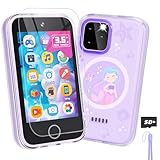
- Upgraded Kids Smartphone Toy:This upgraded kids’ phone features a larger 3.5-inch screen, making it easy and comfortable for children ages 3-10 to use. Loaded with dual cameras, music and video players, fun games, educational apps, calculator, recorder, flashlight, and more, it offers a realistic smartphone experience designed to both entertain and educate.
- Fun & Educational Playtime:Packed with 34 puzzle games, this kids' toy phone helps develop logical thinking, reaction time, and hand-eye coordination. Parents can set “Study Mode” to limit playtime, ensuring kids balance learning and fun while building healthy screen habits.
- Learning Made Engaging:Pre-installed with ABC learning, animal sounds, fables, and world landmarks, this toddler phone makes learning exciting. Kids can listen to 10 classic fables, explore 23 famous buildings from around the globe, and track daily habits with built-in habit and time management tools—encouraging curiosity and self-discipline from an early age.
- Capture Memories with Dual Cameras:Just like a real phone, the front and rear dual cameras allow kids to take selfies, record videos, and add fun stickers to their photos. With a 3.5mm headphone jack and built-in MP3/MP4 player, children can enjoy music, stories, and videos anywhere—keeping them entertained at home or on the go.
- Ideal Gift for Boys & Girls:This toy phone comes with a protective case and tempered screen film to prevent accidental drops. Powered by a rechargeable 1000mAh battery, it offers longer playtime. A perfect birthday, holiday, or travel gift for kids ages 3-12, bringing endless fun and learning in one smart package.
How we evaluated these picks
This is an editorial decision framework, not a claim of laboratory testing. The most important criterion is safety architecture at 25%, followed by parent controls at 20%, age and maturity fit at 15%, communication reliability at 15%, cost and ownership at 15%, and growth and flexibility at 10%.
The framework distinguishes vendor claims from documented platform capabilities and independent publication claims. Gabb’s statements about its restricted environment, Bark’s statements about monitoring and VPN controls, Pinwheel’s statements about carrier and caregiver features, Apple’s documentation, Google’s documentation, and SafeWise’s ranking are attributed to their respective sources rather than presented as universal guarantees.
Frequently Asked Questions
What is the best first phone for a 10-year-old?
Gabb Phone 4 is the strongest fit when a 10-year-old needs calling, texting, GPS, and a camera without open internet or a conventional app store. A supervised iPhone, Android, or Pinwheel phone may be better if the child needs school, transit, authentication, or music apps.
Is Gabb better than an iPhone for a child?
Gabb is better when parents prioritize a restricted environment and minimal internet exposure; an iPhone is better when the child needs mainstream apps and the family is willing to configure Apple Family Sharing and Screen Time. The two products solve different problems rather than offering equivalent controls.
Is Bark Phone worth the monthly cost?
Bark Phone can be worth the recurring cost for families that want integrated monitoring alerts, adjustable web and app access, screen-time controls, and location features. Bark Phone is less suitable for families that do not want message or content monitoring or that can add a standard phone cheaply to an existing carrier plan.
Can a child use a phone without social media?
Yes. Gabb Phone 4 is designed without social media, an open browser, or a conventional app store according to Gabb. Parents can also restrict social apps on iPhone with Screen Time, Android with Family Link, Bark Phone, or Pinwheel, although the exact controls and potential workarounds differ.
Does Google Family Link work fully on an iPhone used by a child?
No. Google Family Link’s strongest controls apply to compatible supervised Android or ChromeOS devices, and Google says some controls do not apply when the child uses an iPhone, iPad, or the general web. Families with an Apple-first setup should generally evaluate Apple Family Sharing and Screen Time instead.
The Bottom Line
Bottom line: Choose Gabb Phone 4 for the most restricted first-phone experience, Bark Phone for adjustable controls and monitoring alerts, Gabb Phone 4 Pro for a more capable but still curated teen phone, and Pinwheel when hardware and carrier choice matter. Choose iPhone or Android when the child genuinely needs mainstream apps and the parent is prepared to configure native controls. Choose a smartwatch or basic phone when the child only needs communication and location.
Before paying, compare the complete first-year cost and test the exact apps, contacts, coverage, location behavior, school rules, return policy, warranty, and lost-device process. The safest device is the one that meets the child’s real communication needs without granting more access—or collecting more activity—than the family has consciously agreed to.

