
Do these 3 things before closing this tab:
1Fix the driver behind crashes, sound loss and screen glitches2Clear out junk files and repair common Windows errors3Scan for outdated or missing drivers - takes under a minuteiTechGuides is reader-supported. When you buy through links on our site, we may earn an affiliate commission. As an Amazon Associate I earn from qualifying purchases. Learn more
The best laptop for most professional graphic designers in 2026 is the 14-inch MacBook Pro with M5 Pro, 24GB unified memory, and at least 1TB of storage. It is the safest all-rounder for Photoshop, Illustrator, InDesign, client work, travel, and long-term use. Windows users who need NVIDIA graphics, touch, or pen input should choose the ASUS ProArt P16; frequent travelers should choose the 13-inch MacBook Air with M5; and budget-conscious 2D designers should consider the ASUS Zenbook 14 OLED.
The important word is “most.” A print designer, illustrator, 3D artist, student, and freelance web designer should not buy the same configuration. This guide matches current laptops to those workflows and separates manufacturer specifications from independent testing of specific review units.
For most professional graphic designers, the best default is the 14-inch MacBook Pro with M5 Pro, 24GB unified memory, and at least a 1TB SSD. It combines an excellent wide-gamut display, strong sustained performance, long battery life, useful ports, and enough memory headroom for years of Photoshop, Illustrator, InDesign, and browser multitasking.
Windows users should start with the ASUS ProArt P16, especially if they need an NVIDIA GPU, touchscreen, or pen input. Designers who travel constantly should choose the 13-inch MacBook Air with M5. For lower-cost Windows 2D work, the ASUS Zenbook 14 OLED UM3406 is the sensible value pick. The MacBook Neo is the least expensive route into macOS, but its 8GB of memory and 256GB base storage make it suitable only for light or introductory work.
The right laptop depends on the work behind the label “graphic design.” Logos, layouts, web graphics, print production, illustration, video, 3D, and AI-assisted workflows place meaningfully different demands on a computer. Prices and configurations below are U.S. snapshots checked through August 10, 2026 and should be verified before purchase.
Quick recommendations
| Category | Recommended laptop and configuration | Best for | Main limitation |
|---|---|---|---|
| Best overall | 14-inch MacBook Pro, M5 Pro, 24GB, 1TB | Professional mixed Adobe work | Expensive; no touchscreen or pen input |
| Best Windows creator laptop | ASUS ProArt P16 H7606, preferably RTX 5070 or a lower-priced RTX configuration | Design plus GPU work, illustration, video, 3D, and stylus use | Heavy, costly, and noisy under sustained load |
| Best portable laptop | 13-inch MacBook Air, M5, 16GB/512GB minimum | Traveling designers and mainstream 2D work | Fanless cooling, two ports, 60Hz display |
| Best Windows value | ASUS Zenbook 14 OLED UM3406, 32GB/1TB | Students and 2D designers | Integrated graphics and soldered memory |
| Best Windows performance/value balance | Lenovo Yoga Pro 7i Gen 11 Aura Edition, RTX 5060/32GB/1TB | Windows users wanting OLED touch and RTX performance | High price and weak battery life in testing |
| Best smaller GPU laptop | Acer Swift X 14 AI, RTX 5060 | Portable design, video, and GPU-accelerated work | Smaller screen and less workstation-like build |
| Best budget Mac | MacBook Neo | Light Photoshop, Illustrator, Canva, and school work | 8GB memory and 256GB base storage |
| Best tablet/stylus option | Surface Pro 11, after compatibility checks | Tablet-style sketching and pen input | Windows on ARM compatibility; keyboard and pen cost extra |
| Best for print and color-critical work | MacBook Pro 14 M5 Pro plus a calibrated external monitor | Print, packaging, prepress, and soft proofing | The laptop display alone cannot guarantee printed color |
Best overall: 14-inch MacBook Pro with M5 Pro
The 14-inch MacBook Pro with M5 Pro is the safest all-round choice for a professional designer who wants one computer for Adobe applications, client work, travel, and long-term use. The recommended starting point is 24GB unified memory and a 1TB SSD. Move to 32GB or more if you regularly keep Photoshop, Illustrator, InDesign, Lightroom, video software, a browser, and communication tools open together.
Its Liquid Retina XDR display offers P3 wide color, up to 1,000 nits of sustained XDR brightness, up to 1,600 nits HDR peak brightness, and ProMotion refresh rates up to 120Hz. Those brightness figures describe different HDR and sustained-use conditions; they should not be read as a claim that the panel runs at 1,600 nits across the entire screen in ordinary SDR work. Apple’s complete specifications are available on the MacBook Pro specifications page.
What’s actually slowing this PC down?
Pick the symptom - the matching free tool is one click away.
Popular on Amazon
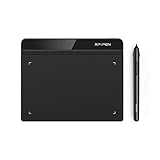
- Battery-Free Pen: StarG640 drawing tablet is the perfect replacement for a traditional mouse! The XPPen advanced Battery-free PN01 stylus does not require charging, allowing for constant uninterrupted Draw and Play, making lines flow quicker and smoother, enhancing overall performance
- Ideal for Online Education: XPPen G640 graphics tablet is designed for digital drawing, painting, sketching, E-signatures, online teaching, remote work, photo editing, it's compatible with Microsoft Office apps like Word, PowerPoint, OneNote, Zoom, Xsplit etc. Works perfect than a mouse, visually present your handwritten notes, signatures precisely
- Compact and Portable: The G640 art tablet is only 2 mm thick, it's as slim as all primary level graphic tablets, allowing you to carry it with you on the go
- Chromebook Supported: XPPen G640 digital drawing tablet is ready to work seamlessly with Chromebook devices now, so you can create information-rich content and collaborate with teachers and classmates on Google Jamboard’s whiteboard; Take notes quickly and conveniently with Google Keep, and effortlessly sketch diagrams with the Google Canvas
- Multipurpose Use: Designed for playing OSU! Game, digital drawing, painting, sketch, sign documents digitally, this writing tablet also compatible with Microsoft Office programs like Word, PowerPoint, OneNote and more. Create mind-maps, draw diagrams or take notes as replacement for mouse
M5 Pro configurations also bring a practical port selection: three Thunderbolt 5 ports, HDMI, an SDXC card slot, MagSafe charging, and a headphone jack. That matters when a designer moves photos from a camera, connects a calibrated monitor, attaches fast external storage, or works from a dock. The base M5 MacBook Pro uses Thunderbolt 4, so do not treat every 14-inch MacBook Pro as the same machine.
Apple’s U.S. store lists the base 14-inch MacBook Pro with M5 from $1,999; the M5 Pro version starts at $2,499 on the product configurator at the research cutoff. The M5 Max is justified mainly by demanding video, 3D, rendering, AI, or other GPU-heavy work. It is not a necessary upgrade for ordinary logos, layouts, web graphics, or moderate Photoshop files. Check the current U.S. MacBook Pro store listings because Apple changes configurations and pricing.
Independent testing of the preceding MacBook Pro generation found near-perfect factory display calibration and strong performance. That evidence belongs to the tested prior-generation configuration, not automatically to every current M5 model, but it supports the MacBook Pro’s display and professional-workstation reputation. Current reviews identify the M5 generation as the relevant successor.
Choose it if: you want the best balance of screen quality, sustained performance, battery life, ports, and professional headroom.
Quick wins for a faster PC:
Fix the driver behind crashes, sound loss and screen glitchesFind Drivers →Repair Windows errors before they cause bigger problemsFix Now →Do not choose it if: you require a touchscreen, built-in pen input, Windows-only software, or a CUDA-dependent workflow.
Best Windows creator laptop: ASUS ProArt P16
The ASUS ProArt P16 H7606 is the strongest Windows recommendation for designers who want a high-resolution OLED touchscreen, stylus support, and a discrete NVIDIA GPU. It is a creator workstation rather than simply a thin laptop with a colorful screen.
The product family is highly configuration-sensitive. Available combinations include an AMD Ryzen AI 9 HX 370 processor, RTX 4060, RTX 4070, RTX 5070, or RTX 5090 Laptop GPU, OLED panels ranging from 3K 120Hz to 4K 60Hz and 4K 120Hz, and up to 64GB of memory on some configurations. The family generally includes 100% DCI-P3 coverage, touchscreen capability, stylus support, and PANTONE validation, but those are manufacturer specifications and validation claims—not substitutes for independent colorimeter results. Confirm the exact panel and GPU on the retailer page before buying.
Ports include an SD card reader, HDMI, USB-C, USB-A, and USB4 connectivity. Stylus and other accessory bundles can vary by market and configuration, so verify what is included rather than assuming the pen is in the box. ASUS’s technical specifications and U.S. store listings are the useful references.
Independent measurements illustrate why the configuration matters. Creative Bloq tested a Ryzen AI 9 HX 370/RTX 4070 model with a 4K OLED display and measured 100.6% DCI-P3 coverage, 98% sRGB coverage, Delta E of 0.92, and 496 nits of HDR brightness. Those figures describe that tested unit; they should not be automatically applied to the newer RTX 5070 or RTX 5090 models. Notebookcheck’s newer RTX 5090 review called that configuration the best creator laptop in its Windows category while also making clear that it is a much more expensive, high-end machine.
ASUS’s U.S. store lists an RTX 5070 configuration at $3,999.99 and an RTX 5090 configuration at $5,499.99 at the research cutoff. An RTX 5090 is excessive for ordinary Photoshop, Illustrator, or InDesign. It makes sense when the same laptop must handle serious 3D, GPU rendering, advanced video effects, AI workloads, or demanding high-resolution projects. Under sustained load, expect more heat, fan noise, weight, and battery compromise than from a MacBook Air or Pro.
Choose it if: you need Windows, NVIDIA graphics, a touchscreen, pen input, and a high-end display in one machine.
Do not choose it if: your work is exclusively 2D and you would rather spend the budget on a calibrated monitor, storage, or a lighter laptop.
The Tool Desk
Outbyte PC Repair FREEClear out junk files and repair common Windows errorsFree Scan →Outbyte Driver Updater FREEScan for outdated or missing drivers - takes under a minuteDriver Scan →Best portable laptop: 13-inch MacBook Air with M5
The 13-inch MacBook Air with M5 is the best choice for designers who value low weight, silent operation, battery life, and everyday mobility more than maximum sustained performance. It is well suited to logos, branding, social graphics, web design, ordinary Photoshop files, and layout work.
Apple lists an M5 processor with an 8-core or 10-core GPU, 16GB unified memory as the base, optional 24GB or 32GB, and 512GB base storage configurable up to 4TB. The 13.6-inch display has a 2560-by-1664 resolution, 500-nit brightness, and P3 wide color. The laptop weighs approximately 2.7 pounds and has two Thunderbolt 4 ports, MagSafe, and a headphone jack. It supports up to two external displays, depending on the exact configuration and operating conditions. See Apple’s MacBook Air specifications and U.S. store.
For professional work, 16GB/512GB is the floor. A 24GB/1TB configuration is a better balance for large Photoshop files and multiple Adobe applications. Memory is unified and not user-upgradeable, so buy the capacity you will need.
The trade-off is thermal headroom. The Air is fanless, which makes it quiet, but long exports, large batch operations, video work, and sustained GPU loads can reduce performance compared with an actively cooled MacBook Pro. Its 60Hz display, two-port design, and lack of a built-in SD card reader may also matter in a studio or photography workflow. Creative Bloq independently selected the M5 Air as its most portable graphic-design laptop.
Choose it if: you carry your laptop daily and most of your work is 2D.
Choose the Pro instead if: you regularly render, export, edit video, work with huge files, connect several peripherals, or need maximum sustained performance.
Best Windows value for 2D design: ASUS Zenbook 14 OLED UM3406
The ASUS Zenbook 14 OLED UM3406 is a strong student and budget Windows option for Photoshop, Illustrator, InDesign, branding, layout, and web design. The preferred configuration is 32GB memory and a 1TB SSD when available.
Also popular on Amazon
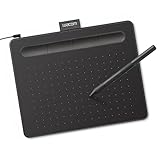
- Wacom Intuos Small Graphics Drawing Tablet: Enjoy industry leading tablet performance in superior control and precision with Wacom's EMR, battery free technology that feels like pen on paper
- Works With All Software: Wacom Intuos tablet can be used in any software program to explore new facets of digital creativity; draw, paint, edit photos/videos, create designs, and mark up documents
- What the Professionals Use: Wacom's industry leading pen technology and pen to paper feeling makes it the preferred drawing tablet of professional graphic designers
- Software and Training Included: Only Wacom gives you software with every purchase. Register your Intuos tablet and gain access to some of the best creative software and Wacom's online training
- Wacom is the Global Leader in Drawing Tablet and Displays: For over 40 years in pen display and tablet market, you can trust that Wacom to help you bring your vision, ideas and creativity to life
Depending on the SKU, it has a 14-inch 1920-by-1200 OLED panel with 100% DCI-P3 coverage, 16GB or 32GB soldered LPDDR5X memory, 512GB or 1TB storage, and integrated AMD Radeon graphics. Ports include USB4, USB-C, USB-A, HDMI 2.1, and a headphone output. Its approximate weight is 2.65 to 2.82 pounds. Consult the exact UM3406 technical specification, because memory, storage, processor, and panel details vary by SKU.
The Zenbook’s integrated graphics are sufficient for mainstream 2D design but do not offer the GPU performance of an RTX-equipped ProArt P16, Yoga Pro 7i, or Acer Swift X. It is not the right mobile workstation for serious Blender work, GPU rendering, demanding video effects, or heavy AI image-generation workloads. Its memory is onboard, so there is no assumption of a later RAM upgrade.
Choose it if: you need a light Windows laptop with a wide-gamut OLED screen and good everyday ports.
Do not choose it if: discrete-GPU acceleration is central to your work.
Best Windows performance/value balance: Lenovo Yoga Pro 7i Gen 11 Aura Edition
The Lenovo Yoga Pro 7i Gen 11 Aura Edition is a good middle path between a conventional ultraportable and a high-end creator workstation. It combines a relatively restrained design with an OLED touchscreen and RTX graphics.
Tom’s Guide reviewed a configuration with an Intel Core Ultra 9 386H, RTX 5060 Laptop GPU, 32GB memory, 1TB SSD, and a 15-inch 2560-by-1600 165Hz OLED touchscreen. The reviewed unit cost $2,399, while the base configuration began at $2,149 at the time of review. These are review-period prices, not guaranteed current prices.
On its review unit, Tom’s Guide measured 448.8 nits of SDR brightness, 999 nits of HDR brightness, 199.4% sRGB coverage, 141.2% DCI-P3 coverage, and Delta E of 0.38. The very high coverage percentages describe the panel’s gamut volume; they do not mean every color is equally accurate or that the display is automatically appropriate for every print workflow. The reviewer used Photoshop and other graphic-design tasks without major processing bottlenecks.
The main weakness was battery life, along with a high starting price. The Yoga Pro 7i is a more sensible choice than the most expensive ProArt configuration when you want an RTX GPU for mixed creative work but do not need an RTX 5090.
See the Tom’s Guide review and Lenovo’s product page for current configurations.
PC Slower Than It Used to Be?
A free scan shows the junk files, broken settings and background clutter dragging Windows down - then fixes them in one click.Free scan · Windows 10 & 11Outdated Drivers Are Slowing You Down
One free scan finds every outdated or missing driver and matches the right update for your exact hardware.Free scan · exact hardware matchBest smaller GPU-equipped option: Acer Swift X 14 AI
The Acer Swift X 14 AI is worth considering when you need RTX graphics in a smaller, more portable creator-oriented chassis. The RTX 5060 makes it a stronger choice than an integrated-graphics ultraportable for video effects, GPU-accelerated filters, 3D applications, and AI tools, while remaining less workstation-like than the ProArt P16.
PCWorld measured a 3DMark Time Spy score of 9,288 on its reviewed system and specifically contrasted its RTX 5060 with integrated graphics. That is an independent result for the reviewed configuration, not a promise that every Swift X 14 AI SKU will perform identically. The smaller screen is the principal ergonomic compromise for designers who spend all day in detailed layouts.
See Acer’s specification page and the PCWorld review before ordering. Confirm the GPU, memory, storage, and display in the exact retailer listing.
Best budget Mac: MacBook Neo, with major limits
The MacBook Neo is appealing because it brings a low entry price and macOS access to students and casual creators. Apple’s product-specific U.S. store page displayed $599 as its starting price at the research cutoff, although Apple’s broader Mac shopping page displayed a different starting price. Verify the live price immediately before publication or purchase.
Free tools Windows power users keep installed
One-click scans. No signup required.
The Neo uses an Apple A18 Pro chip, 8GB unified memory, and either 256GB or 512GB storage. That is enough for introductory Photoshop, Illustrator, Canva, web design, and school assignments. It is a poor fit for large layered files, extensive multitasking, video, 3D, or a five-year professional purchase.
The problem is not simply that 8GB meets Adobe’s published minimum. Photoshop, Illustrator, InDesign, a browser full of references, fonts, cloud storage, messaging tools, and scratch data can exhaust that headroom quickly. Creative Bloq likewise identifies the Neo’s 8GB memory and 256GB base SSD as its main weaknesses.
Choose it if: the budget is tight and the work is light.
Spend more if: design is your job, your degree depends on Adobe applications, or you expect to keep large projects locally.
Recommended Free Tools
Best stylus and tablet option: Surface Pro 11
The Surface Pro 11 is the most natural choice in this group for someone who wants to sketch directly on a tablet-like display and attach a keyboard only when needed. It can be attractive to illustrators, students, and designers who value pen input more than a traditional clamshell workstation.
The important qualification is Windows on ARM compatibility. RTINGS warns that some applications may run through emulation, with potentially inconsistent performance. Check every critical Adobe application, plugin, font utility, colorimeter driver, tablet accessory, and school or client requirement before buying. The keyboard and stylus are separate purchases, so include them in the real budget. RTINGS’ testing and recommendations provide useful context.
Also popular on Amazon

- [22 Customizable Shortcut Keys for Keyboard-Free Workflow]: Equipped with 12 physical express keys and 10 multimedia soft-touch keys, allowing you to effortlessly switch brushes, zoom, undo, and control media without touching your keyboard.
- [All-Inclusive Ergonomic Set with Adjustable Stand & 30 Nibs]: Includes a multi-angle tablet stand (15°-60°) to protect your neck and wrists, plus 30 replacement pen nibs with an extractor for years of zero-maintenance creation.
- Drawing Pad for pc and computer with Battery-Free Pen with Advanced Tilt Functionality: This computer graphics tablets Equipped with an innovative battery-free stylus that requires no charging and comes with 30 replacement nibs, offers 60° tilt recognition, providing precise cursor positioning at various angles. With 8192 levels of pressure sensitivity, it ensures accurate control over line thickness, adding depth and shading to your artwork
- Graphic Drawing Tablet Wide Compatibility: This ienRon IES1060 drawing tablet is compatible with Windows XP, 7, 8, 10, 11 and later versions, Android 5.0 and above; Mac OS 10.7.0 and later versions. Not for iPhone/iPad/Chromebook. This drawing pad works seamlessly with most major creative drawing software such as Photoshop, SAI, FlipaClip, Medibang, Adobe Illustrator, Lightroom, and supports Microsoft Office. It is also suitable for left-handed users
- Digital drawing tablet for User-Friendly Design: This digital drawing tablet is designed to be very user-friendly. Simply connect it to your personal computer or laptop, download and install the driver from the official website, and start creating immediately. Note: This graphic drawing tablet requires connection to a computer, laptop, or an Android-based tablet or smartphone to function
For a dependable pen-first workflow with fewer compatibility questions, the ProArt P16 is the safer Windows creator recommendation, although it is much heavier and more expensive.
Premium large-screen alternative: Dell XPS 16
The Dell XPS 16 DA16250 is a premium alternative for designers who want a large OLED workspace and discrete graphics. A relevant high-end configuration pairs an RTX 5070 with 32GB memory, 1TB storage, and a 4K OLED display. It can suit layout-heavy work and mixed creative workloads where screen area matters.
The XPS line is configuration-sensitive, and port selection, display type, GPU, memory, and storage must be checked together. Review the exact Dell DA16250 listing rather than relying on the XPS 16 family name. Its cost and size make it less compelling than the MacBook Pro for general 2D work, but it belongs on the shortlist when a large OLED panel and Windows RTX graphics are priorities.
Match the laptop to the work
Web, social, branding, and vector design
These workflows usually need a responsive CPU, 16GB memory, a 512GB SSD, an accurate sRGB or P3 display, and a good keyboard and trackpad. Integrated graphics are normally sufficient. The MacBook Air M5, Zenbook 14 OLED, and base or M5 Pro MacBook Pro are sensible choices.
Print, packaging, and prepress
Print work requires more than a bright, colorful laptop screen. Prioritize a display that can be profiled, 24GB or 32GB memory, reliable external-monitor support, and an external calibrated monitor for final proofing. Adobe explains that Adobe RGB is generally preferable for print-oriented work because it includes printable cyan and blue colors that sRGB cannot define, while sRGB is generally appropriate for web work. Read Adobe’s Photoshop color-settings guidance.
Adobe also emphasizes that monitor RGB spaces and printer CMYK spaces differ. Use the correct document color profile, printer- and paper-specific ICC profiles, and soft proofing where appropriate. A color-accurate MacBook Pro is a strong working screen, but it cannot guarantee that a printed brochure or package will match without a calibrated, color-managed workflow. Adobe’s guidance on color modes and color-managed InDesign printing explains why.
Recommended Free Tools
Illustration and digital painting
Touch and pen support, low pen latency, palm rejection, and a matte or low-reflection surface can matter more than raw CPU speed. Choose at least 16GB memory; 32GB is preferable for large canvases and many layers. The ProArt P16 is the most complete conventional-laptop option here. The Surface Pro 11 offers the most tablet-like design, but only after compatibility checks.
Motion graphics, video, 3D, and AI tools
Requirements change sharply for these workloads. Prefer a discrete NVIDIA GPU, at least 8GB of dedicated VRAM for demanding GPU work, 32GB memory, a 1TB SSD, strong cooling, and enough ports for fast external storage and displays. The ProArt P16, Yoga Pro 7i, Acer Swift X 14 AI, and Dell XPS 16 are more appropriate than a fanless MacBook Air or an integrated-graphics Zenbook.
The RTX 5090 ProArt is aimed at this category. It is not a rational purchase simply because a higher GPU number sounds more professional.
Adobe’s current requirements—and the specifications you should actually buy
Adobe’s requirements are minimums for installation and operation, not recommendations for a comfortable professional workflow.
Quick wins for a faster PC:
Repair Windows errors before they cause bigger problemsFix Now →Scan for outdated or missing drivers - takes under a minuteDriver Scan →Clear out junk files and repair common Windows errorsFree Scan →| Application | Adobe minimum or recommendation | Practical buying guidance |
|---|---|---|
| Photoshop 27.x and later | 8GB RAM minimum; 16GB or more recommended; DirectX 12 GPU with 1.5GB GPU memory minimum and 4GB recommended for 4K displays; 10GB free space minimum and 100GB recommended; SSD recommended | 16GB minimum, 24GB/32GB preferred, 1TB SSD preferred for active projects and scratch space |
| Illustrator 30.0 and later | 8GB RAM minimum; 16GB recommended; 1920-by-1080 display recommended; SSD and GPU acceleration or Metal support recommended | Buy for the whole Adobe workload, not Illustrator’s minimum alone |
| InDesign 2026, version 21.x | 8GB RAM minimum; 16GB recommended; 1920-by-1080 display recommended; SSD and compatible GPU acceleration | 24GB/32GB helps with large documents and simultaneous applications |
See Adobe’s current Photoshop requirements, Illustrator requirements, and InDesign 2026 requirements. Most 2026 Creative Cloud desktop applications support Windows 11 24H2/23H2, selected Windows 10 releases, and macOS 26, 15, or 14, but support varies by application and version; consult Adobe’s Creative Cloud requirements page for the exact application.
How much memory and storage do graphic designers need?
- 8GB: Light student or web work only. Avoid it for a professional purchase.
- 16GB: Practical minimum for Photoshop, Illustrator, InDesign, browser tabs, and ordinary multitasking.
- 24GB: A strong MacBook configuration for large Photoshop files and several Adobe applications.
- 32GB: Preferred for professional longevity, large files, simultaneous Adobe apps, video, and 3D.
- 64GB: Mainly relevant to high-end Windows creator laptops and workstation workloads.
512GB is the minimum sensible SSD capacity. 1TB is a better default for professional Adobe work, while 2TB makes sense for photographers, video editors, 3D artists, and anyone carrying a large asset library. External SSDs are excellent for archives and project libraries, but keep the active project, Adobe cache, and scratch disk on fast internal or suitably fast external storage.
Apple silicon memory is unified and not user-upgradeable. The cited Zenbook and Yoga Pro 7i configurations also use onboard memory. Treat RAM as a purchase-time decision, not an upgrade you can safely postpone.
Display buying guide: gamut is not accuracy
A laptop for design should have at least an IPS or OLED panel, 1920-by-1200 resolution or better, 100% sRGB coverage, reasonable independent evidence of accuracy, and roughly 300 nits or more for indoor use.
For professional work, prefer a 14- to 16-inch display at 2560-by-1600, 2880-by-1800, or 4K resolution; P3 or Adobe RGB coverage suited to the workflow; independently measured Delta E around 2 or lower; and hardware or reliable software calibration support. BenQ describes Delta E of 2 or less as a common color-accuracy target and also emphasizes gamut, calibration, resolution, and brightness in its graphic-design display guidance.
Do not confuse coverage with accuracy. “100% DCI-P3” says how much of that color space a panel can display. It does not prove that the colors are correctly rendered. Independent Delta E measurements, factory calibration, uniformity, and color-profile behavior are more informative than a single gamut percentage. “PANTONE Validated” is a manufacturer or certification claim, not the same thing as a published independent calibration test.
OLED benefits and drawbacks
OLED panels provide excellent contrast, deep blacks, and vivid color, which is why they appear on the ProArt P16, Zenbook, Yoga Pro 7i, and several premium alternatives. They can also be glossy and reflective, use PWM or another brightness-control method that bothers some users, and carry a long-term burn-in risk with static interface elements. OLED power consumption can also vary considerably with the content on screen.
HDR peak brightness is not the same as full-screen sustained SDR brightness. A laptop advertised at 1,000 or 1,600 nits may reach that figure only in a limited HDR highlight. Check sustained brightness, glare, and flicker behavior if you work near windows or are sensitive to display flicker. RTINGS specifically flags OLED burn-in, battery impact, and flicker concerns on tested laptops.
CPU and GPU: what actually matters
For 2D design, prioritize responsive single-core performance, sufficient sustained multi-core performance for exports and previews, and good cooling. Apple M5, Intel Core Ultra 7/9, and AMD Ryzen AI 7/9 systems can all be suitable; the exact processor class, power limits, and chassis cooling matter more than the brand name alone.
A discrete GPU is not automatically necessary. Integrated graphics are usually enough for logos, typography, layout, web graphics, and ordinary Photoshop work. A discrete GPU becomes worthwhile for 3D, video editing and effects, GPU-rendered filters, AI image-generation tools, very large compositions, or gaming alongside professional applications. Adobe also documents GPU features and requirements in its Photoshop GPU guidance.
Also popular on Amazon
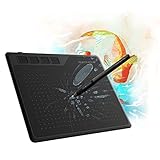
- 【FOR DIGITAL ART & CREATION】-- Perfect for beginner who starts digital drawing, sketching, graphics design, 3D art work, animation, etc. Also meet basic use of professionals who requires portable feature especially during travel.【FOR ANNOTATING AND SIGNATURE】--You can sign and write in excel, word, pdf, ppt, etc.【FOR ONLINE MEETING & ONLINE CLASS】It works with most online meeting programs, like Zoom, and so on. 【FOR Osu! & GAMING】--It's a large help for playing rythm games like Osu!
- 【PASSIVE PEN】--Battery-free pen cuts the inconveneince of charging the pen. 【8192 HIGH LEVEL PEN PRESSURE & 4 CUSTOMIZABLE EXPRESS KEYS】It will provide you precise control and accuracy at your fingertips, to bring more natural lines and enhance creative performance. 4 customizable express keys could be set to more functions as you like. Using them while working will largely improve your work flow.
- 【COMPATIBILITY OR APPLICATION】-- It compatible with Windows 7 or later and macOS 10.12 or later. Noted: It is not compatible with ipad or iphone. Work with most art programs like Adobe Photoshop, Illustrator, Clip Studio, Lightroom, Sketchbook Pro, Manga Studio, CorelPainter, FireAlpaca, OpenCanvas, Paint Tool Sai2, Krita and so on.
- 【266 PPS REPORT RATE + 5080LPI RESOLUTION + 10MM PEN READING HEIGHT + 6.5*4 INCHES ACTIVE AREA】-- This size is more portable and lightweight, easy to be carried around in the laptop bag to the workplace, school, and travel. But it’s also big enough for digital painting, handwriting, playing games and animation design, etc.
- 【HUMANIZED DESIGN】-- 4 rubber feet are created to ensure the stability of the tablet from slipper. 【LEFT & RIGHT HANDED SUPPORT】--Set 180 degree roate inside GAOMON Driver to set left hand mode.
As a practical threshold, RTX 5060-class graphics are a sensible starting point for serious mixed GPU work; move higher for demanding 3D, rendering, video, or AI workloads. Do not buy an RTX GPU solely because a product page markets it as “AI-ready.” Identify the application that benefits and the actual workload.
Mac versus Windows for graphic design
| macOS tends to win on | Windows tends to win on |
|---|---|
| Performance per watt, quiet operation, battery life, and consistent hardware | Hardware variety, touchscreens, pen input, NVIDIA GPUs, and more configuration choices |
| Excellent MacBook Pro display options and mature Apple silicon support for current Adobe apps | CUDA-dependent 3D, AI, video, and rendering workflows |
| Simple product range and strong trackpads | More varied port layouts, upgrade options, and Windows-only software compatibility |
macOS drawbacks include expensive memory and storage upgrades, no touchscreen or built-in pen input, limited ports on the MacBook Air, and no user-upgradeable unified memory. Windows drawbacks include greater variation between SKUs, more heat and fan noise in GPU-equipped laptops, and often weaker battery life during creative work.
Outdated Drivers Are Slowing You Down
One free scan finds every outdated or missing driver and matches the right update for your exact hardware.Free scan · exact hardware matchPC Slower Than It Used to Be?
A free scan shows the junk files, broken settings and background clutter dragging Windows down - then fixes them in one click.Free scan · Windows 10 & 11Windows on ARM deserves a separate warning. Apple’s silicon ecosystem is mature for current Mac Adobe applications. Windows ARM compatibility is improving but remains more dependent on the particular application, plugin, driver, colorimeter, tablet, and specialist peripheral. If a school or client requires a particular Windows-only tool, verify it before choosing a Surface Pro or another ARM-based Windows machine.
Ports, displays, and accessories
Useful design-laptop ports include an SD or SD Express card reader, HDMI, USB-A for older peripherals, USB-C with DisplayPort and charging, Thunderbolt or USB4 for docks and fast storage, and a headphone jack.
The MacBook Pro is unusually well equipped for a thin professional laptop. The MacBook Air has two Thunderbolt 4 ports and may need a dock. The ProArt P16 includes HDMI, USB-C, USB-A, and an SD card reader. A 14-inch panel can be excellent on the road but cramped for full-time layout work, so check support for one or two external displays, high-resolution 5K/6K monitors, HDMI versus USB-C output, and whether a dock can preserve charging and bandwidth.
Battery life, heat, and noise
Do not compare Apple’s video-playback claims directly with an independent web-browsing result or with battery life while editing PSD files. Manufacturer figures use controlled playback tests. Independent tests may browse the web, run productivity scripts, or measure a different display brightness. Real Adobe work is another workload again.
The Tool Desk
Outbyte PC Repair FREERepair Windows errors before they cause bigger problemsFix Now →Outbyte Driver Updater FREEScan for outdated or missing drivers - takes under a minuteDriver Scan →Discrete-GPU Windows laptops normally trade battery life and silence for sustained performance. RTINGS measured approximately four to five hours of light use for its tested ProArt P16 configuration. Apple advertises substantially longer figures for the MacBook Air and Pro under its own controlled tests. These results are not directly comparable, but the trade-off is consistent: the MacBook Air and Pro are generally better suited to quiet mobile work, while RTX creator laptops are better suited to plugged-in GPU workloads.
Configuration mistakes to avoid
- Buying by family name. A ProArt P16 with an RTX 4060 and 4K 60Hz OLED is not the same machine as an RTX 5090 model with a newer tandem OLED panel. The same warning applies to the MacBook Pro, Dell XPS 16, and Yoga lines.
- Using Adobe’s minimum RAM as a buying target. Eight gigabytes may satisfy an installer but leaves little room for real multitasking.
- Assuming a colorful screen is print-ready. Gamut, accuracy, calibration, uniformity, ICC profiles, and soft proofing all matter.
- Confusing HDR peak brightness with everyday brightness. Ask whether the number is a sustained SDR result, a small HDR highlight, or a manufacturer claim.
- Assuming every designer needs an RTX GPU. Integrated graphics are enough for many 2D workflows.
- Buying a gaming laptop solely for design. Gaming models can offer excellent GPU performance but often compromise battery life, weight, fan noise, calibration, appearance, and portability.
- Ignoring reflections and flicker. A glossy OLED can be spectacular in a controlled room and difficult near a window.
- Forgetting the external monitor. A laptop screen is not a substitute for a calibrated proofing display in color-critical print work.
- Assuming accessories are included. Verify whether a stylus, keyboard, dock, or charger is bundled with the exact SKU.
- Assuming future upgrades. Check whether memory is soldered and whether the SSD is replaceable before ordering.
Recommended budgets
| U.S. budget | Best direction | What to expect |
|---|---|---|
| Under $800 | MacBook Neo or a reputable used/refurbished professional laptop | Light work only; avoid 8GB/256GB if professional work is the goal |
| $1,000–$1,500 | MacBook Air M5 or Zenbook 14 OLED | Strong 2D work, limited sustained GPU performance |
| $1,500–$2,500 | MacBook Pro 14 M5, Yoga Pro 7i, or Acer Swift X 14 AI | More sustained performance and, on Windows, RTX options |
| $2,500–$4,000 | MacBook Pro M5 Pro, Dell XPS 16, or lower-tier ProArt P16 | Professional headroom and stronger displays or GPUs |
| Above $4,000 | High-end ProArt P16 RTX 5090 or high-end MacBook Pro | Justified mainly by demanding GPU, video, 3D, or AI work |
These are price bands, not permanent MSRP promises. Sales, regional availability, memory, storage, GPU, and display options can move a laptop into a different category.
How to evaluate a design laptop when you cannot test it yourself
Separate three kinds of evidence:
- Manufacturer specifications: processor, GPU, display resolution, claimed gamut, ports, weight, and battery-playback estimates.
- Independent measurements: colorimeter results, Delta E, brightness, PWM, battery tests, noise, thermals, and benchmark scores.
- Workflow observations: how a reviewer handled Photoshop files, Illustrator documents, exports, pen input, docking, or sustained workloads.
Always identify the exact reviewed configuration. Creative Bloq’s ProArt display measurements belong to an RTX 4070/4K OLED unit. Notebookcheck’s newer result belongs to an RTX 5090 model. Tom’s Guide’s Yoga results belong to an RTX 5060/32GB/1TB configuration. PCWorld’s Swift X score belongs to its reviewed RTX 5060 system. None of those measurements should be copied onto every SKU in the same product family.
If you have physical access to a laptop, a useful design test includes display gamut and Delta E with a colorimeter, SDR and HDR brightness, PWM or flicker, a large layered PSD, a complex Illustrator document, a multipage InDesign file, simultaneous Adobe applications, PDF export, external-monitor and dock behavior, pen latency, battery life during editing, sustained fan noise, and keyboard and trackpad comfort.
Final buying advice
Choose the MacBook Pro 14 M5 Pro for the broadest professional recommendation. Choose the ProArt P16 if Windows, NVIDIA graphics, touch, or pen input is central. Choose the MacBook Air M5 if mobility and silence matter most. Choose the Zenbook 14 OLED for lower-cost Windows 2D work. Choose the Yoga Pro 7i or Swift X 14 AI for a more balanced Windows RTX configuration. Choose the MacBook Neo only when the work is light and the budget is genuinely constrained.
For any professional purchase, start at 16GB memory and 512GB storage, preferably move to 24GB or 32GB and 1TB, and verify the exact GPU, panel, ports, and upgradeability. For print-critical work, budget for calibration and an external monitor; no laptop specification can replace a color-managed proofing process.
Frequently Asked Questions
What is the best laptop for graphic design in 2026?
For most professional designers, choose the 14-inch MacBook Pro with M5 Pro, 24GB unified memory, and a 1TB SSD. It offers the best overall balance of display quality, sustained performance, ports, battery life, and Adobe workflow headroom.
Do graphic designers need a dedicated GPU?
Yes. A modern integrated GPU is generally enough for logos, typography, layout, web graphics, and ordinary Photoshop work. Choose an NVIDIA RTX GPU when you also do 3D, video effects, GPU rendering, AI tools, or unusually demanding compositions.
How much RAM does a graphic-design laptop need?
Buy at least 16GB for practical Adobe multitasking. Choose 24GB or 32GB for large files, several Adobe applications, video, 3D, or longer-term professional use. Avoid 8GB unless the work is light and introductory.
Is a laptop display enough for color-critical print work?
A wide-gamut display helps, but it does not guarantee print accuracy. Print work still requires correct document profiles, ICC profiles, soft proofing, and preferably a calibrated external monitor.
Should I buy a MacBook Air or MacBook Pro for design?
The MacBook Air M5 is better for light 2D work, portability, and quiet operation. The MacBook Pro is better for sustained workloads, larger memory configurations, more ports, a 120Hz XDR display, and professional headroom.
The Bottom Line
Bottom line: The 14-inch MacBook Pro with M5 Pro, 24GB memory, and 1TB storage is the best general-purpose professional choice. Windows designers who need RTX graphics, touch, or pen input should look first at the ASUS ProArt P16. The MacBook Air M5 is the better travel companion, while the Zenbook 14 OLED is the better lower-cost Windows option for 2D work. Buy the configuration—not just the product name—and treat color management, memory, storage, and sustained performance as equally important.
Free tools Windows power users keep installed
One-click scans. No signup required.

