
Quick wins for a faster PC:
Fix the driver behind crashes, sound loss and screen glitchesFind Drivers →Clear out junk files and repair common Windows errorsFree Scan →Scan for outdated or missing drivers - takes under a minuteDriver Scan →iTechGuides is reader-supported. When you buy through links on our site, we may earn an affiliate commission. As an Amazon Associate I earn from qualifying purchases. Learn more
The best external SSDs we’ve tested for 2026 are represented here by three role-based choices: Samsung T9 2TB for fast general use, SanDisk Extreme PRO for rugged travel, and Crucial X10 Pro for creator workflows. The cited testing comes from Tom’s Hardware; iTechGuides did not personally test these drives.
The central buying decision is not simply which drive advertises the highest number. Your host port, cable, capacity, workload, protection requirements, and backup plan determine which portable SSD is actually the best fit.
Key takeaways
- The Samsung T9 2TB is the clearest general-purpose choice when the computer, tablet, or other host supports USB 3.2 Gen 2×2 at 20Gbps.
- The Crucial X10 Pro claims up to 2,100 MB/s read and 2,000 MB/s write speeds, plus IP55 protection and compatibility with computers, mobile devices, consoles, and select cameras.
- The SanDisk Extreme PRO is the better role-based choice for rugged travel and field work, but its 2,000 MB/s read/write figures are manufacturer claims rather than independent test results.
- A USB-C connector does not guarantee 20Gbps performance because USB-IF defines speed separately from connector shape and uses the lowest common capability of the connection.
- An external SSD is only one copy of your data, so important files still need another backup location and safe ejection practices.
What is the best external SSD in 2026?
The Samsung T9 2TB is the strongest straightforward recommendation for most buyers who have a compatible 20Gbps host port. Samsung documents a USB 3.2 Gen 2×2 interface, up to 2,000 MB/s sequential read speed, up to 1,950 MB/s sequential write speed for the 1TB and 2TB versions, AES-256 hardware encryption, up to 3 meters of drop resistance, and a five-year limited warranty in its T9 datasheet.
What’s actually slowing this PC down?
Pick the symptom - the matching free tool is one click away.
The recommendation changes according to the job. Choose the SanDisk Extreme PRO Portable SSD when travel protection and field work matter most. Choose the Crucial X10 Pro 2TB when creator workflows, broad device support, and environmental protection are more important than choosing the simplest general-purpose model.
Popular on Amazon
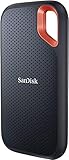
- Get NVMe solid state performance with up to 1050MB/s read and 1000MB/s write speeds in a portable, high-capacity drive(1) (Based on internal testing; performance may be lower depending on host device & other factors. 1MB=1,000,000 bytes.)
- Up to 3-meter drop protection and IP65 water and dust resistance mean this tough drive can take a beating(3) (Previously rated for 2-meter drop protection and IP55 rating. Now qualified for the higher, stated specs.)
- Use the handy carabiner loop to secure it to your belt loop or backpack for extra peace of mind.
- Help keep private content private with the included password protection featuring 256‐bit AES hardware encryption.(3)
- Easily manage files and automatically free up space with the SanDisk Memory Zone app.(5). Non-Operating Temperature -20°C to 85°C
These are role-based recommendations, not claims that iTechGuides personally benchmarked the drives. The testing basis in this roundup is Tom’s Hardware’s 2026 tested external-storage roundup, which describes its selection as “the best external SSDs and HDDs we’ve tested.” Manufacturer speed figures below should be treated as maximum claims under stated test conditions, not as independent benchmark results.
| Drive | Best fit | Documented capacities | Interface and manufacturer speed claim | Protection and security | Compatibility and caveat |
|---|---|---|---|---|---|
| Samsung T9 2TB | Fast general-purpose storage, large file transfers, applications, and backups | 1TB, 2TB, and 4TB | USB 3.2 Gen 2×2; up to 2,000 MB/s sequential read and up to 1,950 MB/s sequential write on 1TB and 2TB models | AES-256 hardware encryption; up to 3m drop resistance; five-year limited warranty | Needs a compatible 20Gbps host path to approach its headline class of performance |
| SanDisk Extreme PRO Portable SSD | Rugged travel, photography, and field work | Capacity is not specified in the supplied product evidence; verify the exact SKU | SanDisk claims up to 2,000 MB/s read and write speeds | Marketed as a rugged portable NVMe SSD; the supplied evidence does not document a numeric IP or drop rating | Confirm the exact capacity, cable, host interface, and device compatibility before buying |
| Crucial X10 Pro 2TB | Video creators and users moving one drive between many device types | 1TB, 2TB, and 4TB | Up to 2,100 MB/s read and 2,000 MB/s write according to Crucial’s product flyer | IP55 water and dust resistance; up to 2m drop resistance; password protection | Listed as compatible with Windows, Mac, Android, iPad, Linux, Xbox, PlayStation, and select cameras |
Why do independent SSD tests matter more than headline speed?
Independent testing matters because a sequential read or write number is normally a maximum result from a specific test setup, not a promise of the same speed in every computer or workload. Large, sequential file transfers can produce very different results from mixed files, application launches, or a long sustained write.
For a meaningful comparison, look for both independent sequential results and sustained-write behavior, and check the test method used by the reviewer. Tom’s Hardware’s linked 2026 roundup is the cited newsroom testing source for this comparison. The supplied research does not reproduce model-by-model benchmark values, so the figures in the table are clearly labeled manufacturer specifications rather than invented test results.
For ordinary document transfers and a portable backup, a drive that is slightly slower in a headline chart may still be the better purchase if it costs less, has more capacity, works with the host devices you own, or offers better protection. For video editing or repeated large transfers, sustained performance and workflow compatibility deserve more weight than a peak sequential-read figure.
Do I need a USB 3.2 Gen 2×2 port for a 20Gbps SSD?
You need a compatible USB 3.2 Gen 2×2 host path to make practical use of a 20Gbps-class SSD. A USB-C connector alone is not enough. USB-C describes the physical connector shape, while USB 3.2 describes the transfer capability.
Also popular on Amazon

- Easily store and access 2TB to content on the go with the Seagate Portable Drive, a USB external hard drive
- Designed to work with Windows or Mac computers, this external hard drive makes backup a snap just drag and drop
- To get set up, connect the portable hard drive to a computer for automatic recognition no software required
- This USB drive provides plug and play simplicity with the included 18 inch USB 3.0 cable
- The available storage capacity may vary.
According to the USB Implementers Forum’s USB 3.2 guidance, USB 3.2 Gen 2×2 combines two 10Gbps lanes to reach a 20Gbps data-transfer rate. USB 3.2 also covers 10Gbps and 5Gbps modes, is backward compatible, and operates at the lowest common speed capability among the connected products.
| Connection situation | What to expect |
|---|---|
| SSD, host port, cable, and connection path all support USB 3.2 Gen 2×2 | The system can use the 20Gbps interface mode, subject to the drive and workload’s real performance |
| The computer has a slower USB port | The SSD works at the slower common capability; the SSD cannot upgrade the port |
| The cable is rated below the required mode | The cable can limit the connection even when the SSD and host support 20Gbps |
| The port is USB-C but its protocol is unknown | The connector shape provides no reliable speed information; check the device specifications |
A USB-C 20Gbps cable can be a sensible accessory when the SSD and host both support the relevant mode. The cable cannot make a slower USB host port faster, so check all three parts—the drive, host port, and cable—before paying extra for 20Gbps capability.
Is the Samsung T9 worth it?
The Samsung T9 is worth considering when the buyer has a 20Gbps host and wants a simple, fast 2TB portable SSD with documented security and physical protection features. Samsung identifies an exact Samsung T9 2TB model and lists 1TB, 2TB, and 4TB capacities in the cited datasheet.
The T9’s strongest advantages are its clearly documented 20Gbps interface, AES-256 hardware encryption, up to 3m drop resistance, and five-year limited warranty. Warranty length is useful support information, but warranty length alone does not prove long-term reliability or protect files from accidental deletion, loss, theft, or every hardware failure.
If the host computer only supports a slower USB mode, the T9 can still function, but the buyer will not receive the full benefit of its headline interface. In that situation, compare the current price of the T9 with slower portable SSDs and prioritize capacity, compatibility, and warranty terms instead of paying solely for unused peak speed.
Also popular on Amazon

- 9.5X faster than hard disk drives with up to 1050MB/s read and 1000MB/s write, for significantly faster transfers
- Super-fast backups and instant storage expansion
- Built-in, double layer graphite sheets quickly conduct heat, enchancing heat dissipation to keep the drive cool, even during blazing fast transfers
- The drive is drop-resistant up to 2 meters for protection, ensuring durability for everyday and office use.
- Plug-and-play compatibility with a 2-in-1 USB-C/USB-A cable to easily use with your PC, Mac, tablet, smartphone, and more
Which external SSD is best for video editing?
The Crucial X10 Pro 2TB is the most natural creator-oriented alternative in this group because Crucial positions it for direct work from the drive and documents broad compatibility. Crucial’s 2024 X10 Pro product flyer lists up to 2,100 MB/s read and 2,000 MB/s write speeds, 1TB, 2TB, and 4TB capacities, IP55 water and dust resistance, up to 2m drop resistance, and password protection.
The X10 Pro’s compatibility list includes Windows, Mac, Android, iPad, Linux, Xbox, PlayStation, and select cameras. That breadth is useful for a creator who moves footage between a desktop, laptop, tablet, phone, console, or camera, but the device’s own port, cable, operating system, and application still determine the actual workflow.
For editing, do not select a drive from the read-speed number alone. Check independent results for sustained writes and the reviewer’s test method, then consider whether the capacity is large enough for the active project library. A drive can be fast enough for short transfers yet become less suitable when a workflow writes large amounts of footage continuously.
What is the best rugged SSD for travel?
The SanDisk Extreme PRO Portable SSD is the most direct travel and field-work pick because SanDisk describes it as a rugged portable NVMe SSD and claims up to 2,000 MB/s read and write speeds on its official product page.
SanDisk’s supplied product evidence supports rugged positioning and the 2,000 MB/s manufacturer claim, but it does not provide a numeric IP rating or drop figure in this research dossier. Do not convert the “rugged” label into an unsupported claim that the drive is universally tougher or faster than every competing model. Confirm the exact model, capacity, protection terms, and warranty before purchase.
Do these 3 things before closing this tab:
1Clear out junk files and repair common Windows errors2Fix the driver behind crashes, sound loss and screen glitches3Repair Windows errors before they cause bigger problemsAlso popular on Amazon
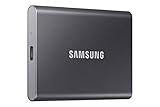
- MADE FOR THE MAKERS: Create; Explore; Store; The T7 Portable SSD delivers fast speeds and durable features to back up any endeavor; Build your video editing empire, file your photographs or back up your blogs all in an instant
- SHARE IDEAS IN A FLASH: Don’t waste a second waiting and spend more time doing; The T7 is embedded with PCIe NVMe technology that brings fast read and write speeds up to 1,050/1,000 MB/s¹, making it almost twice as fast as the T5
- ALWAYS MAKE THE SAVE: Compact design with massive capacity; With capacities up to 4TB, save exactly what you need to your drive – from large working files to game data and everything in between
- ADAPTS TO EVERY NEED: Whether using a PC or mobile phone, count on the T7 for extensive compatibility²; It’s a true team player when it comes to heavy-duty application usage or file-saving
- HI RESOLUTION VIDEO RECORDING: Record Ultra High Resolution (4K 60fs) videos directly onto the T7 Portable SSD with your favorite camera or mobile devices; Supports iPhone 15 Pro Res 4K at 60fps video and more³
The Crucial X10 Pro has the more concrete environmental specification in the supplied evidence: IP55 water and dust resistance and up to 2m drop resistance. The Samsung T9 documents up to 3m drop resistance. Those figures are not directly interchangeable tests, so use them as product specifications rather than as a complete durability ranking.
Should I buy a 1TB, 2TB, or 4TB portable SSD?
Choose 1TB for a smaller working set, 2TB as the most balanced default, and 4TB for a large media or application library that would otherwise require frequent file shuffling.
| Capacity | Best use | Main trade-off |
|---|---|---|
| 1TB | Light transfers, a compact project set, or a secondary copy of selected files | Lower initial capacity means the drive fills sooner as media, games, and backups accumulate |
| 2TB | Most general-purpose users, active creator projects, and a substantial application or game library | Usually the best balance to compare, but current price and availability must be checked at publication |
| 4TB | Large video libraries, extensive photo collections, and users who want fewer storage moves | Higher purchase cost makes price per usable terabyte especially important |
The Samsung T9 and Crucial X10 Pro are both documented in 1TB, 2TB, and 4TB versions. The supplied research does not verify current US prices, retailer stock, or usable capacity after formatting, so check the exact model and capacity immediately before buying. Compare price per usable terabyte rather than choosing from an outdated list price.
Independent reader supportYour contribution helps us test, update, and keep practical guides available for everyone.Will an external SSD work with a Mac, PC, iPad, phone, or console?
An external SSD can work across computers, tablets, phones, and consoles, but compatibility depends on the device’s port, supported USB mode, cable, operating system, power behavior, and file-system requirements—not simply on whether both devices have USB-C.
The Tool Desk
Outbyte Driver Updater FREEFix the driver behind crashes, sound loss and screen glitchesFind Drivers →Outbyte PC Repair FREEClear out junk files and repair common Windows errorsFree Scan →Tom’s Hardware identifies external SSDs as useful for sharing files across PCs, Macs, tablets, and phones, as well as for backups and running applications. The Crucial X10 Pro’s documented compatibility list is broader and specifically includes Windows, Mac, Android, iPad, Linux, Xbox, PlayStation, and select cameras.
Also popular on Amazon
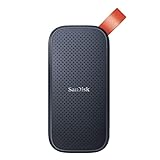
- Solid state performance with up to 800MB/s read speeds in a portable drive. (Based on internal testing; performance may be lower depending on host device, interface, usage conditions and other factors. 1MB=1,000,000 bytes.)
- Back up your content and memories on a storage solution that fits seamlessly into your mobile lifestyle.
- Take it with you on your adventures—up to two-meter drop protection means this durable drive can take a beating. (Based on internal testing.)
- Secure it to your belt loop or backpack for extra peace of mind thanks to the tough rubber hook.
- From SanDisk, a brand professional photographers trust to take on assignments.
Before buying, verify the exact device manufacturer’s requirements and whether the drive will be used for file transfer, direct editing, application storage, or a console library. A drive that can store files on a device is not automatically approved for every type of application or game use. Console support can also differ between storing games and running them directly.
Can I run games or applications from an external SSD?
External SSDs can be useful for running applications and managing game libraries, but whether a game runs directly from the drive depends on the operating system, console, game, and device policy. Tom’s Hardware lists running applications from an external drive among the reasons to use external storage.
For a computer, confirm that the game launcher and operating system support the chosen library location. For a console, check the console maker’s current storage rules before purchasing. A fast SSD cannot bypass a platform restriction, and a 20Gbps interface is irrelevant if the console or computer exposes a slower connection.
Outdated Drivers Are Slowing You Down
One free scan finds every outdated or missing driver and matches the right update for your exact hardware.Free scan · exact hardware matchWindows Errors? Fix Them Before They Spread
Repair common Windows errors and clear accumulated junk for a smoother, more stable PC - no reinstall needed.Free scan · no reinstallHow should you use an external SSD for backups?
An external SSD should be treated as one part of a backup plan, not as protection against every possible data-loss event. Keep the working files on the primary device, maintain a second copy on the external SSD, and retain an additional backup location for important material.
- Copy the files to the external SSD and verify that the folders and important files open correctly.
- Do not erase the original copy until the second copy has been checked.
- Safely eject the SSD through the operating system before unplugging it.
- Keep another backup location for irreplaceable files so one lost, damaged, corrupted, or stolen drive does not become the only copy.
Hardware encryption or password protection can reduce the impact of a lost drive, but those features do not replace a backup. Encryption also makes recovery dependent on retaining the correct password or recovery information.
Can a creator combine an external SSD with cloud streaming?
Yes. An external SSD can hold local source recordings and project files, while a separate cloud service can handle continuous streaming after the recordings are uploaded.
StreamNeo states: “StreamNeo loops your recorded video as a continuous live stream on YouTube — from the cloud, with automatic recovery.” The service’s cloud 24/7 YouTube streaming workflow is separate from SSD speed: the SSD stores or stages the source media locally, while StreamNeo operates the continuous stream in the cloud. An SSD buyer does not need the service merely to use external storage.
External SSD buying checklist
- Identify the host port: Confirm whether the computer or device supports USB 3.2 Gen 2×2 at 20Gbps before paying for a 20Gbps-class drive.
- Check the cable: The cable and connection path must support the required mode; USB-C shape alone is not a speed rating.
- Separate claims from tests: Treat manufacturer MB/s figures as maximum specifications and use independent sequential and sustained-write results for performance comparisons.
- Match the workload: Select general-purpose storage, rugged travel protection, or creator compatibility according to how the drive will actually be used.
- Buy enough capacity: Compare 1TB, 2TB, and 4TB versions using current price per usable terabyte and the exact model number.
- Check device support: Verify Windows, macOS, mobile, console, and camera compatibility for the particular workflow rather than relying on the connector name.
- Plan the backup: Use the SSD as a second copy or working-storage device, not as the only place important files exist.
- Verify before publishing or ordering: US pricing, stock, retailer listing identity, warranty terms, and product availability can change.
The Bottom Line
Bottom line: Buy the Samsung T9 2TB for fast general-purpose use when your host supports USB 3.2 Gen 2×2. Choose the SanDisk Extreme PRO Portable SSD for rugged travel positioning, or the Crucial X10 Pro 2TB for creator workflows and broader documented device compatibility. In every case, verify the host port and cable, distinguish independent tests from manufacturer claims, and keep another backup location.

