
Free tools Windows power users keep installed
One-click scans. No signup required.
iTechGuides is reader-supported. When you buy through links on our site, we may earn an affiliate commission. As an Amazon Associate I earn from qualifying purchases. Learn more
Peak Design’s Mobile Wallet Stand is the best all-round choice for most iPhone owners because it combines useful capacity, a built-in stand, a relatively slim design, and a strong long-term warranty. It is not the best choice for everyone: it has no built-in Apple Find My, and a user carrying only two cards may prefer the slimmer MOFT Trackable Wallet Stand.
Other strong picks include the Nomad Leather Mag Wallet for leather and Find My, the UAG Metropolis Kevlar MagSafe Wallet for ruggedness, the ESR Geo Wallet Stand for lower-cost tracking, the Smartish Side Hustle for easy card access, and Apple’s FineWoven Wallet with MagSafe for straightforward Apple integration.
Important testing note: this guide is a research-based buying guide built from current manufacturer specifications and comparative hands-on coverage from publications including WIRED and Travel + Leisure. It does not claim an in-house controlled test of every wallet. Product prices and availability should be rechecked before purchase.
Do these 3 things before closing this tab:
1Fix the driver behind crashes, sound loss and screen glitches2Clear out junk files and repair common Windows errors3Scan for outdated or missing drivers - takes under a minuteQuick comparison
Prices below are U.S. manufacturer or Apple prices shown on the cited pages when checked. Sales, regional pricing, colors, and availability can change.
| Wallet | Best for | Price checked | Claimed capacity | Find My | Stand | Main drawback |
|---|---|---|---|---|---|---|
| Peak Design Mobile Wallet Stand | Best overall | $59.95 | Up to 7 cards | No | Yes | No integrated tracking |
| Nomad Leather Mag Wallet | Leather with Find My | Varies by listing | 1–4 cards | Yes | No | Needs charging and lacks UWB Precision Finding |
| UAG Metropolis Kevlar MagSafe Wallet | Rugged protection | $59.95 | Up to 6 cards and bills | No | Yes | Bulkier than a card sleeve |
| MOFT Trackable Snap-on Phone Stand & Wallet | Slim tracked stand | $49.99 | Up to 2 cards | Yes | Yes | Two-card limit |
| ESR Geo Wallet Stand | Value Find My wallet | $39.99 on the cited product page | Up to 5 cards and cash | Yes | Yes | Tracking and capacity claims need real-world verification |
| Smartish Side Hustle | Easy access and low cost | $24.99–$29.99 | Up to 3 cards and cash | No | No | No tracking; limited capacity |
| Apple FineWoven Wallet with MagSafe | Apple ecosystem integration | $59 | Up to 3 cards | Yes | No | Open slot, no stand, and three-card limit |
Capacity figures are manufacturer maximums, not promises of comfortable daily use. Embossed cards, cash, and cards with stiff plastic can reduce the practical capacity.
Popular on Amazon

- 5 Card Storage: minimalist MagSafe wallet with expanded storage for up to 5 cards or 4 cards and 3 banknotes to suit any occasion. Product dimensions: 3.74 x 2.57 x 0.44 inches. What's in the box: 1*Magnetic Wallet, 2*Metal Sticker, 1*Instruction Manual
- Strong Magnetic Lock: Engineered with 20 powerful N52 magnets delivering 3,200 g of holding force with a magnetic case, our MagSafe wallet has 4x the magnetic strength of the official MagSafe wallet. Stay confident knowing your wallet stays securely in place—no slips, no drops
- Effortless Card Access: A specially designed 20 mm slot at the bottom lets you quickly slide cards in and out—no fumbling, no hassle
- Enhance Security: Our upgraded Magnetic wallet features built-in RFID-blocking technology, creating a secure shield around your cards to block unauthorized scans. Keep your credit cards, IDs, and personal data safe from digital theft—wherever you go
- Compatibility: for iPhone 18 Pro Max/18 Pro/17e/17 Pro Max/17 Pro/17/Air, 16 Pro Max/16 Pro/16 Plus/16, 15 Pro Max/15 Pro/15 Plus/15, 14 Pro Max/14 Pro/14 Plus/14, 13 Pro Max/13 Pro/13, 12 Pro Max/12 Pro/12, and MagSafe-compatible phone cases; also for non-MagSafe phones and phone cases using the included magnetic rings, such as Samsung Galaxy S26 Plus/S26 Ultra/S25 Plus/S25 Ultra/S24 Plus/S24 Ultra/S23 Plus/S23 Ultra and Google Pixel 7-11 Series; But Not for iPhone 13/12 mini, Samsung S26/S25/S24/S23
Our picks
1. Peak Design Mobile Wallet Stand — best overall
Peak Design’s Mobile Wallet Stand is the most balanced option for people who want more than a basic card sleeve. The stand version is listed as 6 mm thick when empty, holds up to seven cards, supports portrait and landscape viewing, uses recycled nylon canvas, and includes Peak Design’s lifetime guarantee. The cited official page listed it at $59.95.
Its strongest argument is versatility. The wallet can serve as a card holder, a phone stand, and a more expandable everyday wallet than Apple’s three-card design. A pull-tab style access system is more practical than forcing cards out of a tightly packed slot, and the folding construction should be useful for video calls, travel viewing, and desk use.
Quick wins for a faster PC:
Repair Windows errors before they cause bigger problemsFix Now →Scan for outdated or missing drivers - takes under a minuteDriver Scan →Clear out junk files and repair common Windows errorsFree Scan →Find My: there is no integrated Find My hardware. You can add a separate tracker card, but that consumes capacity and undermines the reason to buy a slim wallet. If tracking is essential, choose Nomad, MOFT, ESR, or Apple instead.
Buy it if: you carry several cards, want a stand, and value a flexible design and long-term warranty.
Avoid it if: you regularly misplace your wallet, carry only one or two cards, or want the smallest possible attachment.
2. Nomad Leather Mag Wallet — best leather wallet with Find My
Nomad’s Leather Mag Wallet is the premium choice for someone who wants a traditional leather feel without giving up Find My. It combines Horween leather with a polycarbonate frame, uses an internal spring mechanism to retain cards, and is listed at 47 g and 96 × 66 × 9 mm. Nomad states a capacity of one to four cards.
What’s actually slowing this PC down?
Pick the symptom - the matching free tool is one click away.
The leather should develop a patina over time, making this a better fit for buyers who prefer a wallet that changes with use rather than a synthetic shell that looks the same indefinitely. Wireless charging is another advantage: Nomad says the wallet can be charged on Qi or MagSafe chargers and can last up to five months on a full charge.
There is an important limitation to the tracking feature. Nomad says this wallet does not support UWB, so Find My can help locate it but does not provide Precision Finding-style directional guidance. It also needs periodic charging, adding maintenance that a non-tracked wallet does not require.
Nomad’s setup instructions are not identical to Apple’s generic MagSafe-wallet flow. The company currently directs owners to press and hold the wallet button and use Find My > Add Other Item, rather than choosing Add MagSafe Accessory. Follow the instructions for the exact model.
Buy it if: you want leather, integrated Find My, and a premium design for one to four cards.
Avoid it if: you want a stand, never want to recharge a wallet, or need Precision Finding.
3. UAG Metropolis Kevlar MagSafe Wallet — best rugged wallet
UAG’s Metropolis Kevlar MagSafe Wallet is designed for users who are more worried about cards escaping, weather, and rough handling than about achieving the absolute thinnest profile. UAG lists a Kevlar inlay, capacity for up to six cards and bills, built-in RFID blocking, and kickstand functionality. The official price shown in the supplied listing was $59.95.
Its folding, more enclosed construction should offer better card retention than an open sleeve, particularly when the wallet is carried in a bag or used during travel. The trade-off is predictable: a wallet that encloses cards, holds cash, and includes a stand will normally be thicker and more complex than Apple’s open three-card sleeve.
UAG describes a 2.5 mm magnet, but that number should not be treated as proof that it is the strongest wallet here. Magnet specifications from different companies are not standardized, and real-world security depends on sideways sliding, case friction, card load, and the shape of the wallet. A strong normal pull does not automatically prevent a wallet from being caught on a pocket edge.
Crashes, No Sound, or Screen Glitches?
Random freezes, missing sound and display glitches usually trace back to one bad driver. Find and replace yours safely.Free scan · under a minutePC Slower Than It Used to Be?
A free scan shows the junk files, broken settings and background clutter dragging Windows down - then fixes them in one click.Free scan · Windows 10 & 11Buy it if: you want enclosed card storage, a kickstand, RFID shielding, and a tougher exterior.
Also popular on Amazon

- Tough Build, Robust Magnet: Our iPhone wallet, with strong built-in magnets, attaches to any magnetic case or MagSafe device, supporting 3X your phone's weight; It detaches with quick-release ridges, while keeping items secure with its sealed snap latch
- Sleek, Minimalist Storage: Upgrade to the Pelican MagSafe wallet case and choose a minimal wallet over traditional bulk; Featuring 2 compartments for 4 cards & cash, it secures your credit cards, IDs, & cash while ensuring quick access to your essentials
- Splash-Safe iPhone Mag Wallet: Stay worry-free with our MagSafe iPhone wallet offering IPX4 MIL-GRADE drop protection against splashes & spills! With an elegant premium polymer detailing, use it as a wallet attachment or separately for pocket-friendly use
- Never Lose Wallet Again: Keep your cards & cash safe with our MagSafe wallet, offering slim yet ample storage with compartment for both cash & cards, so no worries about losing your essentials; It functions perfectly as a Magnetic wallet for any occassion
- One-Year Limited Warranty: Get ready for superior protection & style with our iPhone MagSafe wallet, compatible with iPhone Pro Max 17, 16, 15, 14, 13, 12, and Pixel 10 series; Explore color options available in Black, OD Green, and Desert Tan; Phone case is not included
Avoid it if: you want a minimalist wallet, need Find My, or remove cards frequently throughout the day.
4. MOFT Trackable Snap-on Phone Stand & Wallet — best slim wallet with Find My
MOFT’s Trackable Snap-on Phone Stand & Wallet targets the person who wants the smallest combination of wallet, stand, grip, and Find My. MOFT lists a 6 mm thickness, 62 g weight, three viewing modes, support for up to two cards, and approximately six months of use per wireless charge. The product is listed at $49.99; Apple’s listing also describes an 80 mAh rechargeable battery and a 15 N magnetic holding specification.
The two-card capacity is both its defining strength and its biggest limitation. For a driver’s license and one payment card, it can replace a separate wallet while adding stand functionality. It is not suitable for someone carrying two payment cards, an ID, a transit card, and an access badge.
As with other integrated trackers, Find My is useful but creates a maintenance routine. You need to pair the wallet, monitor its battery, and remember that an empty battery removes the tracking benefit. Its slim profile also makes it a better candidate for testing with a weak case: there is less surface area and less structure to resist sideways movement when a pocket catches the edge.
Buy it if: you carry exactly one or two cards and want a tracked stand that takes up little space.
Avoid it if: you carry three or more cards, cash, coins, or a thick embossed card.
5. ESR Geo Wallet Stand — best value Find My wallet
The ESR Geo Wallet Stand offers one of the strongest feature lists for its price. ESR’s product page lists built-in Apple Find My, space for up to five cards and cash, RFID blocking, and an adjustable stand. The cited product page showed $39.99, although ESR’s collection pages can show different regional or sale pricing.
This is the wallet to consider if you want tracking and a stand but do not want to pay Apple or premium-leather pricing. The capacity is also more generous than the two- and three-card tracked options. Its central question is not whether the specification sheet looks good, but whether the hinge, card access, and magnetic attachment remain convenient when the wallet is fully loaded.
ESR claims a 3,200 g magnetic holding force. That figure is not directly comparable with MOFT’s 15 N or UAG’s magnet description unless all three companies used the same test method, contact area, orientation, and failure threshold. Treat the number as a manufacturer claim, not a universal ranking.
Be cautious with wording such as real-time location. An accessory using Apple Find My is not a continuous GPS tracker. It generally reports its last known location or a location detected through the Find My network, depending on circumstances. Check the exact ESR model’s pairing, battery, alert, and charging instructions before buying.
Buy it if: you want the broadest feature set at a relatively low price.
Recommended Free Tools
Avoid it if: you prioritize the thinnest design, need proven long-term hinge durability, or want a simple wallet with no charging or pairing.
6. Smartish Side Hustle — best easy-access budget wallet
Smartish’s Side Hustle solves a common MagSafe-wallet annoyance: reaching the cards without completely detaching the wallet. Its side-loading design provides direct access, while the hard shell and extra-strength magnets are intended to keep the contents in place. The classic hardshell version is listed at approximately $24.99–$29.99 and supports up to three cards plus folded cash.
For many people, the side opening is more important than tracking or a kickstand. It is a straightforward choice for an ID, a primary payment card, and perhaps one backup card. A fourth card may fit tightly, but the sensible everyday expectation is three cards rather than treating the maximum as expandable capacity.
The hard shell adds structure and protection, but it can also add noticeable thickness compared with a flexible card sleeve. There is no Find My, no stand, and no integrated tracker battery. If you lose wallets frequently, the low price may not compensate for the inconvenience of replacing cards and having no way to locate the wallet.
Also popular on Amazon
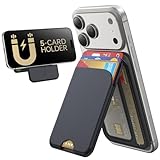
- Upgraded Magnetic Lock: Delivers 5000g holding force—5X stronger than the official magnetic wallet. Seamlessly integrate the magnetic phone wallet onto your Magnetic case or iPhone. Keep your ID, credit cards, and other essentials firmly and feel secure with the ultra-strong built-in magnets that lock the wallet into place
- Adjustable Stand: Find your perfect viewing angle! Effortlessly tilt between 15° and 175° and switch between portrait or landscape. Ideal for watching shows, FaceTiming, or browsing in total comfort
- Smart Card Storage: This phone wallet magnetic has 3 independent card slots,which holds 5 cards + clear ID window for instant access to your most-used card
- Dual-Protection Magnetic Wallet: Blocks RFID scanning and prevents card demagnetization. Safeguards credit cards & IDs from digital theft and magnetic damage. Secures identity + property with military-grade shielding
- Compatibility: Only compatible with for iPhone 18 Pro Max/18 Pro/iPhone 17/17 Air/17 Pro/17 Pro Max/iPhone 16/16 e/16 Plus/16 Pro/16 Pro Max/15/15 Plus/15 Pro/15 Pro Max/14/14 Plus/14 Pro/14 Pro Max/13/13 Pro/13 Pro Max/12/12 Pro/12 Pro Max, official magnetic case; not compatible with iPhone 13/12 mini
Buy it if: you want fast card access and a low purchase price.
Avoid it if: you need Find My, a stand, more than three cards, or a soft leather finish.
7. Apple FineWoven Wallet with MagSafe — best for Apple integration
Apple’s FineWoven Wallet with MagSafe remains the baseline against which third-party options should be judged. It costs $59, supports Find My, holds up to three cards, and uses a microtwill material made from 100% post-consumer recycled content. Apple also says the wallet includes shielding for credit cards.
The appeal is simplicity. It is designed for the iPhone ecosystem, has no separate tracker-card decision, and is an obvious choice for someone who wants an Apple-branded accessory with Find My support. The open slot also makes card access quick when the card edges are easy to reach.
Its weaknesses are just as clear. There is no stand, capacity is limited to three cards, and the exposed slot leaves the card edges more vulnerable than an enclosed wallet. FineWoven surface wear should be considered before buying; a first impression cannot establish how every color will age after months in a pocket.
Apple’s current product page lists compatibility across recent iPhone generations, including iPhone 12-series through iPhone 17-series models and iPhone Air. It does not list the iPhone 16e. Do not assume that an iPhone 16e has native MagSafe: plan on using a compatible magnetic case or adapter.
Buy it if: you carry up to three cards and want the most straightforward Apple-oriented experience.
Avoid it if: you need a stand, enclosed card storage, cash capacity, or the best value per feature.
The Tool Desk
Outbyte Driver Updater FREEScan for outdated or missing drivers - takes under a minuteDriver Scan →Outbyte PC Repair FREEClear out junk files and repair common Windows errorsFree Scan →Two alternatives worth considering
Pelican Protector MagSafe Wallet — best if cash security matters most
Pelican’s Protector MagSafe Wallet deserves consideration if you prefer a latch and separate compartments for cards and cash. Its enclosed design should be more reassuring for travel and active use than an open card sleeve, although the extra protection generally means extra bulk.
Choose it over the main picks if your priority is preventing cards and folded bills from escaping. Avoid it if you want instant one-card access or a slim wallet that disappears behind the phone.
MOFT Snap Field Wallet — best high-capacity alternative
MOFT’s Snap Field Wallet is aimed at people who carry substantially more than three or four cards. MOFT describes room for up to eight cards and space for cash, coins, and paper items; WIRED describes seven cards as a more reasonable capacity in its comparative coverage. The wallet also uses a pull-tab access design.
This is a better starting point than the MOFT Trackable Stand if you carry a larger everyday load. It is not the right choice if your real goal is a barely-there wallet. Maximum capacity claims should be separated from comfortable capacity, especially with embossed cards and cash.
What’s actually slowing this PC down?
Pick the symptom - the matching free tool is one click away.
Other products such as the Casetify Snappy MagSafe Wallet, PopSockets PopWallet+, Ridge Wallet for MagSafe, Maison de Sabre, and Casely MagWallet may also suit particular materials, designs, or capacity preferences. They did not replace the seven primary recommendations because current comparative coverage uses different product pools and reaches different category winners.
What is a MagSafe wallet?
A MagSafe wallet is a magnetic card holder designed to attach to the circular magnet array in a compatible iPhone or phone case. Apple introduced the MagSafe accessory system with the iPhone 12. Apple’s iPhone 12 specifications identify a magnet array, alignment magnet, accessory-identification NFC, magnetometer, and MagSafe charging support.
Three terms are easy to confuse:
- MagSafe: Apple’s magnetic accessory ecosystem for compatible iPhones and cases.
- Qi2: A Wireless Power Consortium standard whose Magnetic Power Profile uses the same general magnetic-alignment concept. See the WPC Qi2 overview.
- MagSafe-compatible case: A case with a magnetic ring intended to align with accessories.
A generic magnetic case or adhesive ring may attach, but it may not have the same magnetic strength, placement, friction, or charging alignment as a certified or well-designed MagSafe or Qi2 case. A wallet that feels secure on a bare phone can slide on a weak, textured, or poorly aligned case.
Also popular on Amazon

- [Strong Magnetic Lock]: Built-in magnets, offering a magnetic force of up to 3000g. Ensures the magnetic wallet for iphone fits tightly and attaches securely to the back of your iPhone.
- [Smart Card Storage]: This iPhone magnetic wallet is cleverly engineered to hold up to 5 cards, granting you quick access to frequently‑used cards including credit cards, ID cards and transit cards. Its practical card holder design keeps your cards neatly organized for hassle‑free access on the go.
- [Adjustable Stand]: With a simple fold, the magnetic phone wallet can be transformed into a stable phone stand perfect for watching videos or FaceTime calls. It supports multiple viewing angles.
- [Security & Privacy]: Included 1 RFID Card with RFID blocking technology to prevent card demagnetization and identity theft, it can protect the information security of all cards in the wallet. An essential choice among rfid blocking wallets for men.
- [Perfect Gifts]: An ideal choice for fathers, mothers, husbands, wives, or friends. Great for birthdays, Father's Day, Mother's Day, or Valentine's Day. A unique iphone wallet gift for those who appreciate everyday convenience.
Which phones work with a MagSafe wallet?
- iPhone 12 and later standard models: generally support native MagSafe attachment.
- iPhone 16e: treat it as requiring a compatible magnetic case or adapter rather than assuming it has native MagSafe.
- Android phones: use a Qi2-compatible phone or a MagSafe-compatible case or magnetic adapter. Android compatibility is not automatic merely because a product listing says magnetic.
Phone model lists copied across review pages can contain errors. For example, an iPhone 14 mini was never released. Apple’s current technical specifications and the accessory manufacturer’s exact compatibility page are better authorities than a long third-party list.
Case clearance also matters. A camera bump, raised case lip, textured surface, or poorly positioned ring can prevent a wallet from sitting flat. Test the wallet with the case you actually use, not only with a bare phone.
Find My: what it does and what it does not do
Supported wallets can be added to Apple Find My and may provide a last-known location, a location reported through the Find My network, nearby audible searching, and separation or detachment alerts. The exact feature set varies by product. Find My is not the same as continuous GPS tracking and is not automatically equivalent to an AirTag.
Some tracked wallets also lack UWB. Nomad explicitly says its Leather Mag Wallet does not support UWB Precision Finding. You may be able to locate the wallet in Find My, but you should not expect directional arrows that guide you to an item nearby.
Generic Apple setup path
- Open the iPhone Home Screen.
- Attach the supported wallet.
- Tap Continue when the setup prompt appears.
- Follow the onscreen instructions.
If no prompt appears, Apple’s current instructions say to open Find My, attach the wallet, tap the Add button, choose Add MagSafe Accessory, and follow the instructions. Read the instructions for the exact wallet, however: Nomad currently directs its owners to use Find My > Add Other Item after holding the wallet’s button.
A used tracked wallet can also create an ownership problem. If it is still paired with another Apple Account, the previous owner may need to remove it before you can pair it. A tracked wallet also needs power. Nomad claims up to five months per charge and supports Qi or MagSafe charging. MOFT lists about six months for its Trackable Wallet Stand and describes an 80 mAh rechargeable battery. Apple’s FineWoven product page lists Find My support but does not present the wallet as a user-rechargeable tracker in the same way; do not assume every Find My wallet uses the same battery system.
Will the phone charge with the wallet attached?
Usually, remove the wallet first. Apple’s MagSafe charging guidance says to remove an iPhone wallet before placing a MagSafe Charger or MagSafe Battery on the iPhone.
A wallet can also interfere with flat Qi charging, NFC, a car mount, or another magnetic accessory. Some tracked wallets can charge independently, but that does not mean the phone and wallet should be stacked together on every charger. Removing a MagSafe wallet is a normal part of the workflow, not necessarily a product defect.
How much card capacity do you really need?
Manufacturers generally report a maximum. Buyers need a comfortable capacity: the number of cards that can remain secure while still allowing the bottom card to be removed without a struggle.
The Tool Desk
Outbyte Driver Updater FREEScan for outdated or missing drivers - takes under a minuteDriver Scan →Outbyte PC Repair FREEClear out junk files and repair common Windows errorsFree Scan →For planning purposes:
- One or two cards: MOFT Trackable Wallet Stand is the most focused option.
- Three cards: Apple and Smartish are natural fits.
- Three to four cards: Nomad is worth considering, though card thickness affects the result.
- Four to six cards: ESR or UAG may be a better starting point.
- Six or more cards: Peak Design Mobile Wallet Stand or MOFT Snap Field are more suitable.
Embossed credit cards, thick driver’s licenses, access badges, and folded bills all consume more space than flat test cards. A product that claims seven or eight cards may be perfectly usable at a lower load and frustrating at its advertised maximum.
RFID blocking: useful feature or unnecessary marketing?
RFID shielding is not a universal requirement for modern payment cards. Visa explains that contactless EMV transactions use a one-time transaction-specific code and describes contactless skimming fraud as very unlikely and limited in scope. Visa also says a contactless card generally needs to be within roughly one to two inches of the terminal.
The more useful distinction is convenience versus compatibility:
- Payment cards: modern contactless cards use EMV security protections.
- Transit and access cards: may use different technologies and may not behave like a payment card.
- Hotel keys and gift cards: can use magnetic stripes, RFID, NFC, or proprietary systems.
- Shielding: can prevent a card from being read while it remains inside the wallet, which may be desirable for security but inconvenient at a reader.
- Multiple contactless cards: can confuse a payment or transit reader when several cards are presented together.
Do not reduce this issue to the claim that a MagSafe wallet automatically demagnetizes modern credit cards. The practical questions concern magnetic stripes, hotel keys, access badges, transit cards, and NFC use. If you frequently tap a transit card, use a building badge, or unlock hotel rooms with a card, test that card with the specific wallet.
Crashes, No Sound, or Screen Glitches?
Random freezes, missing sound and display glitches usually trace back to one bad driver. Find and replace yours safely.Free scan · under a minuteWindows Errors? Fix Them Before They Spread
Repair common Windows errors and clear accumulated junk for a smoother, more stable PC - no reinstall needed.Free scan · no reinstallCan a MagSafe wallet carry cash?
Some can, but cash changes the bulk and may reduce card access. Smartish supports folded cash; UAG lists cards and bills; MOFT Snap Field is designed for cards, cash, coins, and paper items; Pelican provides separate card and cash compartments.
For a realistic capacity check, try one folded U.S. bill, then three folded bills, and finally several bills with the advertised card maximum. Check whether the wallet closes, whether bills slide out, whether the phone remains comfortable in a front pocket, and whether the added load makes the wallet rotate or slide sideways.
Also popular on Amazon

- Upgraded Magnetic Lock: Delivers 5000g holding force—5X stronger than the official magnetic wallet. Seamlessly integrate the magnetic phone wallet onto your Magnetic case or iPhone. Keep your ID, credit cards, and other essentials firmly and feel secure with the ultra-strong built-in magnets that lock the wallet into place
- Ultra-Slim Profile for Effortless Portability: Measuring a mere 0.15 inches thick (just 3.8mm), this MagSafe Wallet slips into your pocket, jacket interior, or even the smallest bag compartment without adding bulk. No more bulky, uncomfortable protrusions—carry your essential cards (IDs, credit cards) with a "barely-there" feel that keeps your daily carry sleek and light.
- Effortless Card Access: A specially designed 20 mm slot at the bottom lets you quickly slide cards in and out—no fumbling, no hassle
- Dual-Protection Magnetic Wallet: Blocks RFID scanning and prevents card demagnetization. Safeguards credit cards & IDs from digital theft and magnetic damage. Secures identity + property with military-grade shielding
- Compatibility: Only compatible with iPhone 18 Pro Max/18 Pro/ iPhone 17/17 Air/17 Pro/17 Pro Max/iPhone 16/16 e/16 Plus/16 Pro/16 Pro Max/15/15 Plus/15 Pro/15 Pro Max/14/14 Plus/14 Pro/14 Pro Max/13/13 Pro/13 Pro Max/12/12 Pro/12 Pro Max, official magnetic case
Coins are especially problematic. A wallet may physically fit a coin without being designed to carry coins securely. If you regularly carry change, a larger enclosed wallet or a separate coin solution is safer.
Why a MagSafe wallet may be a bad idea for travel
Attaching cards to the phone is convenient, but it creates a single point of failure: losing the phone can also mean losing your payment cards and ID. Before a trip, carry only essential cards, keep a backup payment method somewhere separate, and avoid putting all emergency cash in the attached wallet.
Quick wins for a faster PC:
Scan for outdated or missing drivers - takes under a minuteDriver Scan →Repair Windows errors before they cause bigger problemsFix Now →Fix the driver behind crashes, sound loss and screen glitchesFind Drivers →The FTC advises consumers not to carry an ATM or debit PIN with the card and to carry only the cards they need. A MagSafe wallet is best treated as a compact everyday carrier, not a replacement for every document and payment method you own.
How to judge attachment security
Manufacturer magnet numbers are not enough. ESR claims 3,200 g, MOFT lists 15 N for one tracked stand, and UAG describes a 2.5 mm magnet. Those measurements are not directly comparable unless the companies disclose the same test method, contact area, orientation, and failure threshold.
Real-world attachment depends on:
- the strength and alignment of the phone or case magnet;
- the texture and friction of the case;
- the wallet’s shape and edge profile;
- the number and thickness of cards;
- sideways shear when a pocket catches the wallet;
- rotation while the stand is deployed; and
- the difference between a bare phone and a case.
A useful check is to try the wallet with a bare phone, a smooth MagSafe case, a hard case, and a textured case. Pull the phone from jeans and jacket pockets, walk with it attached, place it in a bag, and test the minimum and maximum card loads. A wallet that resists a straight pull may still slide sideways during pocket removal.
What a proper hands-on test should measure
Because different reviews use different methods, rankings from WIRED and Travel + Leisure are not directly comparable. WIRED says it tested dozens of wallets and evaluates attachment, card retention, durability, and ease of use. Travel + Leisure reports six-month testing for several products and evaluates attachment, card access, cash capacity, and materials.
A controlled comparison should use the same current iPhone, the same bare-phone and case conditions, and the same cards:
- one embossed credit card;
- one flat credit card;
- one driver’s license;
- one debit card;
- one transit or access card; and
- one folded bill.
Report three capacity numbers: the manufacturer maximum, the comfortable everyday load, and the maximum tested load before cards become difficult to remove or the wallet distorts. Check whether the top and bottom cards can be removed without detaching the wallet, whether cards fall out when the wallet is under capacity, and whether adding cash changes the result.
For a longer review, use each product for at least two weeks; four to six weeks is better. Track every detachment, card-loss incident, hinge problem, failed Find My alert, and charging issue. Photograph the material before and after use. For stand wallets, repeatedly deploy the hinge and check whether the phone collapses under its own weight, whether portrait and landscape modes remain stable, and whether the loaded wallet still works as a grip.
How the recommendations were weighted
A fair scoring model should not award points merely because a product page contains a feature. A wallet that technically holds seven cards but makes the bottom card nearly impossible to remove should receive credit for its practical capacity, not its maximum claim.
Recommended Free Tools
| Category | Suggested weight | What matters |
|---|---|---|
| Attachment security | 25% | Pull-off resistance, sideways slide, pocket extraction, and rotation |
| Card access and retention | 20% | Ease of removing each card and security at minimum and maximum loads |
| Capacity and cash handling | 15% | Comfortable card count, folded cash, and realistic everyday load |
| Bulk and comfort | 15% | Loaded thickness, weight, pocket comfort, and table stability |
| Stand or grip utility | 10% | Portrait and landscape use, angle range, hinge stability, and grip behavior |
| Durability | 10% | Surface, hinge, seam, and magnet performance over time |
| Tracking and charging | 5% | Pairing, alerts, battery life, charging, and ownership transfer |
Which MagSafe wallet should you buy?
- Choose Peak Design for the best balance of capacity, slimness, stand utility, and durability features.
- Choose Nomad for Horween leather and integrated Find My.
- Choose UAG for a more rugged, enclosed wallet with a stand and RFID blocking.
- Choose MOFT Trackable if you carry only one or two cards and want the slimmest tracked stand.
- Choose ESR if you want Find My, a stand, and higher capacity at a lower price.
- Choose Smartish if fast side access and a low price matter more than tracking.
- Choose Apple if you want a simple, Apple-branded three-card wallet with Find My.
- Choose Pelican if a latch and separate cash storage are more important than minimal bulk.
- Choose MOFT Snap Field if you carry substantially more than three or four cards.
Frequently Asked Questions
Does the iPhone 16e have MagSafe?
Treat the iPhone 16e as requiring a compatible magnetic case or adapter rather than assuming it has native MagSafe. Check the current Apple and case-maker compatibility pages before buying.
Can I charge my iPhone with a MagSafe wallet attached?
Apple recommends removing an iPhone wallet before using a MagSafe Charger or MagSafe Battery. A wallet may also interfere with flat Qi charging or other magnetic accessories.
Is Apple Find My the same as an AirTag?
No. Find My can show a last known or Find My network location and may provide alerts or nearby sound, but a wallet is not automatically a GPS tracker or an AirTag. Some wallets also lack UWB Precision Finding and require periodic charging.
How many cards should a MagSafe wallet carry?
Plan around comfortable capacity rather than the manufacturer maximum. Two or three cards are easiest to keep slim; four to six requires a larger design; seven or more usually calls for a higher-capacity wallet such as Peak Design or MOFT Snap Field.
Free tools Windows power users keep installed
One-click scans. No signup required.
Can Android phones use MagSafe wallets?
Yes, when the phone has Qi2 support or is fitted with a properly aligned MagSafe-compatible case or magnetic adapter. A generic magnetic case may not provide the same attachment or charging performance.
Do RFID-blocking wallets protect all cards?
RFID shielding can stop a card from being read while it is inside the wallet, but modern contactless payment cards already use EMV protections. Shielding may also prevent convenient use of transit, access, hotel, or other NFC cards, so test the cards you actually carry.
Will a MagSafe wallet damage or demagnetize my credit cards?
Do not treat ordinary modern EMV payment cards as automatically vulnerable to a MagSafe wallet. The more relevant compatibility concerns are magnetic-stripe cards, hotel keys, access badges, transit cards, gift cards, and NFC readers.
The Bottom Line
For most buyers, start with the Peak Design Mobile Wallet Stand if you want the best combination of capacity and stand functionality. Choose Nomad for leather with Find My, UAG for rugged enclosed storage, MOFT for a slim two-card tracked stand, ESR for lower-cost tracking and capacity, Smartish for easy access, or Apple for the simplest three-card Find My experience. Whichever you choose, verify attachment with your actual case, remove the wallet before MagSafe charging, and carry a backup payment method when traveling.

