
Do these 3 things before closing this tab:
1Scan for outdated or missing drivers - takes under a minute2Repair Windows errors before they cause bigger problems3Fix the driver behind crashes, sound loss and screen glitchesiTechGuides is reader-supported. When you buy through links on our site, we may earn an affiliate commission. As an Amazon Associate I earn from qualifying purchases. Learn more
The best cheap printer depends on what “cheap” means to you. For regular color printing, the Canon MegaTank PIXMA G3290 is the strongest long-term value. If you need an inexpensive color all-in-one with scanning, copying, and an automatic document feeder, choose the Brother MFC-J1360DW. For mostly black-and-white documents and long periods of inactivity, the Brother HL-L2460DW is the better fit.
Prices and availability below were checked in the United States on August 9, 2026, and can change. The Canon G3290 in particular showed conflicting availability information on Canon’s website, so verify its status before buying.
- Best overall color value: Canon PIXMA G3290
- Best low-price color all-in-one: Brother MFC-J1360DW
- Best for black-and-white and occasional printing: Brother HL-L2460DW
Quick comparison
| Printer | Type | Checked U.S. price | Functions | Color | Automatic duplex printing | ADF | Paper capacity | Advertised speed | Main drawback |
|---|---|---|---|---|---|---|---|---|---|
| Canon MegaTank PIXMA G3290 | Refillable inkjet | About $199.99 promotional price; $269.99 regular price listed in Canon’s catalog | Print, scan, copy | Yes | Yes | No | 100-sheet rear tray | Up to approximately 11 ipm black, 6 ipm color | No ADF; slower than a laser; availability needs verification |
| Brother MFC-J1360DW | Cartridge inkjet | $109.99 | Print, scan, copy | Yes | Yes | 20-sheet, single-sided ADF | 150-sheet tray | Up to 16 ppm black, 9 ppm color | Modest cartridge yields and slow color output |
| Brother HL-L2460DW | Monochrome laser | $179.99 | Print only | No | Yes | No | 250-sheet tray plus one-sheet manual feed | Up to 36 ppm | No color, scanner, or copier |
Prices are dated checks, not permanent manufacturer prices. Speeds are advertised maximums, not guaranteed speeds for every document. The table does not assign a single cost-per-page figure because real costs vary with page coverage, cleaning cycles, paper, supply prices, and drum replacement.
Buying links: Canon MegaTank catalog · Brother MFC-J1360DW · Brother HL-L2460DW
Popular on Amazon
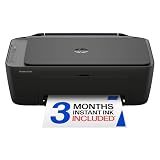
- PERFECT FOR BASIC PRINTING NEEDS – Print everyday color documents like to-do lists, letters, financial documents and recipes
- KEY FEATURES – Color print, copy, scan, and a 60-sheet input tray, plus mobile and wireless printing
- OPTIMIZE PRINT FORMATTING WITH HP AI – Print web pages and emails with precision—no wasted pages or awkward layouts; HP AI easily removes unwanted content, so your prints are just the way you want
- ICON LCD – Print your basic documents with ease from the intuitive control panel
- PRINT SPEED – Up to 7.5 ppm black, 5.5 ppm color
What “cheap” really means when buying a printer
A printer’s price has three parts:
- Purchase price: what you pay for the hardware.
- Consumables: replacement ink, toner, bottles, cartridges, and—in some laser printers—a drum.
- Maintenance and replacement cost: cleaning cycles, printhead maintenance, setup ink, maintenance boxes, and parts that wear out over time.
A $60 or $100 cartridge inkjet can be the least expensive choice at checkout but a poor value if its cartridges last only a few hundred pages. A $180 laser or $200 refillable tank printer can cost less to operate over several years. Consumer Reports makes the same broader point in its printer buying guide: inexpensive inkjets often have costly replacement ink, while ink-tank models usually trade a higher initial price for lower ongoing ink costs.
There is no single cheapest printer for every household. A person who prints five black-and-white pages every few months has a different cost problem from a family printing color worksheets and photos every week.
Our recommendations at a glance
- Choose the Canon G3290 if you print color documents or casual photos regularly and can spend around $200 upfront.
- Choose the Brother MFC-J1360DW if you need a scanner, copier, and ADF while keeping the purchase price near $100 to $120.
- Choose the Brother HL-L2460DW if you mainly print black text, forms, shipping labels, or homework and the printer may sit unused for weeks.
How these printers were selected
These picks combine manufacturer specifications, current U.S. price and supply pages, and independent testing from RTINGS’ cheap-printer coverage and Tom’s Guide’s printer rankings. The evaluation emphasizes:
- Two- to three-year ownership cost — 30%: printer price, genuine supply prices, yields, drums, maintenance parts, and subscription requirements.
- Workload fit — 25%: occasional versus frequent printing, black-only versus color, and documents versus photos.
- Output quality — 15%: text, graphics, casual photos, color accuracy, and resistance to smudging.
- Features — 15%: scanning, copying, ADF, automatic duplex printing, paper capacity, mobile printing, and Ethernet.
- Reliability and maintenance — 10%: clogging risk, supply replacement, drums, and setup.
- Availability and exact-model identity — 5%: U.S. stock, support, model-specific supplies, and regional variants.
These are editorial criteria, not a claim that this site independently performed a new laboratory test. Independent performance claims are attributed to the testing publications, while specifications and prices are linked to manufacturer pages.
1. Canon MegaTank PIXMA G3290: best overall budget color printer
Best for: households and home offices that print color documents, graphics, and occasional photos often enough to benefit from refillable ink.
Checked price: Canon’s U.S. MegaTank catalog listed a $269.99 regular price and a $199.99 promotional price when checked. Do not treat $199.99 as the normal price. The catalog indicated stock, while the individual Canon product page simultaneously displayed language saying the model was no longer available. Check both the current price and availability before publication or purchase.
Why it is the best long-term color value
The G3290 is the best choice here when “budget” means low cost for ongoing color printing, not the lowest initial purchase price. Instead of small disposable cartridges, it uses four refillable tanks: black, cyan, magenta, and yellow. That makes it much better suited to regular color use than a basic cartridge printer.
Free tools Windows power users keep installed
One-click scans. No signup required.
Tom’s Guide named the G3290 its best budget printer after testing and estimated color printing at approximately 0.9 cents per page, compared with a stated category average of about 1.9 cents. That is an independent publication estimate, not a guaranteed household cost; dark graphics, photos, paper choice, cleaning cycles, and ink prices can change the result. See Tom’s Guide’s G3290 review and its printer rankings for the test context.
Key specifications
- Prints, scans, and copies.
- Four refillable ink tanks.
- Automatic two-sided printing.
- Flatbed scanner with no automatic document feeder.
- 100-sheet rear paper tray.
- Up to approximately 11 image-per-minute black simplex and 6 color simplex, according to Canon.
- Up to 4,800 × 1,200 dpi.
- Wi-Fi and USB connectivity.
- Canon PRINT app, Apple AirPrint, and Mopria support.
- 2.7-inch LCD.
- Borderless printing from small square media through Letter size.
Canon claims up to 6,000 black-and-white pages or 7,700 color pages per full replacement-bottle set in its default-mode testing. Those are “up to” manufacturer estimates, not a promise of what every household will receive. Canon explains its MegaTank yield methodology and notes that the included bottles can produce less than replacement bottles because some ink is used during initial setup.
Strengths
- Much lower expected color running cost than conventional cartridge inkjets.
- Good fit for mixed documents, color graphics, and casual photos.
- Automatic duplex printing saves paper and avoids manual page flipping.
- Visible tanks make remaining ink easier to monitor.
- Better long-term value than a very cheap cartridge model for regular color printing.
Limitations
- No ADF: multi-page scanning and copying require placing pages on the flatbed one at a time.
- Only one paper tray: switching frequently between plain paper and photo paper is less convenient.
- It is still an inkjet: liquid ink can dry or the printhead can clog after long periods of inactivity.
- Slower than a laser: it is designed for home color use rather than fast document batches.
- Higher upfront price: it is not the right choice for a strict $100 budget.
- Availability is uncertain: Canon’s catalog and product page did not agree when checked.
Who should buy it?
Buy the G3290 if you print color worksheets, forms, graphics, recipes, craft materials, or casual photos every few weeks; want to avoid frequent cartridge purchases; and do not need batch scanning.
Skip it if you print almost exclusively black text, leave the printer unused for months, need an ADF, require rapid multi-page output, or cannot spend more than about $100.
2. Brother MFC-J1360DW: best low-upfront-price color all-in-one
Best for: students, renters, families, and home-office users who need printing, scanning, copying, and an ADF without spending much more than $100.
Checked price: $109.99 on Brother’s U.S. product page.
Why it is the practical budget all-in-one
The MFC-J1360DW offers more office functionality for the initial price than many entry-level inkjets. It has a 20-sheet automatic document feeder, automatic duplex printing, separate color cartridges, and print, scan, and copy functions. That combination makes it a better fit for forms, schoolwork, receipts, and occasional multi-page documents than a printer with only a flatbed scanner.
RTINGS rated the MFC-J1360DW as a budget inkjet pick, reporting sharp text, detailed output, and good-enough casual photos. It also identifies the important compromises: middling black-and-white speed, slow color printing, average page yields, and clogging risk when the printer is left unused.
Key specifications
- Prints, scans, and copies.
- Automatic duplex printing.
- 20-sheet, single-sided ADF.
- 150-sheet paper tray.
- Wi-Fi and USB connectivity.
- Apple AirPrint, Mopria, Wi-Fi Direct, and Brother Mobile Connect support.
- 1.8-inch color display.
- Advertised speeds of up to 16 ppm black and 9 ppm color.
- Separate pigment-black, cyan, magenta, and yellow cartridges.
- Starter cartridges listed at 200 pages each.
Brother lists wireless and USB connectivity for the U.S. model; do not assume it has Ethernet. If wired networking is important, the HL-L2460DW below is the safer choice.
Ink yields and the ownership trade-off
RTINGS estimated approximately 400 black pages and 300 color pages from standard cartridges, with high-yield cartridges roughly doubling those figures. These are test estimates, not a universal guarantee. Actual output depends on page coverage, cleaning, document type, and supply prices.
The printer’s low purchase price is therefore its main advantage, not its lowest possible cost per page. It can be sensible for light-to-moderate printing, but a refillable tank is usually a better direction if the household prints color regularly or exceeds roughly 200 pages per month. Those monthly bands are practical guidance, not manufacturer duty-cycle limits.
Strengths
- Low upfront price.
- Genuine print, scan, and copy functionality.
- ADF for occasional multi-page scanning and copying.
- Automatic duplex printing.
- Separate color cartridges mean one empty color does not automatically mean replacing a combined tri-color cartridge.
- Good document and scan quality for its price.
- More useful for students and home offices than a print-only printer.
Limitations
- Not intended as a high-volume color printer.
- Color output is relatively slow.
- Cartridge costs can erase the initial savings over time.
- Liquid ink can clog if the machine sits unused.
- The ADF is single-sided; it does not automatically scan both sides.
- It is not an ink-tank printer.
Who should buy it?
Choose it if you need an inexpensive all-in-one, occasionally scan or copy several pages, print modest volumes, and want separate color cartridges. It is particularly reasonable when the purchase budget is close to $100 to $120.
The Tool Desk
Outbyte Driver Updater FREEScan for outdated or missing drivers - takes under a minuteDriver Scan →Outbyte PC Repair FREEClear out junk files and repair common Windows errorsFree Scan →Choose something else if you print hundreds of pages monthly, want the lowest color cost per page, leave the printer idle for long periods, or need especially fast color output.
Subscription note: Brother also listed an MFC-J1360DWF bundle at $99.99 with a Refresh ink-subscription offer. Treat it as a different purchase, not automatically as a cheaper version of the MFC-J1360DW. Brother’s subscription information states that subscription cartridges may be deactivated after cancellation, requiring replacement cartridges. Compare the full subscription terms, page limits, and future cartridge requirements before choosing that bundle.
3. Brother HL-L2460DW: best for black-and-white documents and infrequent use
Best for: black-and-white homework, forms, shipping labels, return labels, tax documents, and anyone who may leave the printer unused for weeks.
Checked price: $179.99 on Brother’s U.S. product page.
What’s actually slowing this PC down?
Pick the symptom - the matching free tool is one click away.
Also popular on Amazon

- Affordable Versatility - A budget-friendly all-in-one printer perfect for both home users and hybrid workers, offering exceptional value
- Crisp, Vibrant Prints - Experience impressive print quality for both documents and photos, thanks to its 2-cartridge hybrid ink system that delivers sharp text and vivid colors
- Effortless Setup & Use - Get started quickly with easy setup for your smartphone or computer, so you can print, scan, and copy without delay
- Reliable Wireless Connectivity - Enjoy stable and consistent connections with dual-band Wi-Fi (2.4GHz or 5GHz), ensuring smooth printing from anywhere in your home or office
- Seamless Multi-Page Handling - Tackle multi-page documents with ease using the Auto Document Feeder (ADF) for quick scanning and copying
Why a monochrome laser can be the cheapest choice
The HL-L2460DW avoids the central weakness of liquid-ink printers: a laser printer does not have an inkjet printhead that can dry out and clog while idle. It is therefore often the best practical choice for occasional black-and-white printing, even though its initial price is higher than a basic cartridge inkjet.
RTINGS highlighted the HL-L2460DW’s sharp text, high yield, automatic duplex printing, fast output, and resistance to inkjet-style clogging. It is a focused document printer, not a general-purpose color machine.
Key specifications
- Monochrome laser.
- Print only; no scanner or copier.
- Up to 36 pages per minute on Letter-size paper.
- Automatic duplex printing.
- 250-sheet standard paper tray.
- Single-sheet manual feed.
- Wi-Fi, Wi-Fi Direct, Ethernet, and USB.
- Apple AirPrint, Mopria, and Brother Mobile Connect support.
- 1,200 × 1,200 dpi maximum resolution.
- 14.0 × 14.2 × 7.2 inches and 15.6 pounds.
- One-year limited warranty.
Toner and drum costs
Brother lists the following supplies:
- TN830 standard toner: approximately 1,200 pages.
- TN830XL high-yield toner: approximately 3,000 pages.
- TN830V value high-yield toner: approximately 3,300 pages.
- DR830 drum: approximately 15,000 pages.
- Starter toner: approximately 700 pages.
At the checked Brother price of $60.99 for a TN830 cartridge rated at approximately 1,200 pages, the toner-only estimate is:
$60.99 ÷ 1,200 pages = approximately $0.0508 per pageThat is about 5.1 cents per page before accounting for the drum. It assumes the cartridge reaches its stated yield, and toner prices can change. The DR830 drum was listed at $157.99 with an approximately 15,000-page yield. The drum is a meaningful long-term ownership cost, although many light users will take a long time to reach its rated life.
Windows Errors? Fix Them Before They Spread
Repair common Windows errors and clear accumulated junk for a smoother, more stable PC - no reinstall needed.Free scan · no reinstallOutdated Drivers Are Slowing You Down
One free scan finds every outdated or missing driver and matches the right update for your exact hardware.Free scan · exact hardware matchStrengths
- Good choice for weeks-long gaps between print jobs.
- Fast black-and-white document output.
- Crisp, legible text.
- Automatic duplex printing.
- Large 250-sheet tray.
- Ethernet in addition to Wi-Fi and USB.
- High-yield toner options.
- Manual feed supports labels and envelopes, subject to Brother’s media specifications.
Limitations
- No color.
- No scanner or copier.
- Higher upfront price than basic inkjets.
- Toner and drum are separate consumables.
- Not suitable for photos or color charts.
- Manual feed accepts one sheet at a time, so it is not a high-throughput label printer.
Brother’s media guidance for the HL-L2460DW should be checked before printing envelopes or labels.
Do not confuse the model variants
The HL-L2460DW is not interchangeable with every printer in the Brother HL-L2400 family. The HL-L2405W, HL-L2400D, HL-L2420DW, and international HL-L2400DW variants can differ in wireless connectivity, Ethernet, duplex support, and speed. Use the exact U.S. model number HL-L2460DW when checking price, specifications, and supplies.
Who should buy it?
Choose it if nearly all your output is black text, you want fast duplex printing, and the printer may sit unused for weeks. It is especially suitable for forms, school papers, shipping documents, and return labels.
Do not choose it if you need color, photos, scanning, copying, or an all-in-one machine.
Recommended Free Tools
The best option under $100: Epson Expression Home XP-4200
Best only when the purchase price is the overriding concern.
The Epson Expression Home XP-4200 is tempting because Epson listed a $99.99 regular price and a $79.99 promotional price when checked. It prints, scans, and copies; supports Wi-Fi and USB; offers automatic duplex printing; uses separate black, cyan, magenta, and yellow cartridges; and supports borderless photos.
It is not one of the three main picks because Epson’s page showed it out of stock when checked, and RTINGS found low page yields, slow output, poor color accuracy, no ADF, and relatively frequent blockage issues. RTINGS recommends printing approximately once per week to reduce clogging risk.
Choose the XP-4200 only if you print lightly, can keep the ink moving, and care more about the initial purchase price than long-term value. It is not a strong choice for frequent printing.
Quick wins for a faster PC:
Scan for outdated or missing drivers - takes under a minuteDriver Scan →Repair Windows errors before they cause bigger problemsFix Now →Fix the driver behind crashes, sound loss and screen glitchesFind Drivers →Other alternatives worth considering
Canon PIXMA MG3620: occasional inexpensive photos
RTINGS gives the Canon PIXMA MG3620 a photo-oriented budget recommendation. It can make sense for buyers who want an inexpensive occasional photo printer, but its black cartridge and tri-color cartridge run out quickly. When one color is depleted, the entire tri-color cartridge must be replaced. That supply waste makes it a weak choice for regular color printing.
Epson EcoTank ET-2980: tank alternative
The Epson EcoTank ET-2980 is worth checking if the Canon G3290 is unavailable. RTINGS describes it as a lower-cost tank alternative with high yields and good print quality. It still has inkjet maintenance and clogging concerns, and it lacks an ADF. Check the current U.S. price and availability before treating it as a bargain.
Brother MFC-J1365DW: higher-yield cartridge alternative
The Brother MFC-J1365DW is a related option for heavier color printing because it uses Brother’s higher-yield LC504 cartridge system. Do not merge its specifications or supply information with the MFC-J1360DW: they are different models with different cartridge systems.
Brother MFC-L2820DW: black-and-white laser all-in-one
If you want the HL-L2460DW’s laser advantages but also need scanning and copying, look at the Brother MFC-L2820DW. It costs more and occupies more space, but adds monochrome laser all-in-one functionality and an ADF.
Why a color laser is not included
Color laser printers can be excellent for fast, durable office documents, but they generally sit above this article’s budget range. For example, TechRadar’s current color-laser coverage includes the Xerox C320, which has a 250-sheet tray and strong document performance but belongs to a more expensive home-office category. A color laser becomes worth considering when the buyer is willing to raise the price ceiling substantially.
Choose by your printing pattern
| Your situation | Best direction | Why |
|---|---|---|
| Color documents and casual photos every few weeks | Canon G3290 | Refillable tanks reduce the cost of regular color printing. |
| Color printing, scanning, copying, and an ADF near $100 | Brother MFC-J1360DW | It provides the most useful all-in-one feature set at the lowest initial price here. |
| Mostly black text; printer may sit unused | Brother HL-L2460DW | Laser toner does not dry like liquid ink, and the printer is faster for documents. |
| Black-and-white printing plus scanning and copying | Move up to a monochrome laser all-in-one such as the Brother MFC-L2820DW | The HL-L2460DW is print-only. |
| More than about 200 pages per month or frequent color printing | Refillable tank printer | Cartridge costs become increasingly important at higher volume. |
| Professional photo output | Dedicated photo printer | The G3290 is suitable for casual photos, not professional color-critical work. |
These workload bands are practical editorial guidance, not official monthly duty-cycle ratings.
Inkjet versus laser: which technology is cheaper for you?
Inkjet advantages
- Usually cheaper upfront.
- Better suited to color graphics and photos.
- Commonly available as a compact all-in-one.
- Can support borderless photo printing.
Inkjet disadvantages
- Liquid ink can dry or clog during long periods of inactivity.
- Cartridge yields may be low.
- Automatic cleaning cycles consume ink.
- Some models require all color cartridges to remain installed even for black-only jobs.
RTINGS notes that inkjets can clog when left unused, which is why an inkjet is not automatically the cheapest option for a person who prints only a few times each year.
Laser advantages
- Excellent black text.
- Fast document printing.
- Toner does not dry out like liquid ink.
- Well suited to forms, labels, homework, and shipping documents.
- Often a better fit for infrequent black-and-white printing.
Laser disadvantages
- Monochrome models cannot print color.
- Color laser printers cost substantially more.
- Toner and drum costs still matter.
- Print-only models may not scan or copy.
All-in-one features that matter
Print-only versus all-in-one
The Brother HL-L2460DW is print-only. It cannot scan, copy, or make a digital file from a paper document.
The Brother MFC-J1360DW and Canon G3290 are print/scan/copy all-in-ones. They can handle ordinary home-office tasks such as copying an ID, scanning a receipt, or digitizing a form.
What an ADF does
An automatic document feeder lets you place a stack of pages into the printer instead of putting each page on the scanner glass. The MFC-J1360DW has a 20-sheet, single-sided ADF. The G3290 has a flatbed scanner but no ADF, so it is slower and less convenient for multi-page documents.
ADF versus duplex scanning
These are not the same feature. An ADF feeds pages automatically, while a duplex ADF scans both sides of a page automatically. None of the three main recommendations should be presented as having automatic duplex scanning. If you regularly scan two-sided documents, move to a more expensive all-in-one with a duplex-capable ADF.
Also popular on Amazon

- AFFORDABLE ALL-IN-ONE FOR HOME AND HOME OFFICE: Print, copy, and scan on one compact wireless printer designed for everyday home office printing, schoolwork, documents, and reports. Produce beautiful prints for results that stand out.
- EASY TO USE WITH CLOUD APP CONNECTIONS: Print from and scan to popular Cloud apps(2), including Google Drive, Dropbox, Box, OneDrive, and more from the simple-to-use 1.8” color display on your printer.
- FULL-SIZE FEATURES IN A COMPACT DESIGN: This printer includes automatic duplex (2-sided) printing, a 20-sheet single-sided Automatic Document Feeder (ADF)(3), and a 150-sheet paper tray(3). Engineered to print at fast speeds of up to 16 pages per minute (ppm) in black and up to 9 ppm in color(4).
- MULTIPLE CONNECTION OPTIONS: Connect your way. Interface with your printer on your wireless network or via USB.
- MOBILE PRINTING MADE EASY: Go mobile with the Brother Mobile Connect app(5) that delivers easy onscreen menu navigation for printing, copying, scanning, and device management from your mobile device. Monitor your ink usage with Page Gauge to help ensure you don’t run out(6).
Automatic duplex printing
All three main picks automatically print on both sides. That saves paper, but it does not mean that they automatically scan both sides.
How to estimate printer ownership cost
A simple starting formula is:
Estimated consumables cost per page = consumable price ÷ manufacturer-stated page yieldUse the result as an estimate, not a promise. ISO test pages do not represent every household’s printing. Photos and dark graphics use more ink or toner than ordinary text pages. Inkjet cleaning cycles consume ink, initial setup reduces the yield of included bottles or cartridges, and laser printers may require a separate drum. Paper, electricity, and subscription charges are also excluded unless you add them to the calculation.
Example: Brother HL-L2460DW standard toner
Brother listed the TN830 standard toner at $60.99 for approximately 1,200 pages:
$60.99 ÷ 1,200 pages = approximately $0.0508 per pageThat is approximately 5.1 cents per page for toner before the drum. The high-yield TN830XL and TN830V can change the effective toner cost, but their current prices should be checked at the time of purchase.
Example: Canon G3290 color ink
Tom’s Guide estimated approximately 0.9 cents per color page for the G3290. Attribute that figure to Tom’s Guide rather than treating it as a guaranteed household rate. Canon’s own page-yield estimates are based on its stated test conditions and do not fully predict the effect of setup ink, maintenance, image coverage, paper type, or long idle periods.
Why the Brother MFC-J1360DW needs more caution
RTINGS estimated approximately 400 black pages and 300 color pages from the MFC-J1360DW’s standard cartridges, with high-yield cartridges roughly doubling those results. Since current LC501 cartridge prices change, the responsible conclusion is not a fixed cost-per-page number: the MFC-J1360DW is a modest-use printer whose low initial price can be outweighed by supplies if you print heavily.
Practical questions and failure modes
“I only print once every few months.”
Choose the Brother HL-L2460DW if black-and-white output is sufficient. Avoid choosing an inkjet solely because it is cheaper upfront; cartridge and tank models can require maintenance after long idle periods.
“I need to print photos.”
Choose the Canon G3290 for a budget mixed-use printer. It supports borderless printing and should be suitable for casual photos, but it is not a dedicated six-ink photo printer. Professional or highly color-critical photo work requires a different class of device.
“I need to scan a stack of papers.”
Choose the Brother MFC-J1360DW because its 20-sheet ADF can feed multiple pages. Do not choose the Canon G3290 for this specific need unless you are comfortable placing each page on its flatbed scanner.
What’s actually slowing this PC down?
Pick the symptom - the matching free tool is one click away.
“I need to scan both sides automatically.”
None of the three main picks is a duplex-scanning solution. Look for a more expensive model with a duplex-capable ADF and verify that the specification says duplex scanning—not merely automatic document feeder.
“I need Ethernet.”
The HL-L2460DW supports Ethernet, Wi-Fi, Wi-Fi Direct, and USB. Brother’s official MFC-J1360DW specifications list wireless and USB but not Ethernet. Do not assume that every home-office printer includes a wired network port.
“Can I use third-party ink?”
Check the exact manufacturer warranty and supply guidance before buying. Epson says the XP-4200 is designed for Epson cartridges and warns that non-genuine ink can cause damage not covered by its limited warranty. Brother recommends genuine LC501 ink for the MFC-J1360DW. This manufacturer language is not a universal statement about every third-party cartridge, so weigh potential savings against print quality, reliability, support, and warranty questions.
“Can the HL-L2460DW print labels or envelopes?”
Yes, it supports labels and envelopes through the manual feed, subject to Brother’s supported media sizes and weights. The manual feed accepts one sheet at a time, so it should not be treated as a high-volume label printer.
Do these 3 things before closing this tab:
1Fix the driver behind crashes, sound loss and screen glitches2Repair Windows errors before they cause bigger problems3Scan for outdated or missing drivers - takes under a minute“Can an inkjet print if one color is empty?”
Do not assume it can. Inkjet behavior varies by model, driver, and cartridge state. Check the exact manual rather than assuming that a black-only setting will bypass an empty color cartridge.
Buying checklist
- Decide whether you need color or only black-and-white.
- Estimate your normal monthly page count, including occasional large jobs.
- Check whether you need scanning and copying.
- Choose an ADF if you regularly process multi-page documents.
- Look specifically for duplex scanning if two-sided scanning matters.
- Compare genuine supply prices and stated yields, not just printer prices.
- For a laser, include the drum in long-term cost calculations.
- For an inkjet, consider how often you will print and the risk of clogging.
- Check Ethernet, Wi-Fi, USB, AirPrint, Mopria, or Wi-Fi Direct requirements.
- Verify the exact U.S. model number and matching cartridge or toner number.
- Recheck stock and promotions immediately before purchase.
- Treat subscription bundles separately from standard printer purchases.
Frequently Asked Questions
Is a laser printer better for occasional use?
For occasional black-and-white printing, usually yes. Toner does not dry out like liquid ink, so the Brother HL-L2460DW is a better fit for a printer that may sit unused for weeks. It does not print color and has no scanner or copier.
Are ink-tank printers worth the higher upfront price?
They can be worth it when you print color regularly. The Canon G3290 costs more upfront than a cartridge inkjet, but its refillable tanks and high stated yields can reduce ongoing color costs. If you print only a few pages every several months, the higher purchase price may not pay off.
Which recommended printer has an automatic document feeder?
The Brother MFC-J1360DW has a 20-sheet, single-sided ADF. The Canon G3290 has a flatbed scanner with no ADF, and the Brother HL-L2460DW has no scanner.
Do these printers print double-sided automatically?
Yes. All three main recommendations support automatic duplex printing. None should be described as having automatic duplex scanning.
Which of these printers is best for photos?
The Canon PIXMA G3290 is the best of the three for casual color photos and graphics. It supports borderless printing, but it is not a professional dedicated photo printer.
Which printer is best for shipping labels?
The Brother HL-L2460DW is the best choice for black-and-white shipping and return labels. It supports labels and envelopes through a one-sheet manual feed. Check Brother’s supported media specifications before printing.
How often should an inkjet printer be used?
There is no universal schedule for every model, but regular printing can reduce the risk of dried ink and clogged printheads. RTINGS recommends printing the Epson XP-4200 approximately once per week. If you routinely go weeks or months without printing, a monochrome laser is safer for black-and-white work.
Recommended Free Tools
What should I do if the recommended printer is out of stock?
For the Canon G3290, check Canon’s current MegaTank catalog and individual product page because their availability signals conflicted when checked. If it is unavailable, compare the current Epson EcoTank ET-2980. For black-and-white printing, the HL-L2460DW is a separate laser alternative; for color plus an ADF near $100, check the current Brother MFC-J1360DW stock.
Are subscription ink bundles automatically cheaper?
No. A subscription can be useful for predictable printing, but it may include page limits, renewal charges, or cartridges that are deactivated after cancellation. Brother’s MFC-J1360DWF bundle should be compared using its full subscription terms rather than its promotional purchase price alone.
The Bottom Line
For most households that regularly print in color, buy the Canon MegaTank PIXMA G3290 if its current price and availability work for you. Choose the Brother MFC-J1360DW when a low-cost all-in-one and ADF matter more than the lowest long-term ink cost. Choose the Brother HL-L2460DW when you mainly print black text and want a printer that can sit unused without liquid-ink clogging concerns.
Recheck prices, stock, promotions, cartridge terms, and exact model numbers before ordering—especially for the G3290, whose Canon catalog and product page showed conflicting availability on August 9, 2026.
The Tool Desk
Outbyte Driver Updater FREEFix the driver behind crashes, sound loss and screen glitchesFind Drivers →Outbyte PC Repair FREEClear out junk files and repair common Windows errorsFree Scan →
