
The Tool Desk
Outbyte Driver Updater FREEScan for outdated or missing drivers - takes under a minuteDriver Scan →Outbyte PC Repair FREERepair Windows errors before they cause bigger problemsFix Now →iTechGuides is reader-supported. When you buy through links on our site, we may earn an affiliate commission. As an Amazon Associate I earn from qualifying purchases. Learn more
Project Gutenberg is the best overall free eBook download site if you want to keep a classic permanently. For better formatting, use Standard Ebooks; for newer commercial books, use Libby through a public library; and for scholarly or educational reading, use DOAB or OpenStax.
These services do not all offer the same kind of “free” access. Some provide unrestricted files because a work is public domain or openly licensed. Others provide a temporary library loan that expires. The distinction matters: borrowing an eBook is not the same as owning a permanent, DRM-free download.
What counts as a free eBook download?
A legal free eBook generally falls into one of four categories:
Quick wins for a faster PC:
Scan for outdated or missing drivers - takes under a minuteDriver Scan →Clear out junk files and repair common Windows errorsFree Scan →Fix the driver behind crashes, sound loss and screen glitchesFind Drivers →- Public-domain books: Copyright has expired in the relevant jurisdiction, so the site can distribute the text.
- Openly licensed books: The author, publisher, institution, or project permits free access under a stated license.
- Copyright-holder-authorized books: A publisher or author has chosen to make a title available at no cost.
- Library loans: You can read or download an encrypted copy temporarily, but the access ends when the loan expires.
The first three categories may allow a permanent download, depending on the title and its license. Libby, Open Library, and many Internet Archive lending titles are different: they provide time-limited access rather than an unrestricted file.
Popular on Amazon
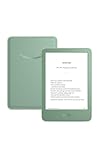
- Light and compact - With adjustable brightness, high contrast ratio, and fast page turns.
- Effortless reading in any light - Read comfortably with a 6“ glare-free display, adjustable front light—now 25% brighter at max setting—and dark mode.
- Escape into your books - Tune out messages, emails, and social media with a distraction-free reading experience.
- Read for a while - Get up to 6 weeks of battery life on a single charge.
- Take your library with you – 16 GB storage holds thousands of books.
This list is ranked for legal provenance, useful download or offline-reading options, catalog quality, and usefulness to readers in the United States. Copyright rules differ by country. A book that is public domain in the U.S. may still be protected elsewhere, so check the individual site’s rights notice before downloading, sharing, or redistributing a title.
Quick comparison
| Rank | Site | Best for | Permanent download? | Common formats or access |
|---|---|---|---|---|
| 1 | Project Gutenberg | Public-domain classics | Usually, for eligible titles | EPUB, Kindle-compatible files, HTML, plain text |
| 2 | Standard Ebooks | Beautifully formatted classics | Yes, for its public-domain editions | High-quality EPUB and other supported formats |
| 3 | Internet Archive | Scans, rare books, and archival material | Depends on the item | Direct files, browser reading, encrypted PDF or EPUB loans |
| 4 | Open Library | Library-style discovery and borrowing | Usually no; eligible loans expire | BookReader, PDF, EPUB |
| 5 | Google Books | Finding public-domain books and scans | For eligible full-view titles | Online reading and, for some titles, PDF download |
| 6 | Libby | Current books through a library | No; loans expire | App-based offline reading and eligible Kindle delivery in the U.S. |
| 7 | ManyBooks | Genres and author-provided free books | Depends on the title | Online reading, PDF, and e-reader formats |
| 8 | Wikisource | Multilingual texts and historical documents | Depends on the work’s license | Online text, PDF, and book exports |
| 9 | DOAB | Scholarly open-access books | Often, but the publisher sets the terms | Publisher or repository downloads |
| 10 | OpenStax | Free college and high-school textbooks | Yes, for the digital editions | Web reading and downloadable PDF |
1. Project Gutenberg — best overall for public-domain classics
Project Gutenberg is the best starting point for readers who want a classic they can download and keep. Its official collection contains more than 77,000 free eBooks, with a focus on works whose U.S. copyrights have expired.
You can read a title in your browser or download it in several formats, including EPUB, Kindle-compatible files, HTML, and plain text. Many of the files are DRM-free, so you can store them on your computer or import them into a compatible reading app.
Best for: Jane Austen, Shakespeare, Charles Dickens, adventure novels, philosophy, historical texts, poetry, and older nonfiction.
Why it ranks first: It combines a very large catalog, no registration requirement for the core collection, straightforward downloads, and useful search and popularity lists.
What to watch for: Formatting quality varies by title. Some books look polished, while others are closer to carefully prepared plain text. The catalog is also concentrated on older works, not current bestsellers. Project Gutenberg specifically warns that a title free in the United States may not be public domain in another country.
How to use it: Search for a book, open its record, and choose the format that matches your device. EPUB is usually the most flexible choice for phones, tablets, and many dedicated e-readers. HTML is convenient for browser reading, while plain text is useful when maximum compatibility matters.
Do these 3 things before closing this tab:
1Repair Windows errors before they cause bigger problems2Fix the driver behind crashes, sound loss and screen glitches3Clear out junk files and repair common Windows errors2. Standard Ebooks — best formatting for free classics
Standard Ebooks is the quality-first alternative to Project Gutenberg. Its volunteers take public-domain texts and produce carefully edited, typographically polished editions with consistent metadata, modern typography, clean semantic markup, proofreading, and attractive covers.
This is the site to try when you already know a classic is available for free but do not want a rough scan, inconsistent spacing, or an unattractive file. Its editions are designed primarily for comfortable eBook reading on a Kindle, Kobo, phone, or tablet.
Best for: Readers who care about typography, clean navigation, covers, and a book-like reading experience.
Strengths: High-quality EPUB presentation, consistent metadata, careful proofreading, and an open-source production process. Standard Ebooks says its own ebook files are released into the U.S. public domain.
Recommended Free Tools
Limitations: The catalog is much smaller than Project Gutenberg, and the focus is primarily public-domain literature. It is not a source for most current books.
Practical approach: Check Standard Ebooks first for a well-known classic. If it is not available there, search Project Gutenberg for its broader selection. In either case, inspect the title’s rights information if you plan to use the book outside the United States.
3. Internet Archive — best for archival scans and borrowable books
Internet Archive is valuable because it brings together historical scans, rare and out-of-print books, openly downloadable materials, and a controlled digital lending library. It is particularly useful when a title is difficult to find as a clean, modern eBook.
However, do not treat the entire Internet Archive as a permanent free-download catalog. Some items are directly downloadable; others can only be read in a browser; and lending-library titles must be borrowed for a limited period. For many loans, the Archive provides an encrypted EPUB or PDF that is opened through compatible software such as Adobe Digital Editions. A standard lending period is commonly 14 days, although rules can vary by item.
Free tools Windows power users keep installed
One-click scans. No signup required.
Best for: Rare books, historical material, scanned editions, archival research, and titles unavailable in ordinary eBook repositories.
How access works: Look at the item’s available options. A direct download is different from a “borrow” button. A borrowable book may require an account, an active loan, and compatible reading software. A browser-only item may not provide a downloadable file at all.
Important legal context: The Internet Archive’s lending of copyrighted books has been the subject of major U.S. copyright litigation. The safest way to use the service is to distinguish clearly between public-domain or openly downloadable material and controlled loans, and to follow the rights and access terms shown for each item.
4. Open Library — best library-style discovery and borrowing
Open Library, operated in partnership with the Internet Archive, is useful when you are looking for a particular title rather than browsing only public-domain classics. Its catalog feels more like a digital library: you find a record, see whether an edition is available, and borrow it if access is permitted.
Outdated Drivers Are Slowing You Down
One free scan finds every outdated or missing driver and matches the right update for your exact hardware.Free scan · exact hardware matchPC Slower Than It Used to Be?
A free scan shows the junk files, broken settings and background clutter dragging Windows down - then fixes them in one click.Free scan · Windows 10 & 11Eligible books can generally be read in the browser through BookReader and may be available in PDF or EPUB form. Open Library says fully borrowable loans can last 14 days, while some browser-reading loans are shorter.
Best for: Finding and borrowing digitized editions of books that are not available as ordinary unrestricted downloads.
Strengths: Broad catalog discovery, library-style records, browser reading, and borrowing options for eligible editions.
Also popular on Amazon
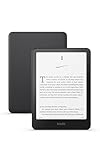
- Kindle Paperwhite – 7“ Paperwhite display with high contrast ratio and fast page turns.
- Ready for travel – The ultra-thin design has a larger glare-free screen so pages stay sharp no matter where you are.
- Escape into your books – Your Kindle doesn’t have social media, notifications, or other distracting apps.
- Battery life for your longest novel – A single charge via USB-C lasts up to 12 weeks.
- Read in any light – Adjust the display from white to amber to read in bright sunlight or in the dark.
Limitations: A loan is temporary. Availability can depend on lending limits, edition availability, and whether another reader currently has the book. A borrowed EPUB or PDF should not be confused with a file you can keep forever.
Use it when: You want to read a specific book for a limited time and your local library does not have it. If you want permanent access to a classic, Project Gutenberg or Standard Ebooks is usually a better destination.
5. Google Books — best search engine for public-domain downloads
Google Books is particularly good at locating books because its full-text search reaches across a huge catalog. Google says its free collection includes more than 10 million books and consists of public-domain works, books made free by copyright holders, and copyright-free materials such as some U.S. government documents.
The key is to distinguish a full book from a preview. Public-domain titles may offer a downloadable PDF, while books still under copyright are generally limited to snippets or authorized previews. A search result by itself does not mean that the entire book is free to download.
Best for: Searching inside a large catalog, finding older editions, and downloading public-domain scans or PDFs.
How to check a result: Look for “Full view” or an explicit download option on the book page. If you see only snippets or a limited preview, Google Books is helping you discover the title, not providing a free full copy.
Trade-off: The reading experience and available formats vary from title to title. Scanned PDFs can preserve the original page design, but they may be less comfortable than a reflowable EPUB on a small screen.
6. Libby — best for current eBooks through a public library
Libby is the strongest choice when “free” means reading newer commercial books legally through a public library. You need a library card from a participating library, and the exact catalog, loan length, and wait times depend on that library’s licensing arrangements.
Libby supports current fiction, nonfiction, bestsellers, audiobooks, and magazines. The mobile app can automatically download borrowed books for offline reading over Wi-Fi. Loans are automatically returned on their due date, so there is normally no late fee and no permanent copy to keep. U.S. library users may also have the option to send eligible eBook loans to Kindle.
What’s actually slowing this PC down?
Pick the symptom - the matching free tool is one click away.
Best for: Recent novels, popular nonfiction, audiobooks, magazines, and books that are not yet public domain.
Strengths: Legal access to current titles, offline reading in the mobile app, library-based discovery, and no need to purchase each book individually.
Limitations: Popular titles may have waitlists, borrowing limits, or shorter loan periods. The book disappears from your loan when it expires, so Libby is an access service rather than a permanent-download service.
Bottom line for library readers: If you want to borrow current ebooks free with a library card, check Libby before paying for a title. If the book is unavailable, place a hold or check whether another participating library offers it.
7. ManyBooks — best for a mix of classics and author-provided free books
ManyBooks was established in 2004 as a free digital library and now combines public-domain titles, including many works derived from Project Gutenberg, with books supplied by self-publishing authors. It also promotes free and discounted eBooks, so its catalog is more varied than a strictly public-domain archive.
Best for: Genre readers browsing romance, mystery, science fiction, fantasy, historical fiction, and other popular categories.
You can read books online and choose from available formats such as PDF or e-reader formats. According to ManyBooks’ help documentation, downloading requires a free account. That account requirement is a practical difference from Project Gutenberg.
Limitations: A listing’s price and availability can change. Some titles are permanently free, while others are temporary promotions or discounted books. Check the title page immediately before downloading and confirm that the price is actually zero.
How to think about it: ManyBooks is best treated as a discovery and deals site, not as proof that every title is public domain or permanently free. Read the book’s description, publisher information, and license or rights details where provided.
8. Wikisource — best for multilingual source texts and public documents
Wikisource is a Wikimedia project that acts as a free library anyone can improve. It contains historical documents, laws, speeches, poetry, religious texts, public-domain literature, and multilingual source material.
It is especially useful when you need the text itself rather than a polished commercial-style eBook. Many works can be read online, and Wikisource provides tools for exporting or downloading content, including PDF and “Create a book” workflows where available.
Best for: Research, primary sources, multilingual reading, historical documents, speeches, laws, and texts that benefit from community transcription.
The Tool Desk
Outbyte PC Repair FREEClear out junk files and repair common Windows errorsFree Scan →Outbyte Driver Updater FREEScan for outdated or missing drivers - takes under a minuteDriver Scan →Strengths: Multilingual coverage, searchable source texts, Wikimedia-style collaboration, and useful export tools.
Also popular on Amazon

- 7“ Paperwhite display with high contrast ratio and fast page turns.
- Upgrade your reading experience – The Signature Edition features an auto-adjusting front light, wireless charging, and 32 GB storage.
- Ready for travel – The ultra-thin design has a larger glare-free screen so pages stay sharp no matter where you are.
- Escape into your books – Your Kindle doesn’t have social media, notifications, or other distracting apps.
- Adapts to your surroundings – The auto-adjusting front light lets you read in the brightest sunlight or late into the night.
Limitations: Editorial consistency varies. Not every item is a conventional eBook, and the license or public-domain status can differ by work and jurisdiction. Inspect the individual work’s source and licensing information before downloading or reusing it.
9. Directory of Open Access Books — best for scholarly books
The Directory of Open Access Books, commonly called DOAB, is a community-driven discovery service for scholarly, peer-reviewed open-access books. Its site reports more than 107,000 indexed books and provides free search and discovery tools.
Best for: Academic monographs, university-level reading, serious research, and peer-reviewed books in the humanities, social sciences, science, and related fields.
Outdated Drivers Are Slowing You Down
One free scan finds every outdated or missing driver and matches the right update for your exact hardware.Free scan · exact hardware matchPC Slower Than It Used to Be?
A free scan shows the junk files, broken settings and background clutter dragging Windows down - then fixes them in one click.Free scan · Windows 10 & 11DOAB helps you search by subject, publisher, collection, and language. It is primarily an index, however, rather than a single download store. When you select a book, the actual file may be hosted by the publisher, university repository, or another open-access platform. Formats, download methods, and reuse rights therefore vary by title.
How to use it responsibly: Follow the publisher’s download link and read the license attached to the individual book. “Open access” usually means free to read, but it does not mean that every book can be modified, republished, or commercially reused without conditions.
10. OpenStax — best for free downloadable textbooks
OpenStax, a nonprofit initiative of Rice University, publishes peer-reviewed, openly licensed textbooks for high-school and college subjects. Its catalog includes science, mathematics, business, social science, nursing, computer science, and other educational fields.
OpenStax digital textbooks are free to read on the website and are available as downloadable PDFs. The site also offers instructor resources, which makes it useful for students, teachers, and independent learners rather than only casual readers.
Do these 3 things before closing this tab:
1Scan for outdated or missing drivers - takes under a minute2Repair Windows errors before they cause bigger problems3Fix the driver behind crashes, sound loss and screen glitchesBest for: College courses, high-school classes, self-study, and anyone who needs a real textbook instead of a novel.
Strengths: Peer review, broad academic coverage, downloadable PDFs, open licenses, and supporting materials.
Limitations: The catalog is educational and does not replace a general eBook store. Open licenses can include conditions such as attribution, share-alike, or noncommercial restrictions, so check the license for each title before adapting or redistributing it.
The digital edition remains free. If you prefer paper, you can purchase an affordable OpenStax print textbook through the official print-purchase option or choose to buy the print edition from an independent bookstore when a commercial edition is available. A physical copy is optional; it is not required to access the digital textbook.
Quick wins for a faster PC:
Repair Windows errors before they cause bigger problemsFix Now →Scan for outdated or missing drivers - takes under a minuteDriver Scan →Clear out junk files and repair common Windows errorsFree Scan →Which free eBook site should you use?
- For a classic you want to keep: Start with Project Gutenberg. Check Standard Ebooks first if polished formatting matters.
- For the best-looking classic eBook: Choose Standard Ebooks when it has the title.
- For rare scans or out-of-print material: Search Internet Archive, then check whether the item is directly downloadable or loan-only.
- For library-style borrowing: Use Open Library for eligible digitized editions.
- For finding older books and PDFs: Use Google Books and look specifically for Full view or Download options.
- For new books: Use Libby with a participating public-library card. Expect holds and expiration dates.
- For genre browsing: Try ManyBooks, but verify that a title is currently free and determine whether it is a promotion or a permanent free edition.
- For historical and multilingual texts: Use Wikisource and review the individual work’s license.
- For research: Search DOAB for peer-reviewed open-access books.
- For textbooks: Go directly to OpenStax.
EPUB, PDF, Kindle files, and browser reading: which format is best?
EPUB is usually the most flexible eBook format. Text reflows to fit the screen, font size can be changed, and it works well in many reading apps and on numerous dedicated e-readers.
PDF preserves fixed pages and is common for scanned books, academic works, and textbooks. It is often the right choice when page numbers, diagrams, or the original layout matter, but it can be awkward to read on a small phone.
Kindle-compatible downloads or delivery can be convenient for Kindle users, but the exact workflow depends on the source and the title. A file that is labeled EPUB is not necessarily transferred to a Kindle in the same way as a library loan. Follow the instructions supplied by the repository or your device manufacturer.
Browser reading requires no file management and works well for quickly checking a text. It is less suitable when you need reliable offline access, want to preserve a copy, or are traveling without an internet connection.
Optional hardware for offline eBook reading
You do not need to buy an e-reader to use any of these sites. A phone, tablet, or computer is enough for browser reading and most downloadable formats. If you read frequently and want a distraction-free, long-battery-life device, an optional Kindle Paperwhite e-reader may make downloaded books more comfortable to read offline. Check the source’s supported format and the device’s import or delivery method before buying.
For owners of a dedicated reader, a protective Kindle Paperwhite case can protect the screen and cover, but it is an accessory rather than a requirement for downloading free books.
How to download a free eBook safely
- Start at the official domain. Use the repository, library, publisher, or author’s own listing rather than an unfamiliar mirror that copies its catalog.
- Identify the access type. Confirm whether the page says download, full view, read online, borrow, or preview. “Borrow” and “preview” do not mean permanent ownership.
- Read the rights notice. Check whether the title is public domain, openly licensed, authorized by the copyright holder, or provided under a library loan.
- Choose the format your device handles best. EPUB is generally best for reflowable reading; PDF is common for scans and textbooks; browser reading avoids downloads altogether.
- Check for DRM or encryption. A loan file may require an account, an expiration date, or compatible software such as Adobe Digital Editions. Do not assume that every EPUB can be opened in every app.
- Use the site’s own download control. Avoid misleading advertisements, pop-ups, browser extensions, and executable files. A normal eBook download should not require an unrelated system utility or installer.
- Keep the license with the file. If you plan to quote, adapt, translate, or redistribute the book, save the work’s rights information and follow its attribution or reuse conditions.
What to avoid
A site should not be called a legal free eBook source merely because it has a download button. Avoid shadow libraries and repositories whose acquisition methods, copyright permissions, or ownership claims are unclear. They can expose readers to copyright problems, deceptive advertising, malware, incomplete files, or altered editions.
The safest path is to use official public-domain repositories, library apps, recognized open-access indexes, Wikimedia projects, and publisher-authorized free listings. When a site mixes free, discounted, and paid books, verify the price and rights for the specific title rather than judging the whole catalog by its “free eBooks” label.
Sources and rights reminders
The official sites linked throughout this guide are the best place to confirm current catalog counts, supported formats, loan periods, availability, and title-specific rights. Catalogs and borrowing rules change, and copyright status is jurisdiction-specific. In particular, treat a public-domain statement made for the United States as a U.S.-specific claim unless the site says otherwise.
Frequently Asked Questions
Are these free eBook download sites legal?
They provide legal access through different mechanisms: public-domain texts, open licenses, copyright-holder authorization, or library loans. Check the rights notice for the individual title, especially if you are outside the United States or plan to redistribute the file.
Which site is best for permanently downloading free books?
Project Gutenberg is the best general choice for public-domain classics, while Standard Ebooks is better when you want polished formatting. Some Google Books, Wikisource, DOAB, and OpenStax titles can also be downloaded permanently, but the title’s license controls what you may do with the file.
Can I get new bestsellers for free?
The most reliable legal option is a public library through Libby. Availability depends on your library’s catalog, and popular books may have waitlists. A Libby loan expires, so it is not the same as keeping a purchased eBook.
Free tools Windows power users keep installed
One-click scans. No signup required.
Is EPUB or PDF better for reading?
EPUB is usually better for novels because the text reflows and adapts to the screen. PDF is often better for textbooks, scanned books, and documents where the original page layout matters.
The Bottom Line
For a permanent free classic, use Project Gutenberg; choose Standard Ebooks when presentation matters. Use Libby for current library books, Internet Archive or Open Library for archival borrowing, DOAB for scholarly works, and OpenStax for textbooks. Always distinguish a permanent download from a temporary loan and check the title’s rights notice before sharing or reusing it.

