
Do these 3 things before closing this tab:
1Scan for outdated or missing drivers - takes under a minute2Clear out junk files and repair common Windows errors3Fix the driver behind crashes, sound loss and screen glitchesiTechGuides is reader-supported. When you buy through links on our site, we may earn an affiliate commission. As an Amazon Associate I earn from qualifying purchases. Learn more
To verify a regular SoundCloud account, sign in, open Settings, add or select your email address, and follow the confirmation link SoundCloud sends. If you mean the public blue artist badge, that is a separate process: SoundCloud-hosted guidance says new applications are paused, so you cannot currently submit a new request according to that guidance.
The distinction matters: email verification helps establish access to your account; an artist badge is a public identity signal with separate eligibility requirements.
What does “verify my SoundCloud account” mean?
It can mean either confirming an email address linked to your account or applying for the public verification badge on an artist profile. The first is an account-access function. The second is a separate application process intended to help identify notable artists and other public-facing profiles.
| Question | Email or account verification | Artist verification badge |
|---|---|---|
| Purpose | Confirm control of an email address associated with the account. | Signal that a public profile represents the person or entity it claims to represent. |
| What SoundCloud evaluates | Control of the original signup email is SoundCloud’s stated basis for verifying account ownership. | Notability, uniqueness, profile completeness, and compliance with SoundCloud’s terms. |
| Where to start | SoundCloud Settings, then the email-address controls. | On desktop, Settings → Request Verification, when applications are open. |
| Availability | An account function used to confirm or update an address. | SoundCloud-hosted guidance currently reports that new applications are paused. |
How do I verify or change the email on my SoundCloud account?
Use the email controls in SoundCloud Settings. A newly added address is confirmed by a link sent to that address; changing the primary address may also require a six-digit one-time password sent to the current primary email.
Popular on Amazon

- [Natural Audio Clarity] Operated with frequency response of 50Hz-16KHz, the podcasting XLR mic delivers balanced audio range, likely to resonate with your audience. Directional cardioid dynamic microphone corded will not exaggerate your voice, while rejects unwanted off-axis noise for vocal originality and intelligibility during your PS5 gaming streaming video recording. (Tips: Keep the top of end-addressing XLR dynamic microphone AM8 facing audio source, and suggested recording range is 2 to 6 in.)
- [XLR Connection Upgrade-Ability] To use XLR connection, connect the podcast microphone to an audio interface (or mixer) using a separate XLR cable (NOT Included) . Well-connected and smooth operation improves audio flexibility to make you explore various types of music recording singing. The streaming mic isolates the pristine and accurate sound from ambient noise with greater no interference and fidelity. (RGB and function key on mic are INACTIVE when using XLR connection.)
- [USB Connection with Handy Mute] Skip the hassle of setting something up and plug the cable to play the dynamic USB microphone directly, which suits for beginner creators or daily podcast. You can quickly control the gamer mic with tap-to-mute that is independent of computer/Macbook programs to keep privacy when live streaming. LED mute reminder helps you get rid of forgetting to cancel the mute. (RGB and function key are only available for USB connection, but NOT for XLR connection)
- [Soothing Controllable RGB] RGB ring on the desktop gaming microphone for PC, with 3 modes and more than 10 light colors collection, matches your PC gears accessories for gaming synergy even in dim room. You can control the RGB key button of the dynamic microphone USB directly for game color scheme gaming or live streaming. Configured memory function, the streaming microphone RGB no need to repeated selections after turnning off and brings itself alive when power on. (Only available for USB connection)
- [More Function Keys] Computer microphone with headphones jack upgrades your rhythm game experience and gets feedback whether the real-time voice your audience hear as expected. Get the desired level via monitoring volume control when gaming recording. Smooth mic gain knob on the PC microphone gaming has some resistance to the point, easily for audio attenuation or boost presence to less post-production audio. (Only available for USB connection)
- Sign in to SoundCloud and open Settings.
- Add the email address you want to use, or select an address already associated with the account to make it primary.
- If you added a new address, open the confirmation email SoundCloud sends and click its confirmation link.
- If you are changing the primary address, check the current primary email for SoundCloud’s six-digit one-time password and enter it when prompted.
- Return to Settings and check that the intended address is shown as primary.
SoundCloud states in its Account Ownership Policies: “The only means we have of verifying the ownership of an account is the email address that was used to create the account.” This is why access to the original signup email can matter when you need to prove ownership, even if you now use a different address.
What if the confirmation email does not arrive?
- Check your spam or junk folder.
- Confirm that the address shown in Settings is spelled correctly.
- Use the resend option in Settings to request another confirmation message.
- If the problem is the six-digit code for a primary-email change, check the current primary inbox rather than only the new address.
SoundCloud’s Help Center documents these account-email steps. A confirmation link and a one-time password are different: the link confirms a newly added address, while the six-digit code is used when changing the primary address.
Also popular on Amazon

- [Convenient Setup] Plug and play recording USB microphone for PC, with 5.9-Foot USB cable included for computer PC laptop, is connected directly to USB-A port for recording music, computer singing or podcast. The office condenser microphone for computer is easy to use and install. (NOT compatible with Xbox and Phones)
- [Durable Metal Design] Solid sturdy metal construction design, the computer microphone for Zoom meetings with stable tripod stand is convenient when you are doing voice overs or livestreams on YouTube. Durable material extends the service life of the voice-over microphone.
- [Mic Volume Knob] Gaming condenser USB mic compatible for PS4 with additional volume knob itself has a louder or quieter adjustment and is more sensitive. Your voice would be heard well enough through the zoom microphone USB when gaming, skyping or voice recording. Also, you can adjust your volume to zero and protect your privacy.
- [Widely Use] USB-powered design, the condenser microphone for recording no need the 48v Phantom power supply, works well with Cortana, Discord, voice chat and voice recognition. The podcast microphone for Mac, with USB-B to USB-A/C cable, is compatible with desktop, laptop or PS4/PS5, which meets most of your daily recording needs.
- [Clear Output Voice] Cardioid condenser microphone for PC captures your voice properly, producing clear smooth and crisp sound. Great computer recording mic for gamers/streamers/youtubers focus on the main source and reduces background noise. The streaming microphone does the job well for broadcast ,OBS and teamspeak.
How do I get the blue SoundCloud artist verification badge?
The artist badge is not obtained by confirming your email. SoundCloud-hosted guidance describes separate eligibility criteria and a desktop request route, but it currently says that new applications are paused and pending applications cannot be processed during the pause.
What’s actually slowing this PC down?
Pick the symptom - the matching free tool is one click away.
What the profile needs when applications are open
The profile must represent a well-known or highly searched-for artist, collective, DJ, label, curator, or podcaster. The guidance also requires that it be a unique profile owned by the represented person or entity, contain no misleading information, follow SoundCloud’s terms, and include a profile photo, bio, and at least one uploaded track.
Also popular on Amazon

- Custom three-capsule array: This professional USB mic produces clear, powerful, broadcast-quality sound for YouTube videos, Twitch game streaming, podcasting, Zoom meetings, music recording and more
- Blue VO!CE software: Elevate your streamings and recordings with clear broadcast vocal sound and entertain your audience with enhanced effects, advanced modulation and HD audio samples
- Four pickup patterns: Flexible cardioid, omni, bidirectional, and stereo pickup patterns allow you to record in ways that would normally require multiple mics, for vocals, instruments and podcasts
- Onboard audio controls: Headphone volume, pattern selection, instant mute, and mic gain put you in charge of every level of the audio recording and streaming process
- Positionable design: Pivot the mic in relation to the sound source to optimize your sound quality thanks to the adjustable desktop stand and track your voice in real time with no-latency monitoring
Where to apply when the route is available
- Use SoundCloud on a desktop computer and open Settings.
- Select Request Verification.
- Enter the artist or entity name and provide links that support the identity claim, such as social profiles, a website, or other external identity evidence.
Because SoundCloud-hosted guidance says applications are paused, this route may not currently be available for a new request. The pause is a changeable status; check SoundCloud’s current guidance before relying on it. The available guidance does not establish an approval guarantee, a review timeline, or ranking or monetization benefits from receiving a badge.
An Artist Pro subscription is not, by itself, evidence of eligibility for artist verification in the guidance described here. Treat profile completeness and subscription status as separate from the badge decision.
Also popular on Amazon
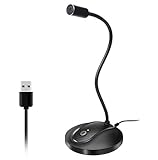
- 360 Degree Position Adjustable Gooseneck Design --Plug and play USB microphone Pick up the sound from 360-degree with high sensitivity, in the best possible location for sound to your PC gaming, dragon voice dictation, and talk to Cortana
- Mute Button & LED Indicator --One-click to mute/unmute your microphone for pc, Build-in LED indicator tells you the working status at any time
- Intelligent Noise-Canceling Tech --Premium omnidirectional condenser microphone with noise-canceling technology can pick up your clear voice and reduce background noise and echo
- USB Plug&Play(1.8/6ft USB Cable) -- No driver required. Just need to plug & play for the microphone to start recording, well compatible with Windows(7, 8, 10 and 11) and macOS. (NOT compatible with Xbox/Raspberry Pi/Android)
- Solid Construction--Adopting premium metal pipe and heavy-duty ABS stand to make sure that you will be satisfied with our computer mic quality
What if I can no longer access the email linked to my account?
Contact SoundCloud support through its sign-in guidance and be prepared to provide information that helps establish account ownership. SoundCloud may request the linked email, account creation date, last sign-in date, last IP address, names or upload dates of private tracks, names of deleted tracks, and a new email address.
Give only information you can provide accurately. SoundCloud says it cannot grant access when it cannot verify ownership, so a new email address alone does not establish that an account belongs to you. Information about private or deleted tracks can help support a recovery request if you still remember it.
Also popular on Amazon
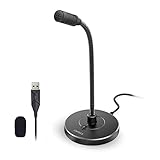
- 【Crystal Clear Audio Quality】Our Omnidirectional pattern condenser microphone accurately captures your voice, making it perfect for dictation, online classrooms, and more.
- 【Active Noise-Cancelling】Come in CMTECK CCS2.0 SMART CHIP with Omnidirectional Polar Pattern, which can effectively block the background noise. The pop filter prevents plosives from overloading the microphone, ensuring only your voice is heard.7
- 【Convenient Mute Button with LED Indicator】You can quickly mute/un-mute the microphone with the Mute Button and the built-in LED light lets you know the working status(Greenlight: Connected; Red light: Mute mode).
- 【Easy to use】 No drivers needed, just plug and record without external power supply, directly connect the microphone to a USB compatible device, well compatible with Windows(7, 8 and 10), Mac OS and PS4 (NOT compatible with Raspberry Pi/Linux/Android)
- 【Mini size with Adjustable Gooseneck】Adopted flexible and adjustable gooseneck metal pipe, easily adjust position 360 degrees to suit user comfort. The compact and stable base maximizes your desktop space.
How do one-time passwords and two-factor authentication fit in?
SoundCloud’s privacy policy describes email and SMS one-time passwords for two-factor authentication, login verification, account recovery, password resets, and other critical actions. Which method applies can depend on the account and territory.
Do not assume that every code is an artist-badge verification code. In the account-email flow, the six-digit password is sent to the current primary email when changing the primary address; other codes may be used for different security or recovery actions.
Frequently Asked Questions
How long does SoundCloud email verification take?
The guidance summarized here does not state a delivery or completion time. If the message has not appeared, check spam, verify the address in Settings, and use the resend option.
Can I verify a SoundCloud account without signing in?
The documented email-confirmation flow starts from the account’s Settings, so you generally need account access to add or manage its address. If you cannot sign in because the linked email is inaccessible, use SoundCloud’s recovery guidance rather than trying to confirm the address from a separate account.
Does SoundCloud’s artist badge automatically verify every account owned by the artist?
The badge guidance concerns a unique public profile representing the artist or entity, not a general verification of every account associated with that person. The available guidance does not promise badge coverage for additional profiles.

