
Do these 3 things before closing this tab:
1Clear out junk files and repair common Windows errors2Scan for outdated or missing drivers - takes under a minute3Repair Windows errors before they cause bigger problemsThe Supermicro X13SWA-TF uses Intel’s W790 chipset—not W690—and supports Xeon W-2400, W-3400, W-2500 and W-3500 processors in a single LGA-4677 socket. CPU family affects memory capacity, usable DIMM slots and PCIe expansion, so those details matter as much as the socket when planning a build.
What chipset and socket does the X13SWA-TF use?
Supermicro identifies the X13SWA-TF as a W790 workstation motherboard with one Socket E (LGA-4677) CPU socket. The “W690” in the commonly used title is a chipset misidentification; the manufacturer’s product page lists W790. Supermicro describes the board as an X13 UP workstation model. Supermicro X13SWA-TF specifications
Which processors are compatible?
The manufacturer lists support for Intel Xeon W-2400, W-3400, W-2500 and W-3500 families. Supermicro specifies platform limits of up to 60 CPU cores and up to 385 W TDP; those are maxima, not specifications for every supported processor. Confirm the exact CPU’s support status and cooling and power requirements in current documentation before choosing components. X13SWA-TF motherboard manual
How much memory does it support?
The board uses DDR5 ECC registered DIMMs. Although the product page lists 16 physical DIMM slots, the available slots and maximum capacity depend on the processor family and memory type.
Quick wins for a faster PC:
Clear out junk files and repair common Windows errorsFree Scan →Fix the driver behind crashes, sound loss and screen glitchesFind Drivers →#1 Best Overall
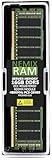
- EXACT-MATCH UPGRADE — 16GB (1X16GB) DDR5-4800 (PC5-38400), 1Rx8 Registered ECC, 1.1V, CL40, 288-pin. The precise rank, voltage, and timing your server's memory controller expects, so it's recognized at full capacity and runs at its rated speed.
- VERIFIED FITMENT — Compatible with Sapphire Rapids, Xeon Scalable, PowerEdge, ProLiant, ThinkSystem. Spec-matched to your board's memory-population rules.
- ENTERPRISE STABILITY — Registered (buffered) architecture offloads the memory controller so every slot runs fully populated at full capacity, while ECC catches and corrects single-bit errors on the fly — stopping silent data corruption and unplanned reboots before they reach production.
- CHECK YOUR CONFIG — Server and motherboard memory support varies by model. Consult your system or motherboard manual for supported capacities, approved DIMM population order, and installation steps before purchase.
- LIFETIME SUPPORT — Backed by a lifetime replacement warranty and free US-based technical support.
| Processor family | DIMM slots | Published memory capacity |
|---|---|---|
| Xeon W-3500 / W-3400 | Up to 16 | Up to 4 TB of 3DS ECC RDIMM |
| Xeon W-2500 / W-2400 | 8 | Up to 512 GB ECC RDIMM or 2 TB 3DS RDIMM |
These are manufacturer-published limits, not a guarantee that any DIMM combination will work. The product page also gives a general 2 TB memory figure, so use the family- and memory-specific values above and consult the current manual and tested-memory list when planning a configuration. Supermicro product specifications · Supermicro motherboard manual
How many PCIe slots are available?
PCIe expansion also depends on the installed processor family. Supermicro lists PCIe 5.0 x16 slot counts as follows:
Rank #2

- EXACT-MATCH UPGRADE — 16GB (1X16GB) DDR5-4800 (PC5-38400), 1Rx8 Registered ECC, 1.1V, CL40, 288-pin. The precise rank, voltage, and timing your server's memory controller expects, so it's recognized at full capacity and runs at its rated speed.
- VERIFIED FITMENT — Compatible with Sapphire Rapids, Xeon Scalable, PowerEdge, ProLiant, ThinkSystem. Spec-matched to your board's memory-population rules.
- ENTERPRISE STABILITY — Registered (buffered) architecture offloads the memory controller so every slot runs fully populated at full capacity, while ECC catches and corrects single-bit errors on the fly — stopping silent data corruption and unplanned reboots before they reach production.
- CHECK YOUR CONFIG — Server and motherboard memory support varies by model. Consult your system or motherboard manual for supported capacities, approved DIMM population order, and installation steps before purchase.
- LIFETIME SUPPORT — Backed by a lifetime replacement warranty and free US-based technical support.
- Xeon W-3500 / W-3400: six PCIe 5.0 x16 slots.
- Xeon W-2500 / W-2400: three PCIe 5.0 x16 slots.
Slot count does not establish that six full-size GPUs will fit in a particular system. Card width, length, chassis layout and cooling all affect the practical configuration; check the selected case and cards before building. Supermicro X13SWA-TF specifications
What storage and networking does the board provide?
- M.2: Four M-key sockets for 2280 or 22110 drives, each listed as PCIe 5.0 x4.
- U.2: Two PCIe 3.0 connectors for NVMe 2.5-inch drives.
- SATA: Eight 6 Gb/s ports.
- Ethernet: One Marvell AQC113C 10GbE RJ45 port and one Intel I210-AT 1GbE port. Supermicro says the 1GbE connection is shared with IPMI.
Other listed I/O includes rear USB Type-A and Type-C ports, internal USB headers, VGA, a rear serial port, onboard audio and a TPM 2.0 header. Supermicro also lists ten four-pin fan headers. Supermicro X13SWA-TF specifications
Windows Errors? Fix Them Before They Spread
Repair common Windows errors and clear accumulated junk for a smoother, more stable PC - no reinstall needed.Free scan · no reinstallCrashes, No Sound, or Screen Glitches?
Random freezes, missing sound and display glitches usually trace back to one bad driver. Find and replace yours safely.Free scan · under a minuteRank #3
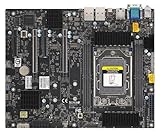
- AMD Ryzen Threadripper PRO 7000 WX-Series and Ryzen Threadripper 7000 Series Processors Single socket sTR5, LGA-4844, Up to 350W TDP, Overclocking supported AMD TRX50 Up to 4TB of memory with speeds of 5200+MT/s (1DPC) with overclocking support **Memory addressing up to 1TB/channel is subject to AMD Infrastructure Roadmap for Socket sTR5 Processors M.2 Interface: 2 PCIe 4.0 x4 (RAID 0, 1) M.2 Form Factor: 2280/22110 M.2 Key: M-Socket
Will it fit in your case?
The X13SWA-TF is an E-ATX board measuring 13 × 12 inches (33.02 × 30.48 cm). Check the specific chassis specifications for support of that footprint; an E-ATX label alone does not confirm clearance for every board or build. Also verify CPU cooler or liquid-cooling clearance, GPU dimensions, power connections and airflow. Supermicro lists optimized systems and chassis, but that does not establish fit for third-party cases. Supermicro product page
Quick Recap
Best Value

- 3rd Gen Intel Xeon Scalable processors, Intel Xeon W-3300 Processor Single Socket LGA-4189 (Socket P+) supported, CPU TDP supports Up to 270W TDP
- Intel C621A
- Single LAN with Intel Ethernet Controller I210-AT Single LAN with Marvell AQC113 Single LAN with Realtek RTL8211F PHY (dedicated IPMI)
- Up to 4TB 3DS ECC RDIMM, DDR4-3200MHz; Up to 4TB 3DS ECC LRDIMM, DDR4-3200MHz Up to 4TB Intel Optane Persistent Memory, DDR4-3200MHz, in 16 DIMM slots
- 4 PCIe 4.0 x16, 3 PCIe 4.0 x8 (in x16 slot) M.2 Interface: 4 PCIe 4.0 x4 M.2 Form Factor: 2260/2280/22110 M.2 Key: M-Key M.2 support to RAID 0,1, 5, 10, VROC key is required for RAID.
Rank #4

- Key Features Intel Xeon E-2400 Series Processor, Pentium* Processor, Single Socket LGA-1700 (Socket V0) supported, CPU TDP supports Up to 95W TDP Intel C266 controller for 8 SATA3 (6 Gbps) ports; RAID 0,1,5,10 Up to 128GB ECC Unbuffered DIMM, DDR5-4400MHz, in 4 DIMM slots 1 PCIe 5.0 x16 (Left Riser Slot) 1 PCIe 4.0 x4 ( in x16, Right Riser slot) M.2 Interface: 2 PCIe 4.0 x4 M.2 Form Factor: 2280, 22110 M.2 Key: M-Key
What to verify before choosing components
- Choose a supported Xeon W processor family and verify the exact processor against current Supermicro documentation.
- Use that family to determine actual DIMM availability, memory type and capacity; check the manual and tested-memory list for the intended population.
- Check the family-specific PCIe slot count, then confirm card fit and cooling in the chosen chassis.
- Confirm the case supports the board’s 13 × 12-inch E-ATX footprint and has suitable CPU, GPU and airflow clearance.
- Plan storage around the four M.2, two U.2 and eight SATA connectors, and confirm network needs against the 10GbE and IPMI-shared 1GbE ports.
Product prices and availability are accurate as of the date/time indicated and are subject to change. Any price and availability information displayed on Amazon at the time of purchase will apply.

