
Do these 3 things before closing this tab:
1Fix the driver behind crashes, sound loss and screen glitches2Repair Windows errors before they cause bigger problems3Scan for outdated or missing drivers - takes under a minuteiTechGuides is reader-supported. When you buy through links on our site, we may earn an affiliate commission. As an Amazon Associate I earn from qualifying purchases. Learn more
Sony XBR – 55X900H: At First Glance
Over time, the Sony brand has practically become synonymous with “quality TVs”. The level of picture quality they offer has strategically shot them straight into the hearts of movie lovers and people searching for the best TV picture quality they can get for their money.
More precisely, Sony’s mid-tier X900H series is one of its models that has gained the largest traction and appraisal from users. This family of 4K LCD TVs come in six different ranges with the X950H family being the only one above them on the family tree.
Though the X900H family has a range that runs from 55-inch to 85-inch variants, we will be reviewing the 55-inch variant in this article. In case you are wondering, this review will also apply to the other sizes since the different sizes of the TVs in a series tend to have a similar performance range.
The Tool Desk
Outbyte Driver Updater FREEFix the driver behind crashes, sound loss and screen glitchesFind Drivers →Outbyte PC Repair FREERepair Windows errors before they cause bigger problemsFix Now →Above all, does the X900H deliver? We will find out as we dive deeper into the review.
Popular on Amazon

- 【Product Model Number】RMF-TX500U / RMFTX500U (with Voice Command function)
- 【Work With Below Knowing Models】XBR55A8H XBR65A8H XBR55X950G XBR65X950G XBR75X950G XBR85X950G KD75X750H KD55X750H KD65X750H XBR43X800H XBR49X800H XBR55X800H XBR65X800H XBR75X800H XBR85X800H XBR55X900H XBR65X900H XBR75X900H XBR85X900H XBR49X950H XBR55X950H XBR65X950H XBR75X950H XBR85X950H XBR55X850G XBR65X850G XBR75X850G XBR85X850G KD55X75CH KD65X75CH KD75X75CH XBR55X81CH XBR65X81CH XBR75X81CH XBR85X81CH XBR55X90CH XBR65X90CH XBR75X90CH XBR85X90CH
- 【How to Pair】1) Press [POWER] key to turn on the tv; 2) Press and hold [VOL-] key and [g00 gle Assistant Key] for 2 seconds initiate pairing with tv; 3) All pairing transaction is behind the scene and no setup is required.
- 【What Can You Get】 1pcs x Allimity Replacement Voice Remote Control
- Warm Tips: 1) We only list the working models which have been known by us, but not all. So if your device model numbers is not included in the list, you could send message to us for confirm before order. 2) We promise to reply to our customer within 24 hours, so please feel free to contact us firstly if you have any doubt or problems about the received remote.
Sony XBR – 55X900H: Design, Dimension, and Weight
The Sony XBR – 55X900H has a simple, stylish, and sleek look that’s similar to that of the Sony X950H. This TV’s panel favors clean lines with little textures.
Consequently, this design pattern adds an air of brilliance to the TV’s overall appearance. The XBR – 55X900H’s super-thin bezels, in particular, further add an elegant splash to its design.
Even though its bottom bezel is a bit wider, it doesn’t affect the stylish look of the XBR – 55X900H.
What’s actually slowing this PC down?
Pick the symptom - the matching free tool is one click away.
Besides, these bezels themselves feature a thin silver metallic frame that gives the XBR – 55X900H a touch of class. They serve as an interesting accent to the TV’s matte black finishing.
Similarly, the legs on which the XBR – 55X900H rests partly feature a silver accent to its color theme. Like the silver finishing on the TV’s bezels, its legs also come splashed in high-end-looking silver paint.
These legs are much thinner than the usual Sony TV leg stands. Thankfully, their metal construction enables them to offer firm and solid support for the Sony XBR – 55X900H.
Another notable difference in this TV’s legs is that they are installed with friction rather than screws. These metal feet attach to the TV itself instead of being screwed on, making the setup an easier process.
Sadly, the wide space between these legs may be uncomfortable for some because it will require you to get a wide tabletop. On the bright side, this wide footprint offers plenty of space beneath the TV to seamlessly accommodate a soundbar and streaming devices.
If you don’t have enough space to accommodate the XBR – 55X900H, you can also mount it on a wall. Its 1231 x 70 x 710 mm footprint will make it fit perfectly on your wall if mounted properly.
Besides, the XBR – 55X900H’s weight makes it convenient to easily mount it on a wall. This TV weighs just 16500 g.
In conclusion, the Sony XBR – 55X900H’s sleek design and clean-cut lines will make it look awesome in any room you grace its presence with. As a result, it scores an eight in this design review.
Sony XBR – 55X900H: Display Features
The Sony XBR – 55X900H comes equipped with a 55-inch LCD display with a direct LED-backlighting feature. This display offers a 4K UHD resolution of 3840 x 2160.
Thanks to the HDR effects of the XBR – 55X900H features, the TV can display high dynamic range (HDR) contents with ease. The HDR effects the Sony XBR – 55X900H supports include the HDR10, HLG, and Dolby Vision.
These effects, in combination with Sony’s excellent full array backlighting, equips the XBR – 55X900H with very good black levels. In other words, this TV’s screen uniformity is fantastic.
There’s no form of clouding where black and white meet, just crisp and well-defined on-screen contents. As a result, this TV offers remarkably well-defined contrasts.
Quick wins for a faster PC:
Scan for outdated or missing drivers - takes under a minuteDriver Scan →Repair Windows errors before they cause bigger problemsFix Now →In case you aren’t aware, contrast represents the brightness difference between the white and black contents on a display. It is the most notable aspect of picture quality.
Since contrast is based on black levels, the darker a display can get, the higher the contrast it produces. In regards to this condition, the XBR – 55X900H offers a contrast that’s strong enough to balance deep blacks against bright whites.
Despite how black this TV’s display can get, its backlighting feature is capable of maintaining an excellent uniformity that helps it keep its black levels from turning gray. The XBR – 55X900H’s backlighting system is able to achieve this thanks to its local dimming feature.
On the display contrast test, the Sony XBR – 55X900H offered an excellent native contrast ratio of 4,267:1. This contrast ratio is higher than the one the Sony X950H offers – 3,170:1.
Also popular on Amazon

- New Voice Replacement Remote Control Applicable for Sony Smart TV XBR-85X90CH KD-75X75CH XBR-85X850G XBR-85X800H XBR-55A8H XBR-65X850G XBR-55X950G XBR-65X900H XBR-75X950H XBR-65A8H XBR-65X950H XBR-55X850G KD-65X750H XBR-49X950H XBR-55X90CH XBR-75X900H XBR-75X800H XBR-65X800H KD-55X75CH XBR-75X850G XBR-75X90CH XBR-85X950H XBR-65X90CH KD-65X75CH XBR-55X950H XBR-65X950G XBR-75X950G XBR-85X950G XBR-85X900H KD-75X750H KD-55X750H XBR-43X800H XBR-49X800H XBR-55X800H XBR-55X900H
- Please pair it with your TV before use. Pairing Steps: 1) Press the power button to turn on your tv. 2) Hold VOL- button and google assistant button for 2 seconds to initiate pairing. 3) All pairing transaction is behind the scene and no setup is required. If you still cannot get the remote paired, please go to the TV Settings dialog for remote pairing and select Pair New Remote. Then hold VOL- button and google assistant key to initiate pairing.
- Power Supply: 2X 1.5V AAA Alkaline Battery. Batteries are not included.
- Please feel free to contact us if you have any query, thanks!
If only the Sony XBR – 55X900H features the ‘X-Wide Angle’ layer technology, its native contrast ratio could have been much better. Notwithstanding, the TV’s local dimming feature helps to improve its contrast ratio.
With local dimming turned on, the XBR – 55X900H offers a more impressive contrast ratio of 5,386:1. It’s also possible to further increase this TV’s contrast ratio using the X-tended Dynamic Range feature.
This feature also helps the Sony XBR – 55X900H achieve higher brightness levels. With this feature, the XBR – 55X900H offers a maximum brightness of 545 nits.
Although it’s not as bright as some competing models like the Samsung Q90T that offers about 1,400 nits of peak brightness, the brightness level on Sony XBR – 55X900H isn’t bad.
Windows Errors? Fix Them Before They Spread
Repair common Windows errors and clear accumulated junk for a smoother, more stable PC - no reinstall needed.Free scan · no reinstallOutdated Drivers Are Slowing You Down
One free scan finds every outdated or missing driver and matches the right update for your exact hardware.Free scan · exact hardware matchIf you still aren’t impressed, you’ll be glad to find out that the Sony XBR – 55X900H aims to appease viewers with its excellent color accuracy. As far as I’m concerned, the XBR – 55X900H certainly does.
The XBR – 55X900H absolutely nails it in terms of image sharpness and detail thanks to its color accuracy. Furthermore, the TV’s 4K Dolby Vision helps it reproduce images with as much detail that’s needed to make them look convincingly real.
Behind all of these basic picture processing features, there’s the X1 processor that further refines the TV’s picture processing and upscaling performance. This processor acts as the final piece of the puzzle that helps the TV achieve its rich, excellent, bright, and clean pictures.
The XBR – 55X900H’s wide color gamut test results prove how remarkable its color accuracy is. On the color gamut test, the XBR – 55X900H had a good score of 93.11%, surpassing the 90% pass score.
When it comes to producing natural and smooth flowing picture motion, the XBR – 55X900H’s X-Motion Clarity feature gets into action. This X-Motion Clarity feature perfectly complements the good work the X1 processor does on picture processing.
Aside from the TV’s X-Motion Clarity feature, its 60 Hz refresh rate also contributes to its superb video processing performance. They both work hand-in-hand to ensure that the Sony XBR – 55X900H faces no difficulty whatsoever in terms of producing fast-moving pictures.
To present a defined validation of the XBR – 55X900H’s performance, we’ve gathered some motion-specific test results. The first test result we acquired is the TV’s response time performance result.
This test checks for the amount of blur on the display when producing fast-moving content. It does this by checking how quickly the pixels on the TV can change completely from one color to another.
On this test, a good result doesn’t exceed 14 ms. As you’d expect, the Sony XBR – 55X900H scored below this range.
It recorded a response rate of 11.2 ms.
After retrieving this test result, we moved on to obtain the TV’s input lag test result. If you are wondering what input lag means, it is the amount of time it takes for your TV to display an input it receives from its source.
Hence, this test checks for the exact amount of time it takes for a display to create an on-screen reaction from the inputs it receives. To be precise, the test result we retrieved focuses on the lowest lag a TV can suffer from while displaying 4K resolution content at a 60Hz signal.
On the test, the Sony XBR – 55X900H recorded an input lag rate of 15.1 ms, which is well below the 25 ms highest acceptable lag rate. This rate is also better than the Sony X950G’s 19.1 ms input lag rate.
Free tools Windows power users keep installed
One-click scans. No signup required.
Overall, the Sony XBR – 55X900H delivers an excellent image quality that’s pleasantly balanced with plenty of color pop and superb details. It also offers real expertise in terms of contrasts.
As a result, the Sony XBR – 55X900H scores an eight in this display review.
Sony XBR – 55X900H: Sound Features
It is quite surprising that only the 55-inch model in the X900H range doesn’t feature Sony’s Acoustic Center Multi Audio system. If the XBR – 55X900 had come with this feature, you would have been able to connect your compatible Sony soundbar/audio system to the TV for enhanced audio playback.
Also popular on Amazon
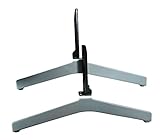
- Compatible Models: XBR-55X900H XBR-65X900H XBR-65X90CH, and XBR-55X90CH
- Please check the model # on the sticker on the back of your TV or by going to your settings and finding the About TV option. This set of legs are only compatible with the models listed
- If your TV Model is not listed, please feel free to contact us and we will gladly help you find the correct part for your TV
It would have allowed you to use the TV as a center channel speaker in a multi-channel setup.
Recommended Free Tools
However, only a Dolby Atmos system and a DTS Digital Surround system support the 10 W+10 W Bass Reflex Speaker the XBR – 55X900H comes with.
In use, this TV’s sound system sounds really good. It packs quite a punch and huge assertiveness to the way it produces sound.
The XBR – 55X900H’s sound quality is convincing enough that it doesn’t make getting a new soundbar an immediate necessity. Besides, this TV’s speaker is capable of serving up significant low-level detail while remaining reasonably loud.
To confirm its sound quality, I checked the XBR – 55X900H’s performance on a frequency response test. This test checks for how precisely a sound system reproduces each frequency of audio content.
The Tool Desk
Outbyte Driver Updater FREEFix the driver behind crashes, sound loss and screen glitchesFind Drivers →Outbyte PC Repair FREEClear out junk files and repair common Windows errorsFree Scan →On this test, XBR – 55X900H gave a frequency response of 5.01 dB while it produced sound at maximum volume. Considering the fact the good score values on this test are scores below 4 dB with a pardonable excess of 2 dB, this TV performs well enough.
Another thing I checked for is the total harmonic distortion the TV’s sound system suffers from at maximum volume. For clarity, total harmonic distortion simply means the deformation of a sound output signal compared to its input.
Unfortunately, the Sony XBR – 55X900H did not perform well in this test. It suffered from a distortion of 9.938, which is far above the 0.100 preferred value.
Regardless, this TV’s sound system is better than a lot of similarly priced TVs sound systems. As a result, it scores a seven in this sound review.
Free tools Windows power users keep installed
One-click scans. No signup required.
Sony XBR – 55X900H: Ports and Connectivity Features
As for ports, the Sony XBR – 55X900H’s power cable connector is located on the right side of its back panel. Meanwhile, all the other ports stick out on the left side of this same back panel.
These ports include four HDMI inputs, one Ethernet port, and a pair of USB inputs ports. The port option on this TV also includes a composite video input.
As for the HDMI ports, all four are version 2.0 types. However, only one is capable of serving as an audio return channel to which you can connect a subwoofer.
The other outputs on the Sony XBR – 55X900H include a headphone socket and a digital optical output. For wireless connection, the XBR – 55X900H offers a version 4.2 Bluetooth, an Apple AirPlay Homekit, Wi-Fi, and a built-in Chromecast.
Outdated Drivers Are Slowing You Down
One free scan finds every outdated or missing driver and matches the right update for your exact hardware.Free scan · exact hardware matchWindows Errors? Fix Them Before They Spread
Repair common Windows errors and clear accumulated junk for a smoother, more stable PC - no reinstall needed.Free scan · no reinstallMoving on to its report, this TV’s remote control is made possible by an unappealing remote handset. It doesn’t match up to the stylish design of the TV.
In addition, this remote feels longer than it should be, considering how small most of its buttons are. Ironically, the Google Play and Netflix buttons which are naturally meant to be huge are also bigger than they need to be.
On the good side, this remote is efficient at the service it is meant to offer. It also offers a voice control feature with a mic button at its front and center. With this voice control feature, the TV’s Google Assistant proves to be very responsive.
Overall, the Sony XBR – 55X900H’s ports and connectivity option is fair enough. Therefore, it scores a seven in this review.
Sony XBR – 55X900H: Smart Features
Like every other Sony TV, the Sony XBR – 55X900H uses the Android TV operating system to offer smart features. The Android TV OS on this TV is version 9.0.
As always, this Android TV system comes with a numerous array of streaming apps. Some of the major apps it comes with include Amazon Prime Video, Twitch, Apple TV, YouTube, Disney+, Sling TV, Hulu, and Netflix.
Also popular on Amazon

- Replacement Remote Control Compatible with RMF-TX500U Controller fit for Sony TV XBR55X850G XBR-55X850G XBR55X900H XBR-55X900H XBR55X90CH XBR55X950G XBR-55X950G XBR55X950G/A
- No Voice function !
- Good replacement for you if your original remote was broken or lost !
- Pre-programmed, no need to set up ! just put new batteries and it will work well.
- Batteries needed: 2X 1.5V AAA Alkaline Batteries. Batteries and manual are not included.
The operating system also offers some additional useful features. For instance, this TV comes with Google Cast support that enables you to stream your phone screen to the TV’s display.
You can also make use of a wide selection of Google Cast-compatible apps from your phone. In addition, the XBR – 55X900H comes with Apple AirPlay support for streaming from iOS devices.
The Android TV on the XBR – 55X900H includes Google Assistant voice support with which you can carry out many operations. With Google Assistant, you can search for information, open apps, and obtain general information such as weather reports and sports scores.
Aside from these functions, you can use the Google Assistant voice support to control your smart home devices that use Apple HomeKit or Google Assistant.
In use, the Android TV platform on this TV offers a simple and straightforward set-up menu. However, this Android TV can sometimes be as annoying to use as it is pleasing to use.
On some occasions, you will find the process of navigating through the on-screen menu unnecessarily stressful. Nonetheless, the Android TV on the Sony XBR – 55X900H enables it to offer a good smart TV platform.
Recommended Free Tools
Hence, Sony XBR – 55X900H scores a seven in this smart features review section.
Frequently Asked Questions
The XBR in Sony TVs is an acronym for eXtended Bit Rate.
Considering the quality of Sony products, you can expect Sony’s Bravia XBR TVs to last for as long as seven years if you care for the TV and maintain it properly.
However, if you will be using the Bravia XBR TV intensively, it might not last longer than five to six years.
Yes, it is. The Sony XBR – 55X900H offers smart TV features with the aid of the Android TV platform – the Android 9.0 operating system, to be precise.
What’s actually slowing this PC down?
Pick the symptom - the matching free tool is one click away.
The Sony XBR – 55X900H was released in 2020.
Sony smart TVs do not come equipped with built-in cameras and microphones. However, you can attach an external camera via one of the TV’s USB ports.
Conclusion
The Sony XBR – 55X900H pretty much checks all the boxes in terms of quality. It offers excellent picture quality, its input lag is low, and there’s little to no motion blur when it displays moving pictures.
In addition, the XBR – 55X900H effectively upscales sub-4K material rather than displaying them poorly. Aside from its impressive picture processing qualities, the XBR – 55X900H’s sound production is also good enough to meet the average standards for a high-quality TV.
In short, this TV offers more than enough to make you overlook a few of its shortcomings such as its lack of HDR10+ and its narrow viewing angle. If the Sony XBR – 55X900H’s selling price is within your budget range, then I will absolutely recommend it.
Quick wins for a faster PC:
Scan for outdated or missing drivers - takes under a minuteDriver Scan →Repair Windows errors before they cause bigger problemsFix Now →I hope you found this Sony XBR – 55X900H review helpful. If you did, we would love to hear from you.
Kindly spare two minutes to share your thoughts with our community using the comments form below.
Alternatively, simply respond to the “Was this page helpful” question below and provide us with your feedback.
For more Television reviews, visit our Television review page. You may also find our Television Specs page very helpful.
Quick Recap
Product prices and availability are accurate as of the date/time indicated and are subject to change. Any price and availability information displayed on Amazon at the time of purchase will apply.


I have one and now have a problem with the tv not turning on and it appears to be a known problem with the Sony product. You should have covered this end of the product in your review. Ps. My tv is only 14 months old and will have to be replaced.