
iTechGuides is reader-supported. When you buy through links on our site, we may earn an affiliate commission. As an Amazon Associate I earn from qualifying purchases. Learn more
The key Socket 1155 vs 775 cooler differences are the mounting patterns: LGA775 commonly uses 72 mm hole spacing, while LGA1155 uses a 75 mm pattern. A cooler designed only for one socket usually will not mount on the other. A universal cooler or manufacturer adapter can work if the correct brackets, backplate, and screws are included.
The important distinction is between mounting compatibility and cooling capacity. The socket does not automatically make a heatsink more or less effective; the retention hardware determines whether the cooler fits, while the heatsink, fan, contact quality, airflow, and CPU heat output determine whether it cools adequately.
Key takeaways
- LGA775 and LGA1155 normally use different cooler mounting patterns: approximately 72 mm versus 75 mm between mounting holes.
- LGA1155 shares its cooler mounting pattern with LGA1156, but LGA775 is not part of that same mounting arrangement.
- A cooler labeled for both sockets can be reused only when the correct socket-specific brackets, push pins, screws, or backplate are present.
- Socket compatibility does not prove thermal suitability; a cooler can mount correctly and still be too small for a particular CPU.
- Do not force a nearly aligned bracket or improvise with loose hardware, because uneven pressure can damage the board or produce poor CPU contact.
What are the Socket 1155 vs 775 cooler differences?
The main Socket 1155 vs 775 cooler differences are mechanical rather than thermal. LGA775 and LGA1155 motherboards place the heatsink retention holes at different spacings, so a cooler’s brackets or push pins may not line up even when the heatsink base appears large enough to cover either processor.
| Feature | LGA775 | LGA1155 |
|---|---|---|
| Processor era | Pentium 4, Pentium D, Core 2, and related processors | Second- and third-generation Core desktop processors, plus related Pentium and Celeron processors |
| Common cooler mounting pattern | Approximately 72 mm between heatsink mounting holes | 75 mm mounting pattern |
| Typical retention method | Intel-style push pins or socket-specific brackets | Intel-style push pins or socket-specific brackets |
| CPU and motherboard interchangeability | Not compatible with LGA1155 CPUs or motherboards | Not compatible with LGA775 CPUs or motherboards |
| Cooler interchangeability | Depends on the exact mounting hardware | Depends on the exact mounting hardware |
The approximately 72 mm and 75 mm figures describe the commonly cited mounting-hole spacing, not the size of the CPU package or heatsink base. The LGA775 technical reference documents the difference, but manufacturers can describe related dimensions as hole-center spacing, bracket pitch, or screw spacing. Always use the cooler maker’s compatibility chart when one is available.
Popular on Amazon

- Cooler Master I30 MINI CPU Cooler 92mm Quiet Fan For Intel 1150 1151 1155 1156 Computer Case CPU Radiator 3pin 9.2cm Cooling Fan,1151 CPU Cooler LGA 1151 For Intel Cooler,LGA 1150 CPU Cooler.LGA 1151 Cooler
- Intel CPU Fan.Model: RH-I30-26FK-R1 ,Noise Level: 22dBA±3 Fan Speed : 2200 RPM±10%
- Heatsink: 90 x 30mm Fan Size: 95 x 25mm Bearing Type : Alloy bearing Rated Voltage : DC 12V
- Noise Level: 22dBA±3 Fan Speed : 2200 RPM±10% Power Connector: 3-pin Theremal compound: Prepaste
- Package included: 1 x CPU Cooler Unit 1 x Backplate 1 x English User Manual
Why does LGA1155 work with many LGA1156 coolers?
LGA1155 and LGA1156 use the same or compatible cooler mounting arrangement, which is why many coolers sold for LGA1156 also fit LGA1155. Intel states that the same fan heatsink can be used across LGA1155 and LGA1156 when the processor thermal design profile is comparable, and Intel describes the installation as identical in its support documentation.
Noctua’s November 30, 2010 compatibility announcement also confirmed identical LGA1155/LGA1156 mounting-hole spacing. That LGA1155-to-LGA1156 relationship does not extend backward to LGA775. A cooler that supports LGA1156 should often be mechanically suitable for LGA1155, but the exact model, included parts, CPU heat output, and clearance still need checking.
LGA1155 and LGA1156 processors themselves are not interchangeable. Intel identifies electrical, mechanical, and keying differences between those processor sockets, even though their cooler mounting arrangements are compatible in the relevant cases. Cooler compatibility must not be confused with CPU or motherboard compatibility.
Free tools Windows power users keep installed
One-click scans. No signup required.
Is the heatsink itself different between LGA775 and LGA1155?
Usually, the retention hardware is the difference rather than the basic heat-transfer principle. The same copper or aluminum heatsink can cool either socket if a properly engineered mounting system holds the base flat against the processor with suitable pressure.
A heatsink is suitable for reuse only when all of these conditions are satisfied:
- The cooler has the correct LGA775 or LGA1155 bracket, push-pin layout, screw set, or backplate.
- The mounting system secures the cooler evenly without forcing the motherboard or bending the bracket.
- The cooler base makes full, even contact with the CPU heat spreader.
- The cooler can dissipate the target CPU’s heat output.
- The fan works and connects to a suitable motherboard header or fan controller.
- The cooler fits the case and does not obstruct memory, motherboard heatsinks, or the first PCIe slot.
A large-looking cooler base is not enough. A mounting pattern that misses by only a few millimeters can prevent safe installation or leave uneven pressure across the CPU.
Can an LGA775 cooler be adapted to LGA1155?
An LGA775 cooler can be adapted to LGA1155 when the cooler manufacturer supplies an LGA115x conversion kit, the cooler uses a replaceable universal bracket, or a third-party adapter is specifically engineered for that cooler.
Outdated Drivers Are Slowing You Down
One free scan finds every outdated or missing driver and matches the right update for your exact hardware.Free scan · exact hardware matchWindows Errors? Fix Them Before They Spread
Repair common Windows errors and clear accumulated junk for a smoother, more stable PC - no reinstall needed.Free scan · no reinstallCommon legitimate arrangements include:
- A universal Intel bracket with separate LGA775 and LGA115x mounting positions.
- A replacement backplate and bracket supplied by the cooler manufacturer.
- Interchangeable clips or mounting arms designed for the exact cooler model.
- A documented adapter made specifically for the cooler and motherboard mounting pattern.
Noctua’s mounting-kit support information lists kits for both LGA775 and LGA115x, illustrating that one cooler family can span both sockets through different mounting hardware. The support page says eligible mounting upgrades are generally provided free with proof of purchase, subject to the manufacturer’s current requirements. That policy applies to eligible Noctua products; it is not a universal industry rule.
Do not use loose screws, zip ties, drilled brackets, or random nuts and washers as a substitute for a designed mounting system. A cooler can feel tight while still applying uneven pressure, shorting components, stressing the motherboard, or sitting with a gap above the CPU.
Can an LGA1155 cooler be adapted to LGA775?
An LGA1155 cooler can be adapted to LGA775 only when the cooler was designed for both sockets or the manufacturer provides an LGA775 mounting kit. The answer is the same in reverse: the heatsink’s appearance and fan connector do not establish mechanical compatibility.
Before buying or reusing a cooler, require an explicit socket list or a mounting-kit identification. The phrase “Intel compatible” is too broad because several Intel generations use different retention systems. A listing that says “LGA775/1155” is useful only if it also confirms whether the required brackets, backplate, screws, springs, or push pins are included.
Do these 3 things before closing this tab:
1Repair Windows errors before they cause bigger problems2Scan for outdated or missing drivers - takes under a minute3Clear out junk files and repair common Windows errorsWhat should you check before reusing an old CPU cooler?
Use the following workflow before installing a used cooler on either socket.
Also popular on Amazon

- COMPATIBLE WITH : Intel Socket 775/1150/1151/1155/1156/1366
- HIGH FLOW : 1800 RPM PC Fan for Excellent Heat Dissipation
- 2 COPPER HEAT-PIPES: The 2pcs 6mm Pure Copper and Vacuum heat-pipes of this CPU Cooler for can directly connect to the CPU. Thus, the heat can be transferred to the fins quickly without any obstacles. And it adopts 41 inserted fins, the heat pipes and fins can be closely connected, the heat conduction system is easy to work
- RISK-FREE PURCHASE: If you have any questions, please contact us immediately, we will reply within 24 hours
- Identify the exact cooler model. Look for a model number on the fan frame, heatsink, box, bracket, or original invoice. Photograph every side of the cooler and all loose mounting parts.
- Find the manufacturer’s socket list. Confirm LGA775 support, LGA1155 support, or both. If the manufacturer uses the term LGA115x, verify the exact model and hardware rather than treating the family label as proof.
- Inventory the retention hardware. Check for the correct push pins, mounting arms, screws, springs, standoffs, backplate, and insulating washers. A missing proprietary backplate can make an otherwise compatible cooler unusable.
- Compare the motherboard holes with the bracket. The bracket should align naturally with all four mounting points. Never force a hole into position.
- Check CPU suitability. A small Intel stock cooler may be adequate for one processor and unsuitable for a higher-heat model. Use the CPU model and cooler specifications, not the socket name alone.
- Check physical clearance. Measure case width for a tower cooler and inspect RAM clearance, motherboard heatsinks, and the first PCIe slot.
- Inspect the cooler’s condition. Remove dust and look for corrosion, cracked plastic, bent fins, loose clips, a rough fan bearing, or a fan that does not start reliably.
- Clean and repaste. Remove old thermal compound from the CPU and cooler base, then apply suitable new compound according to the compound manufacturer’s instructions.
- Install evenly. Lock all four push pins or tighten all screws gradually in a cross pattern. Confirm that the cooler does not rock.
- Test after installation. Verify that the fan is detected and responding to temperature. Check temperatures under a representative load and stop if temperatures rise abnormally.
Noctua’s compatibility-check guidance demonstrates why socket support is only one part of the decision: CPU, motherboard, case, and RAM restrictions can all affect whether a cooler is practical.
Are Intel stock coolers interchangeable?
Intel stock coolers should be treated as socket-specific unless the exact cooler model and its retention arrangement are confirmed. Two stock heatsinks can look nearly identical while differing in push-pin position, pin length, retention geometry, heatsink height, fan profile, base size, or pre-applied thermal interface material.
A stock cooler that clips into a board may still be inadequate for the installed CPU. The correct questions are both “Will the retention system attach?” and “Is this exact cooler suitable for this processor’s heat output?” Visual similarity cannot answer either question reliably.
Does the socket change cooling performance?
The socket alone does not change cooling performance. If the same cooler is mounted with the same contact pressure, thermal compound, fan behavior, and airflow on CPUs with comparable heat output, the socket does not inherently make the heatsink cool better or worse.
Temperature differences between an LGA775 system and an LGA1155 system usually come from the hardware and installation conditions, including:
- Different CPU generations and heat output.
- Different stock voltage settings or motherboard power behavior.
- Different integrated heat spreader and die layouts.
- Different motherboard fan-control curves.
- Old, dried, or uneven thermal compound.
- Uneven mounting pressure or a partially locked push pin.
- Dust, fan wear, or degraded bearings.
- Case airflow and ambient room temperature.
- Overclocking, turbo behavior, or power-limit settings.
Intel’s guidance connects cross-socket fan-heatsink reuse with a comparable processor thermal design profile, not merely with the socket name. A cooler that fits an LGA1155 board is therefore not automatically appropriate for every LGA1155 processor.
What are the practical choices for each cooler situation?
| Your situation | Recommended action | Why |
|---|---|---|
| LGA775-only cooler on an LGA1155 board | Obtain an LGA115x kit or use another cooler | The original mounting pattern should not be assumed to align. |
| LGA1155-only cooler on an LGA775 board | Obtain an LGA775 kit or use another cooler | LGA1155 hardware does not automatically fit the older pattern. |
| Cooler explicitly supports both sockets | Install the correct socket-specific hardware | Dual support normally means separate holes, clips, brackets, or backplates. |
| Cooler supports LGA1156 | Verify the exact model, then use it for LGA1155 if the maker confirms support | The mounting patterns are commonly shared, but thermal and hardware checks remain necessary. |
| Cooler has missing brackets or backplate | Treat it as incompatible until replacement hardware is found | Missing retention parts can prevent safe, even mounting. |
| Small Intel stock cooler | Confirm the exact model and CPU suitability | Physical attachment does not prove adequate cooling. |
| Cooler requires improvised mounting | Prefer a documented adapter or another cooler | Improvised pressure and insulation can damage the board or CPU. |
| Old cooler has a worn fan | Replace the fan if the heatsink and clips are worthwhile, or replace the cooler | Socket compatibility does not make a failing fan reliable. |
| Tower cooler fits the socket but not the case | Reject it or choose a lower-profile model | Case width and component clearance are separate compatibility limits. |
What mistakes cause failed installations?
A bracket is almost aligned
Do not force a bracket when one mounting point is slightly off. A nearly matching pattern is still incompatible unless the manufacturer explicitly allows adjustment.
What’s actually slowing this PC down?
Pick the symptom - the matching free tool is one click away.
The product listing says “Intel compatible”
“Intel compatible” does not identify the socket or mounting hardware. Require a specific LGA775, LGA1155, or LGA115x listing and confirm which parts are included.
The fan plug fits
A compatible fan connector proves only that the electrical connector may attach; it says nothing about the heatsink’s mounting pattern, contact pressure, thermal capacity, or clearance.
The cooler base covers the CPU
Coverage by the metal base does not prove that the retention mechanism can hold the base flat. The bracket, backplate, and pressure system are the decisive mechanical parts.
Old thermal paste is reused
Old compound should be removed and replaced during a cooler transfer. Fresh compound cannot fix a missing bracket or uneven mounting, but reusing dried compound can worsen contact and temperatures.
One push pin is not fully locked
A cooler that is mounted diagonally or has one unlocked push pin can produce high temperatures even when the cooler model is compatible. Inspect the underside of the motherboard where possible and confirm all four retention points.
Also popular on Amazon
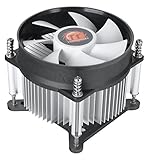
- Support Intel LGA 1200/1156/1155/1150/1151
- Low Profile Design. Air flow - 31.343 CFM. Noise level - 21.3 decibels
- Optimized for low power CPU's
- 7-Bladed Low Noise Fan
- Quick and Easy Installation
How should you buy replacement hardware?
The most reliable buying rule is to purchase the mounting hardware for the exact cooler model, not a generic adapter based only on socket names. For a premium aftermarket heatsink, an official conversion kit can preserve a useful cooler. For a basic stock heatsink, a documented replacement cooler may be simpler and safer than hunting for obsolete clips.
When selecting a replacement air cooler, confirm all of the following in the manufacturer’s current compatibility table:
- Explicit LGA775 and LGA1155 or LGA115x support.
- Included brackets, screws, push pins, and backplate.
- Suitable thermal capacity for the specific CPU.
- Maximum cooler height for the case.
- RAM and first-PCIe-slot clearance.
- Availability of replacement fans or mounting parts.
Noctua’s compatibility database is one example of a tool that separates cooler mounting kits from CPU, motherboard, case, RAM, and clearance restrictions. The database is useful for checking an exact supported model, but Noctua hardware may be unnecessarily expensive for a low-value retro system.
Quick wins for a faster PC:
Scan for outdated or missing drivers - takes under a minuteDriver Scan →Clear out junk files and repair common Windows errorsFree Scan →Fix the driver behind crashes, sound loss and screen glitchesFind Drivers →A small tube of fresh thermal compound is a sensible maintenance purchase for almost every cooler reuse. A replacement fan can also make sense when a valuable older heatsink is sound but its fan has a failed bearing. Check the replacement fan’s frame size, thickness, connector, static-pressure characteristics, and mounting clips. Neither thermal compound nor a replacement fan solves an incompatible or incomplete retention system.
Some Noctua documentation also distinguishes 78 mm and 83 mm pitches for particular cooler fastening systems. Those are cooler-bracket dimensions, not a substitute for checking the motherboard’s LGA775 or LGA1155 mounting pattern. See Noctua’s mounting-pitch explanation when the cooler uses one of those systems.
What should you photograph or measure before asking for help?
Take a clear photograph of the cooler’s model label, the underside of the heatsink, every bracket and screw, the backplate, and the fan connector. Also photograph the motherboard around the CPU socket and record the exact CPU and case model.
If documentation is unavailable, measure the distance between mounting-hole centers rather than guessing from the heatsink base. Record whether the board uses push-pin holes, threaded standoffs, or a removable backplate. Do not modify the bracket until the cooler manufacturer or a documented adapter source confirms the intended mounting method.
The Tool Desk
Outbyte PC Repair FREERepair Windows errors before they cause bigger problemsFix Now →Outbyte Driver Updater FREEScan for outdated or missing drivers - takes under a minuteDriver Scan →Frequently Asked Questions
Will an LGA775 cooler fit an LGA1155 motherboard?
An LGA775-only cooler normally will not fit an LGA1155 motherboard because the sockets use different cooler mounting patterns, commonly about 72 mm versus 75 mm. The cooler can work only if it has an LGA115x bracket or a documented adapter designed for that exact model.
Will an LGA1156 cooler fit LGA1155?
Many LGA1156 coolers fit LGA1155 because the two sockets share a compatible cooler mounting arrangement. Verify the exact cooler’s hardware and confirm that the cooler is thermally suitable for the processor.
Does an LGA775 cooler cool better than an LGA1155 cooler?
No. Socket generation alone does not determine cooling performance. Heatsink design, fan condition, mounting pressure, thermal compound, airflow, and CPU heat output matter more than whether the motherboard is LGA775 or LGA1155.
Can I use zip ties or washers to mount a cooler across sockets?
Improvised zip-tie, screw, nut, or washer mounting is not recommended unless the design is engineered and documented for the exact cooler and board. Uneven pressure or inadequate insulation can cause poor contact, motherboard stress, or electrical damage.
Recommended Free Tools
The Bottom Line
Bottom line: Assume LGA775 and LGA1155 coolers are not interchangeable unless the exact cooler is documented for both sockets or has the correct conversion kit. Check the bracket and backplate first, then confirm CPU thermal capacity and case clearance. A cooler that clips in is not necessarily a cooler that is safe or adequate.

