
iTechGuides is reader-supported. When you buy through links on our site, we may earn an affiliate commission. As an Amazon Associate I earn from qualifying purchases. Learn more
Skype has left the call: Microsoft officially retired consumer Skype on May 5, 2025, so Skype is not shutting down today. Microsoft moved former users toward Teams Free, but Teams does not fully replace Skype’s phone numbers, voicemail, forwarding, or paid international calling. Skype for Business was a separate product and was not included.
This article is current as of August 18, 2026. The shutdown is now a completed event, while Microsoft’s later data-export deadline has also passed.
Key takeaways
- Microsoft retired Skype for Consumer at 10:59 p.m. Pacific Time on May 5, 2025; Skype for Business was not part of the consumer shutdown.
- Microsoft directed former Skype users to Teams Free, where eligible contacts and ordinary chats were designed to appear after signing in with the associated Skype credentials.
- Private conversations, one-to-self chats, Copilot and bot content, some Skype-to-Business-account histories, and some Skype for Business history were excluded from the Teams Free migration.
- Skype Credit and paid Skype services were transitional exceptions accessible through the Skype Dial Pad or Teams Free for applicable remaining periods; Teams Free did not introduce new consumer paid Skype calling plans.
- Microsoft said older Skype data deletion would begin on April 1, 2026, and that export requests would be accepted through June 15, 2026; that ordinary export window had passed by August 18, 2026.
Did Skype actually shut down?
Yes. Microsoft retired Skype for Consumer on May 5, 2025. The official Microsoft Lifecycle entry for Skype for Consumer records the retirement time as 10:59 p.m. Pacific Time on that date. The retirement was a service shutdown, not merely an app rename, temporary outage, or interface change.
What’s actually slowing this PC down?
Pick the symptom - the matching free tool is one click away.
The wording “shutting down today” is therefore outdated for an article published on August 18, 2026. Skype’s consumer service has already been retired for more than a year.
Popular on Amazon

- Microsoft Teams Certified & UC Optimized: Ensure crystal-clear communication with Microsoft Teams Open Office certification and UC platform compatibility, perfect for hybrid workspaces and virtual meetings. Use of USB-A receiver required for all Microsoft Teams functionality.
- Bluetooth 5.3 & Multipoint Technology: Seamlessly switch between two devices with dual Bluetooth connections or use the USB-A receiver for plug-and-play convenience
- Advanced Noise Cancellation: Three-mic noise suppression technology blocks distractions, delivering unmatched audio clarity for professional calls or casual gaming
- Ergonomic & Lightweight Design: At only 140g, the headset features adjustable memory foam earcups and a flexible headband for extended comfort during long workdays or gaming sessions
- Unmatched Battery Life: Stay powered with up to 31 hours of talk time or 60 hours of music playback on a single charge, ensuring productivity and entertainment without interruptions
Skype for Business is separate from consumer Skype. Microsoft’s May 5, 2025 consumer retirement did not mean that every Skype-branded enterprise product was shut down at the same time. Skype for Business users should follow their organisation’s enterprise migration guidance rather than the consumer Teams Free process.
Why did Microsoft shut down Skype?
Microsoft said it was concentrating on Microsoft Teams, which already covered Skype’s core consumer functions—messaging, voice calls, video calls, and file sharing—while also supporting broader collaboration features. Microsoft announced the transition in its February 28, 2025 Microsoft 365 Blog announcement.
Microsoft’s public explanation focused on consolidating overlapping communication products and making Teams its preferred consumer communication platform. The available announcement does not establish that Skype was shut down because it had no users or because it was definitively unprofitable, so those claims should not be treated as the reason.
Recommended Free Tools
What changed for Skype users?
The practical result depended on whether a person used Skype for internet communication, telephone-network calling, or both.
| Skype feature or product | What happened | What users should understand |
|---|---|---|
| Consumer Skype app and service | Retired May 5, 2025 | Skype is no longer an active consumer service. |
| Teams Free | Microsoft’s recommended successor | It covers messaging, calls, meetings, communities, and file sharing, but is not identical to Skype. |
| Contacts and eligible chats | Designed to transfer after signing in to Teams Free with Skype credentials | The migration was not a complete archival backup. |
| Skype Credit | New purchases were discontinued; eligible existing balances remained usable temporarily through the Skype Dial Pad or Teams Free | Usability was not the same as a cash refund or permanent transfer. |
| Skype subscriptions and Skype Numbers | Existing services continued for applicable remaining periods | Access was transitional, and number retention could require carrier-led porting. |
| SMS, call forwarding, voicemail, Credit gifting, and Caller ID setup | Listed as unavailable from May 5, 2025 | Teams Free did not restore these old Skype telephone features. |
| Skype for Business | Not covered by the consumer retirement | Business users need a separate enterprise migration path. |
What happened to existing Skype accounts and contacts?
Most former consumer users did not need to create a completely new Microsoft account. Microsoft instructed users to open Teams Free and sign in with the Microsoft account associated with Skype. Under Microsoft’s official Skype-to-Teams migration instructions, eligible contacts and chats were designed to appear automatically, normally in less than a minute.
“Automatically” does not mean that every Skype account artifact moved. Migration depended on using the correct account and applied only to eligible content. A Teams work or school account is not interchangeable with every consumer Skype account, and chats involving different Microsoft products could fall outside the migration.
How to check a migrated Skype account
- Open Microsoft Teams Free in the app or browser. If Teams is not installed, use Microsoft’s official Teams download page.
- Sign in with the Microsoft account previously associated with consumer Skype.
- Check the contacts list and chat history for the people and conversations you expected to see.
- If the data is missing, sign out and verify that the email address or Microsoft account is the one previously used for Skype.
- Do not assume that missing content is merely hidden if it belongs to one of Microsoft’s excluded categories below.
- Contact Microsoft Skype Support about missing eligible contacts, credit, billing records, or chat history.
Which Skype chats, files, and conversations transferred?
Teams Free was intended to preserve eligible contacts and ordinary Skype chats, but Microsoft did not describe the migration as a full archival backup. The distinction matters to anyone who relied on Skype for many years or used Skype’s less-common conversation types.
Also popular on Amazon

- Padded Comfort: Headphones wired with adjustable headband feature swivel-mounted, leatherette ear cushions for hours of comfort and is easy to clean
- Rotating Noise Canceling Mic: Headset with mic minimizes unwanted background noise for clear conversations; the rotating boom arm can be tucked out of the way when you’re not using it
- Responsible Packaging: H390 Logitech Headset uses FSC-certified paper for responsible packaging
- Handy In-line Controls: Simple in-line controls on the wired headphones with microphone cable let you adjust the volume or mute calls without disruption
- Digital Stereo Sound: Fine-tuned drivers provide enhanced digital audio within this computer headset with microphone for music, calls, meetings and more
| Data category | Migration expectation |
|---|---|
| Eligible Skype contacts | Designed to transfer to Teams Free after the correct account was used. |
| Eligible ordinary Skype chats | Designed to appear in Teams Free. |
| Chats between Skype users and Teams work or school accounts | Excluded by Microsoft’s migration rules. |
| Skype-to-Skype for Business chat history | Excluded. |
| One-to-one chats with yourself | Excluded. |
| Private conversations | Excluded. |
| Copilot and bot content | Excluded. |
Microsoft lists these exclusions in the Teams Free migration FAQ. A successful Teams sign-in therefore should not be interpreted as proof that every message, file, private conversation, bot interaction, or historical account record survived.
Can you still export old Skype data?
As of August 18, 2026, the normal Microsoft Skype export window has passed. Microsoft’s updated retirement FAQ said deletion of older Skype data would begin on April 1, 2026, while the export portal would accept requests through June 15, 2026. The updated FAQ is the relevant source because some earlier retirement information used an older January 2026 deadline.
Microsoft also said that exports could take up to 30 days and might not contain the full history after April 1. Because June 15, 2026 has passed, this article cannot promise that an old Skype export is still available or that all historical data can be recovered.
If the data is important, contact Microsoft’s current Skype retirement FAQ and support route and ask whether an account-specific recovery option remains. Include the former Skype username or account email, relevant billing details, and the categories of missing data. Do not delete or alter the account while investigating unless you understand the consequences: Microsoft stated that initiated deletion requests are irreversible.
What happened to Skype Credit?
Microsoft discontinued new Skype Credit purchases as part of the retirement process. Existing Skype Credit could remain usable by eligible users through the Skype Dial Pad in the Skype web portal or through Teams Free for the applicable remaining period, according to Microsoft’s retirement FAQ.
Temporary access is not the same as a cash refund, a balance transfer to another provider, or an indefinite Teams balance. Former users should not assume that unused Skype Credit was automatically converted into money or remains available permanently. Account-specific credit and billing questions belong with Microsoft Support.
What happened to Skype subscriptions and Skype Numbers?
Existing Skype calling subscriptions and Skype Number subscriptions were allowed to continue for their applicable remaining periods. Microsoft said subscriptions would automatically renew only until April 3, 2025 during the transition. After consumer Skype retired, remaining paid services could be accessed through the Skype Dial Pad in the web portal or Teams Free for the relevant period.
Also popular on Amazon

- Teams/UC Certified Headset: Plug-and-play wireless headsets can quickly connecte to computers and desk phones. Enter teams plf with one click, and simple management makes office collaboration more efficient.
- Headsets with Noise-cancelling Mic: Acoustic Shield Technology & 2x noise-reducing mic intelligently filter background noise. Built-in single speaker to enjoy crystal clearly voice calls. Busylight and mute settings (flip the mic or mute button), to flexibly switch communication scenarios.
- 525ft Range DECT Tech: DECT 6.0 phone headset is a nice partner for hybrid work - wireless range up to 160 m/525 ft, while being safer and specifically high density.13 hrs (mono) and 14 hrs (dual) talk time for a full workday.
- All Day Comfort: The work wireless headset with mic is lightweight, only 0.18lb (single ear) and 0.28lb (dual). Featuring soft, breathable memory foam ear cushion combined with an adjustable padded headband, the ergonomic office headphones provide all-day comfort.
- 2-Year Guarantee: Yealink headset for computer offers a 2-year Guarantee, backed by professional customer service and a technical team, that aims to provide better services. Desk phone compatible list:T4XS/T4XU/T53/T5XW/T58A/VP59; Skype for Business Phone: T48S/T56A/T55A/T58A; Teams Phone: MP54/MP56/MP58;Connect Through EHS35 Adapter: T30P, T31P/G, T33P/G;*EHS35 adapter available as an optional accessory. Poly desk phones VVX 411, VVX 401/501, VVX 250/350/450; SNOM desk phones D765 D385 D735.
A Skype Number required separate attention. Existing Skype Numbers could continue receiving calls for the remainder of the relevant subscription, but Microsoft warned that users who wanted to keep a number should contact a new carrier and begin porting it. If the number was not ported before the applicable termination date, the number could be deactivated and associated services lost.
Porting is not guaranteed. A Skype Number is not automatically equivalent to an ordinary mobile number, and portability depends on the number, destination carrier, country, regulatory rules, and carrier restrictions. Start with the receiving carrier and ask whether the specific number can be ported, what documents are required, and when the port request must be submitted.
Which Skype phone features disappeared?
Teams Free is not a feature-for-feature replacement for Skype’s old connection to the telephone network. Microsoft listed the following consumer Skype services as unavailable starting May 5, 2025:
- SMS
- Call forwarding
- Voicemail
- Skype Credit gifting
- Caller ID setup
Microsoft also said existing Caller ID configurations would shut down on February 15, 2026. The retirement FAQ is the source for these service-policy dates and limitations.
Microsoft 365 Personal and Family subscribers should also distinguish the Skype shutdown from a separate benefit change. Microsoft’s Skype Help and Learning information scheduled removal of the 60-minute Skype calling benefit beginning in March 2026. That benefit change does not mean consumer Skype remained active after May 5, 2025.
Free tools Windows power users keep installed
One-click scans. No signup required.
Is Teams Free a true Skype replacement?
Teams Free is the closest Microsoft-backed successor for Skype’s core internet communication features, but Teams Free is not a complete replacement for every Skype use case.
| Former Skype need | How well Teams Free fits | Important limitation |
|---|---|---|
| One-to-one messaging | Good fit | Only eligible migrated chats and contacts were covered by the migration. |
| One-to-one voice or video calls | Good fit | Both sides need access to the relevant Teams experience. |
| Group calls and meetings | Good fit | Teams is more collaboration-oriented than the old Skype app. |
| File sharing and communities | Good fit | Users may find Teams more feature-heavy than a simple calling app. |
| Calls to landlines or mobile numbers | Poor fit for a new consumer | Teams Free does not provide new paid consumer calling plans. |
| Public phone number | Not an automatic replacement | Use a dedicated voice provider or business telephony product. |
| Voicemail and call forwarding | Not the old Skype equivalent | Compare dedicated phone services instead. |
| Complete historical archive | Not guaranteed | Several data categories were excluded and the ordinary export deadline passed. |
Choose Teams Free when the priority is messaging, group calls, meetings, file sharing, or preserving eligible contacts within Microsoft’s ecosystem. Do not choose Teams Free as the only replacement when the priority is a new public phone number, inbound calls from ordinary telephones, voicemail, forwarding, or paid international dial-out.
Also popular on Amazon

- Noise Cancelling Microphone: Designed for clear voice communication, the adjustable boom microphone helps reduce unwanted background noise during customer calls, online meetings and everyday office conversations.
- USB Plug and Play: Simply connect the wired USB headset to a compatible desktop or laptop computer. No additional driver installation is required for standard USB audio operation, making setup quick and convenient.
- Single Ear Design for Office Use: The monaural headset keeps one ear free, allowing you to stay aware of your surroundings while handling calls, taking notes or communicating with coworkers.
- Convenient Inline Audio Controls: Easily adjust speaker volume or mute the microphone using the inline controller. The LED mute indicator helps you check your microphone status during calls and meetings.
- Adjustable and Comfortable Fit: Featuring an adjustable headband, on-ear design and flexible microphone boom, this computer headset is designed for everyday use in call centers, offices, customer service and remote work environments.
Microsoft suggested that small businesses consider Teams Essentials paired with Microsoft Teams Phone. That is a commercial business-telephony route, not a free consumer replacement. Current pricing, country coverage, and plan requirements should be checked on the Teams Essentials and Teams Phone pages.
Which Skype replacement should you choose?
The right Skype replacement depends on whether you need internet calls, personal messaging, or access to the ordinary telephone network.
Quick wins for a faster PC:
Fix the driver behind crashes, sound loss and screen glitchesFind Drivers →Repair Windows errors before they cause bigger problemsFix Now →| Your main requirement | Best starting point | Why | What to verify |
|---|---|---|---|
| Closest Microsoft successor | Teams Free | Supports messaging, calls, meetings, communities, and file sharing. | Whether the expected Skype contacts and eligible chats appeared. |
| Scheduled video meetings | Zoom or Google Meet | Both are oriented toward meeting invitations and video meetings. | Current meeting limits, account requirements, and plan features. |
| Personal mobile calls and messaging | Useful when the people you call already use WhatsApp. | Contact adoption, data charges, and whether ordinary phone numbers are required. | |
| Privacy-focused communication | Signal | Designed for private messaging and voice/video communication. | Signal is not a replacement for calls to landlines or mobile numbers. |
| App-to-phone international calls | Viber or a dedicated voice provider | Viber Out and dedicated voice services may support calls to ordinary numbers where available. | Country availability, current rates, caller ID, and number ownership. |
| Business phone system | Teams Phone, Google Voice, Zoom Phone, or another business provider | These products target business numbers, administration, routing, and voicemail. | Porting, emergency calling, country support, contracts, and current pricing. |
The alternatives are not identical replacements. Zoom is a natural starting point for scheduled video meetings, while Google Meet fits users already working in Gmail or Google Calendar. WhatsApp is convenient for personal contacts who already use it, and Signal is better suited to privacy-conscious messaging and calls. Viber Out is relevant to app-to-phone international calling where the service supports the destination.
Availability, prices, meeting limits, international rates, and country coverage can change. Check each provider’s current official information before paying or moving a phone number.
What should you check before replacing Skype’s phone service?
Anyone who used Skype as a low-cost telephone service should evaluate a replacement differently from someone who used Skype only for video calls.
- Phone-number ownership: Confirm whether the provider supplies a number and whether the number belongs to you under the provider’s terms.
- Number porting: Ask the receiving carrier whether your Skype Number is portable in your country and what information the carrier needs.
- Inbound calling: Verify that ordinary mobile and landline callers can reach the number.
- International rates: Check the exact destination rates, billing increments, subscriptions, and any connection charges.
- Voicemail and forwarding: Confirm that the replacement provides both features if your old Skype workflow depended on them.
- Emergency calling: Check emergency-call support and limitations. Microsoft’s Skype guidance warns that Skype is not a normal telephone replacement and that emergency calling can be limited depending on the country.
- Privacy and account requirements: Compare phone-number requirements, contact discovery, encryption, and whether the service is tied to a Microsoft, Google, Meta, or business account.
- Business administration: Organisations should check auto-attendants, call routing, user management, compliance needs, and support arrangements rather than selecting a consumer chat app.
What should you do if Skype no longer opens?
Skype no longer opening is expected for retired consumer Skype; it is not normally solved by reinstalling an old Skype app. Use the following sequence:
Do these 3 things before closing this tab:
1Fix the driver behind crashes, sound loss and screen glitches2Repair Windows errors before they cause bigger problems3Scan for outdated or missing drivers - takes under a minute- Confirm that the old application was consumer Skype rather than Skype for Business.
- Open Teams Free through the app or the official Teams download page.
- Sign in with the Microsoft account associated with the old Skype account.
- Check contacts and eligible chats.
- Verify the account email if expected data is absent.
- Contact Microsoft Support about missing eligible chats, contacts, Skype Credit, subscriptions, billing records, or number-related questions.
- If the June 15, 2026 export deadline was missed, ask Microsoft whether any account-specific recovery option remains, without assuming that a complete export is still possible.
Skype shutdown timeline
| Date | Milestone |
|---|---|
| February 28, 2025 | Microsoft announced Skype’s retirement and the move toward Teams Free. |
| April 3, 2025 | Microsoft’s transition information identified this as the cutoff for automatic renewal and certain Skype Manager paid-service activity. |
| May 5, 2025 | Consumer Skype officially retired. |
| May 5, 2025 | SMS, call forwarding, voicemail, Skype Credit gifting, and Caller ID setup were listed as discontinued. |
| February 15, 2026 | Existing Caller ID configurations were scheduled to shut down. |
| March 2026 | Skype minutes were scheduled for removal from Microsoft 365 Personal and Family benefits. |
| April 1, 2026 | Microsoft said deletion of older Skype data would begin. |
| June 15, 2026 | Microsoft’s updated FAQ said the export portal would accept requests through this date. |
| August 18, 2026 | Current article date: the shutdown and ordinary export deadline are both historical. |
The dates are drawn from Microsoft’s retirement announcement, the updated retirement FAQ, and the Microsoft product lifecycle record.
Also popular on Amazon
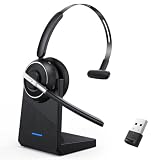
- One-step Auto Connection: The Bluetooth headset with microphone for PC is designed with a physical on/off toggle switch for power, instead of holding down a button for several seconds to turn the wireless headset with mic on/off. No more holding down buttons trying to find the red blinking light. Just toggle the switch, and it will immediately pair your device after connecting the first time- no hassles at all
- Plug & Play: Bluetooth headset with mic comes with a USB dongle for computers without Bluetooth or in case you're not allowed to connect via Bluetooth. The setup is exquisitely easy using the USB adapter. No need to download any programs or go through any complicated setup. Simply plug the USB connector into your computer, and you're ready to talk or listen immediately. The dongle also adds some features like mute button control so that you can mute calls from computers and mute from anywhere
- Easily Mute & Support Mute on PC: The work headset is designed with a mute button that allows you to mute your voice freely during a call. It is right located on the side of the headset, so there's no searching to try and find it and you can mute quickly. There are also voice commands that announce "mute on" or "mute off". The mute function of the Bluetooth headset for work works both on mobile phone calls and Zoom, Skype or Teams, or other leading UC platforms (using the Bluetooth dongle)
- Advanced Bluetooth 5.2: Compared to Bluetooth 5.0 or 5.1, this V5.2 wireless headset with microphone for laptop allows for faster pairing speed, more secure and stable connection, lower latency, better audio quality, and longer battery life. With a wireless range of up to 10m/33ft, you can multitask with no cords hanging around, walk around without the phone, and remain connected with excellent sound. Please try to update the Bluetooth driver of your computer if the connection is unstable and you frequently drop it
- Professional Audio Anywhere. Better productivity: Whether you work at home or in the office or work from anywhere, wireless PC headset with microphone makes every call count. The 270°rotatable microphone process voice and environmental sounds separately, reducing unwanted distractions and accurately capture human voices so that each word during a phone call is crisp and clear. Perfect for hybrid workers to get instant concentration, seamless collaboration and get the most out of the workday
Frequently Asked Questions
Is Skype still working in 2026?
No. Microsoft retired consumer Skype on May 5, 2025. Former users were directed toward Teams Free, although existing paid Skype services had limited transitional access for applicable remaining periods.
Did Skype contacts and chats transfer to Teams?
Eligible Skype contacts and ordinary chats were designed to transfer to Teams Free when users signed in with the associated Skype credentials. Microsoft excluded several categories, including private conversations, one-to-self chats, Copilot and bot content, and some cross-product histories, so the migration was not a complete archive.
Can I still export my Skype history?
Microsoft’s stated export-request deadline was June 15, 2026, so the normal export window had passed by August 18, 2026. Contact Microsoft Support for an account-specific answer, but do not assume that a complete export or recovery is still available.
Windows Errors? Fix Them Before They Spread
Repair common Windows errors and clear accumulated junk for a smoother, more stable PC - no reinstall needed.Free scan · no reinstallOutdated Drivers Are Slowing You Down
One free scan finds every outdated or missing driver and matches the right update for your exact hardware.Free scan · exact hardware matchCan I keep my Skype Number?
Possibly, but number retention was not automatic. Microsoft told users who wanted to keep a Skype Number to contact a new carrier and begin porting it; portability depends on the specific number, destination carrier, country, and applicable restrictions.
Does Teams Free replace Skype Credit and international calling?
Teams Free replaces core messaging and internet calling, not every Skype telephone feature. Existing eligible Skype Credit and paid services had transitional access, but Microsoft did not introduce new consumer paid Skype-style calling plans through Teams Free.
The Bottom Line
Bottom line: Consumer Skype officially retired on May 5, 2025. Teams Free is the closest Microsoft successor for chat and internet video or voice calls, but it is not a complete replacement for Skype Numbers, voicemail, forwarding, or paid calls to ordinary phone numbers. If you missed Microsoft’s June 15, 2026 export deadline, contact Microsoft Support without assuming that old data can still be recovered.

