
PC Slower Than It Used to Be?
A free scan shows the junk files, broken settings and background clutter dragging Windows down - then fixes them in one click.Free scan · Windows 10 & 11Outdated Drivers Are Slowing You Down
One free scan finds every outdated or missing driver and matches the right update for your exact hardware.Free scan · exact hardware matchiTechGuides is reader-supported. When you buy through links on our site, we may earn an affiliate commission. As an Amazon Associate I earn from qualifying purchases. Learn more
For most small teams, managed SaaS is the better starting point. It shifts infrastructure maintenance, routine updates and much of the reliability work to a provider, letting a small staff focus on its product or customers. Self-hosting becomes the better choice when data custody, residency, offline operation, deep customization or predictable low-level performance matters enough to justify dedicated operational ownership.
What you are actually choosing
Self-hosting and managed SaaS are different operating models, not merely two ways to buy the same application. In a managed SaaS model, a provider runs the application and the underlying infrastructure and delivers it over the internet. AWS describes the arrangement this way: “With a SaaS offering, you don’t have to think about how the service is maintained or how the underlying infrastructure is managed.” Google Cloud likewise describes SaaS as a complete application that the provider manages, maintains and secures, while the customer remains responsible for its own data.
With self-hosting, your team operates the application in infrastructure it controls or directly administers. That can mean servers in your office, a colocation facility or a cloud account, but the operating obligations remain yours: installation, configuration, patching, upgrades, monitoring, backups, incident response and recovery. AWS characterizes self-managed or on-premises deployment as providing more control over the system, data security and performance, with higher upfront investment and continuing maintenance.
The practical question is therefore not “Which technology is superior?” It is “Which responsibilities can our team reliably carry for the next several years?”
Popular on Amazon
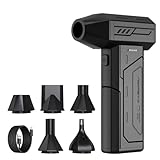
- Powerful Turbo Fan:CAGIWIRU Electric Air Duster have reached speed up to 130000RPM,Can efficient remove dust and debris.With LED light and Three Adjustable Speed to meet with different cleaning tasks.
- With Attached USB C Fasting Charging cable.Charing 3 hours,Enjoy up to 240 minutes of use on the lowest setting, For third speed can use for 25mins.with four charging options to meet with your needs.
- Wide Application: attached 5 different nozzles,making it suitable for a variety of scenes, such as car,pet, pc, keyboards, and other electronic devices. It also serves for office and home clean duster.
- Handy Design & Portable:Cordless air duster electric nozzle is Light weight and small size, design and comfortable to hold and space saving, convenient to carry around. You can put it in your room or inside the car without taking up space.
- Economical &Reusable: Built durable materials with a long-lasting battery,our CAGIWIRU air duster it's a sustainable alternative to disposable air cans.
Quick comparison
| Decision area | Managed SaaS | Self-hosting |
|---|---|---|
| Infrastructure maintenance | Provider operates servers, storage, networking and much of the platform maintenance. | Your team or contracted operators provision, patch, monitor and replace infrastructure. |
| Application updates | Usually scheduled and delivered by the provider; timing and version choice may be limited. | You choose release timing and can defer or customize upgrades, but must perform and test them. |
| Staffing | Requires administration, vendor management and security review, but less routine operations. | Requires dependable technical ownership, on-call coverage and documented runbooks. |
| Initial cost | Usually a recurring subscription with lower setup effort. | May require hardware, cloud resources, implementation and migration work. |
| Ongoing cost | Subscription, storage, user, automation, integration and possible egress charges. | Infrastructure, support, security tooling, backups, capacity, replacement equipment and staff time. |
| Data control | Subject to the provider’s architecture, regions, policies and export mechanisms. | Direct control over location, retention, access paths and configuration. |
| Customization | Bound by the vendor’s roadmap, APIs, extensions and plan limits. | Deeper control over code, configuration, integrations and performance tuning. |
| Reliability | May include provider availability commitments and managed backup or disaster-recovery features. | Depends on the redundancy, monitoring, backup testing and recovery procedures you build. |
| Portability | Convenient at first, but proprietary features and contracts can increase switching costs. | Less dependence on one application vendor, but strong dependence on your team’s operational knowledge and chosen infrastructure. |
How staffing and operations change
What SaaS removes
A SaaS subscription normally removes routine server administration from your team’s queue. You do not have to size machines, replace failed disks, apply operating-system patches or design the provider’s network. You still need to configure accounts, permissions, integrations, retention and business workflows, but the work is closer to application administration than infrastructure operations.
This matters for a small team because an outage or security patch competes with customer support and product work. AWS notes that organizations without the time or skills to self-host may find SaaS more cost-effective after considering availability, scalability, security controls and data handling.
What self-hosting adds
Self-hosting creates a continuing operations responsibility rather than a one-time installation project. At minimum, someone must own:
The Tool Desk
Outbyte PC Repair FREERepair Windows errors before they cause bigger problemsFix Now →Outbyte Driver Updater FREEScan for outdated or missing drivers - takes under a minuteDriver Scan →Also popular on Amazon

- Screen Cleaner is Your Screen’s New Bestfriend! - EVEO is proud to present a screen cleaner that’s perfectly suited for your TV. Meet your new screen cleaner, computer screen cleaner, laptop cleaner, iPad cleaner, Macbook,tv cleaner or any other electronic device. Our screen cleaner spray and wipe along with the included plush microfiber cloth, easily removes dust, fingerprints & other smudges on the screen’s surface. Clean effectively for a streak-free screen
- Gentle on your Screens - Our screen cleaner spray and wipes is compatible to be used even for the most sensitive LCD, LED, CRT, and OLED screens in proper use. Be at ease knowing that this product is compatible with all the major brands: LG, SONY, Samsung, Sharp, iPad, iPhone, Android screens, Kindle, PC monitors - we’ve got you covered! Can be used as LCD screen cleaner, tv cleaner, smart tv screen cleaner, and more
- Premium Super Soft Plush Microfiber Cloth - Included in this efficient screen cleaning kit. This screen cleaner spray and wipe has our signature plush microfiber cloth specially designed to comply with screens and monitors and leave them streak-free. Has been shown to effectively absorbs stubborn stains, zero streaks, and no fiber shedding. Always use this together with our screen cleaner for the best results
- Easy-to-Use Screen Cleaner Kit + microfiber cleaning cloth - The EVEO Screen Cleaning Kit will easily be your new favorite tool when it comes to taking care of the things you love most, quick and easy solution for a streak-free screen. Simply screw on the sprayer gun on the screen cleaner bottle. Spray the cleaning liquid onto the microfiber cloth, then wipe the screen until desired cleanliness & shine is achieved.
- Quality Screen Care Kit Worth Purchasing - Enjoy a convenient Screen Cleaner anytime, anywhere you need it. Your satisfaction is our top priority. We stand behind the quality of our products and that’s why, you shouldn’t be worrying at all. We manufacture the Best Screen Cleaner. and can be used for laptop cleaning kit, laptop screen cleaner, tv screen cleaner for smart tv. MacBook screen cleaner, monitor cleaner or screen cleaner spray for electronic devices with microfiber cleaning cloth
- Capacity planning for compute, memory, storage and network traffic.
- Operating-system, database, application and dependency patching.
- Centralized logs, metrics, alert thresholds and escalation procedures.
- Backups, restore testing, retention and off-site copies.
- Vulnerability management, secrets rotation, identity controls and access reviews.
- Incident response, post-incident analysis and customer communication.
- Upgrade testing, rollback plans and documentation for staff turnover.
A small team can perform these tasks, but it needs named owners and coverage when the primary operator is unavailable. “We will handle it later” is not an operating model; it is an unpriced reliability risk.
Is self-hosting cheaper?
There is no universal price winner. SaaS exposes a subscription line item, while self-hosting spreads cost across infrastructure, people and risk. A fair comparison uses the same period—usually three years—and includes the work required to operate each option.
Build a total-cost model
- Count users and workload. Record seats, storage, automation runs, integrations, data transfer and growth assumptions.
- Price the SaaS plan. Include required tiers, premium security features, API usage, storage, support, implementation and migration.
- Price self-hosted infrastructure. Include production and non-production environments, compute, databases, storage, networking, monitoring and spare capacity.
- Add operational labor. Estimate setup, patching, upgrades, on-call time, incident response, backup testing and compliance work. Use the loaded cost of the people performing it, even when they are employees rather than contractors.
- Add resilience and security. Redundant zones or regions, replication, recovery tooling, vulnerability scanning, key management and log retention are not optional if you need production-grade service.
- Include transition and exit costs. Migration, custom integration, training, data export, egress, contract termination and replacement work can dominate the final year.
Microsoft documents the reliability-versus-cost trade-off directly: multi-zone or multi-region resilience, replication and recovery capabilities can raise costs. A low initial infrastructure bill is not evidence of a low total cost if it omits these controls.
Also popular on Amazon

- 【Large size】:Measuring 800 x 300 mm/ 31. 5×12 inches, which is wider and taller than others. Large mouse pad can perfectly fit your keyboard and mouse of any size, and there is also ample space for peripherals such as phones, tablets, etc.
- 【LED backlight mouse pad】:Blade Hawks RGB mouse pad provides 7 static modes and 7 dynamic modes will give you the options you are looking for. Power-off memory function remembers the last lighting mode you selected. The super glow fiber Chroma will give you a colorful gaming setup that you want.
- 【Anti-slip rubber base】:Made from Natural rubber, this gaming mousepad will firmly grip your desktop, allowing you to enjoy the ultimate precision in the games you are most passionate about. It also comes with a texture that enhances this ability even further.
- 【Smooth and waterproof surface】: Micro-textured cloth surface, for extremely precise mouse control and a smooth movement. When liquid splashes on the gaming mouse pad, it forms water droplets and slides down. Will not delay your work or gameplay.
- 【Plug and play】: This mouse and keyboard pad is powered by USB, plug and play, no driver required. One button control light modes. Press one time to change the lighting mode, press twice to change the brightness, press and hold about 3 seconds turn ON/OFF.
When SaaS tends to win financially
- The application is a commodity capability rather than a differentiator.
- Usage is variable and you would otherwise buy idle capacity.
- No one has protected time for operations or an on-call rotation.
- Rapid deployment is worth more than deep customization.
- The provider’s security, residency, export and service commitments meet your requirements.
When self-hosting can win financially
- Usage is large and stable enough to amortize infrastructure and operations.
- You already employ operators and have spare capacity in an existing platform.
- A subscription charges heavily for users, storage, automation or data transfer.
- Long-lived workloads need predictable performance and have limited feature churn.
- Avoiding vendor lock-in has measurable strategic or contractual value.
Security, privacy and compliance
Managed SaaS does not transfer every security obligation. The provider may secure the application and infrastructure, but your team still controls identities, permissions, configuration, connected systems and the data placed in the service. Google Cloud explicitly separates provider responsibilities from the customer’s responsibility for its own data.
Questions for a SaaS provider
- Where is data stored and processed, and can the region be selected?
- How are tenants isolated, and which controls protect against cross-tenant access?
- Which security certifications and independent assessments apply to the exact service and plan?
- Who controls encryption keys, and can customer-managed keys be used?
- What are the backup frequency, retention period and restore objectives?
- How are incidents detected, escalated and communicated, and within what time?
- What does “uptime” mean in the SLA, which exclusions apply and what remedy is offered?
- Can administrators enforce single sign-on, multi-factor authentication, least privilege and audit logs?
- How can all data, metadata and files be exported in a usable format?
- What happens to data, backups and account access when the contract ends?
- Which APIs and integrations are supported, and are rate limits or premium tiers involved?
- Which costs rise with users, storage, automation, integrations or data egress?
Certifications are evidence, not a substitute for your own risk assessment. Confirm that the scope, region, service edition and retention behavior match your obligations.
What self-hosting gives—and what it takes
Self-hosting gives you direct control over data location, network boundaries, retention and security configuration. It also makes you accountable for implementing those controls. You must harden hosts, restrict administrative paths, patch promptly, protect secrets, separate production from test systems, record access and prove that backups and restores work. If a regulator or customer asks for evidence, your team must produce it rather than pointing to a provider’s control report.
Also popular on Amazon

- 【Softer and More Comfortable】Vaydeer wrist rest has unique diamond pattern, which is the combination of softness and aesthetics. The materials of wrist rest are improved into higher quality memory foam and covered with silky smooth lycra. The computer wrist rest makes you as comfortable and cushiony as like rest your wrists on clouds.
- 【Ergonomic Wrist Saver】The wrist rests for keyboard and mouse comes with a 17.32×3.15×0.83 inch keyboard wrist pad and a 5.94×3.15×0.83 inch mouse wrist support. Based on ergonomic design, the unique concave shape is the perfect fit for your wrist joints. The wrist rest pad fits most computer keyboards and laptops, improve hand and wrist posture, release your wrist and arm stress.
- 【Non-Slip Rubber Bottom】Featuring an anti-skid silicone base on the bottom, this wrist keyboard support stays firmly in place on your desk, preventing the padding from sliding around, ensuring stable and consistent wrist support during extended computer sessions.
- 【Better Experience & Pain Relief】Our keyboard arm rest is beneficial to alleviate the soreness caused by direct contact and friction between your arm and a hard desk surface, reducing the risk of wrist fatigue or carpal tunnel. The soft texture of memory foam can evenly distribute the pressure around your wrists and provide good support with just enough give.
- 【Helpful in Multiple Scenarios】Whether you're working, studying, writing, typing, gaming, this keyboard and mouse rest combo is an essential accessory to add comfort and support to your hands and wrists. It’s also a great gift for men, women, family, friend, coworker, gamer, teacher, etc.
Reliability, backups and disaster recovery
A provider may offer availability commitments and managed backup or disaster-recovery features, but read the definitions carefully. AWS mentions vendor uptime promises such as 99% or 99.9% in a general SaaS explanation; these are examples of provider claims, not a universal cross-market benchmark. Check the measurement window, maintenance exclusions, service credits and whether the commitment covers the features you use.
Define recovery before choosing a model
- Recovery point objective (RPO): How much data can you afford to lose?
- Recovery time objective (RTO): How quickly must the service return?
- Dependency map: Which identity, email, payment, DNS and integration services must also work?
- Evidence: When was a full restore last tested, and who reviews the result?
Self-hosting can meet demanding RPO and RTO targets, but only through deliberate redundancy, tested backups, monitoring and practiced recovery procedures. A single server with a nightly copy is not equivalent to a resilient service. SaaS may provide stronger baseline resilience for a small team, but you still need an independent export or continuity plan if loss of the provider account would stop the business.
Free tools Windows power users keep installed
One-click scans. No signup required.
Control, customization and performance
Reasons to prefer self-hosting
- Data custody or residency: A law, contract or customer requirement may prohibit placing data in a provider’s chosen regions.
- Offline or local operation: A site may need the application to continue during an unreliable external connection.
- Unusual workflows: Deep code changes, custom data models or specialized integrations may exceed a SaaS platform’s extension points.
- Predictable low-level performance: Workloads with strict latency, hardware, network or scheduling requirements may need direct tuning.
- Release control: You may need to pin versions, approve every change or maintain a long-lived fork.
Costs of that control
Every customization becomes part of your upgrade and security surface. A fork can delay patches; a private integration can break when dependencies change; a custom performance optimization can make future migration harder. Document why each deviation exists, test it in a staging environment and assign an owner who can maintain it.
Also popular on Amazon

- 【No Drill Mounted】Cable management tray can be assembled in as little as 3 minutes or less-simply. Side clips easily clampe the edge of desk, pass through the holes on the sides, and secure excess cables with baskets. Desk cable management supports inward or outward installation to meet your needs in different scenarios, and provides you with great convenience when collecting and organizing wires.
- 【Rubber Pad Protects Desk】Wire organizer under desk built-in soft rubber pads on the clamp protect your desk from scratches, so you will not damage your furniture or office.
- 【Sturdy and Beautiful】Cord management under desk is made of high-quality carbon steel and holds about 15 lbs. The wire basket has 2 holes on each side of the tray to enable your cables to pass freely. Cable baskets are suitable for desk thickness use from 0.4" to 2.4".
- 【Space Saving & Keep Organized】Desk cable management tray holds all your power cords, outlet strips, USB hubs and computer transformers hidden from your feet, and the data cables will not enter the vacuum cleaner to keep your desk clean and tidy. Desk wire organizer is also suitable for use in the kitchen and outdoors.
- 【Reduce Safety Risks】Cable tray under desk keeps all plugs away from your kids, no more worry about tripping. Using 2 holes wire tray saves extra space, helps you easily cabling and wire protection. The mesh design is not easy to accumulate dust, but avoids safety accidents caused by messy wires.
Scale, portability and switching costs
SaaS can scale with provider capacity, but convenience can create dependence on proprietary features, data models and workflows. Before committing, test a representative export—not just a marketing sample—and identify what cannot leave: audit history, attachments, automation definitions, permissions or metadata. Contractual notice periods and egress charges can matter as much as technical export.
Self-hosting reduces dependence on one application vendor, but it does not eliminate dependencies. Your team becomes dependent on its chosen operating system, database, container platform, backup format and the people who understand them. Portability is valuable only when you maintain current documentation and a tested path to move.
A decision framework for a small team
- Classify the capability. If it is a standard business function and not a competitive differentiator, start with managed SaaS. If it is central to your product or has unusual requirements, investigate self-hosting.
- Write non-negotiable constraints. Specify residency, offline operation, latency, retention, audit, integration and recovery requirements before comparing vendors.
- Measure operational capacity. Name the people who will patch, monitor, respond and recover. Account for holidays, illness and turnover.
- Compare three-year total cost. Include labor, resilience, security, migration, egress and exit—not only subscription or server invoices.
- Test the failure path. Ask a SaaS provider for restore and incident details. For self-hosting, perform a restore and simulate an outage before launch.
- Choose the least complex model that satisfies the constraints. Do not buy control you will not operate, and do not accept convenience that violates a real requirement.
Use managed SaaS when
The function is commodity, deployment speed matters, operations capacity is limited and the provider can satisfy security, residency, export, backup and SLA requirements.
Use self-hosting when
Regulation or contract requires custody, the workload needs unusual customization or predictable low-level performance, offline or network-local operation is important, or the team already has the skills and on-call capacity to run it.
Use a hybrid model when
Most functions are ordinary SaaS but one workload has a defensible control or residency requirement. Keep the boundary explicit: define which data crosses it, how identities are linked, how failures are handled and who owns each system.
Implementation playbooks
If you choose managed SaaS
- Document data classes, regions, retention and deletion requirements.
- Run a security and contract review using the provider questions above.
- Configure single sign-on, multi-factor authentication, least-privilege roles and audit logging before importing data.
- Map integrations, rate limits, service accounts and failure notifications.
- Test export, restore and account-recovery procedures with realistic data.
- Set spend alerts for seats, storage, automation and transfer; review usage monthly.
- Record the renewal date, termination process, export format and owner of the exit plan.
If you choose self-hosting
- Define RPO, RTO, security controls and an explicit service owner.
- Build separate production and staging environments with infrastructure documented as code where practical.
- Harden administrative access with multi-factor authentication, least privilege, network restrictions and managed secrets.
- Automate patching and create a tested upgrade and rollback procedure.
- Centralize logs and metrics, alert on user-visible symptoms and establish an escalation schedule.
- Implement encrypted, off-site backups with retention policies; perform and record full restores.
- Add redundancy appropriate to the required RTO, then test a component failure and a complete recovery.
- Review vulnerabilities, capacity, access and recovery evidence on a recurring schedule.
Common mistakes and how to correct them
- Comparing a SaaS invoice with a server invoice: Add labor, security, backups, support, migration and exit costs to both sides.
- Assuming a certification proves compliance: Verify scope, region, plan and your own configuration.
- Equating backups with recovery: Schedule a restore test and measure the result against your RPO and RTO.
- Choosing self-hosting for theoretical control: Tie every required control to a named operator, budget and runbook.
- Ignoring export until cancellation: Test a complete, usable export while the contract is active.
- Accepting an SLA headline: Read definitions, exclusions, support response terms and remedies.
- Letting one expert become a single point of failure: Cross-train another person and keep current operational documentation.
- Underestimating integration limits: Validate API quotas, webhooks, automation volume and data-transfer charges with production-like usage.
Bottom line
A small team should normally begin with managed SaaS for standard capabilities, provided the provider passes a rigorous review of data handling, security, recovery, export and pricing. Self-host only when a concrete requirement—custody, residency, offline use, deep customization or specialized performance—outweighs the continuing cost of operations. The right model is the one your team can secure, recover and support every day, not the one that offers the most theoretical control.

