
The Tool Desk
Outbyte PC Repair FREEClear out junk files and repair common Windows errorsFree Scan →Outbyte Driver Updater FREEScan for outdated or missing drivers - takes under a minuteDriver Scan →iTechGuides is reader-supported. When you buy through links on our site, we may earn an affiliate commission. As an Amazon Associate I earn from qualifying purchases. Learn more
The Samsung Q8F 2025 Review verdict is straightforward: this entry-level QLED is a good feature-and-interface TV for SDR viewing in a moderately lit room, but low contrast, weak HDR, direct reflections, and slow motion make it a poor dark-room theater or competitive-gaming choice. Select a 55-inch-or-larger US model for up to 4K/144Hz and four HDMI inputs.
This review covers the US FXZA models from 32 to 85 inches. RTINGS’ tested results apply directly to its 65-inch test unit and, where specified, to the 55-, 75-, and 85-inch variants; smaller Q8F models need separate attention because their refresh-rate and HDMI specifications differ.
Key takeaways
- The US 32-, 43-, and 50-inch Samsung Q8F models are limited to 60Hz and three HDMI inputs.
- The US 55-, 65-, 75-, and 85-inch models support up to 4K/144Hz input and provide four HDMI inputs.
- The Q8F produces accurate out-of-box color and good upscaling, but its lack of local dimming causes low contrast and raised blacks.
- HDR performance is weak because peak brightness, highlight intensity, and HDR color volume are limited, and Dolby Vision is not supported.
- Tizen, Samsung TV Plus, AirPlay, SmartThings, Gaming Hub, and voice features make the Q8F a polished smart-TV platform.
- Slow response time and visible motion blur make the Q8F better for casual gaming than competitive play, regardless of its high-refresh specifications on larger sizes.
What are the Samsung Q8F 2025 sizes and model numbers?
The Samsung Q8F 2025 US family includes seven sizes, but the 32-, 43-, and 50-inch versions are not equivalent to the 55-inch-and-larger models for gaming or connectivity. The exact FXZA model numbers and size-dependent specifications are below.
What’s actually slowing this PC down?
Pick the symptom - the matching free tool is one click away.
| Screen size | US model number | Maximum refresh specification | HDMI inputs | Best interpretation |
|---|---|---|---|---|
| 32 inches | QN32Q8FAAFXZA | 60Hz maximum | Three | Compact SDR TV; not a high-refresh gaming model |
| 43 inches | QN43Q8FAAFXZA | 60Hz maximum | Three | Small-room TV; limited gaming connectivity |
| 50 inches | QN50Q8FAAFXZA | 60Hz maximum | Three | Mid-size SDR TV; no 4K/144Hz capability |
| 55 inches | QN55Q8FAAFXZA | 120Hz panel with support up to 144Hz; 4K/144Hz input | Four | Best entry point for the Q8F gaming feature set |
| 65 inches | QN65Q8FAAFXZA | Up to 144Hz; 4K/144Hz input | Four | Large-screen casual gaming and streaming |
| 75 inches | QN75Q8FAAFXZA | Up to 144Hz; 4K/144Hz input | Four | Large-room viewing with high-refresh connectivity |
| 85 inches | QN85Q8FAAFXZA | Up to 144Hz; 4K/144Hz input | Four | Maximum Q8F screen size; verify room and mount requirements carefully |
According to RTINGS’ 2025 size analysis, the 32-, 43-, and 50-inch variants have a 60Hz maximum refresh rate and three HDMI inputs, while the 55-, 65-, 75-, and 85-inch variants have four HDMI inputs and support up to 144Hz. Samsung’s US 55-inch specification page specifically lists a 120Hz refresh rate with support up to 144Hz and 4K/144Hz on HDMI inputs 1 through 4.
Popular on Amazon
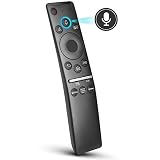
- 【KEY FEATURES】 Voice control makes interacting with your smart TV easier and more intuitive! Using the power of your voice, the Remote lets you control your TV's volume, open apps, search for your favorite TV shows and movies, and so much more. Note: the use of the voice recognition feature requires a network connection.
- 【EASY PAIRING】 After turning on your TV, simply point the remote at the TV's remote control sensor and simultaneously press and hold the Return/Exit and Play/Pause buttons for 5 seconds. When the Icon is displayed on your TV screen, release the two buttons on your Smart Control Remote, your TV will begin pairing with our smart remote, and you will see a the message "Connecting to the Smart Control" appear on the TV screen.
- 【VOICE TV SUPPORT】 Only for Samsung Smart TVs Which "Supported Voice Functions". Such as: TU8000, TU8200, TU8300, TU850D, TU9000, TU7000, TU700D, Q60T, Q70T, Q80T, Q90T, Q800T, Q900TS, Q950TS, LS03, LS05, LST7, RU8000, CU7000, CU8000, DU7200, DU8000, Q50, Q60, Q70, Q80, Q90, Q900, NU8000, NU8500, MU8000, MU630, MU650, MU700, MU800, MU850, MU6300, MU6500, MU7000, MU7500, MU8000, MU9000, Q6F, Q7F, Q7C, Q8F, Q9F Series etc.
- 【VOICE REMOTE SUPPORT】 Only for Samsung Smart TV Remote Which "Supported Voice Functions". Such as: BN59-01266A/RMCSPM1AP1, BN59-01312A, BN59-01312G, BN59-01330A, BN59-01329A, BN59-01298A, BN59-01298H, BN59-01298E, BN59-01292A, BN59-01241A, BN59-01293A, BN59-01274A, BN59-01357A, BN59-01357F, BN59-01363A, BN59-01354A, BN59-01385A, BN59-01391A etc. PS: This remote isn't compatible with BN59-01315A,BN59-01199F and AA59-00784C.
- 【AFTER-SALE SERVICE】 We maintain a high standard of excellence and strive for 100% customer satisfaction. If you have any questions or concerns about your order, please feel free to contact us before leaving feedback and we will get back to you within 12 hours.
Retailer and regional suffixes can differ without necessarily changing performance. Costco and Sam’s Club Q8FD versions should be treated as separate purchasing SKUs because warranty terms may differ. Verify the exact model number, return policy, and warranty before buying.
How good is the Samsung Q8F 2025 picture quality?
The Samsung Q8F has good basic picture processing but mediocre panel performance: accurate color and effective upscaling are offset by low contrast, raised blacks, weak HDR, and motion blur. The Q8F is therefore more convincing for everyday SDR television than for cinematic viewing.
Color and upscaling
Color is one of the Q8F’s strongest areas. RTINGS reports accurate out-of-box color and good upscaling, which helps broadcast television, compressed streaming video, and older HD material look cleaner than the entry-level positioning suggests. Samsung also lists Quantum Dot color, Color Booster Pro, 4K AI Upscaling, Filmmaker Mode, and Auto HDR Remastering on its larger US model page.
Quick wins for a faster PC:
Scan for outdated or missing drivers - takes under a minuteDriver Scan →Clear out junk files and repair common Windows errorsFree Scan →These processing features improve the appearance of ordinary sources, but processing cannot compensate for the panel’s limited black-level performance or HDR brightness. Buyers should distinguish a polished SDR image from genuinely high-end picture quality.
Contrast and black levels
The Q8F lacks local dimming, so the television cannot independently darken portions of the backlight to preserve deep blacks beside bright objects. RTINGS’ independent 2025 review describes low contrast and uniformly raised blacks, with global dimming providing only limited help in extremely dark SDR scenes.
The limitation is most visible in films watched at night. Letterbox bars can look gray rather than black, shadow detail can appear flatter, and bright objects in dark scenes do not have the separation produced by a good mini-LED or OLED television. The Q8F is acceptable in a moderately lit room, where ambient light masks some of the raised blacks, but it is a poor choice for a dedicated dark-room theater.
How does the Q8F perform with HDR, reflections, and motion?
The Q8F supports common Samsung HDR formats, but the Q8F’s HDR impact is weak because brightness and color volume are limited. The glossy screen also produces distracting direct reflections, while slow response time can blur fast-moving content.
Free tools Windows power users keep installed
One-click scans. No signup required.
| Viewing concern | Q8F result | What the result means |
|---|---|---|
| SDR television and streaming | Accurate color and good upscaling | A strong use case, particularly in a moderately lit room |
| Dark-room movies | Low contrast, raised blacks, and no local dimming | Night scenes and black bars look less cinematic |
| HDR movies and games | Low peak brightness, dull highlights, and limited HDR color volume | Bright HDR effects lack the intensity found on stronger mini-LED TVs |
| Bright rooms | Handles some ambient light but shows strong direct reflections | Avoid placing the screen opposite an uncovered window |
| Sports and fast action | Slow response time with visible blur and some intermediate-color artifacts | High refresh capability does not guarantee crisp motion |
Samsung lists HDR10+, HDR10, and HLG-related support through the Q8F processing pipeline. RTINGS reports that the Q8F does not support Dolby Vision and has low HDR peak brightness, weak specular highlights, and limited HDR color volume. Buyers who regularly watch Dolby Vision content or want bright, punchy HDR should consider another television.
The glossy panel can cope with some ambient light for SDR viewing, but the Q8F is not bright enough to overpower strong glare. A room with windows opposite the screen is a poor match unless curtains or blinds can control the reflections.
Is the Samsung Q8F good for gaming?
The Samsung Q8F is well equipped for casual gaming on the 55-inch-and-larger US models, but slow response time and motion blur make the television a weak choice for competitive gaming. The 32-, 43-, and 50-inch models are limited to 60Hz and should be judged as ordinary console displays rather than high-refresh gaming TVs.
| US Q8F size group | Gaming connectivity | Included gaming features | Practical verdict |
|---|---|---|---|
| 32, 43, and 50 inches | 60Hz maximum; three HDMI inputs | Samsung smart gaming features remain available, but high-refresh input is not the selling point | Suitable for casual console gaming and smaller rooms |
| 55, 65, 75, and 85 inches | Up to 4K/144Hz input; four HDMI inputs | VRR, Auto Low Latency Mode, FreeSync Premium, HGiG, Game Motion Plus, Gaming Hub, and AI Auto Game Mode | Feature-rich for casual gaming and compatible PC play, but not ideal for competition |
Samsung lists 4K/144Hz input, VRR, Auto Low Latency Mode, FreeSync Premium, HGiG, Game Motion Plus, Gaming Hub, and AI Auto Game Mode for the larger US models. The 4K/144Hz mode requires a compatible PC game and graphics card; the specification should not be presented as a universal console capability.
A compatible Ultra High Speed HDMI cable may be useful when connecting a PC or another source that actually supports 4K at a high refresh rate. The cable is not automatically required for every Q8F setup, and the 32-, 43-, and 50-inch models have different refresh and HDMI specifications.
The Q8F’s gaming checklist looks better than its motion performance. RTINGS reports slow response time, visible blur around fast action, and intermediate-color artifacts. Players focused on esports, rapid shooters, or the clearest possible camera pans should prioritize a display with faster response behavior rather than choosing on the basis of 144Hz input alone.
What are the Q8F’s audio and smart-TV features?
The Q8F combines functional built-in audio with a polished Tizen smart-TV platform. The television is convenient for streaming and connected-home use, while a soundbar remains an optional upgrade for fuller bass, louder movie sound, and more spacious audio.
Audio
Samsung lists a 20W two-channel speaker system, OTS Lite, Active Voice Amplifier, Adaptive Sound, Bluetooth audio, and Q-Symphony. Q-Symphony allows the TV speakers to work with a compatible Samsung soundbar, including compatible Q-Series models.
PC Slower Than It Used to Be?
A free scan shows the junk files, broken settings and background clutter dragging Windows down - then fixes them in one click.Free scan · Windows 10 & 11Outdated Drivers Are Slowing You Down
One free scan finds every outdated or missing driver and matches the right update for your exact hardware.Free scan · exact hardware matchThe built-in speakers are adequate for news, ordinary television, and casual viewing. Movie viewers and buyers who want more bass or clearer dialogue can consider a Samsung Q-Symphony soundbar as an optional upgrade rather than a mandatory purchase. Confirm compatibility between the soundbar and the exact Q8F model before ordering.
Smart-TV platform
Tizen is one of the Q8F’s better reasons to choose Samsung. Samsung lists Samsung TV Plus, Bixby, Alexa integration, SmartThings, AirPlay, Multi-View, Gaming Hub, voice features, and connected-device controls, while RTINGS confirms the core Tizen, TV Plus, Multi-View, AirPlay, streaming-app, and voice-control experience.
Samsung TV Plus is a free, ad-supported service, not an equivalent replacement for a paid subscription streaming library. Buyers replacing cable can add a live TV streaming service or other paid streaming subscriptions if they need specific channels or programming, but app availability should be checked on Samsung’s current Tizen platform.
Also popular on Amazon

- MINI LED PROCESSOR 4K: Our advanced processor delivers brighter highlights and deeper blacks,* bringing every detail to life with stunning clarity
- PURE COLOR SPECTRUM: delivers one billion true-to-life colors, powered by advanced color technology and MiniLED precision. Enjoy rich reds, deep blues, and vibrant greens, making every scene leap off the screen with breathtaking realism.
- MINI LED HDR: Experience HDR picture quality with brighter highlights and deeper blacks than traditional HDR TVs.* Enjoy vibrant colors and lifelike details as this technology enhances brightness and contrast, making every image stand out with remarkable depth and realism.
- ENDLESS FREE CONTENT: Watch 2,700+ free streaming options, including 750+ subscription-free channels on Samsung TV Plus. Enjoy news, sports, movies, kids' shows and reality TV — all without a subscription. Discover endless entertainment with new content added regularly, tailored to your mood and interests.*
- SUPREME MINI LED DIMMING: delivers deep contrast and bright highlights for a truly superb picture.*
Network-based smart services require internet access, and some functions require a Samsung Account. Samsung states that apps, channels, widgets, and services can change by location and over time. Hardware features such as HDMI inputs are more durable buying facts than software catalogs, which may be updated, changed, or withdrawn.
What are the Q8F design and installation considerations?
The Q8F uses Samsung’s AirSlim design and includes a SolarCell remote, but wall-mount compatibility must be checked against the exact screen size and model. Samsung says the remote can charge through its solar panel or USB-C, and a fully depleted remote requires USB-C charging.
A VESA-compatible TV wall mount can be appropriate for a wall-mounted Q8F, especially for the larger 75- and 85-inch models, but do not select a mount from screen size alone. Verify the exact VESA pattern, supported weight, mounting hardware, wall type, and viewing height for the buyer’s specific FXZA model. The available research does not establish one universal mount specification for all seven sizes.
The AirSlim design may make the television look unobtrusive on a wall, but a thin cabinet does not remove the need to plan cable routing, power access, ventilation, and safe lifting. Larger screens may justify professional installation when the wall structure or mounting position is uncertain.
How much does the Samsung Q8F cost, and is it a good value?
The Q8F’s current price depends on screen size, retailer, promotion, region, and exact SKU, so an evergreen review should not publish one fixed price for the entire family. Check the price and stock for the exact model, and record the date checked, before publishing or purchasing.
Recommended Free Tools
Samsung’s US product page shows that Q8F specifications and purchase paths are size-specific, while Samsung notes that prices and promotions can change. Warranty coverage should also be verified for the exact SKU through Samsung’s US warranty support page, particularly when comparing standard retail models with warehouse-club variants.
Value is the Q8F’s central problem. TechRadar’s review describes the Q8F as an average QLED that can compare poorly with better-value mini-LED televisions in some regions. RTINGS likewise compares the Q8F unfavorably with brighter or mini-LED alternatives that offer stronger contrast and gaming performance.
The comparison is not a universal price verdict because US pricing and model availability vary. The Q8F becomes more defensible when a substantial discount separates it from stronger mini-LED options. If a similarly priced mini-LED television offers local dimming, higher brightness, and faster motion, the competing model is usually the better picture-quality purchase.
Who should buy the Samsung Q8F 2025?
The Q8F makes sense for buyers who prioritize Samsung’s interface and ecosystem over contrast and HDR performance. The Q8F is a reasonable choice when the room is moderately lit, most content is SDR, and the buyer wants the larger models’ four HDMI inputs and high-refresh support.
| Choose the Q8F if… | Reconsider the Q8F if… |
|---|---|
| You want Tizen, Samsung TV Plus, AirPlay, SmartThings, and Samsung’s connected-device ecosystem. | You mainly watch films in a dark room and expect deep blacks. |
| You primarily watch SDR television and streaming in a moderately lit room. | You want strong HDR highlights, high HDR color volume, or Dolby Vision. |
| You want four HDMI inputs and up to 4K/144Hz support on a 55-inch-or-larger US model. | You are considering a 32-, 43-, or 50-inch model specifically for high-refresh gaming. |
| You prefer Samsung’s interface, design, and smart-home integration. | You play competitive games where response time and motion clarity matter most. |
| You find the Q8F substantially cheaper than a comparable mini-LED TV. | A similarly priced mini-LED TV provides local dimming, better brightness, and stronger motion performance. |
Always identify the screen size in a recommendation. The phrase Samsung Q8F hides a significant difference between the 60Hz, three-HDMI 32-, 43-, and 50-inch models and the up-to-144Hz, four-HDMI 55-, 65-, 75-, and 85-inch models.
Samsung Q8F 2025 Review: final verdict
The Q8F is a good feature-and-interface TV, not a picture-quality leader. Accurate color, good upscaling, Tizen, broad smart-home integration, and extensive connectivity make the Q8F attractive for everyday SDR viewing and casual gaming. Lack of local dimming, weak HDR, reflections, and slow motion make the Q8F a poor choice for dark-room movies or competitive gaming.
Choose a 55-inch-or-larger US model when four HDMI inputs and up to 4K/144Hz input matter. Choose another television when deep blacks, high-impact HDR, Dolby Vision, or fast-motion clarity matter more than Samsung’s software ecosystem.
Frequently Asked Questions
Are all Samsung Q8F 2025 sizes 144Hz TVs?
No. The US 32-, 43-, and 50-inch Samsung Q8F models are limited to 60Hz and three HDMI inputs. The 55-, 65-, 75-, and 85-inch US models support up to 4K/144Hz input and have four HDMI inputs.
Does the Samsung Q8F 2025 support Dolby Vision?
No. RTINGS reports that the Samsung Q8F 2025 does not support Dolby Vision. The television supports Samsung-listed HDR10+, HDR10, and HLG-related formats, but its low brightness and limited HDR color volume reduce HDR impact.
Is the Samsung Q8F 2025 good for a dark-room home theater?
The Samsung Q8F 2025 is not a strong dark-room TV because it lacks local dimming and has low contrast with raised blacks. The Q8F is better suited to SDR viewing in a moderately lit room.
Which Samsung Q8F 2025 size is best for high-refresh gaming?
The 55-, 65-, 75-, and 85-inch US Samsung Q8F models are the right sizes for high-refresh connectivity because they support up to 4K/144Hz input and have four HDMI inputs. Slow response time and visible motion blur still make the Q8F a poor choice for competitive gaming.
The Bottom Line
Bottom line: Buy the Samsung Q8F 2025 for Samsung’s Tizen ecosystem, accurate SDR picture, and feature-rich connectivity—especially in a discounted 55-inch-or-larger US model. Skip it for dark-room home theater, powerful HDR, Dolby Vision, or competitive gaming; a similarly priced mini-LED TV is likely the better picture-quality choice.
Do these 3 things before closing this tab:
1Fix the driver behind crashes, sound loss and screen glitches2Clear out junk files and repair common Windows errors3Scan for outdated or missing drivers - takes under a minute
