Xfce Terminal
Xfce Terminal: A focused, configurable Linux terminal with tabs, search, and unlimited scrollback. Ranked #15 of 40 in Terminal Emulators by our editors (7.9/10); pricing: Free plan; best for linux users wanting a simple configurable terminal.
At a glance
- Editor score7.9 / 10
- PricingFree plan
- Best forLinux users wanting a simple configurable terminal
- Free planYes
- Paid fromFree
- Facts checked20 Sep 2026
Where it wins
- Multiple tabs and an optional drop-down terminal window
- Unlimited scrollback with search and hyperlink detection
- Open-source Linux tool with command-line and D-Bus controls
Where it doesn't
- No verified split-pane workflow
- No built-in SSH initiation
- No verified GPU acceleration or session synchronization
Our verdict on Xfce Terminal
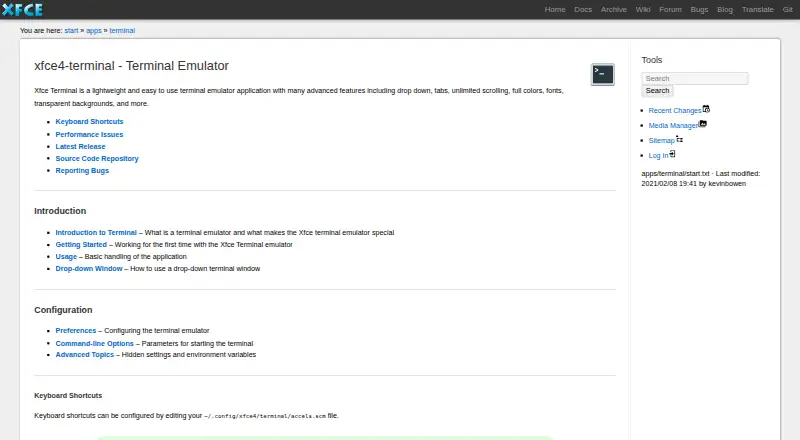
Xfce Terminal is a lightweight graphical terminal emulator for Linux users, with a particular fit for the Xfce desktop environment. It provides shell-session access in a configurable window and keeps its scope focused on everyday command-line work. Multiple tabs, an optional drop-down mode, unlimited scrollback, search, hyperlink and email-address detection, and configurable keyboard shortcuts cover common terminal workflows without adding a broader remote-management layer.
Its strongest point is the combination of desktop customization and command-line control. Users can adjust fonts, colors, and terminal backgrounds, including transparent or image-based backgrounds. Command-line options support tabs, windows, commands, titles, and geometry, while the D-Bus-based terminal service facility adds a programmatic control path. The application is based on the VTE Terminal Widget Library and integrates with D-Bus, Xfce, and other Linux desktop environments, making it a natural fit for Linux setups that already use those components.
Xfce Terminal is free and open source, with no paid tier structure to evaluate. Its breadth is intentionally narrow: it focuses on local terminal access, tabbed sessions, display preferences, and desktop integration. That makes it a sensible pick for Linux users who want a straightforward terminal that can be customized and controlled from commands or services. Users seeking verified split panes, built-in SSH initiation, GPU acceleration, or cross-device session synchronization should choose a terminal product centered on those capabilities instead.
Your product? Our editors can test Xfce Terminal in depth and publish a review, labelled as paid · from $149/mo →
Xfce Terminal pricing
Xfce Terminal fact sheet
| Free plan | Yes |
|---|---|
| Paid from | Free |
| Supported platforms | linux |
| Split panes | Not verified |
| Session sync | Not verified |
| GPU acceleration | Not verified |
| Scripting API | Yes |
| SSH support | Not verified |
| Deployment | Desktop |
| Platforms | Linux |
| Integrations | 2 integrations: VTE Terminal Widget Library, D-Bus |
| Pricing | Free plan |
| Website | docs.xfce.org |
| Facts checked | 20 Sep 2026 |
Xfce Terminal integrations
Xfce Terminal lists 2 integrations on its own site.
- VTE Terminal Widget Library
- D-Bus
Alternatives to Xfce Terminal
- TabbyA versatile open-source terminal for power users who automate across systems.9.4
- Windows TerminalA free, open-source Windows terminal with tabs, panes, profiles, and automation.9.3
- iTerm2A capable Mac terminal with advanced panes, profiles, session restoration, and automation.9.2


See all Xfce Terminal alternatives →
Used Xfce Terminal? Be the first to review it
The editor score above is our own research. What this page doesn't have yet is a reader's view — what you used Xfce Terminal for, what worked and what didn't. No stars are seeded and no review is paid for; an editor reads every one before it appears.
Write a reviewTwo minutes · verified accounts only · read by an editor before it appears
Featured on iTechGuides

Xfce Terminal is listed in our Terminal Emulators directory. Add the badge to your site — it links back to this page.
<a href="https://www.itechguides.com/products/xfce-terminal/"><img src="https://www.itechguides.com/best/badge/xfce-terminal.svg" alt="Featured on iTechGuides" width="230" height="46"></a>
Reviewed by iTechGuides Editors · Editorial team · Updated Oct 2026
Advertiser disclosure: iTechGuides is reader-supported. Vendors can pay for top positions in our rankings and for a place on other products' pages, and we may earn a commission when you click some links. Bought places stand at the number bought; this page and our disclosure say so. Paying vendors may get a fuller, more detailed review from our editors, and that review can change their score. How we rank.
Last updated · How we research and update