
iTerm2
iTerm2: A capable Mac terminal with advanced panes, profiles, session restoration, and automation. Ranked #3 of 40 in Terminal Emulators by our editors (9.2/10); pricing: Free plan; best for mac users wanting automation and rich session management.
At a glance
- Editor score9.2 / 10
- PricingFree plan
- Best forMac users wanting automation and rich session management
- Free planYes
- Paid fromFree
- Split panesYes
- Facts checked20 Sep 2026
Where it wins
- Tabbed windows, split panes, profiles, and saved session arrangements
- GPU-accelerated rendering with inline image display
- Python scripting API, RPC automation, SSH workflows, and tmux integration
Where it doesn't
- Supports macOS rather than multiple desktop operating systems
- Automation features may require Python or RPC scripting knowledge
- Its focus is terminal work, not broader developer collaboration tools
Our verdict on iTerm2
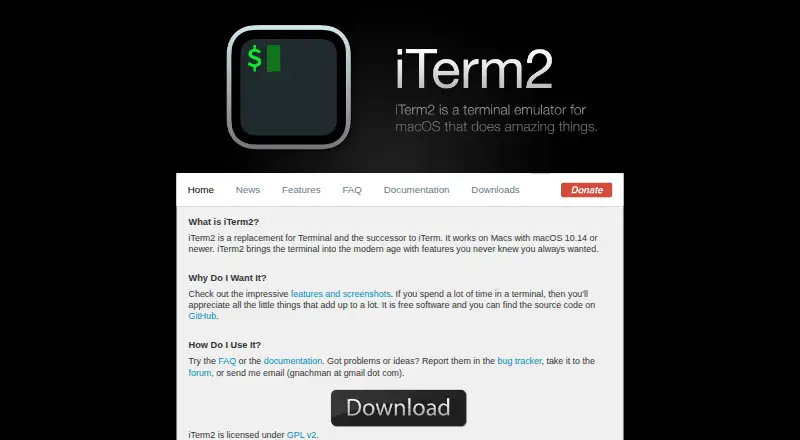
iTerm2 is a free, open-source terminal emulator for macOS and a replacement for Apple’s Terminal. It is aimed at Mac users who want more control over terminal layouts, shell sessions, remote workflows, and automation. The feature set covers tabbed terminal windows, vertical and horizontal split panes, configurable profiles, automatic profile switching, shell integration, search, session restoration, and saved arrangements. GPU-accelerated rendering and inline image display add capabilities beyond basic command-line windows.
The published offering is straightforward: iTerm2 is distributed as free software, with no paid tier described. Its source code is publicly available under the GPL, and the project is maintained by George Nachman and contributors. For users choosing a terminal based on workflow depth rather than a subscription model, the combination of profiles, saved arrangements, session restoration, and flexible pane layouts makes it suitable for organizing recurring local or remote sessions. SSH-aware shell integration and tmux integration also fit users who move between local terminals and remote environments.
iTerm2’s strongest distinction is its automation and session-management depth. A documented Python scripting API and RPC automation provide ways to extend or control terminal workflows, while configurable profiles and automatic switching can adapt sessions to different contexts. The trade-off is platform coverage: the supported desktop platform is macOS, so users who need the same terminal across multiple operating systems should choose a broader alternative. iTerm2 is a strong fit for Mac users who value rich terminal organization, SSH-related workflows, GPU rendering, and scripting. It is less suitable for teams seeking a cross-platform terminal standard or a product centered on collaboration beyond terminal sessions.
Your product? Our editors can test iTerm2 in depth and publish a review, labelled as paid · from $149/mo →
iTerm2 pricing
iTerm2 fact sheet
| Free plan | Yes |
|---|---|
| Paid from | Free |
| Supported platforms | macos |
| Split panes | Yes |
| Session sync | Not verified |
| GPU acceleration | Yes |
| Scripting API | Yes |
| SSH support | Yes |
| Deployment | Desktop |
| Platforms | macOS |
| Integrations | 3 integrations: tmux, SSH, Python |
| Pricing | Free plan |
| Website | iterm2.com |
| Facts checked | 20 Sep 2026 |
iTerm2 integrations
iTerm2 lists 3 integrations on its own site.
- tmux
- SSH
- Python
Alternatives to iTerm2
- TabbyA versatile open-source terminal for power users who automate across systems.9.4
- Windows TerminalA free, open-source Windows terminal with tabs, panes, profiles, and automation.9.3
- kittyA programmable terminal with strong SSH workflows, graphics, layouts, and session control.9.0


iTerm2 vs the competition
- iTerm2 vs Tabby
- iTerm2 vs Windows Terminal
- iTerm2 vs kitty
- iTerm2 vs PuTTY
- iTerm2 vs Warp
- iTerm2 vs MobaXterm


Compare iTerm2 with any tool side by side →
Used iTerm2? Be the first to review it
The editor score above is our own research. What this page doesn't have yet is a reader's view — what you used iTerm2 for, what worked and what didn't. No stars are seeded and no review is paid for; an editor reads every one before it appears.
Write a reviewTwo minutes · verified accounts only · read by an editor before it appears
Featured on iTechGuides

iTerm2 is listed in our Terminal Emulators directory. Add the badge to your site — it links back to this page.
<a href="https://www.itechguides.com/products/iterm2/"><img src="https://www.itechguides.com/best/badge/iterm2.svg" alt="Featured on iTechGuides" width="230" height="46"></a>
Reviewed by iTechGuides Editors · Editorial team · Updated Oct 2026
Advertiser disclosure: iTechGuides is reader-supported. Vendors can pay for top positions in our rankings and for a place on other products' pages, and we may earn a commission when you click some links. Bought places stand at the number bought; this page and our disclosure say so. Paying vendors may get a fuller, more detailed review from our editors, and that review can change their score. How we rank.
Last updated · How we research and update