
Workona
Workona: A structured tab manager for teams coordinating browser work by project. Ranked #2 of 27 in Tab Management Software by our editors (9.2/10); pricing: Free plan; best for teams managing browser work by project.
At a glance
- Editor score9.2 / 10
- PricingFree plan
- Best forTeams managing browser work by project
- Free planYes
- Tab searchYes
- Founded2018 · Palo Alto, California, United States
- Facts checked22 Sep 2026
Where it wins
- Project spaces organize tabs, links, files, notes, and tasks.
- Session restoration, search, sync, backups, and suspension cover core tab needs.
- Integrates with Google Drive, Slack, Asana, Figma, and other cloud tools.
Where it doesn't
- Shared spaces and team templates are available on the Team plan.
- SSO, auto-provisioning, and domain restrictions are Enterprise features.
- The project-space structure may be more than simple tab lists require.
Our verdict on Workona
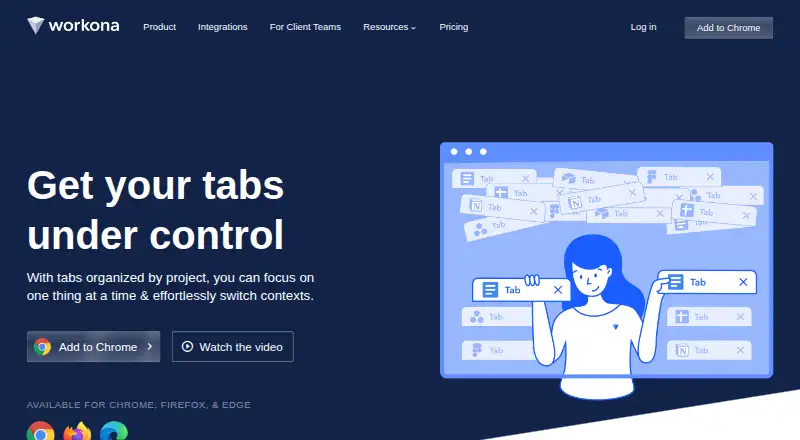
Workona is a browser-based work management platform for organizing browser tabs, links, files, notes, and tasks into named project spaces. It is designed for individuals and teams that manage work across multiple cloud applications. Its Tab Manager extension supports Chrome, Edge, and Firefox, while the product is available through web, iOS, and a Chrome extension. Core functions include tab autosaving, session restoration, cross-device synchronization, search, tab suspension, and hourly cloud backup snapshots.
The freemium model gives users a free starting point, while Pro adds unlimited spaces, unlimited sections, 90-day session backups, space integrations, and space templates. The Team plan is listed at $108 per user per year with annual billing and adds shared spaces, centralized billing, team templates, and priority support. Enterprise adds admin controls, SSO authentication, auto-provisioning, domain restrictions, and multiple teams. This creates a clear progression from personal project organization to managed team workspaces.
Workona’s ecosystem fit is a key strength for teams working across cloud services. It connects project spaces with Google Drive, Slack, Asana, ClickUp, Monday, Trello, Figma, Confluence, Lucidchart, and Zapier. The result is a workspace layer that can bring browser activity closer to the applications supporting each project. Teams should consider Workona when browser sessions are central to project work and shared organization matters. Users who only need a lightweight list of open tabs may find its space-based structure unnecessary.
Your product? Our editors can test Workona in depth and publish a review, labelled as paid · from $149/mo →
Workona pricing
All 3 Workona plans and prices →
Workona fact sheet
| Free plan | Yes |
|---|---|
| Paid from | Not verified |
| Tab search | Yes |
| Session restore | Yes |
| Tab suspension | Yes |
| Workspaces | Yes |
| Browser support | Multi-browser |
| Cross-device sync | Yes |
| Saved session limit | Not verified |
| Deployment | Cloud, Mobile, Browser extension |
| Platforms | Web, iOS, Chrome extension |
| Compliance & security | GDPR, SSO/SAML |
| Support | Email, Docs |
| Built for | Solo, Small business, Mid-market, Enterprise (editorial estimate) |
| Integrations | 6,000+ integrations: Google Drive, Slack, Asana, ClickUp, Monday, Trello … See all → |
| Pricing | Free plan (source) |
| Website | workona.com |
| Facts checked | 22 Sep 2026 |
Workona integrations
Workona lists 6,000+ integrations on its own site — the 10 named here are the ones its pages call out.
- Google Drive
- Slack
- Asana
- ClickUp
- Monday
- Trello
- Figma
- Confluence
- Lucidchart
- Zapier
See all Workona integrations →
Alternatives to Workona
- PinakoA broad tab workspace for power users managing complex browser projects.9.4
- TobyA collaborative tab manager with AI organization, cross-device sync, and a useful free tier.9.0
- Tabmanager.ioAffordable tab and session control for Chrome and other Chromium-based browsers.8.8



See all Workona alternatives →
Workona vs the competition
- Workona vs Pinako
- Workona vs Toby
- Workona vs Tabmanager.io
- Workona vs OneTab
- Workona vs Tabox
- Workona vs Tabblar



Compare Workona with any tool side by side →
Also Ranked In
Workona is ranked in 4 of our directories.
Used Workona? Be the first to review it
The editor score above is our own research. What this page doesn't have yet is a reader's view — what you used Workona for, what worked and what didn't. No stars are seeded and no review is paid for; an editor reads every one before it appears.
Write a reviewTwo minutes · verified accounts only · read by an editor before it appears
Featured on iTechGuides

Workona is listed in our Tab Management Software directory. Add the badge to your site — it links back to this page.
<a href="https://www.itechguides.com/products/workona/"><img src="https://www.itechguides.com/best/badge/workona.svg" alt="Featured on iTechGuides" width="230" height="46"></a>
Reviewed by iTechGuides Editors · Editorial team · Updated Oct 2026
Advertiser disclosure: iTechGuides is reader-supported. Vendors can pay for top positions in our rankings and for a place on other products' pages, and we may earn a commission when you click some links. Bought places stand at the number bought; this page and our disclosure say so. Paying vendors may get a fuller, more detailed review from our editors, and that review can change their score. How we rank.
Last updated · How we research and update