
Pinako
Pinako: A broad tab workspace for power users managing complex browser projects. Ranked #1 of 27 in Tab Management Software by our editors (9.4/10); pricing: Free plan · 14-day trial; best for power users needing the broadest tab workspace.
At a glance
- Editor score9.4 / 10
- PricingFree plan · 14-day trial
- Best forPower users needing the broadest tab workspace
- Free planYes
- Tab searchYes
- Facts checked22 Sep 2026
Where it wins
- Hierarchical trees organize tabs, windows, bookmarks, and saved sessions.
- Search, restoration, suspension, notes, libraries, and backups cover large tab sets.
- Supports web, Windows, Linux, Chrome, and nine messaging or productivity integrations.
Where it doesn't
- Its Chromium extension focus limits browser coverage.
- Cloud sync, collaboration, and AI features require paid tiers.
- The breadth of features may exceed the needs of casual tab managers.
Our verdict on Pinako
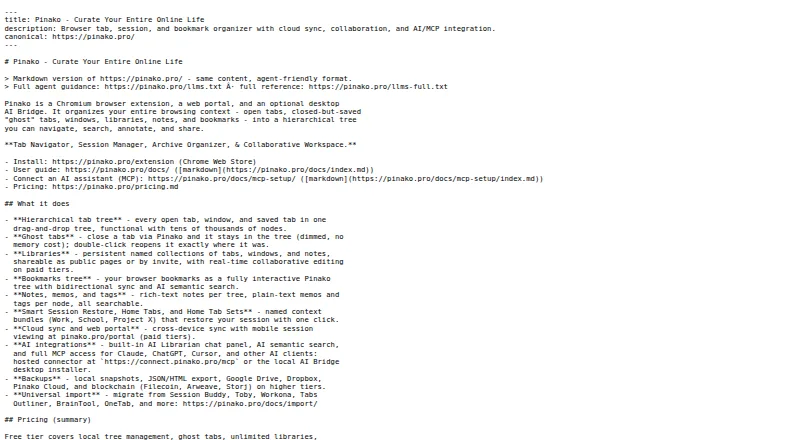
Pinako is a Chromium browser extension for organizing tabs, windows, bookmarks, and saved browser sessions in a hierarchical tree. It is designed for individuals, researchers, and teams managing large collections of tabs or project resources. Alongside tab organization, it provides searchable collections, libraries, tags, memos, color coding, rich-text notes, local snapshots, backup and export options, and smart session restoration. Suspended loading is intended to reduce RAM use when working with large tab sets.
Its strongest distinction is breadth. Pinako combines tab and bookmark search with collaborative workspaces, cloud synchronization, a web portal, AI semantic search, and an AI Librarian. The integration list includes Slack, Discord, Telegram, WhatsApp, Signal, Microsoft Teams, Notion, Google Sheets, and Obsidian. That combination suits research and project workflows where browser resources need to be grouped, annotated, revisited, or shared. The product supports web, Windows, Linux, and Chrome, while its Chromium extension focus makes it a less natural fit for users seeking broad browser coverage.
The Free plan includes a tab tree manager, libraries, smart session restore, local backups, and rich-text notes. Pro adds cloud sync, a web portal, and AI features; Pro+ adds collaboration and multimedia notes; Premium includes paid-tier features and a larger AI credit pool; Enterprise includes paid-tier features. The published terms describe monthly and annual billing, 14-day trials for Pro and Pro+, and a 60-day pro-rated annual refund policy. Choose Pinako if you need a feature-rich workspace for substantial tab collections, shared resources, or AI-assisted discovery. Choose a simpler tab manager if you only need lightweight saving and retrieval.
Your product? Our editors can test Pinako in depth and publish a review, labelled as paid · from $149/mo →
Pinako pricing
All 5 Pinako plans and prices →
Pinako fact sheet
| Free plan | Yes |
|---|---|
| Paid from | Not verified |
| Tab search | Yes |
| Session restore | Yes |
| Tab suspension | Yes |
| Workspaces | Yes |
| Browser support | Multi-browser |
| Cross-device sync | Yes |
| Saved session limit | Not verified |
| Free trial | 14 days · no card needed |
| Money-back guarantee | 60 days |
| Deployment | Cloud, Desktop, Browser extension |
| Platforms | Web, Windows, Linux, Chrome extension |
| Support | Email, Docs |
| Built for | Solo, Small business, Mid-market, Enterprise (editorial estimate) |
| Integrations | 9 integrations: Slack, Discord, Telegram, WhatsApp, Signal, Microsoft Teams … |
| Pricing | Free plan · 14-day trial (source) |
| Website | pinako.pro |
| Facts checked | 22 Sep 2026 |
Pinako integrations
Pinako lists 9 integrations on its own site.
- Slack
- Discord
- Telegram
- Signal
- Microsoft Teams
- Notion
- Google Sheets
- Obsidian
Alternatives to Pinako
- WorkonaA structured tab manager for teams coordinating browser work by project.9.2
- TobyA collaborative tab manager with AI organization, cross-device sync, and a useful free tier.9.0
- Tabmanager.ioAffordable tab and session control for Chrome and other Chromium-based browsers.8.8



Pinako vs the competition
- Pinako vs Workona
- Pinako vs Toby
- Pinako vs Tabmanager.io
- Pinako vs OneTab
- Pinako vs Tabox
- Pinako vs Tabblar



Compare Pinako with any tool side by side →
Used Pinako? Be the first to review it
The editor score above is our own research. What this page doesn't have yet is a reader's view — what you used Pinako for, what worked and what didn't. No stars are seeded and no review is paid for; an editor reads every one before it appears.
Write a reviewTwo minutes · verified accounts only · read by an editor before it appears
Featured on iTechGuides

Pinako is listed in our Tab Management Software directory. Add the badge to your site — it links back to this page.
<a href="https://www.itechguides.com/products/pinako/"><img src="https://www.itechguides.com/best/badge/pinako.svg" alt="Featured on iTechGuides" width="230" height="46"></a>
Reviewed by iTechGuides Editors · Editorial team · Updated Oct 2026
Advertiser disclosure: iTechGuides is reader-supported. Vendors can pay for top positions in our rankings and for a place on other products' pages, and we may earn a commission when you click some links. Bought places stand at the number bought; this page and our disclosure say so. Paying vendors may get a fuller, more detailed review from our editors, and that review can change their score. How we rank.
Last updated · How we research and update