
WizFile
WizFile: A focused Windows filename search tool with broad drive support and flexible filters. Ranked #51 of 57 in Desktop Search Software by our editors (3.6/10); pricing: Free plan; best for free instant filename search on Windows.
At a glance
- Editor score3.6 / 10
- PricingFree plan
- Best forFree instant filename search on Windows
- Free planYes
- Paid from$20/user one-time
- Content searchNo
- Founded2007 · Papamoa Beach, Tauranga, New Zealand
- Facts checked20 Sep 2026
Where it wins
- NTFS MFT scanning supports rapid filename and path searches
- Searches network, USB, non-NTFS, removable, and directory locations
- Filters, Boolean operators, and regular expressions refine results
Where it doesn't
- Windows-only desktop software
- Does not search file contents or email
- Free version is for personal use; commercial use requires a paid code
Our verdict on WizFile
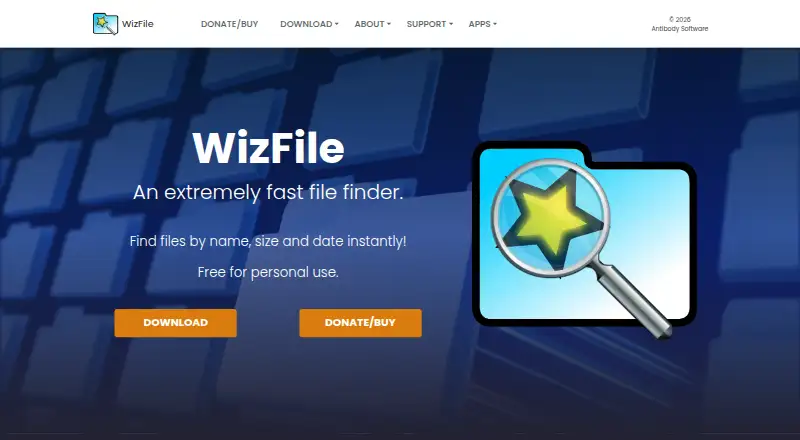
WizFile is a Windows desktop utility for finding files and folders by name, path, size, and date. It is aimed at people who need quick filename searches across local storage, removable media, network drives, synced locations, or individual directories. Real-time file-system monitoring updates results when files change, while portable operation avoids the need for an external database file. Its focus is file and folder discovery rather than broader desktop information retrieval.
The free version supports personal use, rapid file search, network drives, and configurable filters. Commercial licensing starts with the Individual plan at $20 USD as a one-time payment for one person, followed by Micro Business at $80, Small Business at $150, Medium Business at $300, and Large Business at $400. Enterprise costs $600 and adds unlimited use and priority support; Enterprise Multi Site costs $1,400 and covers unlimited use across multiple business locations. Paid licenses are perpetual supporter codes, with upgrades included for versions released within one year of purchase; newer versions may require a new code.
WizFile’s standout capability is its combination of NTFS Master File Table scanning with support for non-NTFS, network, USB, and directory scanning. Multiple search terms, AND/OR operators, regular expressions, and file-type, size, and date filters give users several ways to narrow results. Optional integrations with Seer and QuickLook extend its relationship with file-preview tools. Choose WizFile if Windows filename and path search is the priority. Choose another category of tool if you need content search, email search, or support beyond Windows.
Your product? Our editors can test WizFile in depth and publish a review, labelled as paid · from $149/mo →
WizFile pricing
All 8 WizFile plans and prices →
WizFile fact sheet
| Free plan | Yes |
|---|---|
| Paid from | $20/user one-time |
| Supported platforms | windows |
| Index locations | local, removable, network, synced |
| Content search | No |
| Email search | Not verified |
| Message search | Not verified |
| OCR search | Not verified |
| Indexed-item limit | Not verified |
| Deployment | Desktop |
| Platforms | Windows |
| Support | Email, Docs |
| Built for | Solo, Small business, Mid-market, Enterprise (editorial estimate) |
| Integrations | 2 integrations: Seer, QuickLook |
| Pricing | Free plan (source) |
| Website | antibody-software.com |
| Facts checked | 20 Sep 2026 |
WizFile integrations
WizFile lists 2 integrations on its own site.
- Seer
- QuickLook
Alternatives to WizFile
- EverythingA free Windows search utility for instant filename and path discovery.9.3
- Copernic Desktop SearchA Windows search tool for broad local, network, email, and cloud indexing.9.2
- DocFetcherA free, portable full-text search tool for local files, archives, and PST email.9.0



See all WizFile alternatives →
Used WizFile? Be the first to review it
The editor score above is our own research. What this page doesn't have yet is a reader's view — what you used WizFile for, what worked and what didn't. No stars are seeded and no review is paid for; an editor reads every one before it appears.
Write a reviewTwo minutes · verified accounts only · read by an editor before it appears
Featured on iTechGuides

WizFile is listed in our Desktop Search Software directory. Add the badge to your site — it links back to this page.
<a href="https://www.itechguides.com/products/wizfile/"><img src="https://www.itechguides.com/best/badge/wizfile.svg" alt="Featured on iTechGuides" width="230" height="46"></a>
Reviewed by iTechGuides Editors · Editorial team · Updated Oct 2026
Advertiser disclosure: iTechGuides is reader-supported. Vendors can pay for top positions in our rankings and for a place on other products' pages, and we may earn a commission when you click some links. Bought places stand at the number bought; this page and our disclosure say so. Paying vendors may get a fuller, more detailed review from our editors, and that review can change their score. How we rank.
Last updated · How we research and update