
DocFetcher
DocFetcher: A free, portable full-text search tool for local files, archives, and PST email. Ranked #3 of 57 in Desktop Search Software by our editors (9.0/10); pricing: Free plan; best for free portable search across major desktop platforms.
At a glance
- Editor score9.0 / 10
- PricingFree plan
- Best forFree portable search across major desktop platforms
- Free planYes
- Paid fromFree
- Content searchYes
- Facts checked20 Sep 2026
Where it wins
- Free and open source on Windows, macOS, and Linux
- Searches document contents, archives, source code, and PST files
- Supports Unicode, advanced queries, and automatic index updates
Where it doesn't
- No built-in OCR for scanned-image PDFs
- Search results provide text-only previews
- Indexing is limited to user-selected folders
Our verdict on DocFetcher
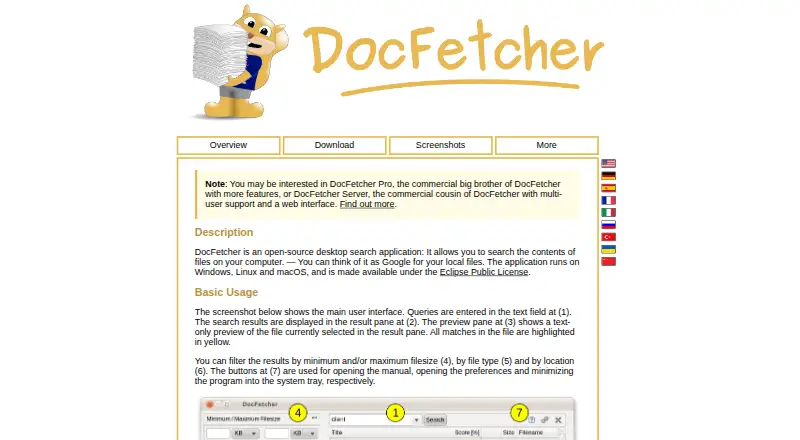
DocFetcher is an open-source desktop search application for people who need to find content inside local files rather than rely only on filenames. It indexes user-selected folders on Windows, Linux, and macOS, covering supported documents, source-code files, archives, and Outlook PST email files. Search results can be filtered by file size, type, and location, with highlighted matches in text-only previews. Portable versions also support repositories that can move through USB drives or synchronize through cloud drives.
The pricing model is straightforward: DocFetcher is available without charge and is licensed under the Eclipse Public License. There are no paid tiers to compare, so the full feature set is centered on the free application. Its platform coverage is a practical fit for mixed-device environments, while support for local, removable, and synced index locations gives users flexibility over where searchable content resides. Automatic index updates for changed files reduce the need to rebuild an index after ordinary file changes.
DocFetcher’s strongest area is query and file-format coverage for a desktop utility. Users can combine wildcard, phrase, fuzzy, proximity, and Boolean queries, apply regex-based file exclusion rules, and search archive formats including ZIP, 7z, RAR, and tar. The main boundary is image-heavy content: scanned-image PDFs require separate OCR software, and built-in OCR search is not part of the product. Choose DocFetcher for free, portable, cross-platform search over text-bearing files and PST email. Choose an alternative when OCR is central to the workflow or when a broader integrated ecosystem is required.
Your product? Our editors can test DocFetcher in depth and publish a review, labelled as paid · from $149/mo →
DocFetcher pricing
DocFetcher fact sheet
| Free plan | Yes |
|---|---|
| Paid from | Free |
| Supported platforms | Windows, macOS, Linux |
| Index locations | local, removable, synced |
| Content search | Yes |
| Email search | Yes |
| Message search | Not verified |
| OCR search | No |
| Indexed-item limit | Not verified |
| Deployment | Desktop |
| Platforms | Windows, macOS, Linux |
| Support | Community, Docs |
| Built for | Solo, Small business (editorial estimate) |
| Pricing | Free plan |
| Website | docfetcher.sourceforge.io |
| Facts checked | 20 Sep 2026 |
Alternatives to DocFetcher
- EverythingA free Windows search utility for instant filename and path discovery.9.3
- Copernic Desktop SearchA Windows search tool for broad local, network, email, and cloud indexing.9.2
- Wise JetSearchA focused, free filename search tool for local and removable Windows drives.8.8



See all DocFetcher alternatives →
DocFetcher vs the competition
- DocFetcher vs Everything
- DocFetcher vs Copernic Desktop Search
- DocFetcher vs Wise JetSearch
- DocFetcher vs Catfish
- DocFetcher vs LocalSearch
- DocFetcher vs KFind


Compare DocFetcher with any tool side by side →
Used DocFetcher? Be the first to review it
The editor score above is our own research. What this page doesn't have yet is a reader's view — what you used DocFetcher for, what worked and what didn't. No stars are seeded and no review is paid for; an editor reads every one before it appears.
Write a reviewTwo minutes · verified accounts only · read by an editor before it appears
Featured on iTechGuides

DocFetcher is listed in our Desktop Search Software directory. Add the badge to your site — it links back to this page.
<a href="https://www.itechguides.com/products/docfetcher/"><img src="https://www.itechguides.com/best/badge/docfetcher.svg" alt="Featured on iTechGuides" width="230" height="46"></a>
Reviewed by iTechGuides Editors · Editorial team · Updated Oct 2026
Advertiser disclosure: iTechGuides is reader-supported. Vendors can pay for top positions in our rankings and for a place on other products' pages, and we may earn a commission when you click some links. Bought places stand at the number bought; this page and our disclosure say so. Paying vendors may get a fuller, more detailed review from our editors, and that review can change their score. How we rank.
Last updated · How we research and update