
VanceAI Image Sharpener
VanceAI Image Sharpener: A focused sharpener with blur-specific models, batch processing, and API access. Ranked #12 of 28 in AI Image Enhancers by our editors (7.7/10); pricing: Paid; best for dedicated sharpening with batch and API options.
At a glance
- Editor score7.7 / 10
- PricingPaid
- Best forDedicated sharpening with batch and API options
- Free planNo
- Paid from$99.90/yr
- AI denoisingNo
- Founded2020 · Hong Kong, with an office in Japan
- Facts checked20 Sep 2026
Where it wins
- Four models cover general, motion, lens, and soft blur
- Windows supports local batch processing without uploads
- API includes sharpening and an optional face enhancement feature
Where it doesn't
- No permanent free plan
- Web uploads are limited to 10 MB
- Focused on sharpening rather than denoising, lighting, or color enhancement
Our verdict on VanceAI Image Sharpener
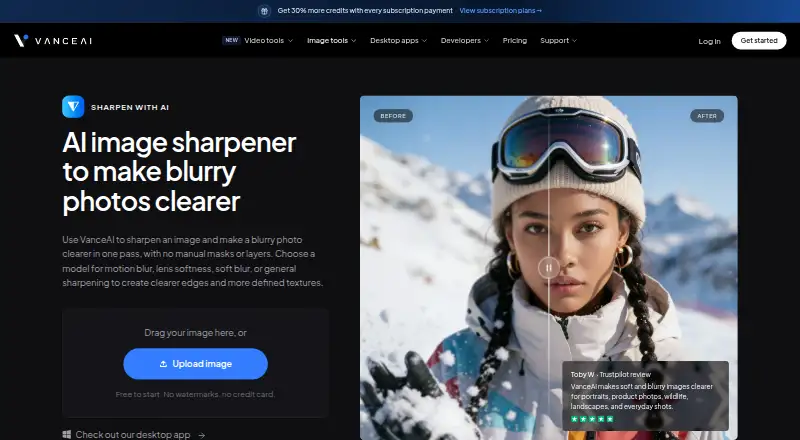
VanceAI Image Sharpener is an AI tool for making blurry, soft, and motion-blurred photos clearer. It suits photographers, ecommerce teams, content creators, and developers who need a dedicated sharpening workflow rather than a broad image-enhancement suite. The product offers General, Motion Blur, Lens Blur, and Soft Blur models, and its upload, preview, and download workflow does not require manual masks or layers. It supports portraits, product photos, wildlife, landscapes, and everyday images.
The pricing structure is built around monthly credits for web use and separate Windows licenses for local processing. Starter costs $9 per month for 260 credits, Popular costs $17 for 650 credits, Creator costs $26 for 1,300 credits, and Studio costs $42 for 2,600 credits. Creator is positioned for frequent video and batch processing, while Studio targets high-volume production. The Windows options cost $39.90 for one month, $99.90 for one year, or $129.90 for a lifetime license, each covering one PC with unlimited local processing and all features. Enterprise adds custom integration, automated batch processing, and direct engineering support.
Its strongest distinction is the combination of model choice, desktop batch work, local Windows processing, and API access. The Windows application can process multiple images without uploads or an internet connection, while the API provides a sharpen operation and face enhancement option. Encrypted uploads and deletion within 24 hours add a clear handling policy for online workflows. Choose VanceAI Image Sharpener for sharpening-heavy projects, batch work, or integrations. Choose another tool if denoising, lighting enhancement, or color enhancement is central to the workflow, or if a permanent free plan is required.
Your product? Our editors can test VanceAI Image Sharpener in depth and publish a review, labelled as paid · from $149/mo →
VanceAI Image Sharpener pricing
All 8 VanceAI Image Sharpener plans and prices →
VanceAI Image Sharpener fact sheet
| Free plan | No |
|---|---|
| Paid from | $99.90/yr |
| AI denoising | No |
| Lighting enhancement | No |
| Color enhancement | No |
| Batch processing | Yes |
| Maximum upload size | 10 MB |
| API access | Yes |
| Money-back guarantee | 7 days |
| Deployment | Cloud, Desktop |
| Platforms | Web, Windows |
| Support | Email, Tickets, Docs · 24/7 |
| Built for | Solo, Small business, Mid-market, Enterprise (editorial estimate) |
| Pricing | Paid (source) |
| Website | vanceai.com |
| Facts checked | 20 Sep 2026 |
Alternatives to VanceAI Image Sharpener
- VanceAI Image EnhancerA flexible enhancer with free access, desktop apps, batch processing, and an API.9.4
- Topaz PhotoA deep desktop enhancer for photographers who need RAW, batch, masking, and AI retouching tools.9.1
- Media.io Gemini Photo EnhanceA broad free web enhancer for sharpening, restoring, upscaling, and refining photos.8.8



See all VanceAI Image Sharpener alternatives →
Used VanceAI Image Sharpener? Be the first to review it
The editor score above is our own research. What this page doesn't have yet is a reader's view — what you used VanceAI Image Sharpener for, what worked and what didn't. No stars are seeded and no review is paid for; an editor reads every one before it appears.
Write a reviewTwo minutes · verified accounts only · read by an editor before it appears
Featured on iTechGuides

VanceAI Image Sharpener is listed in our AI Image Enhancers directory. Add the badge to your site — it links back to this page.
<a href="https://www.itechguides.com/products/vanceai-image-sharpener/"><img src="https://www.itechguides.com/best/badge/vanceai-image-sharpener.svg" alt="Featured on iTechGuides" width="230" height="46"></a>
Reviewed by iTechGuides Editors · Editorial team · Updated Oct 2026
Advertiser disclosure: iTechGuides is reader-supported. Vendors can pay for top positions in our rankings and for a place on other products' pages, and we may earn a commission when you click some links. Bought places stand at the number bought; this page and our disclosure say so. Paying vendors may get a fuller, more detailed review from our editors, and that review can change their score. How we rank.
Last updated · How we research and update