
VanceAI Image Enhancer
VanceAI Image Enhancer: A flexible enhancer with free access, desktop apps, batch processing, and an API. Ranked #1 of 28 in AI Image Enhancers by our editors (9.4/10); pricing: Free plan; best for broad enhancement with desktop and API workflows.
At a glance
- Editor score9.4 / 10
- PricingFree plan
- Best forBroad enhancement with desktop and API workflows
- Free planYes
- AI denoisingYes
- Facts checked20 Sep 2026
Where it wins
- Covers resolution, color, lighting, sharpness, detail, and denoising
- Supports batch processing and local enhancement on Windows and macOS
- Offers a web workflow plus an image-processing API
Where it doesn't
- Paid web uploads are limited to 10 MB and 34 megapixels
- Credit-based plans require choosing a monthly processing allowance
- The feature set may exceed the needs of users seeking one simple correction
Our verdict on VanceAI Image Enhancer
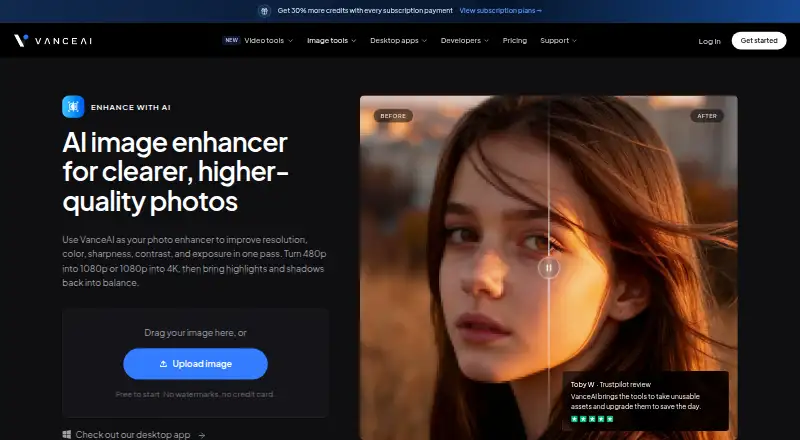
VanceAI Image Enhancer brings resolution enhancement, upscaling, color correction, exposure adjustment, sharpening, detail recovery, and AI denoising into one image workflow. It is suited to creators, e-commerce sellers, real-estate professionals, social-media users, and people restoring older photos. Processing is available through the web, while Windows and macOS applications support local enhancement and batch workflows. An image-processing API extends the product to software integrations.
Pricing is credit-based, with a free plan and paid monthly options starting at $9 for 200 credits. The 500-credit plan costs $17 per month, 1,000 credits cost $26 per month, and 2,000 credits cost $42 per month. Each paid tier includes image and video workspaces, unused-credit rollover, and a 7-day money-back guarantee. The plan structure gives occasional users a low-cost entry point while offering larger allowances for recurring image work, but buyers need to match their monthly volume to the available credit tier. Paid web uploads are limited to 10 MB and 34 megapixels.
Its main distinction is workflow coverage rather than a single narrow adjustment. Users can enhance images online, process files locally through desktop apps, handle batches, or connect image-processing models through the API. That combination fits teams and creators moving between individual edits, larger collections, and application-based processing. The product is a good choice when enhancement needs span resolution, lighting, color, detail, and noise reduction across several environments. Users who only need a basic single-purpose correction may find the broader workflow and credit model less suitable.
Your product? Our editors can test VanceAI Image Enhancer in depth and publish a review, labelled as paid · from $149/mo →
VanceAI Image Enhancer pricing
All 4 VanceAI Image Enhancer plans and prices →
VanceAI Image Enhancer fact sheet
| Free plan | Yes |
|---|---|
| Paid from | Not verified |
| AI denoising | Yes |
| Lighting enhancement | Yes |
| Color enhancement | Yes |
| Batch processing | Yes |
| Maximum upload size | 10 MB |
| API access | Yes |
| Money-back guarantee | 7 days |
| Deployment | Cloud, Desktop |
| Platforms | Web, Windows, macOS |
| Support | Email, Live chat, Docs · 24/7 |
| Built for | Solo, Small business, Mid-market, Enterprise (editorial estimate) |
| Pricing | Free plan (source) |
| Website | vanceai.com |
| Facts checked | 20 Sep 2026 |
Alternatives to VanceAI Image Enhancer
- Topaz PhotoA deep desktop enhancer for photographers who need RAW, batch, masking, and AI retouching tools.9.1
- Media.io Gemini Photo EnhanceA broad free web enhancer for sharpening, restoring, upscaling, and refining photos.8.8
- PicEnhancer.aiA broad web toolkit with free daily credits and affordable paid batch processing.8.6



See all VanceAI Image Enhancer alternatives →
VanceAI Image Enhancer vs the competition
- VanceAI Image Enhancer vs Topaz Photo
- VanceAI Image Enhancer vs Media.io Gemini Photo Enhance
- VanceAI Image Enhancer vs PicEnhancer.ai
- VanceAI Image Enhancer vs Pinin
- VanceAI Image Enhancer vs Viesus
- VanceAI Image Enhancer vs CrispFix



Compare VanceAI Image Enhancer with any tool side by side →
Used VanceAI Image Enhancer? Be the first to review it
The editor score above is our own research. What this page doesn't have yet is a reader's view — what you used VanceAI Image Enhancer for, what worked and what didn't. No stars are seeded and no review is paid for; an editor reads every one before it appears.
Write a reviewTwo minutes · verified accounts only · read by an editor before it appears
Featured on iTechGuides

VanceAI Image Enhancer is listed in our AI Image Enhancers directory. Add the badge to your site — it links back to this page.
<a href="https://www.itechguides.com/products/vanceai-image-enhancer/"><img src="https://www.itechguides.com/best/badge/vanceai-image-enhancer.svg" alt="Featured on iTechGuides" width="230" height="46"></a>
Reviewed by iTechGuides Editors · Editorial team · Updated Oct 2026
Advertiser disclosure: iTechGuides is reader-supported. Vendors can pay for top positions in our rankings and for a place on other products' pages, and we may earn a commission when you click some links. Bought places stand at the number bought; this page and our disclosure say so. Paying vendors may get a fuller, more detailed review from our editors, and that review can change their score. How we rank.
Last updated · How we research and update