
Topaz Photo
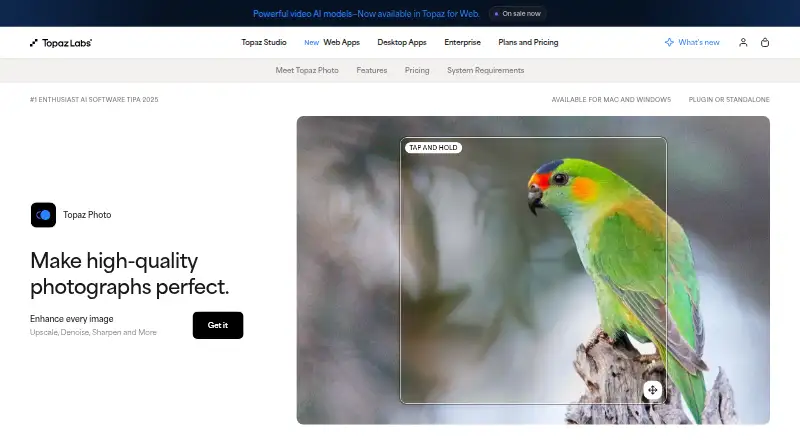
Topaz Photo: A focused desktop editor for AI denoising, sharpening, upscaling, and restoration. Ranked #30 of 158 in Photo Editing Software by our editors (6.3/10); pricing: Paid; best for photographers needing specialized AI enhancement.
At a glance
- Editor score6.3 / 10
- PricingPaid
- Best forPhotographers needing specialized AI enhancement
- Free planNo
- Paid from$199/yr
- PlatformMulti-platform
- Facts checked20 Sep 2026
Where it wins
- Strong AI tools for denoising, sharpening, upscaling, and recovery
- Supports RAW workflows, masks, batch processing, and local or cloud rendering
- Works with Lightroom Classic, Photoshop, Capture One, Apple Photos, and Affinity Photo
Where it doesn't
- No free plan is offered
- Runs on Windows and macOS desktop computers
- Broad photo editing workflows are not its primary focus
Our verdict on Topaz Photo
Topaz Photo is a paid desktop application for photographers who want targeted image-quality improvements rather than a general-purpose editing suite. Its feature set centers on AI denoising for RAW and non-RAW images, missed-focus correction, upscaling, lighting and color adjustment, face recovery, object removal, healing, and dust-and-scratch cleanup. It supports RAW-to-DNG workflows, editable masks, batch processing, and both local and cloud image rendering on Windows and macOS.
Pricing is organized around Personal and Pro plans. Personal costs $17 per month when billed annually, $25 per month when billed every month for 12 months, or $39 per month when billed monthly. These options include photo enhancement models, unlimited local rendering, and unlimited cloud image rendering. Pro costs $50 per month when billed annually or $63 per month when billed monthly, and adds additional Pro models, seat management, and full commercial use. The paid structure suits photographers who expect to use its enhancement tools regularly, while occasional editors may find the subscription commitment harder to justify.
Its ecosystem fit is a major strength. Topaz Photo integrates with Adobe Lightroom Classic, Adobe Photoshop, Adobe Photoshop Elements, Capture One, Apple Photos, and Affinity Photo, allowing it to complement established cataloging and editing workflows. Selective adjustments with editable masks and batch processing with Auto-Pilot or shared settings also support more controlled or repeatable work. Choose it when denoising, sharpening, enlargement, restoration, or recovery is the main need. Choose a broader photo editor instead when you want one application centered on comprehensive everyday editing rather than specialized AI enhancement.
Your product? Our editors can test Topaz Photo in depth and publish a review, labelled as paid · from $149/mo →
Topaz Photo pricing
All 2 Topaz Photo plans and prices →
Topaz Photo fact sheet
| Free plan | No |
|---|---|
| Paid from | $199/yr |
| Platform | Multi-platform |
| RAW photo support | Yes |
| Layer editing | Yes |
| Masking tools | Yes |
| Batch editing | Yes |
| Cloud sync | Not verified |
| AI retouching | Yes |
| Money-back guarantee | 2 days |
| Deployment | Cloud, Desktop |
| Platforms | Windows, macOS |
| Support | Email, Docs |
| Built for | Solo, Small business, Mid-market (editorial estimate) |
| Integrations | 5 integrations: Adobe Photoshop, Adobe Lightroom Classic, Capture One, Apple Photos, Affinity Photo |
| Pricing | Paid (source) |
| Website | topazlabs.com |
| Facts checked | 20 Sep 2026 |
Topaz Photo integrations
Topaz Photo lists 5 integrations on its own site.
- Adobe Photoshop
- Adobe Lightroom Classic
- Capture One
- Apple Photos
- Affinity Photo
Alternatives to Topaz Photo
- Adobe PhotoshopA deep, multi-platform editor for compositing, retouching, RAW work, and AI-assisted edits.9.4
- Adobe LightroomA broad Lightroom workflow for RAW editing, masking, organization, and synchronized access.9.2
- Capture OneA deep choice for professional RAW and tethered workflows, without a free plan.9.0



See all Topaz Photo alternatives →
Also Ranked In
Topaz Photo is ranked in 8 of our directories; the 6 strongest besides Photo Editing Software.
Used Topaz Photo? Be the first to review it
The editor score above is our own research. What this page doesn't have yet is a reader's view — what you used Topaz Photo for, what worked and what didn't. No stars are seeded and no review is paid for; an editor reads every one before it appears.
Write a reviewTwo minutes · verified accounts only · read by an editor before it appears
Featured on iTechGuides

Topaz Photo is listed in our Photo Editing Software directory. Add the badge to your site — it links back to this page.
<a href="https://www.itechguides.com/products/topaz-photo/"><img src="https://www.itechguides.com/best/badge/topaz-photo.svg" alt="Featured on iTechGuides" width="230" height="46"></a>
Reviewed by iTechGuides Editors · Editorial team · Updated Oct 2026
Advertiser disclosure: iTechGuides is reader-supported. Vendors can pay for top positions in our rankings and for a place on other products' pages, and we may earn a commission when you click some links. Bought places stand at the number bought; this page and our disclosure say so. Paying vendors may get a fuller, more detailed review from our editors, and that review can change their score. How we rank.
Last updated · How we research and update