
VanceAI Image Denoiser
VanceAI Image Denoiser: A focused denoising tool for high-volume photo workflows. Ranked #11 of 28 in AI Image Enhancers by our editors (7.8/10); pricing: Free plan; best for high-volume denoising workflows.
At a glance
- Editor score7.8 / 10
- PricingFree plan
- Best forHigh-volume denoising workflows
- Free planYes
- Paid from$99.90/yr
- AI denoisingYes
- Founded2020 · Hong Kong, with offices in Hong Kong and Japan
- Facts checked20 Sep 2026
Where it wins
- Preserves facial detail and fine texture, including hair, fur and stars.
- Windows app supports local processing and batches of hundreds of images.
- REST API adds a denoise operation for application integrations.
Where it doesn't
- Paid web uploads are limited to files under 10MB, 34MP and 8,000 pixels wide.
- Its focus is denoising rather than broader color and lighting adjustments.
- PC plans license processing for one computer.
Our verdict on VanceAI Image Denoiser
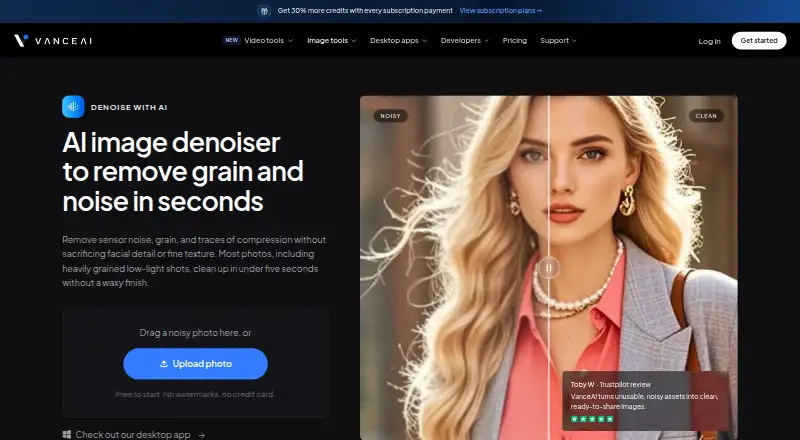
VanceAI Image Denoiser is a web and Windows tool for removing sensor noise, grain and JPEG compression artifacts from photos. It suits photographers, production teams and developers who need repeatable denoising across many images. Automatic processing handles the core task, while noise and sharpness sliders provide additional control. The product also preserves facial detail and fine texture, including hair, fur and stars, and offers a REST API with a denoise operation for software integrations.
The pricing structure separates web credits from local Windows processing. The free option provides a way to start without a credit card. Paid web plans use annual billing: Starter costs $9 per month for 260 credits, Popular costs $17 per month for 650 credits, Creator costs $26 per month for 1,300 credits plus frequent video and batch processing, and Studio costs $42 per month for 2,600 credits and high-volume production. The Windows plans provide unlimited local processing on one PC: $39.9 per month, $99.9 per year or $199.9 one-time. They include 100, 200 or 300 free web-app credits respectively.
Its strongest fit is a workflow that prioritizes denoising volume, especially when Windows users can process images locally or when developers need an API connection. Batch processing of hundreds of images and local processing can reduce dependence on repeated browser uploads. The tradeoff is a narrower image-enhancement focus: denoising is central, while color and lighting coverage is more limited. Paid web uploads are also restricted to files under 10MB, 34MP and 8,000 pixels on the longest side. Choose VanceAI Image Denoiser for focused noise reduction and volume; choose an alternative when broader enhancement controls are the main requirement.
Your product? Our editors can test VanceAI Image Denoiser in depth and publish a review, labelled as paid · from $149/mo →
VanceAI Image Denoiser pricing
All 7 VanceAI Image Denoiser plans and prices →
VanceAI Image Denoiser fact sheet
| Free plan | Yes |
|---|---|
| Paid from | $99.90/yr |
| AI denoising | Yes |
| Lighting enhancement | Not verified |
| Color enhancement | Not verified |
| Batch processing | Yes |
| Maximum upload size | 10 MB |
| API access | Yes |
| Money-back guarantee | 7 days |
| Deployment | Cloud, Desktop |
| Platforms | Web, Windows |
| Support | Email, Tickets, Docs · 24/7 |
| Built for | Solo, Small business, Mid-market, Enterprise (editorial estimate) |
| Pricing | Free plan (source) |
| Website | vanceai.com |
| Facts checked | 20 Sep 2026 |
Alternatives to VanceAI Image Denoiser
- VanceAI Image EnhancerA flexible enhancer with free access, desktop apps, batch processing, and an API.9.4
- Topaz PhotoA deep desktop enhancer for photographers who need RAW, batch, masking, and AI retouching tools.9.1
- Media.io Gemini Photo EnhanceA broad free web enhancer for sharpening, restoring, upscaling, and refining photos.8.8



See all VanceAI Image Denoiser alternatives →
Also Ranked In
VanceAI Image Denoiser is ranked in 2 of our directories.
Used VanceAI Image Denoiser? Be the first to review it
The editor score above is our own research. What this page doesn't have yet is a reader's view — what you used VanceAI Image Denoiser for, what worked and what didn't. No stars are seeded and no review is paid for; an editor reads every one before it appears.
Write a reviewTwo minutes · verified accounts only · read by an editor before it appears
Featured on iTechGuides

VanceAI Image Denoiser is listed in our AI Image Enhancers directory. Add the badge to your site — it links back to this page.
<a href="https://www.itechguides.com/products/vanceai-image-denoiser/"><img src="https://www.itechguides.com/best/badge/vanceai-image-denoiser.svg" alt="Featured on iTechGuides" width="230" height="46"></a>
Reviewed by iTechGuides Editors · Editorial team · Updated Oct 2026
Advertiser disclosure: iTechGuides is reader-supported. Vendors can pay for top positions in our rankings and for a place on other products' pages, and we may earn a commission when you click some links. Bought places stand at the number bought; this page and our disclosure say so. Paying vendors may get a fuller, more detailed review from our editors, and that review can change their score. How we rank.
Last updated · How we research and update