Uncrustify
Uncrustify: A free, open-source formatter for eight languages with deep rule control. Ranked #25 of 34 in Code Formatting Tools by our editors (6.8/10); pricing: Free plan; best for C-family projects needing deep control.
At a glance
- Editor score6.8 / 10
- PricingFree plan
- Best forC-family projects needing deep control
- Free planYes
- Paid fromFree
- Supported languagesC, C++, C#, Objective-C, D, Java, Pawn, Vala
- Facts checked21 Sep 2026
Where it wins
- Formats eight languages across Windows, macOS, and Linux
- Detailed spacing, indentation, alignment, and transformation rules
- Supports files, standard input, file lists, backups, and source markers
Where it doesn't
- Command-line workflow may require more setup than editor-first formatters
- Documented editor integrations are limited to Vim and IntelliJ
- No AI features or verified library API is provided
Our verdict on Uncrustify
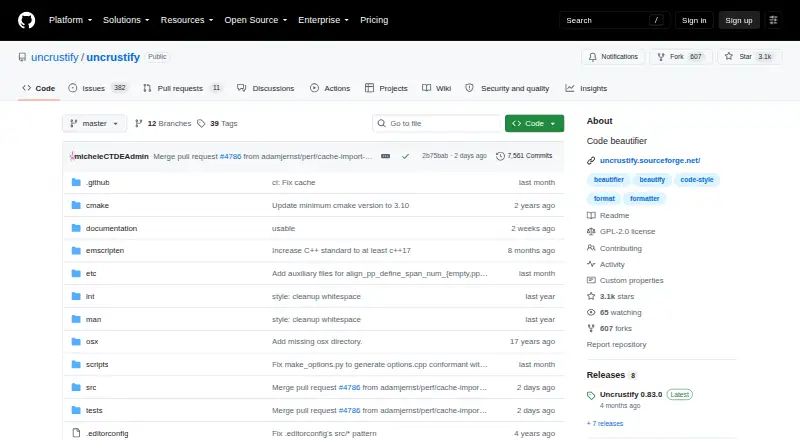
Uncrustify is an open-source command-line source-code beautifier for C, C++, C#, Objective-C, D, Java, Pawn, and Vala. It is aimed at developers and teams that need precise control over formatting behavior, particularly in C-family projects. The software runs on Windows, macOS, and Linux, and can process individual files, standard input, or file lists. Its free, open-source model also suits projects that want a configurable formatter without a paid plan structure.
Its main strength is configuration depth. Uncrustify provides rules for spacing, newlines, blank lines, indentation, and alignment, along with selected transformations such as adding or removing braces. It also supports in-place replacement, backups, prefixes, and suffixes, giving command-line workflows control over how formatted output is written. Configuration generation and documentation commands help teams work with the formatter's rule system, while disable-processing markers allow formatting to be bypassed in selected source comments. This breadth makes it a fit for codebases with established style requirements rather than teams seeking minimal configuration.
The integration footprint is narrower than the language and rule coverage. Uncrustify documents workflows involving Vim and IntelliJ, while broader editor coverage, ignore-file rules, changed-lines-only formatting, and a library API are not part of the documented offering. That makes it a strong choice for developers comfortable with command-line tooling and explicit configuration, but a less natural fit for teams prioritizing a broad integrated development environment ecosystem or a simpler editor-first experience. Choose Uncrustify when formatting control matters most; consider an alternative when integration breadth or streamlined onboarding is the primary requirement.
Your product? Our editors can test Uncrustify in depth and publish a review, labelled as paid · from $149/mo →
Uncrustify pricing
Uncrustify fact sheet
| Free plan | Yes |
|---|---|
| Paid from | Free |
| Supported languages | C, C++, C#, Objective-C, D, Java, Pawn, Vala |
| Supported platforms | Linux, OS X, Windows |
| Editor integration | Yes |
| Ignore files | Not verified |
| Changed-lines formatting | Not verified |
| Library API | Not verified |
| License model | Open_source |
| Deployment | Desktop |
| Platforms | Windows, macOS, Linux |
| Support | Community, Docs |
| Built for | Solo, Small business, Mid-market (editorial estimate) |
| Integrations | 2 integrations: Vim, IntelliJ |
| Pricing | Free plan |
| Website | github.com |
| Facts checked | 21 Sep 2026 |
Uncrustify integrations
Uncrustify lists 2 integrations on its own site.
- Vim
- IntelliJ
Alternatives to Uncrustify
- dprintA broad, editor-friendly formatter for multilingual repositories and changed-file workflows.9.4
- PrettierA broad, open-source formatter for web-language teams across editors and workflows.9.2
- SpotlessA build-focused formatter for JVM projects that need broad language coverage and automation.9.0

See all Uncrustify alternatives →
Used Uncrustify? Be the first to review it
The editor score above is our own research. What this page doesn't have yet is a reader's view — what you used Uncrustify for, what worked and what didn't. No stars are seeded and no review is paid for; an editor reads every one before it appears.
Write a reviewTwo minutes · verified accounts only · read by an editor before it appears
Featured on iTechGuides

Uncrustify is listed in our Code Formatting Tools directory. Add the badge to your site — it links back to this page.
<a href="https://www.itechguides.com/products/uncrustify/"><img src="https://www.itechguides.com/best/badge/uncrustify.svg" alt="Featured on iTechGuides" width="230" height="46"></a>
Reviewed by iTechGuides Editors · Editorial team · Updated Oct 2026
Advertiser disclosure: iTechGuides is reader-supported. Vendors can pay for top positions in our rankings and for a place on other products' pages, and we may earn a commission when you click some links. Bought places stand at the number bought; this page and our disclosure say so. Paying vendors may get a fuller, more detailed review from our editors, and that review can change their score. How we rank.
Last updated · How we research and update