dprint
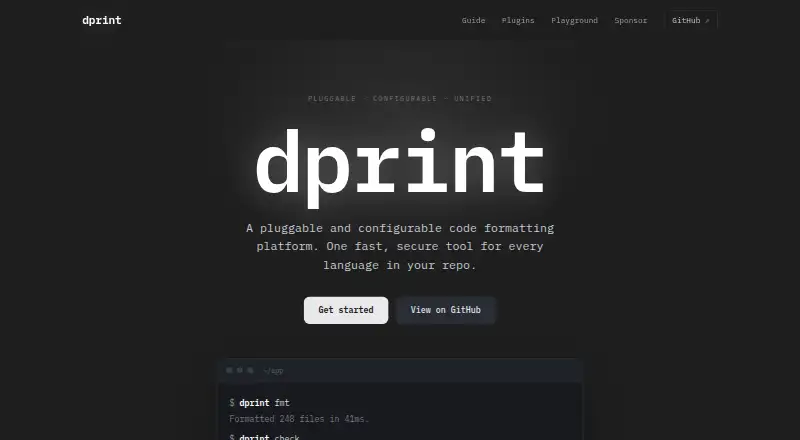
dprint: A broad, editor-friendly formatter for multilingual repositories and changed-file workflows. Ranked #1 of 34 in Code Formatting Tools by our editors (9.0/10); pricing: Open source; best for teams formatting many languages.
At a glance
- Editor score9.0 / 10
- PricingOpen source
- Best forTeams formatting many languages
- Paid fromNone
- Supported languagesTypeScript, JavaScript, JSX, TSX, JSON, JSONC, Markdown, TOML, CSS, SCSS, Sass, Less, Dockerfile, C#, VB, Python, Jupyter, Go, Swift, HTML, Vue, Svelte, Astro, Angular, Jinja, Twig, Nunjucks, Vento, GraphQL, YAML, PHP, Quarto, Pandoc, R Markdown, LaTeX, BibTeX, R, Julia
- Facts checked21 Sep 2026
Where it wins
- Supports programming, markup, data, and documentation formats
- Formats only changed files and respects inclusion and ignore rules
- Works through CLI, editor integrations, and JavaScript or Deno APIs
Where it doesn't
- Plugin-based workflows add configuration and plugin-management overhead
- Teams must define formatting rules through configuration files
- Its broad scope may exceed the needs of single-language projects
Our verdict on dprint
dprint is an open-source command-line formatting platform for developers and teams maintaining repositories with multiple languages. Its plugin architecture uses WebAssembly and process plugins to support formats including TypeScript, JavaScript, JSX, JSON, Markdown, TOML, CSS, HTML, Python, Go, PHP, YAML, GraphQL, and others. It runs on Windows, macOS, Linux, and WSL, with Node.js and Deno support for programmatic use. The product is best suited to teams that want one configurable formatting workflow across varied codebases rather than a formatter focused on one language.
Language breadth is dprint’s clearest differentiator. The supported formats span source code, markup, configuration, notebooks, technical documents, and language-specific files, while configuration files control formatting rules. File inclusion, exclusion, association, and gitignore handling help teams define repository scope, and incremental formatting of changed files can limit the work performed during routine changes. Visual Studio Code, IntelliJ, Neovim, and the Language Server Protocol connect the formatter to common editing workflows. The CLI also supports formatting, checking, and standard-input formatting, while JavaScript and Deno library APIs allow formatter invocation from code.
The trade-off is operational rather than feature scarcity: a plugin-based, multi-language setup gives teams flexibility but requires decisions about plugins, configuration, file associations, and repository rules. That makes dprint a stronger fit for teams standardizing several languages than for a small project with a single, fixed formatting need. Its open-source pricing model suits organizations that want a tool they can incorporate through command-line, editor, or library workflows. Choose dprint when breadth, changed-file formatting, and integration options matter; consider a narrower formatter when minimal configuration is the priority.
dprint pricing
dprint fact sheet
| Free plan | Not verified |
|---|---|
| Paid from | None |
| Supported languages | TypeScript, JavaScript, JSX, TSX, JSON, JSONC, Markdown, TOML, CSS, SCSS, Sass, Less, Dockerfile, C#, VB, Python, Jupyter, Go, Swift, HTML, Vue, Svelte, Astro, Angular, Jinja, Twig, Nunjucks, Vento, GraphQL, YAML, PHP, Quarto, Pandoc, R Markdown, LaTeX, BibTeX, R, Julia |
| Supported platforms | Windows, macOS, Linux, WSL, Node.js, Deno |
| Editor integration | Yes |
| Ignore files | Yes |
| Changed-lines formatting | Yes |
| Library API | Yes |
| License model | Open_source |
| Deployment | Desktop |
| Platforms | Windows, macOS, Linux |
| Support | Docs |
| Built for | Solo, Small business, Mid-market, Enterprise (editorial estimate) |
| Integrations | 6 integrations: Visual Studio Code, IntelliJ, Neovim, Language Server Protocol, npm, Deno See all → |
| Pricing | Open source |
| Website | dprint.dev |
| Facts checked | 21 Sep 2026 |
dprint integrations
dprint lists 6 integrations on its own site.
- Visual Studio Code
- IntelliJ
- Neovim
- Language Server Protocol
- npm
- Deno
Alternatives to dprint
- PrettierA broad, open-source formatter for web-language teams across editors and workflows.8.2
- SpotlessA build-focused formatter for JVM projects that need broad language coverage and automation.7.7
- clang-formatA flexible open-source formatter suited to C and C++ projects with broad workflow support.7.4

dprint vs the competition
- dprint vs Prettier
- dprint vs Spotless
- dprint vs clang-format
- dprint vs Biome
- dprint vs Black
- dprint vs Ruff


Compare dprint with any tool side by side →
Used dprint? Be the first to review it
The editor score above is our own research. What this page doesn't have yet is a reader's view — what you used dprint for, what worked and what didn't. No stars are seeded and no review is paid for; an editor reads every one before it appears.
Write a reviewTwo minutes · verified accounts only · read by an editor before it appears
Featured on iTechGuides

dprint is listed in our Code Formatting Tools directory. Add the badge to your site — it links back to this page.
<a href="https://www.itechguides.com/products/dprint/"><img src="https://www.itechguides.com/best/badge/dprint.svg" alt="Featured on iTechGuides" width="230" height="46"></a>
Reviewed by iTechGuides Editors · Editorial team · Updated Sep 2026
Advertiser disclosure: iTechGuides is reader-supported. We may earn a commission when you click some links. It never changes a score or a verdict. How we rank.
Last updated · How we research and update