uMap
uMap: A flexible choice for collaborative, embeddable OpenStreetMap projects. Ranked #15 of 39 in Interactive Map Software by our editors (7.7/10); pricing: Free plan; best for open-source collaborative OpenStreetMap projects.
At a glance
- Editor score7.7 / 10
- PricingFree plan
- Best forOpen-source collaborative OpenStreetMap projects
- Free planYes
- Paid fromFree
- Facts checked21 Sep 2026
Where it wins
- Imports GeoJSON, GPX, KML and OSM data
- Supports permissions and real-time collaborative editing
- Offers heatmaps, clustering and iframe embeds
Where it doesn't
- Self-hosting may require technical administration
- Focused on OpenStreetMap-based mapping
- Hosted instances are independently operated
Our verdict on uMap
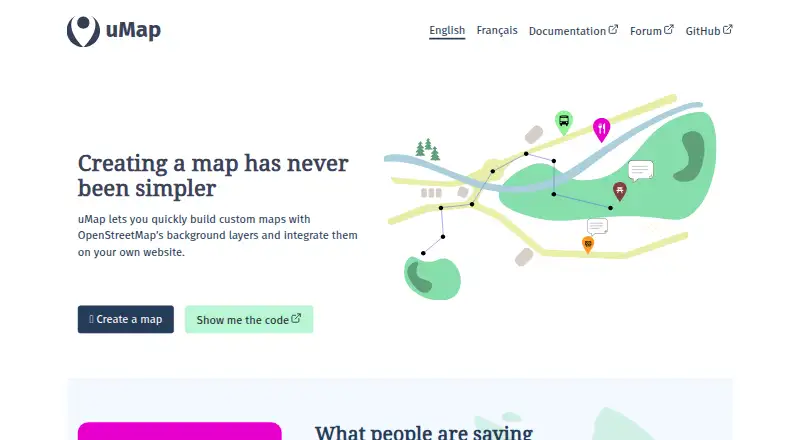
uMap is an open-source interactive map creator built around OpenStreetMap background layers. It suits individuals, educators, community groups, public-sector organizations and teams that need customizable maps without building a mapping application from scratch. Through a graphical interface, users can add markers, lines, polygons, icons, heatmaps and clustered points, then publish maps through links or iframe embeds. The project supports both web use and self-hosting, with a free plan and customizable self-hosted branding and templates.
Its strongest fit is collaborative geospatial work. uMap supports map sharing and editing permissions, role-based access control and real-time collaborative editing, making it practical for teams maintaining a shared map. Data import is broad for a focused mapping tool: GeoJSON, GPX, KML and OSM data are supported. Its ecosystem connects with OpenStreetMap, OpenRouteService, Overpass and OpenDataSoft, while iframe embedding supports distribution through existing websites. These features make uMap suitable for community maps, educational projects, public information pages and other projects that need map layers without a custom application.
The trade-off is that uMap remains centered on OpenStreetMap-based interactive mapping rather than a general-purpose application platform. Teams needing custom map applications, a different basemap foundation or more specialized development controls may prefer another tool. Self-hosting adds responsibility for deployment and ongoing administration, while hosted use involves independently operated instances. Choose uMap when open-source control, collaborative editing, geospatial imports and simple publishing matter most; choose an alternative when a broader application ecosystem or a tightly managed commercial service is the priority.
Your product? Our editors can test uMap in depth and publish a review, labelled as paid · from $149/mo →
uMap pricing
uMap fact sheet
| Free plan | Yes |
|---|---|
| Paid from | Free |
| Data refresh | Not verified |
| Custom branding | Yes |
| Access control | Role_based |
| Map layers | Not verified |
| Viewer limit | Not verified |
| Embed options | Iframe |
| API access | Not verified |
| Deployment | Cloud, Self-hosted |
| Platforms | Web |
| Support | Email, Community, Docs |
| Built for | Solo, Small business, Mid-market, Enterprise (editorial estimate) |
| Integrations | 4 integrations: OpenStreetMap, OpenRouteService, Overpass, OpenDataSoft |
| Pricing | Free plan |
| Website | umap-project.org |
| Facts checked | 21 Sep 2026 |
uMap integrations
uMap lists 4 integrations on its own site.
- OpenStreetMap
- OpenRouteService
- Overpass
- OpenDataSoft
Alternatives to uMap
- Mapbox StudioA capable Mapbox styling workspace for teams building custom map experiences.9.4
- FeltA broad mapping workspace for teams that need collaboration, analysis, and live data.9.2
- CARTOAdvanced spatial analytics, mapping, optimization, and developer tools for enterprise teams.9.1



Used uMap? Be the first to review it
The editor score above is our own research. What this page doesn't have yet is a reader's view — what you used uMap for, what worked and what didn't. No stars are seeded and no review is paid for; an editor reads every one before it appears.
Write a reviewTwo minutes · verified accounts only · read by an editor before it appears
Featured on iTechGuides

uMap is listed in our Interactive Map Software directory. Add the badge to your site — it links back to this page.
<a href="https://www.itechguides.com/products/umap/"><img src="https://www.itechguides.com/best/badge/umap.svg" alt="Featured on iTechGuides" width="230" height="46"></a>
Reviewed by iTechGuides Editors · Editorial team · Updated Sep 2026
Advertiser disclosure: iTechGuides is reader-supported. Vendors can pay for top positions in our rankings and for a place on other products' pages, and we may earn a commission when you click some links. Bought places stand at the number bought; this page and our disclosure say so. Paying vendors may get a fuller, more detailed review from our editors, and that review can change their score. How we rank.
Last updated · How we research and update