
Tungsten Power PDF
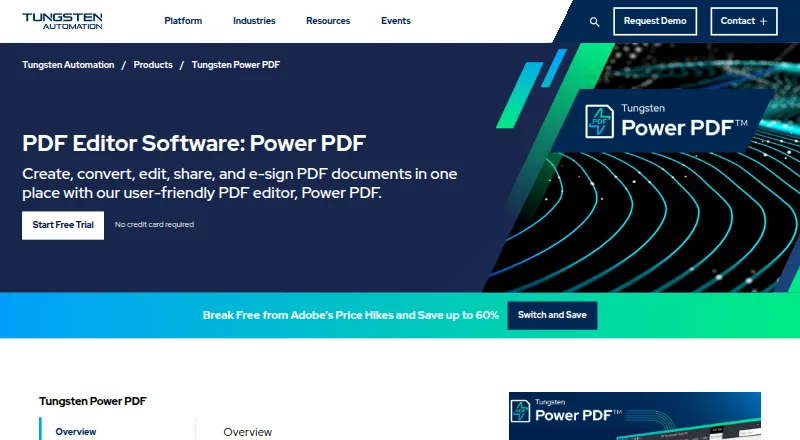
Tungsten Power PDF: A broad PDF suite for organizations managing editing, forms, security, and signatures. Ranked #12 of 102 in PDF Editors by our editors (6.7/10); pricing: From $179 · 15-day trial; best for enterprise PDF and signature workflows.
At a glance
- Editor score6.7 / 10
- PricingFrom $179 · 15-day trial
- Best forEnterprise PDF and signature workflows
- Free planNo
- OCRYes
- Facts checked20 Sep 2026
Where it wins
- Combines editing, OCR, forms, redaction, signatures, and collaboration.
- Supports Windows, macOS, iOS, Android, and web workflows.
- Connects with Box, Dropbox, SharePoint, Teams, DocuSign, and more.
Where it doesn't
- The $179 starting price is a high one-time commitment.
- Business licensing requires a minimum of five users.
- Feature availability varies across Standard, Advanced, Mac, and Business editions.
Our verdict on Tungsten Power PDF
Tungsten Power PDF is PDF software for individuals, small businesses, and enterprises that need to create, edit, convert, organize, secure, and sign documents. Its feature set covers existing PDF text and object editing, annotations, OCR for scanned files, conversions to and from Word, Excel, PowerPoint, and image formats, interactive forms, page organization, password protection, redaction, digital signatures, and e-signature workflows. It runs across Windows, macOS, iOS, Android, and the web, with editions aimed at both desktop users and larger organizations.
The product’s edition structure is central to the buying decision. Power PDF Standard includes creation, editing, compilation, format conversion, annotations, stamps, and Windows and Mac editions. Power PDF Advanced is published at $179 USD for a one-time license and adds redaction, Bates stamping, e-signature workflows, cloud connectivity, real-time collaboration, and watched-folder PDF creation. Power PDF for Mac provides a macOS-native interface, markup, comments, conversions, and digital signatures. Business licensing adds a minimum five-user requirement, Cloud Editor, a Microsoft Teams app, central administration, and SDK and API capabilities. The paid model suits buyers who prefer a perpetual desktop license, but the starting price makes it a significant upfront purchase.
Integration and collaboration make Power PDF more suitable for structured document operations than for basic annotation alone. It connects with Box, Dropbox, Evernote, Google Drive, Microsoft OneDrive, SharePoint, Microsoft Teams, Tungsten SignDoc, and DocuSign. Cloud Editor and Teams support real-time PDF collaboration, while business capabilities address administration and development needs. Choose it when PDF editing, OCR, forms, security, signatures, and organizational integrations belong in one workflow. Buyers seeking only occasional PDF changes or a lower upfront commitment should consider a simpler alternative.
Tungsten Power PDF pricing
All 2 Tungsten Power PDF plans and prices →
Tungsten Power PDF fact sheet
| Free plan | No |
|---|---|
| Paid from | Not verified |
| Text editing | Yes |
| Annotation tools | Yes |
| OCR | Yes |
| PDF conversion | Yes |
| Form creation | Yes |
| Supported platforms | Windows, macOS, iOS, Android, web browser, Chrome/Edge browser add-in and API |
| Free trial | 15 days · no card needed |
| Money-back guarantee | 30 days |
| Deployment | Cloud, Self-hosted, Desktop, Mobile, Browser extension |
| Platforms | Web, Windows, macOS, iOS, Android, Chrome extension |
| Support | Tickets, Community, Docs |
| Built for | Solo, Small business, Mid-market, Enterprise (editorial estimate) |
| Integrations | 11 integrations: Microsoft Office, Box, Dropbox, Evernote, Google Drive, Microsoft OneDrive … |
| Pricing | From $179 · 15-day trial (source) |
| Website | tungstenautomation.com |
| Facts checked | 20 Sep 2026 |
Tungsten Power PDF integrations
Tungsten Power PDF lists 11 integrations on its own site.
- Microsoft Office
- Box
- Dropbox
- Evernote
- Google Drive
- Microsoft OneDrive
- SharePoint
- iManage
- Microsoft Teams
- Tungsten SignDoc
- DocuSign
Alternatives to Tungsten Power PDF
- Foxit PDF EditorA mature PDF workspace with deep editing, OCR, forms, security, and integrations.9.8
- iLovePDFA broad PDF toolkit with free access, offline desktop processing, and cross-device apps.8.8
- SmallpdfA broad PDF toolkit for simple editing across web, Windows, mobile, and Chrome.8.7



See all Tungsten Power PDF alternatives →
Also listed in
Used Tungsten Power PDF? Be the first to review it
The editor score above is our own research. What this page doesn't have yet is a reader's view — what you used Tungsten Power PDF for, what worked and what didn't. No stars are seeded and no review is paid for; an editor reads every one before it appears.
Write a reviewTwo minutes · verified accounts only · read by an editor before it appears
Featured on iTechGuides

Tungsten Power PDF is listed in our PDF Editors directory. Add the badge to your site — it links back to this page.
<a href="https://www.itechguides.com/products/tungsten-power-pdf/"><img src="https://www.itechguides.com/best/badge/tungsten-power-pdf.svg" alt="Featured on iTechGuides" width="230" height="46"></a>
Guides on PDF editors
- Best PDF editor 2026: The top PDF editing software comparedAug 2026
- Best free PDF editor 2026: Top picks tested for PC & mobileAug 2026
- Best PDF Editor for Mac (2026): Best tools for text edits, OCR & annotationsAug 2026
Reviewed by iTechGuides Editors · Editorial team · Updated Sep 2026
Advertiser disclosure: iTechGuides is reader-supported. We may earn a commission when you click some links. How we rank.
Last updated · How we research and update