
iLovePDF
iLovePDF: A broad PDF toolkit with free access, offline desktop processing, and cross-device apps. Ranked #2 of 102 in PDF Editors by our editors (9.2/10); pricing: Free plan; best for accessible PDF work across devices.
At a glance
- Editor score9.2 / 10
- PricingFree plan
- Best forAccessible PDF work across devices
- Free planYes
- OCRYes
- Founded2010 · Barcelona, Spain
- Facts checked20 Sep 2026
Where it wins
- OCR, form creation, annotations, conversion, and PDF security tools
- Web, Windows, macOS, iOS, and Android applications
- Desktop app supports local and offline document processing
Where it doesn't
- Free access includes limited document processing
- Existing PDF text editing is not explicitly confirmed
- Business features are oriented toward organizational buyers
Our verdict on iLovePDF
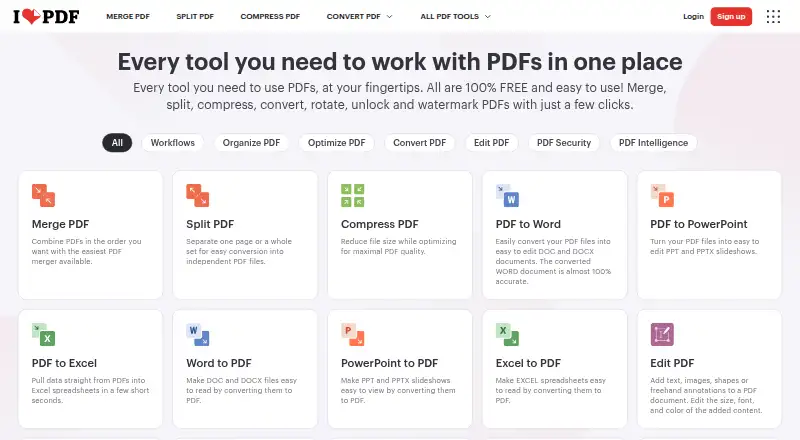
iLovePDF is a PDF productivity service for individuals, professionals, and businesses that need to edit, annotate, convert, organize, sign, protect, and compare documents. Its toolkit includes adding text, shapes, comments, and highlights; OCR for scanned PDFs; fillable form creation; page management; and conversion between PDF, Microsoft Office, image, and PDF/A formats. It is available through web, Windows, macOS, iOS, and Android applications.
The freemium structure gives users access to a Basic plan with essential iLovePDF tools and limited document processing. The Premium plan adds full access to all tools, unlimited document processing, web, mobile, and desktop access, digital signatures, workflows, and an ad-free experience. Business includes the Premium features along with custom contracts, a dedicated account manager, and single sign-on. This makes the product suitable for users who want to start with core PDF tasks and for organizations that need account and access-management features.
iLovePDF also fits workflows that span cloud storage and local processing. Google Drive and Dropbox integrations support file access, while the desktop application can process documents locally and offline. The breadth of functions is a clear strength, but buyers focused specifically on editing existing PDF text should review the editor capabilities carefully, since adding text and annotations are the explicitly established functions. Choose iLovePDF for broad PDF work across devices, OCR, forms, conversion, and document security; consider another editor if deep existing-text editing is the main requirement.
Your product? Our editors can test iLovePDF in depth and publish a review, labelled as paid · from $149/mo →
iLovePDF pricing
All 3 iLovePDF plans and prices →
iLovePDF fact sheet
| Free plan | Yes |
|---|---|
| Paid from | Not verified |
| Text editing | Yes |
| Annotation tools | Yes |
| OCR | Yes |
| PDF conversion | Yes |
| Form creation | Yes |
| Supported platforms | web, windows, macos, ios, android |
| Deployment | Cloud, Desktop, Mobile |
| Platforms | Web, Windows, macOS, iOS, Android |
| Compliance & security | ISO 27001, GDPR, 2FA |
| Support | Email, Docs |
| Built for | Solo, Small business, Mid-market, Enterprise (editorial estimate) |
| Integrations | 7 integrations: Google Drive, Dropbox, Google Workspace, Auth0, Zapier, WordPress … |
| Pricing | Free plan (source) |
| Website | ilovepdf.com |
| Facts checked | 20 Sep 2026 |
iLovePDF integrations
iLovePDF lists 7 integrations on its own site.
- Google Drive
- Dropbox
- Google Workspace
- Auth0
- Zapier
- WordPress
- Power Automate
Alternatives to iLovePDF
- Foxit PDF EditorA mature PDF workspace with deep editing, OCR, forms, security, and integrations.9.3
- SmallpdfA broad PDF toolkit for simple editing across web, Windows, mobile, and Chrome.9.1
- WPS PDF EditorA low-cost PDF suite with broad editing, OCR, conversion, and AI tools across platforms.9.0


See all iLovePDF alternatives →
iLovePDF vs the competition
- iLovePDF vs Foxit PDF Editor
- iLovePDF vs Smallpdf
- iLovePDF vs WPS PDF Editor
- iLovePDF vs ABBYY FineReader PDF
- iLovePDF vs ONLYOFFICE PDF Editor
- iLovePDF vs Wondershare PDFelement



Compare iLovePDF with any tool side by side →
Also Ranked In
iLovePDF is ranked in 5 of our directories.
Used iLovePDF? Be the first to review it
The editor score above is our own research. What this page doesn't have yet is a reader's view — what you used iLovePDF for, what worked and what didn't. No stars are seeded and no review is paid for; an editor reads every one before it appears.
Write a reviewTwo minutes · verified accounts only · read by an editor before it appears
Featured on iTechGuides

iLovePDF is listed in our PDF Editors directory. Add the badge to your site — it links back to this page.
<a href="https://www.itechguides.com/products/ilovepdf/"><img src="https://www.itechguides.com/best/badge/ilovepdf.svg" alt="Featured on iTechGuides" width="230" height="46"></a>
Reviewed by iTechGuides Editors · Editorial team · Updated Oct 2026
Advertiser disclosure: iTechGuides is reader-supported. Vendors can pay for top positions in our rankings and for a place on other products' pages, and we may earn a commission when you click some links. Bought places stand at the number bought; this page and our disclosure say so. Paying vendors may get a fuller, more detailed review from our editors, and that review can change their score. How we rank.
Last updated · How we research and update