TUIFIManager
TUIFIManager: A focused open-source terminal navigator with practical file operations and customization. Ranked #26 of 29 in Terminal File Managers by our editors (6.6/10); pricing: Open source; best for basic multi-platform terminal navigation.
At a glance
- Editor score6.6 / 10
- PricingOpen source
- Best forBasic multi-platform terminal navigation
- Paid fromFree
- Facts checked21 Sep 2026
Where it wins
- Runs across Windows, macOS, Linux, Android, and Termux
- Combines Vim-style and standard shortcuts with mouse support
- Supports search, metadata, drag-and-drop, and configurable commands
Where it doesn't
- Does not document dual-pane navigation as part of its scope
- Preview, remote-access, and archive workflows are outside its documented focus
- Repository documentation is still marked as a work in progress
Our verdict on TUIFIManager
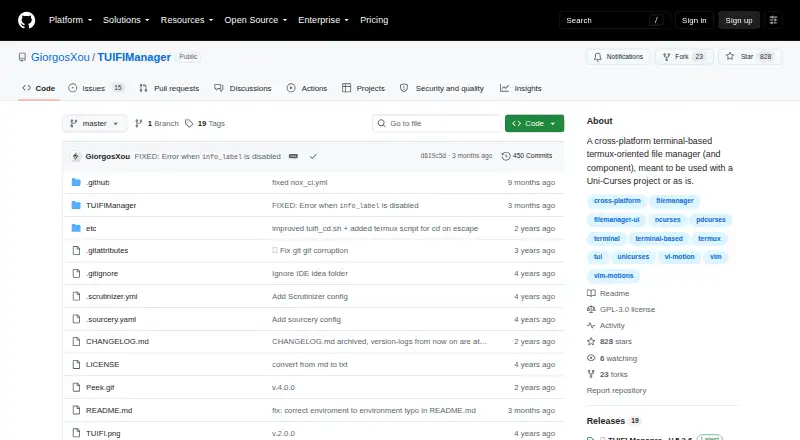
TUIFIManager is an open-source, Python-based terminal file manager for desktop operating systems and Termux. It suits users who want command-line navigation with familiar file operations rather than a graphical file browser. The application supports Windows, macOS, Linux, and Android, and can run as a command-line application or as a component in Uni-Curses projects. Its core workflow covers selecting files, copying, cutting, pasting, deleting, renaming, and creating files or folders, with hidden-file toggling for more control over directory views.
Navigation is the product’s clearest strength. Users can choose Vim-style or standard keyboard shortcuts, while mouse-event support and X11 terminal drag-and-drop add pointer-based interaction where the environment supports it. Search and configurable commands extend the basic browser model, and file properties and metadata display provide more context during file management. Theme, editor, behavior, and environment-variable customization also make the interface adaptable to individual terminal setups. This combination gives TUIFIManager a broader interaction model than a keyboard-only utility, while keeping the focus on terminal work. Its Uni-Curses integration is relevant for developers who want to use it within projects built around that framework.
The trade-off is a focused scope. TUIFIManager is a strong fit for straightforward navigation and file manipulation across several operating systems, especially for users who value terminal workflows and customization. It is less suited to buyers looking for a file manager centered on dual-pane work, previews, remote access, or archive handling. The repository documentation is marked as a work in progress, so teams evaluating it should be comfortable with a project whose documentation is still developing. Choose TUIFIManager for portable terminal navigation and core file operations; choose another tool when advanced file-management workflows are central to the requirement.
Your product? Our editors can test TUIFIManager in depth and publish a review, labelled as paid · from $149/mo →
TUIFIManager pricing
TUIFIManager fact sheet
| Free plan | Not verified |
|---|---|
| Paid from | Free |
| Dual-pane layout | Not verified |
| Linux support | Yes |
| macOS support | Yes |
| Windows support | Yes |
| Preview pane | Not verified |
| Remote file access | Not verified |
| Archive support | Not verified |
| Deployment | Desktop, Mobile |
| Platforms | Windows, macOS, Linux, Android |
| Support | Docs |
| Built for | Solo, Small business (editorial estimate) |
| Integrations | 1 integrations: Uni-Curses |
| Pricing | Open source |
| Website | github.com |
| Facts checked | 21 Sep 2026 |
TUIFIManager integrations
TUIFIManager lists 1 integrations on its own site.
- Uni-Curses
Alternatives to TUIFIManager
- NewtA free, open-source file manager for local work, remote sessions, archives, and search.9.4
- Rat CommanderA free, open-source file manager for keyboard-driven work across three desktop platforms.9.2
- FileManagerTUIA Vim-oriented, cross-platform terminal manager with previews, editing, batch actions, and S3 browsing.9.0


See all TUIFIManager alternatives →
Used TUIFIManager? Be the first to review it
The editor score above is our own research. What this page doesn't have yet is a reader's view — what you used TUIFIManager for, what worked and what didn't. No stars are seeded and no review is paid for; an editor reads every one before it appears.
Write a reviewTwo minutes · verified accounts only · read by an editor before it appears
Featured on iTechGuides

TUIFIManager is listed in our Terminal File Managers directory. Add the badge to your site — it links back to this page.
<a href="https://www.itechguides.com/products/tuifimanager/"><img src="https://www.itechguides.com/best/badge/tuifimanager.svg" alt="Featured on iTechGuides" width="230" height="46"></a>
Reviewed by iTechGuides Editors · Editorial team · Updated Oct 2026
Advertiser disclosure: iTechGuides is reader-supported. Vendors can pay for top positions in our rankings and for a place on other products' pages, and we may earn a commission when you click some links. Bought places stand at the number bought; this page and our disclosure say so. Paying vendors may get a fuller, more detailed review from our editors, and that review can change their score. How we rank.
Last updated · How we research and update