
tl;dv
tl;dv: A broad meeting assistant with useful clips and multi-meeting analysis. Ranked #10 of 81 in AI Meeting Assistants by our editors (8.3/10); pricing: Free plan; best for teams needing clips and multi-meeting insights.
At a glance
- Editor score8.3 / 10
- PricingFree plan
- Best forTeams needing clips and multi-meeting insights
- Free planYes
- Paid from$29/seat/mo
- TranscriptionYes
- Founded2020 · Kaiser-Friedrich-Allee 51, 52074 Aachen, Germany
- Facts checked20 Sep 2026
Where it wins
- Records Zoom, Google Meet, and Microsoft Teams meetings
- Creates searchable transcripts, summaries, decisions, and action items
- Adds clips, CRM sync, custom templates, and scheduled reports
Where it doesn't
- The free plan limits AI notes to 10 meetings per month
- Pro starts at $18 per seat per month with annual billing
- Advanced multi-meeting insights begin on the $29 Business plan
Our verdict on tl;dv
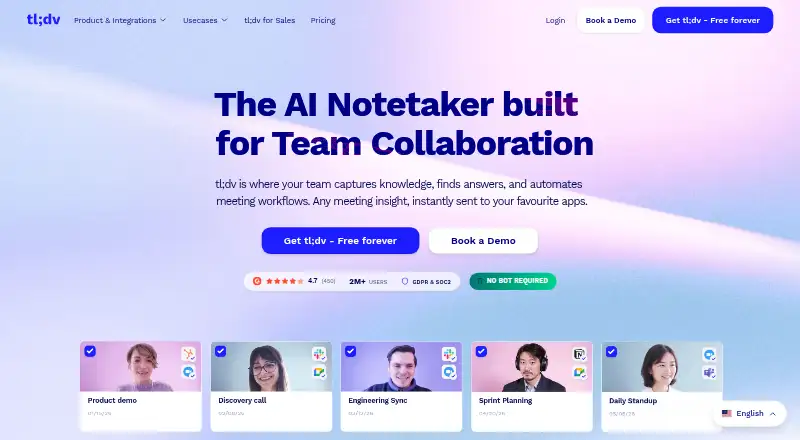
tl;dv is an AI meeting assistant for sales, customer success, consulting, and other teams that need to turn conversations into searchable records and follow-up work. It records meetings across Zoom, Google Meet, and Microsoft Teams, with both bot-based and bot-free desktop capture. Its output includes speaker-recognized transcripts, summaries, decisions, action items, custom AI notes, searchable meeting libraries, clips, and highlight reels. The product is a strong fit for teams that want meeting content to support both individual follow-up and wider sales or customer workflows.
Pricing is structured around a useful free entry point and progressively deeper automation. The Free plan costs $0 per user per month with annual billing and includes unlimited recordings and transcripts, plus AI notes for up to 10 meetings per month. Pro costs $18 per seat per month with annual billing and adds CRM integrations, automatic CRM sync, unlimited AI notes, and API access. Business costs $29 per seat per month with annual billing and adds multi-meeting AI insights, scheduled AI reports, sales playbook monitoring, and objection handling. Enterprise uses custom pricing. The free plan suits light note-taking, while paid tiers make more sense for CRM-connected or revenue-focused processes.
Its ecosystem coverage is a central strength. tl;dv connects with Google and Outlook Calendar, HubSpot, Salesforce, Zoho, Slack, Asana, ClickUp, Jira, Monday.com, Dropbox, and Notion, alongside web, Windows, macOS, iOS, a Chrome extension, and an API. That breadth supports teams that want recordings to feed existing collaboration and CRM systems. Choose tl;dv if clips, searchable meeting knowledge, and cross-meeting reporting matter. Teams seeking only basic transcription may find the paid starting price harder to justify, while advanced analysis is reserved for Business.
Your product? Our editors can test tl;dv in depth and publish a review, labelled as paid · from $149/mo →
tl;dv pricing
All 4 tl;dv plans and prices →
tl;dv fact sheet
| Free plan | Yes |
|---|---|
| Paid from | $29/seat/mo |
| Transcription | Yes |
| Summaries and action items | Yes |
| Meeting capture | Bot |
| Meeting platforms | Zoom, Google Meet, Microsoft Teams |
| Transcription languages | Not verified |
| Calendar integrations | Yes |
| Deployment | Cloud, Desktop, Mobile |
| Platforms | Web, Windows, macOS, iOS |
| Compliance & security | SOC 2, GDPR |
| Support | Email, Live chat, Docs |
| Built for | Small business, Mid-market, Enterprise (editorial estimate) |
| Integrations | 13 integrations: Google Meet, Zoom, Microsoft Teams, HubSpot, Salesforce, Slack … See all → |
| Pricing | Free plan (source) |
| Website | tldv.io |
| Facts checked | 20 Sep 2026 |
tl;dv integrations
tl;dv lists 13 integrations on its own site.
- Google Meet
- Zoom
- Microsoft Teams
- HubSpot
- Salesforce
- Slack
- Asana
- ClickUp
- Jira
- Monday.com
- Dropbox
- Zoho
- Zapier
Alternatives to tl;dv
- FellowA broad meeting assistant combining capture, search, action items, governance, and integrations.9.4
- Fireflies.aiA broad AI meeting assistant for multilingual teams and conversation analysis.9.3
- MeetGeekA broad meeting workspace with a useful free tier and flexible paid plans.9.1



Also Ranked In
tl;dv is ranked in 11 of our directories; the 6 strongest besides AI Meeting Assistants.
Used tl;dv? Be the first to review it
The editor score above is our own research. What this page doesn't have yet is a reader's view — what you used tl;dv for, what worked and what didn't. No stars are seeded and no review is paid for; an editor reads every one before it appears.
Write a reviewTwo minutes · verified accounts only · read by an editor before it appears
Featured on iTechGuides

tl;dv is listed in our AI Meeting Assistants directory. Add the badge to your site — it links back to this page.
<a href="https://www.itechguides.com/products/tl-dv/"><img src="https://www.itechguides.com/best/badge/tl-dv.svg" alt="Featured on iTechGuides" width="230" height="46"></a>
Reviewed by iTechGuides Editors · Editorial team · Updated Oct 2026
Advertiser disclosure: iTechGuides is reader-supported. Vendors can pay for top positions in our rankings and for a place on other products' pages, and we may earn a commission when you click some links. Bought places stand at the number bought; this page and our disclosure say so. Paying vendors may get a fuller, more detailed review from our editors, and that review can change their score. How we rank.
Last updated · How we research and update