The Marvellous Suspender
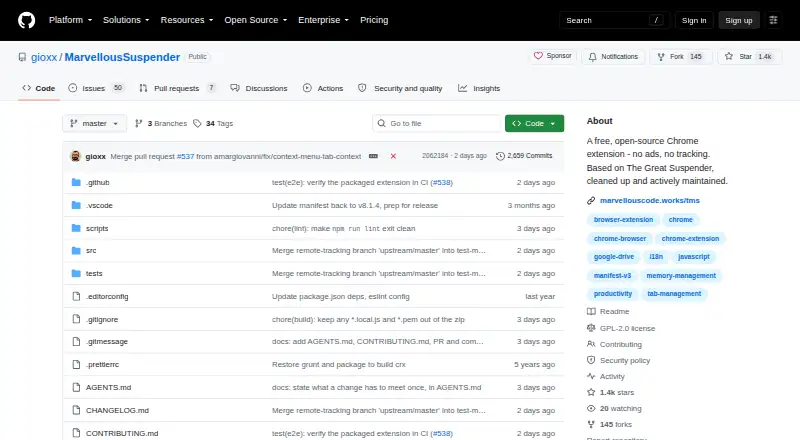
The Marvellous Suspender: A free, open-source Chrome extension for automatic tab suspension and session recovery. Ranked #17 of 27 in Tab Management Software by our editors (7.5/10); pricing: Free plan; best for users prioritizing automatic tab suspension.
At a glance
- Editor score7.5 / 10
- PricingFree plan
- Best forUsers prioritizing automatic tab suspension
- Free planYes
- Paid fromFree
- Facts checked22 Sep 2026
Where it wins
- Configurable suspension timeout from seconds to weeks
- Session recovery, export, import, and automatic backups
- Preserves tab groups and supports Google Drive or Chrome Sync
Where it doesn't
- Chrome extension only
- No verified tab search feature
- No workspace feature
Our verdict on The Marvellous Suspender
The Marvellous Suspender is a free, open-source Chrome extension for people who keep many browser tabs open and want inactive tabs suspended automatically. It replaces inactive tabs with lightweight suspended pages to reduce memory and CPU use, while letting users configure inactivity timeouts from seconds to weeks. Pinned or active tabs can be excluded, and suspended pages can use screenshot, blurred, or text-only views. The product is focused on keeping a Chrome tab collection manageable rather than providing a broad workspace system.
Session management is a notable strength. Users can manage saved, recent, and current sessions, export and import sessions, and recover tabs after a browser restart or crash. Automatic backups can be stored locally or in Google Drive, while Chrome Sync supports cross-device synchronization. Tab-group assignment preservation helps maintain browser organization after suspension and recovery. Battery-aware suspension settings, keyboard shortcuts, and configurable display styles add control for different browsing habits.
The product is free and presented as a Chrome extension, making it a straightforward choice for users whose main priority is reducing the resource cost of inactive tabs without adding a subscription. It is less suitable for people who need verified tab search or workspace features as core parts of their workflow. Choose The Marvellous Suspender when automatic suspension, recovery, backups, and session handling matter most; choose an alternative when broader tab discovery or workspace organization is more important.
Your product? Our editors can test The Marvellous Suspender in depth and publish a review, labelled as paid · from $149/mo →
The Marvellous Suspender pricing
The Marvellous Suspender fact sheet
| Free plan | Yes |
|---|---|
| Paid from | Free |
| Tab search | Not verified |
| Session restore | Yes |
| Tab suspension | Yes |
| Workspaces | Not verified |
| Browser support | Chrome |
| Cross-device sync | Yes |
| Saved session limit | Not verified |
| Deployment | Browser extension |
| Platforms | Chrome extension |
| Support | Docs, Community |
| Built for | Solo, Small business, Mid-market, Enterprise (editorial estimate) |
| Integrations | 2 integrations: Google Drive, Chrome Sync |
| Pricing | Free plan |
| Website | github.com |
| Facts checked | 22 Sep 2026 |
The Marvellous Suspender integrations
The Marvellous Suspender lists 2 integrations on its own site.
- Google Drive
- Chrome Sync
Alternatives to The Marvellous Suspender
- PinakoA broad tab workspace for power users managing complex browser projects.9.4
- WorkonaA structured tab manager for teams coordinating browser work by project.9.2
- TobyA collaborative tab manager with AI organization, cross-device sync, and a useful free tier.9.0



See all The Marvellous Suspender alternatives →
Used The Marvellous Suspender? Be the first to review it
The editor score above is our own research. What this page doesn't have yet is a reader's view — what you used The Marvellous Suspender for, what worked and what didn't. No stars are seeded and no review is paid for; an editor reads every one before it appears.
Write a reviewTwo minutes · verified accounts only · read by an editor before it appears
Featured on iTechGuides

The Marvellous Suspender is listed in our Tab Management Software directory. Add the badge to your site — it links back to this page.
<a href="https://www.itechguides.com/products/the-marvellous-suspender/"><img src="https://www.itechguides.com/best/badge/the-marvellous-suspender.svg" alt="Featured on iTechGuides" width="230" height="46"></a>
Reviewed by iTechGuides Editors · Editorial team · Updated Oct 2026
Advertiser disclosure: iTechGuides is reader-supported. Vendors can pay for top positions in our rankings and for a place on other products' pages, and we may earn a commission when you click some links. Bought places stand at the number bought; this page and our disclosure say so. Paying vendors may get a fuller, more detailed review from our editors, and that review can change their score. How we rank.
Last updated · How we research and update