
Taskwarrior
Taskwarrior: A capable, free task manager for users who prefer terminal-based workflows. Ranked #89 of 148 in To-Do List Apps by our editors (3.0/10); pricing: Free plan; best for technical users who prefer command-line task management.
At a glance
- Editor score3.0 / 10
- PricingFree plan
- Best forTechnical users who prefer command-line task management
- Free planYes
- Paid fromFree
- Recurring tasksYes
- Facts checked21 Sep 2026
Where it wins
- Recurring tasks support configurable recurrence periods and multiple date types
- Dependencies, reports, projects, priorities, tags, and annotations add depth
- Free, open-source software with JSON exchange and synchronization options
Where it doesn't
- Command-line-only workflows may not suit users seeking a visual task app
- Synchronization requires a configured server or compatible cloud storage
- Extension and automation features require comfort with hooks and command syntax
Our verdict on Taskwarrior
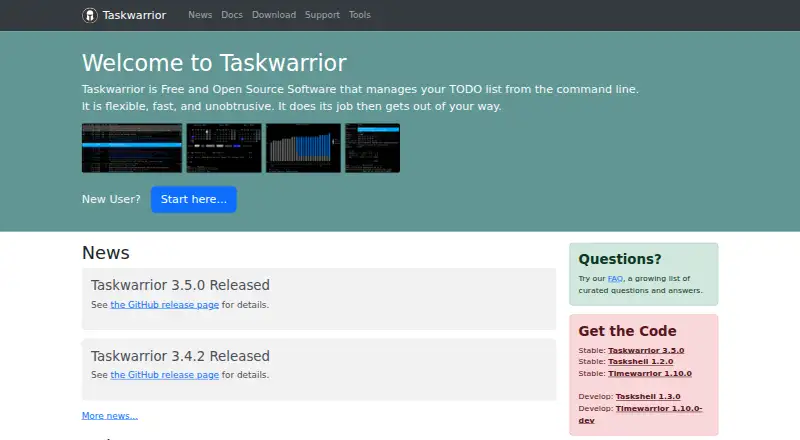
Taskwarrior is a free, MIT-licensed, open-source command-line application for managing personal to-do lists. It is designed for technical users who want to create, modify, complete, delete, filter, and report on tasks from Linux, macOS, or Windows. Tasks can include due, scheduled, wait, and recurrence dates, as well as projects, priorities, tags, annotations, and dependencies. Local data storage supports offline operation, while JSON import and export help move task information between tools and workflows.
Its strongest area is task depth rather than visual simplicity. Recurring tasks support configurable recurrence periods, and dependencies enable blocked and unblocked reports for work with prerequisites. Calendar and holiday reports add planning context, while projects, priorities, tags, annotations, and expressive filtering support structured task management. The hook-script API extends the application for automation, making Taskwarrior a better fit for users who are comfortable shaping their own workflows than for people seeking guided onboarding or a graphical interface.
Synchronization is available between task replicas through TaskChampion sync server, AWS S3, Google Cloud Storage, or S3-compatible storage. That flexibility suits users who can configure and maintain their preferred sync path, and JSON provides a practical interchange format. The trade-off is that the platform experience remains centered on the command line, with setup and automation likely requiring technical judgment. Choose Taskwarrior when terminal access, local control, recurring work, dependencies, and extensibility matter most; choose a visual to-do app instead if quick point-and-click entry or a graphical workflow is the priority.
Your product? Our editors can test Taskwarrior in depth and publish a review, labelled as paid · from $149/mo →
Taskwarrior pricing
Taskwarrior fact sheet
| Free plan | Yes |
|---|---|
| Paid from | Free |
| Recurring tasks | Yes |
| Task reminders | Yes |
| Calendar sync | Not verified |
| Subtasks | Not verified |
| Offline access | None |
| Active task limit | Not verified |
| Supported platforms | Windows via WSL, macOS, Linux distributions |
| Deployment | Self-hosted |
| Platforms | Windows, macOS, Linux |
| Support | Email, Community, Docs, Tickets |
| Built for | Solo, Small business (editorial estimate) |
| Pricing | Free plan |
| Website | taskwarrior.org |
| Facts checked | 21 Sep 2026 |
Alternatives to Taskwarrior
- TodoistA complete task manager with broad platform coverage, recurring tasks, and team workspaces.9.2
- TickTickA broad to-do app for users who want tasks, planning, habits, and focus tools together.9.0
- Microsoft To DoA capable free choice for daily planning, shared lists, and Microsoft-connected task management.8.8



See all Taskwarrior alternatives →
Used Taskwarrior? Be the first to review it
The editor score above is our own research. What this page doesn't have yet is a reader's view — what you used Taskwarrior for, what worked and what didn't. No stars are seeded and no review is paid for; an editor reads every one before it appears.
Write a reviewTwo minutes · verified accounts only · read by an editor before it appears
Featured on iTechGuides

Taskwarrior is listed in our To-Do List Apps directory. Add the badge to your site — it links back to this page.
<a href="https://www.itechguides.com/products/taskwarrior/"><img src="https://www.itechguides.com/best/badge/taskwarrior.svg" alt="Featured on iTechGuides" width="230" height="46"></a>
Reviewed by iTechGuides Editors · Editorial team · Updated Oct 2026
Advertiser disclosure: iTechGuides is reader-supported. Vendors can pay for top positions in our rankings and for a place on other products' pages, and we may earn a commission when you click some links. Bought places stand at the number bought; this page and our disclosure say so. Paying vendors may get a fuller, more detailed review from our editors, and that review can change their score. How we rank.
Last updated · How we research and update