
Tactiq
Tactiq: A low-cost AI meeting assistant for browser-based teams and macOS users. Ranked #11 of 81 in AI Meeting Assistants by our editors (8.2/10); pricing: Free plan; best for browser-based users prioritizing low cost.
At a glance
- Editor score8.2 / 10
- PricingFree plan
- Best forBrowser-based users prioritizing low cost
- Free planYes
- Paid from$8/user/mo
- TranscriptionYes
- Facts checked20 Sep 2026
Where it wins
- Live transcripts with speaker identification and AI summaries
- Action items, follow-ups, and project updates from meetings
- Integrations with Slack, Notion, Jira, and other work tools
Where it doesn't
- Platform coverage centers on a Chrome extension and macOS app
- Free plan limits users to 10 transcripts and 5 AI credits monthly
- Advanced administration and retention features require higher tiers
Our verdict on Tactiq
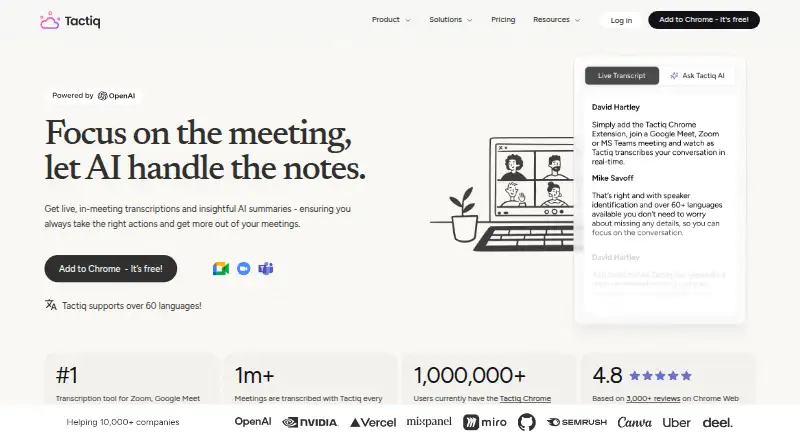
Tactiq is an AI meeting assistant for people and teams using Google Meet, Zoom, and Microsoft Teams. Its Chrome extension captures live transcripts without a bot joining the call, while the native macOS app supports Zoom desktop meetings. Speaker identification, searchable archives, transcript uploads, summaries, action items, AI questions, follow-up emails, and project updates make it suited to browser-based professionals who want meeting records and next steps in one workflow.
The free plan includes 5 AI credits and 10 transcripts per month, plus AI-generated insights and transcript sharing and exports. Pro costs $8 per user per month with annual billing and adds unlimited transcripts, 10 AI credits monthly, transcript-notification controls, and the option to pause automatic transcription. Team costs $16.67 per user per month annually, adding unlimited AI credits, priority support, team transcript sharing, and centralized billing and administration. Business costs $29.16 per user per month annually and adds data retention, AI meeting agents, and SAML SSO. Enterprise adds advanced retention, customizable SAML SSO, and a dedicated account manager at custom pricing.
Tactiq fits teams that want meeting capture connected to everyday work tools. Integrations include Google Docs, Confluence, Quip, Notion, Slack, Google Meet, Zoom, Google Calendar, HubSpot, Asana, Monday, ClickUp, Jira, Whereby, and Intercom. AI workflows can send meeting context into connected systems, extending the product beyond transcription. The trade-off is platform coverage centered on Chrome and macOS rather than a broad native-app footprint. Choose Tactiq for affordable browser-based transcription and workflow automation; consider an alternative if wide platform coverage is the primary requirement.
Your product? Our editors can test Tactiq in depth and publish a review, labelled as paid · from $149/mo →
Tactiq pricing
All 5 Tactiq plans and prices →
Tactiq fact sheet
| Free plan | Yes |
|---|---|
| Paid from | $8/user/mo |
| Transcription | Yes |
| Summaries and action items | Yes |
| Meeting capture | Extension |
| Meeting platforms | Google Meet, Microsoft Teams, Zoom |
| Transcription languages | Not verified |
| Calendar integrations | Yes |
| Deployment | Cloud, Desktop, Browser extension |
| Platforms | Web, macOS, Chrome extension |
| Compliance & security | SOC 2, ISO 27001, GDPR, HIPAA, SSO/SAML |
| Support | Email, Live chat, Docs |
| Built for | Solo, Small business, Mid-market, Enterprise (editorial estimate) |
| Integrations | 20 integrations: Google Docs, Confluence, Quip, Notion, Slack, Google Meet … See all → |
| Pricing | Free plan (source) |
| Website | tactiq.io |
| Facts checked | 20 Sep 2026 |
Tactiq integrations
Tactiq lists 20 integrations on its own site.
- Google Docs
- Confluence
- Quip
- Notion
- Slack
- Google Meet
- Zoom
- Google Calendar
- HubSpot
- Asana
- Monday
- ClickUp
- Jira
- Whereby
- Intercom
- Evernote
- Salesforce
- Pipedrive
- Zoho
- Jitsi
Alternatives to Tactiq
- FellowA broad meeting assistant combining capture, search, action items, governance, and integrations.9.4
- Fireflies.aiA broad AI meeting assistant for multilingual teams and conversation analysis.9.3
- MeetGeekA broad meeting workspace with a useful free tier and flexible paid plans.9.1



Also Ranked In
Tactiq is ranked in 7 of our directories.
Used Tactiq? Be the first to review it
The editor score above is our own research. What this page doesn't have yet is a reader's view — what you used Tactiq for, what worked and what didn't. No stars are seeded and no review is paid for; an editor reads every one before it appears.
Write a reviewTwo minutes · verified accounts only · read by an editor before it appears
Featured on iTechGuides

Tactiq is listed in our AI Meeting Assistants directory. Add the badge to your site — it links back to this page.
<a href="https://www.itechguides.com/products/tactiq/"><img src="https://www.itechguides.com/best/badge/tactiq.svg" alt="Featured on iTechGuides" width="230" height="46"></a>
Reviewed by iTechGuides Editors · Editorial team · Updated Oct 2026
Advertiser disclosure: iTechGuides is reader-supported. Vendors can pay for top positions in our rankings and for a place on other products' pages, and we may earn a commission when you click some links. Bought places stand at the number bought; this page and our disclosure say so. Paying vendors may get a fuller, more detailed review from our editors, and that review can change their score. How we rank.
Last updated · How we research and update