Synappx Cloud Print
Synappx Cloud Print: A cloud print service with secure release, mobile access, reporting, and broad integrations. Ranked #25 of 37 in Print Management Software by our editors (6.3/10); pricing: Pricing on request; best for cloud teams prioritizing mobile and guest printing.
At a glance
- Editor score6.3 / 10
- PricingPricing on request
- Best forCloud teams prioritizing mobile and guest printing
- Secure releaseYes
- Facts checked20 Sep 2026
Where it wins
- Secure release supports PIN, card, badge, QR code, and other methods
- Mobile printing connects to major cloud-storage and messaging services
- Advanced reports support preset, custom, and scheduled reporting
Where it doesn't
- Pricing requires contacting sales rather than choosing a public plan
- Device licensing and MFP discovery add administration considerations
- Best suited to organizations using supported Sharp or compatible devices
Our verdict on Synappx Cloud Print
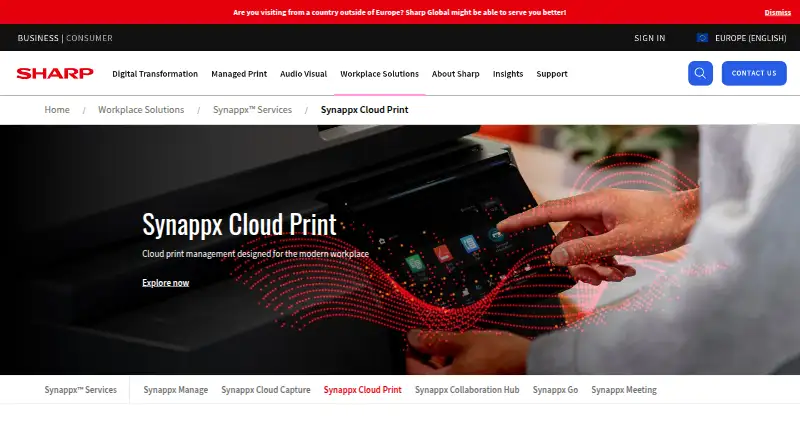
Synappx Cloud Print is Sharp’s cloud-based print management software for small and medium-sized enterprises. It provides centralized administration through a web-based Admin Portal, secure print release, print accounting, auditing, reporting, mobile printing, and guest printing. Users can submit jobs from Windows, macOS, iOS, Android, web, and Chrome extension environments, then authenticate at supported printers before release. The service is designed for hybrid workplace printing without traditional print-server infrastructure.
Pricing is presented as a pay-as-you-go subscription, with prospects directed to sales rather than public plan tiers. That makes Synappx Cloud Print a fit for organizations that prefer a tailored purchasing conversation over self-serve plan selection. Its integration coverage is a major part of the product: connections include Microsoft Entra ID, Microsoft 365, Google Workspace, OneDrive, SharePoint, Microsoft Teams, Dropbox, Box, Google Drive, iCloud, Gmail, Microsoft Outlook, Microsoft Office, and Apple iMessage. Mobile users can print from cloud storage, email, text messages, and mobile applications.
Secure release is the product’s central control layer, with authentication options including PIN, card, badge, and QR code. Print-job settings include duplex, black-and-white, stapling, and copy counts, while accounting, auditing, and scheduled reports help administrators review activity. Guest printing broadens its usefulness for workplaces serving visitors or temporary users. Organizations should choose Synappx Cloud Print when they need cloud deployment, mobile and guest printing, broad platform coverage, and reporting across Sharp multifunction printers and compatible third-party devices. It is less suitable for buyers seeking transparent public pricing, a narrowly defined self-service setup, or a printing environment outside its supported device and application ecosystem.
Your product? Our editors can test Synappx Cloud Print in depth and publish a review, labelled as paid · from $149/mo →
Synappx Cloud Print pricing
Synappx Cloud Print fact sheet
| Free plan | Not verified |
|---|---|
| Paid from | Not verified |
| Secure release | Yes |
| Print quotas | Not verified |
| Print policy rules | Not verified |
| Deployment | Cloud |
| Mobile printing | Yes |
| Reporting | Advanced |
| Supported platforms | Windows, macOS, Chrome extension, iOS, Android, web |
| Deployment | Cloud, Desktop, Mobile, Browser extension |
| Platforms | Web, Windows, macOS, iOS, Android, Chrome extension |
| Compliance & security | GDPR, 2FA |
| Support | Docs |
| Built for | Small business, Mid-market (editorial estimate) |
| Integrations | 16 integrations: Microsoft Entra ID, Microsoft 365, Google Workspace, OneDrive for Business, OneDrive, SharePoint … |
| Pricing | Pricing on request |
| Website | sharp.eu |
| Facts checked | 20 Sep 2026 |
Synappx Cloud Print integrations
Synappx Cloud Print lists 16 integrations on its own site.
- Microsoft Entra ID
- Microsoft 365
- Google Workspace
- OneDrive for Business
- OneDrive
- SharePoint
- Microsoft Teams
- Dropbox
- Box
- Google Drive
- iCloud
- Gmail
- Microsoft Outlook
- Microsoft Office
- Apple iMessage
- Google Messages
Alternatives to Synappx Cloud Print
- ApeosWare Management Suite 2Advanced print accounting and authenticated workflows for organizations managing networked devices.9.2
- Xerox Workplace SuiteA strong fit for organizations needing controlled, accountable printing on shared fleets.9.0
- PaperCut MFA mature choice for enterprises needing secure, policy-driven control across mixed print estates.8.8


See all Synappx Cloud Print alternatives →
Used Synappx Cloud Print? Be the first to review it
The editor score above is our own research. What this page doesn't have yet is a reader's view — what you used Synappx Cloud Print for, what worked and what didn't. No stars are seeded and no review is paid for; an editor reads every one before it appears.
Write a reviewTwo minutes · verified accounts only · read by an editor before it appears
Featured on iTechGuides

Synappx Cloud Print is listed in our Print Management Software directory. Add the badge to your site — it links back to this page.
<a href="https://www.itechguides.com/products/synappx-cloud-print/"><img src="https://www.itechguides.com/best/badge/synappx-cloud-print.svg" alt="Featured on iTechGuides" width="230" height="46"></a>
Reviewed by iTechGuides Editors · Editorial team · Updated Oct 2026
Advertiser disclosure: iTechGuides is reader-supported. Vendors can pay for top positions in our rankings and for a place on other products' pages, and we may earn a commission when you click some links. Bought places stand at the number bought; this page and our disclosure say so. Paying vendors may get a fuller, more detailed review from our editors, and that review can change their score. How we rank.
Last updated · How we research and update